
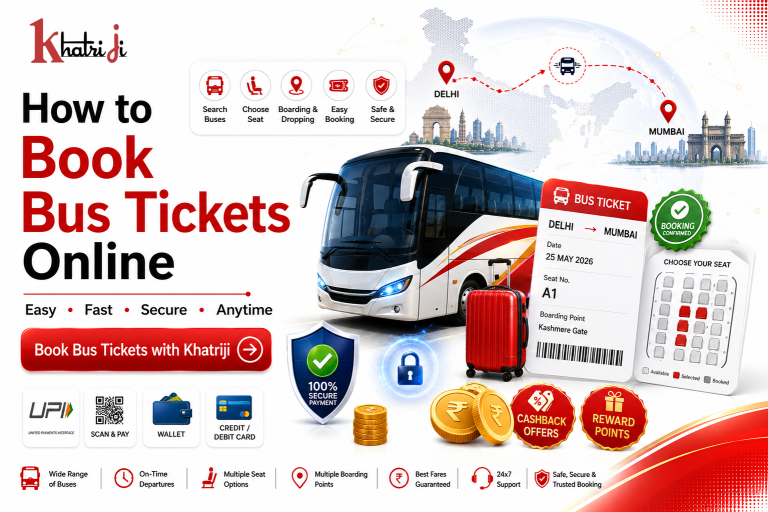
Planning a bus journey is easier than ever with online bus ticket booking. Instead of visiting a ticket counter and waiting in a queue, you can search for buses, compare timings, choose your preferred seat, select boarding and dropping points, and complete your payment online.
Whether you are travelling for work, visiting family, going on a holiday, or planning a weekend trip, online bus booking can make your journey planning faster and more convenient.
In this guide, we will explain how to book bus tickets online in India, what you should check before booking, how to select the right bus and seat, and how to make your online bus booking more secure.
What Is Online Bus Ticket Booking?
Online bus ticket booking allows passengers to search and reserve bus seats through a digital travel-booking platform.
You can generally enter your departure city, destination, and travel date to find available buses. Depending on the booking service, you may then compare bus operators, departure times, bus types, seats, boarding points, dropping points, amenities, ratings, and prices.
After selecting a suitable bus, you can enter passenger information and complete the booking using an available payment method.
Why Book Bus Tickets Online?
Online bus booking offers several advantages over visiting a physical ticket counter.
1. Save Time
You can search and book your bus from almost anywhere without standing in a long queue.
2. Compare Multiple Buses
Online platforms can show multiple bus options for the same route, making it easier to compare timings, prices, bus types, and available facilities.
3. Choose Your Preferred Seat
Where seat selection is supported, you can view the seating layout and select an available seat according to your preference.
4. Choose Boarding and Dropping Points
Many online booking services allow passengers to select available boarding and dropping locations during the booking process.
5. Multiple Payment Options
Depending on the platform, you may be able to pay using UPI, debit card, credit card, net banking, or digital wallets.
6. Digital Ticket
After successful booking, your ticket details may be delivered digitally through channels such as email, SMS, WhatsApp, or the booking platform.
How to Book Bus Tickets Online in India
The exact process can differ between booking platforms, but the basic steps are generally similar.
Step 1: Open the Bus Booking Service
Download the Khatriji app or open the website according to your device:
- Android App: Click here to download the Khatriji app.
- Ios App (Apple): Click here to download the Khatriji app.
- Website: Click here to open the Khatriji website.
After opening the app or website, click on “ Bus Booking.”
Step 2: Enter Your Departure Location
Enter the city or location from where you want to start your journey.
For example:
- Mumbai
- Ahmedabad
- Delhi
- Pune
- Jaipur
- Bengaluru
- Hyderabad
- Surat
Make sure you select the correct departure location, especially if the city has multiple bus terminals or boarding areas.
Step 3: Enter Your Destination
Enter the city or location where you want to travel.
For example:
Mumbai → Ahmedabad
or
Delhi → Jaipur
Selecting the correct destination is important because several cities may have similar names or multiple terminals.
Step 4: Select Your Travel Date
Choose the date on which you want to travel.
Before confirming the date, check your overall travel schedule.
If you are connecting your bus journey with a flight, train, hotel, or another bus, allow sufficient time between bookings.
Step 5: Search for Available Buses
After entering your departure location, destination, and travel date, search for available buses.
You may see different options based on:
- Bus operator
- Departure time
- Arrival time
- Bus type
- Seat availability
- Ticket price
- Boarding point
- Dropping point
- Amenities
Compare the options before selecting your bus.
Step 6: Choose the Right Bus
Different buses may offer different levels of comfort and pricing.
Common bus types can include:
- AC Bus
- Non-AC Bus
- Sleeper Bus
- Seater Bus
- Volvo Bus
- Luxury Bus
- Semi-Sleeper Bus
Choose a bus based on your travel duration, budget, preferred departure time, and comfort requirements.
Step 7: Check the Bus Timing
Before selecting a bus, carefully check the departure and arrival times.
Consider:
- Departure time
- Expected arrival time
- Journey duration
- Boarding time
- Your local transportation arrangements
For overnight journeys, also consider whether the departure and arrival times are convenient for you.
Step 8: Select Your Boarding Point
Many bus booking services provide multiple boarding points.
Select the boarding point that is most convenient for you.
Before confirming, check:
- Boarding point name
- Location
- Reporting time
- Distance from your current location
- Available transportation options
If the boarding point is unfamiliar, check the location details before travelling.
Step 9: Select Your Dropping Point
If multiple dropping points are available, select the one closest to your final destination.
This can save time and reduce the need for additional local transportation after reaching your destination.
Step 10: Select Your Seat
If seat selection is available, you can choose from the available seats shown on the booking layout.
Depending on the bus, you may have options such as:
- Window seat
- Aisle seat
- Front seat
- Rear seat
- Sleeper berth
- Lower berth
- Upper berth
Choose according to your comfort and travel requirements.
Seat availability can change quickly, especially during weekends, holidays, and peak travel periods.
Step 11: Check the Bus Amenities
Before completing your booking, check the amenities offered by the selected bus.
Depending on the operator and bus type, facilities may include:
- Air conditioning
- Charging points
- Wi-Fi
- Blankets
- Water
- Reclining seats
- Sleeper berths
Available amenities vary by bus and operator, so always check the booking details before payment.
Step 12: Compare the Ticket Price
Price is an important factor when choosing a bus.
However, the cheapest ticket may not always be the best option.
Compare:
- Ticket price
- Bus type
- Journey duration
- Departure time
- Arrival time
- Seat type
- Amenities
- Boarding point
- Cancellation policy
Choose the option that offers the best balance between price and convenience.
Step 13: Enter Passenger Details
Once you select your bus and seat, enter the required passenger information.
This may include:
- Passenger name
- Age
- Gender
- Mobile number
- Email address
- Other required details
Enter the information carefully.
Incorrect passenger details can create problems during travel or when making changes to the booking.
Step 14: Verify Your Booking Details
Before making payment, carefully review the complete booking summary.
Check:
From → To → Travel Date → Bus → Departure Time → Seat → Boarding Point → Dropping Point → Passenger Details → Total Price
Make sure everything is correct before proceeding.
Step 15: Make the Payment
Choose your preferred available payment method.
Depending on the platform, options may include:
- UPI
- Debit Card
- Credit Card
- Net Banking
- Digital Wallet
For example, IRCTC’s bus booking service currently lists debit card, credit card, net banking, wallets, and UPI among its payment options.
Always use a secure payment method and never share your OTP, UPI PIN, CVV, card PIN, or banking password with anyone.
Step 16: Receive Your Bus Ticket
After successful payment, your booking confirmation and ticket details may be provided digitally.
Save the following information:
- Booking ID
- Ticket number
- Passenger name
- Bus operator
- Bus number, if available
- Boarding point
- Dropping point
- Departure time
- Seat number
- Customer support details
Some services provide e-tickets through email, SMS, WhatsApp, or the booking platform.
What Should You Carry When Travelling by Bus?
Before leaving for your journey, keep your booking details easily accessible.
You should generally carry:
- Valid government-issued ID
- Digital or printed ticket, depending on operator requirements
- Mobile phone
- Payment/booking reference
- Essential travel items
Some bus services validate digital e-tickets, while carrying a government ID matching the passenger information can be important for verification.
How to Save Money on Bus Ticket Booking
There are several ways to potentially reduce your travel expenses.
Compare Different Buses
Do not select the first bus you see. Compare available options for the same route.
Check Different Departure Times
Prices can vary depending on departure time and demand.
Look for Offers
Check whether applicable discounts, promotional offers, cashback, or reward benefits are available.
Book in Advance
For popular routes and peak travel periods, booking earlier can give you more choices of seats and buses.
Choose the Right Bus Type
If you do not require premium facilities, a standard bus may be more economical.
Common Mistakes to Avoid When Booking Bus Tickets Online
1. Selecting the Wrong Destination
Always verify both the departure and destination locations before payment.
2. Choosing the Wrong Travel Date
Check your travel date carefully, especially when booking late at night or around midnight.
3. Ignoring the Boarding Point
A bus may have multiple boarding points. Choose one that is convenient for you.
4. Not Checking the Arrival Time
A late-night or early-morning arrival may affect your local transportation plans.
5. Selecting the Wrong Seat
Review the seating layout before confirming your seat.
6. Entering Incorrect Passenger Details
Make sure the passenger’s name and other required information are accurate.
7. Ignoring Cancellation Rules
Read the cancellation and refund conditions before making payment.
8. Making Duplicate Payments
If money has been deducted but your ticket is not immediately visible, check the booking and payment status before attempting another payment.
How to Book Bus Tickets Safely Online
Online travel booking is convenient, but digital security should always be a priority.
Use a Trusted Booking Platform
Use a reliable travel-booking service rather than unknown links or unofficial payment pages.
Check the Website Address
Before entering payment information, verify that you are using the correct website or service.
Never Share Your OTP
Your OTP is private and should not be shared with another person.
Never Share Your UPI PIN
A UPI PIN should only be entered by you on the authorized payment screen.
Avoid Suspicious Payment Links
Do not make payments through unknown links received through SMS, email, or messaging applications.
Save Your Booking Reference
Keep your booking ID and ticket details until your journey is complete.
What If Your Bus Booking Payment Fails?
Sometimes a payment may fail because of a temporary banking, network, or platform issue.
If money has been deducted but your ticket has not been confirmed:
- Do not immediately make another payment.
- Check your booking status.
- Check your bank or UPI transaction status.
- Save the transaction reference.
- Check whether a confirmation message or email has arrived.
- Contact the relevant support team if the issue continues.
Confirm the original transaction before making another payment to avoid duplicate charges.
What If the Bus Is Cancelled?
Bus cancellation and refund procedures depend on the operator and booking policy.
If a bus operator cancels a service, check the applicable alternatives and refund policy provided with your booking.
Always keep your ticket and transaction details available when contacting customer support.
Can You Cancel an Online Bus Ticket?
Cancellation depends on the booking platform, bus operator, ticket type, and applicable cancellation policy.
Some services allow online cancellation for online bookings, while cancellation charges or refund conditions may apply.
Always read the cancellation policy before confirming your booking.
Bus Booking with Khatriji
Khatriji is designed to bring digital payment and travel-related services together in one convenient platform.
Depending on the services available, users can access options such as:
- Bus Booking
- Flight Booking
- Hotel Booking
- Mobile Recharge
- DTH Recharge
- Electricity Bill Payment
- Water Bill Payment
- LPG Bill Payment
- Broadband Bill Payment
- FASTag Recharge
- Gift Vouchers
- Cashback
- Reward Points
This can make it easier to manage different travel and everyday payment requirements through one digital platform.
Frequently Asked Questions
How can I book a bus ticket online?
Enter your departure location, destination, and travel date. Search for available buses, compare the options, select your preferred bus and seat, choose boarding and dropping points, enter passenger details, and complete the payment.
Can I select my bus seat online?
If seat selection is supported by the selected bus and booking service, you can choose an available seat from the displayed seating layout.
Can I pay for a bus ticket using UPI?
Yes, if UPI is available as a payment option on the booking platform, you can use it to pay for your bus ticket.
What details are required for bus booking?
Generally, you may need passenger name, age, gender, mobile number, email address, travel date, route, and payment information. Requirements can vary by service.
Should I check the boarding point before booking?
Yes. Always check the exact boarding point and reporting time before completing your booking.
What should I carry for an online bus booking?
Carry your digital or printed ticket as required by the operator and a valid government-issued ID that matches your booking details.
Can I cancel my bus ticket?
Cancellation depends on the operator and booking policy. Check the cancellation and refund conditions before booking.
What should I do if money is deducted but the ticket is not confirmed?
Check your booking and payment status first. If money has been deducted, avoid making another payment until you confirm the status of the original transaction.
Conclusion
Online bus ticket booking makes travel planning easier by allowing you to search for buses, compare available options, select seats and boarding points, enter passenger details, and complete your payment digitally.
Before booking, always verify the route, travel date, bus timing, boarding point, dropping point, seat, passenger details, total price, and cancellation policy.
With Khatriji’s travel and digital payment services, users can conveniently manage bus bookings along with other services such as flight booking, hotel booking, recharges, utility bill payments, FASTag, gift vouchers, cashback, and rewards.
Plan your journey carefully, choose a bus that fits your needs, verify all booking details, and complete your reservation through a secure payment method.
Tags: Book Bus Tickets Online, Bus Booking Guide, Bus Booking Online, Bus Reservation Online, Bus Ticket Booking, Bus Ticket Booking India, Bus Travel Booking, How to Book Bus Tickets Online, khatriji, Khatriji Bus Booking, Online Bus Booking India, Online Bus Ticket Booking, Secure Bus Booking, Travel Booking India, UPI Bus Booking