
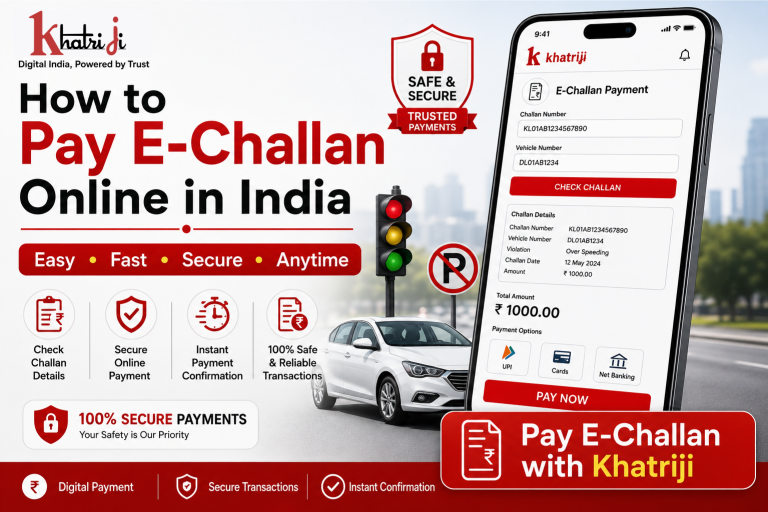
Traffic challans are now easier to manage online. Instead of visiting a traffic department office or payment counter, you can check the available payment details and pay an eligible e-challan digitally from the comfort of your home.
Khatriji is a digital services platform that provides various recharge, bill-payment and other online services. Its current service information includes utility payments, FASTag, insurance and other digital payment services.
In this guide, we’ll explain what an e-challan is, how online challan payment works, what details you may need, and important precautions to take before making a payment.
What Is an E-Challan?
An e-challan is a digitally generated traffic challan issued for certain traffic-rule violations.
Depending on the applicable traffic authority and violation, a challan may be generated for situations such as:
- Driving without a valid document
- Speed-limit violations
- Parking violations
- Signal violations
- Other applicable traffic offences
The exact offence, amount and payment process depend on the relevant traffic authority.
Why Pay an E-Challan Online?
Online payment can make challan settlement more convenient.
1. Convenient Payment
You can manage an eligible challan without having to visit a physical payment counter.
2. Saves Time
Digital payment can reduce the time involved in handling routine payment procedures.
3. Easy Access
You can access the payment service when it is available and use your required challan details.
4. Digital Transaction Record
After completing a successful payment, keep the transaction/reference details for future use.
5. Multiple Digital Payment Options
Depending on the available payment gateway, online services may support options such as UPI, cards, net banking or wallets.
How to Pay E-Challan Online with Khatriji
If the E-Challan service is available in your Khatriji account, you can follow the payment flow provided on the platform.
Step 1: Open Khatriji
Download the Khatriji app or open the website according to your device:
- Android App: Click here to download the Khatriji app.
- Ios App (Apple): Click here to download the Khatriji app.
- Website: Click here to open the Khatriji website.
Step 2: Find the E-Challan Service
Open the relevant service from Khatriji’s available services.
Step 3: Enter Your Challan Details
Enter the information requested by the service, which may include:
- Challan number
- Vehicle registration number
- Other required identifying information
Make sure the information is entered correctly.
Step 4: Verify the Challan
Check the available challan details before proceeding.
Verify:
- Vehicle details
- Challan number
- Violation information
- Payable amount
- Due date, where applicable
Step 5: Make the Payment
Select an available payment method and complete the transaction.
Step 6: Save the Payment Confirmation
After successful payment, save the transaction ID, receipt or confirmation for your records.
What Details Are Required to Pay an E-Challan Online?
The exact information depends on the service and traffic authority. You may need:
- Challan number
- Vehicle registration number
- Registered details
- Payment amount
- Other information requested by the payment service
Always check the information displayed before confirming payment.
Important Things to Check Before Paying an E-Challan Online
Verify the Vehicle Number
Make sure the vehicle registration number shown in the challan belongs to your vehicle.
Check the Challan Number
If you have a specific challan number, enter it carefully.
Verify the Amount
Always check the payable amount before confirming the transaction.
Check the Violation Details
Read the displayed violation information before making payment.
Keep Your Receipt
Save the payment confirmation and transaction reference after successful payment.
Is Online E-Challan Online Payment Safe?
Online payment can be convenient when you use a legitimate and secure payment service.
Khatriji states that its digital payment services use secure and encrypted transactions and support payment options such as UPI and cards for supported services.
For additional safety:
- Never share your OTP.
- Never share your UPI PIN.
- Don’t share your card PIN.
- Verify the payment amount before confirming.
- Don’t make payments through suspicious links.
- Save your transaction reference after payment.
What If My E-Challan Online Payment Is Successful but the Status Has Not Updated?
Sometimes a payment status may take time to reflect in the relevant system.
If your status has not changed:
- Check whether the payment was successful.
- Keep your transaction ID ready.
- Verify the challan number.
- Check again after the applicable processing period.
- Contact the relevant support channel if the status remains unchanged.
Do not immediately pay the same challan again without checking the previous transaction status.
What Happens After E-Challan Online Payment?
After successful payment, keep your digital receipt or transaction reference.
Depending on the traffic authority and payment system, the challan status may subsequently be updated.
The actual status-update time can vary, so the payment confirmation should be retained until the challan is shown as settled.
Benefits of Managing Payments Online with Khatriji
Khatriji describes itself as a one-stop digital platform for everyday services including recharge, bill payments, travel and other digital services.
Some benefits include:
- Convenient online payments
- Digital transaction records
- Multiple payment options for supported services
- Secure payment processing
- Access to multiple services from one platform
Khatriji’s current website highlights instant confirmation, secure/encrypted transactions, multiple payment methods and reward points for supported transactions.
Frequently Asked Questions
What is an e-challan?
An e-challan is a digitally generated traffic challan associated with an applicable traffic violation.
Can I pay an e-challan online?
Yes, eligible e-challans can be paid online through supported payment services.
What details are needed?
Depending on the service, you may need a challan number, vehicle registration number or other requested details.
Can I pay using UPI?
If UPI is offered as a payment option during checkout, you can use it to complete the transaction.
What should I do after payment?
Save your transaction ID and payment receipt. You should also check the relevant challan status after the payment has been processed.
What if I enter the wrong challan details?
Always verify the challan and vehicle information before making payment. If you have already made a payment with incorrect details, contact the relevant support channel with your transaction information.
Can I pay a e-challan online after the due date?
This depends on the applicable traffic authority and challan rules. Additional consequences or charges may apply in some situations.
Why Pay Your E-Challan Online?
Paying an eligible e-challan online can make the process more convenient and reduce the need for physical visits.
With a reliable digital payment platform, you can:
- Enter your challan details
- Verify payment information
- Pay digitally
- Receive transaction confirmation
- Keep a digital payment record
However, always verify the challan information and payment status before making a transaction.
Conclusion
Paying an e-challan online can be a convenient way to manage traffic-related payments digitally. Before making the payment, carefully verify the challan number, vehicle details, violation information and payable amount.
With Khatriji, users can access a range of digital payment and everyday services from one platform.
For a smooth payment experience, always use the correct details, choose a secure payment method, and keep your transaction receipt after successful payment.
Read Also:-
FASTag Recharge Failed लेकिन पैसे कट गए? क्या करें?
Tags: Digital Payment, E-Challan, E-Challan Payment, E-Challan Payment Online, khatriji, Khatriji E-Challan, Online Challan Payment, Online Payment India, Online Traffic Fine Payment, Pay E-Challan Online, Traffic Challan, Traffic Challan Payment Online, Traffic Fine Payment, Vehicle Challan