
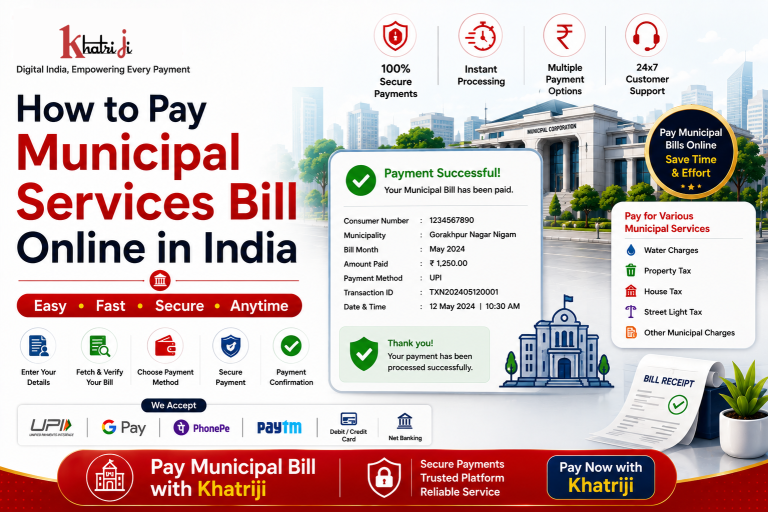
Municipal Services Bill Payment Online makes it easier to pay eligible municipal service bills in India without visiting a local office. With Khatriji, you can check your consumer details, verify the bill amount, choose a convenient digital payment method, and receive payment confirmation after a successful transaction.
Whether you need to pay a municipal tax, water-related bill, or another supported municipal service, online bill payment can save time and make the process more convenient.
Paying municipal bills online can save time and make everyday bill management more convenient. Instead of visiting a municipal office or payment counter, eligible municipal service bills can be paid digitally from anywhere.
Khatriji provides digital bill-payment services and supports selected Municipal Services Bill Payment providers. For example, Khatriji currently has a dedicated Municipal Services Bill Payment page for Gorakhpur Nagar Nigam, where users can enter their consumer number and proceed with the payment process.
In this guide, we explain how to pay municipal service bills online, what details you need, how the payment process works, and what to do after payment.
What Is Municipal Services Bill Payment?
Municipal services are essential civic services provided by municipal corporations, municipalities, and other local authorities.
Depending on the municipality and the service available, payments may relate to different municipal charges, taxes, or services.
Online municipal bill payment allows eligible customers to manage these payments digitally without having to visit a physical payment center.
The exact bill type and information required depend on the municipal provider selected on the payment platform.
Why Pay Municipal Bills Online?
1. Convenient Payment
Online payment allows you to manage eligible municipal bills from home, office, or while travelling.
2. Saves Time
You can avoid visiting a municipal office or standing in a payment queue.
3. Digital Payment
Supported payment methods can allow you to complete your transaction digitally.
4. Payment Confirmation
After a successful transaction, you can retain the payment reference or confirmation for future records.
5. Easy Bill Management
A digital platform can make it easier to access supported municipal bill-payment services when required.
How to Pay Municipal Services Bills Online with Khatriji
If your municipal provider is supported by Khatriji, you can generally follow these steps.
Step 1: Visit Khatriji
Download the Khatriji app or open the website according to your device:
- Android App: Click here to download the Khatriji app.
- Ios App (Apple): Click here to download the Khatriji app.
- Website: Click here to open the Khatriji website.
Step 2: Select Municipal Services
Choose the relevant Municipal Services Bill Payment option.
Step 3: Select Your Municipal Provider
Select the municipality or municipal corporation applicable to your bill.
For example, Khatriji currently provides a Municipal Services Bill Payment page for Gorakhpur Nagar Nigam.
Step 4: Enter Your Consumer Details
Enter the information requested on the payment page.
For the Gorakhpur Nagar Nigam service currently listed on Khatriji, the page asks for a Consumer Number.
Depending on the provider, the required information may include:
- Consumer Number
- Property Number
- Account Number
- Assessment Number
- Registered details
- Other provider-specific information
Step 5: Verify the Bill
Check the fetched bill or payment details carefully.
Verify:
- Provider name
- Consumer details
- Bill amount
- Applicable charges
- Payment details
Step 6: Complete the Payment
Choose an available payment method and complete the transaction securely.
Khatriji’s municipal payment pages currently mention options such as UPI, credit card, debit card, and net banking.
Step 7: Save the Payment Confirmation
After completing the payment, save your:
- Transaction ID
- Payment reference
- Confirmation message
- Digital receipt, if provided
These details can be useful if you need to track the transaction later.
What Details Are Required for Municipal Bill Payment?
The information required can vary depending on the municipal provider.
You may need:
- Consumer Number
- Property Number
- Account Number
- Assessment Number
- Service Number
- Other municipality-specific details
For example, the Khatriji Gorakhpur Nagar Nigam payment page currently requires a Consumer Number.
Always enter the information exactly as shown on your municipal bill or account.
What Types of Municipal Payments Can Be Made Online?
Municipal payment services can vary from one local authority to another.
Depending on the provider, online municipal services may include payments related to:
- Municipal taxes
- Property-related charges
- Civic service charges
- Local authority fees
- Other supported municipal services
Not every municipality supports every type of payment through every platform. Therefore, check the available provider and service before making a payment.
Khatriji currently has both Municipal Services Bill Payment and Municipal Taxes Bill Payment provider pages. For example, Khatriji lists Gorakhpur Nagar Nigam under Municipal Services Bill Payment and Talegaon Dabhade Nagar Parishad under Municipal Taxes Bill Payment.
Benefits of Paying Municipal Bills with Khatriji
Convenient Digital Payment
You can access supported municipal payment services through Khatriji instead of relying on a physical payment counter.
Multiple Payment Methods
Supported municipal payment pages list payment options including UPI, credit cards, debit cards, and net banking.
Secure Transactions
Khatriji states that transactions on its municipal payment pages are protected using encryption and secure payment gateways.
Payment Confirmation
Khatriji’s municipal service pages highlight payment confirmation after successful transactions.
Reward Points
Khatriji’s current municipal payment pages also mention reward points on eligible transactions.
Online Municipal Bill Payment vs Offline Payment
| Feature | Online Payment | Offline Payment |
|---|---|---|
| Payment location | From an available digital platform | Municipal office/payment counter |
| Travel required | Usually no | May be required |
| Payment method | Digital payment options | Depends on payment center |
| Transaction record | Digital reference/receipt | Physical or digital receipt |
| Convenience | Available when the service is supported | Depends on office hours/location |
| Bill management | Digital | Physical process may be required |
Things to Check Before Paying a Municipal Bill
Before confirming your payment, follow these simple checks.
Verify Your Consumer Number
Make sure the consumer or account number is correct.
Select the Correct Municipality
Check that you have selected the correct municipal corporation, municipality, or service provider.
Check the Bill Amount
Verify the amount displayed before proceeding with payment.
Review Your Details
Make sure the account or property information belongs to you.
Save Your Transaction Details
Keep your transaction ID and payment confirmation after completing the payment.
What If the Municipal Bill Is Not Found?
Sometimes the bill may not be fetched immediately.
If your bill details are not displayed:
- Verify your consumer/account number.
- Confirm that the correct municipal provider is selected.
- Check whether the bill is currently available.
- Try again after some time if there is a temporary technical issue.
- Contact the relevant support channel if the problem continues.
Do not make a duplicate payment before checking whether a previous transaction was already successful.
What If the Payment Is Successful but the Bill Is Still Showing as Unpaid?
A successful digital payment and the municipal provider’s bill-status update may not always happen at exactly the same moment.
If your payment is successful but the bill still appears unpaid:
- Check your transaction status.
- Keep the transaction ID ready.
- Verify the consumer/account details.
- Allow the applicable processing time.
- Contact the relevant support channel if the bill remains unpaid.
Avoid making another payment immediately until the status of the original transaction is clear.
Is Online Municipal Bill Payment Safe?
Online municipal bill payment can be convenient when you use a legitimate payment platform and follow basic security precautions.
For safer digital payments:
- Never share your OTP.
- Never share your UPI PIN.
- Never share your card PIN or CVV.
- Verify the payment amount before confirming.
- Check the municipality/provider name carefully.
- Use the official Khatriji website.
- Keep your transaction reference after payment.
Can I Pay Municipal Bills Using UPI?
Yes, where UPI is available for the selected municipal service, you can use UPI to complete the payment.
Before confirming a UPI transaction:
- Verify the amount.
- Check the payment details.
- Confirm that the transaction is for the correct bill.
- Enter your UPI PIN only on your authorized payment interface.
- Save the transaction reference.
Khatriji’s current Municipal Services Bill Payment pages list UPI among the available payment methods.
Can I Pay Municipal Bills Using a Debit or Credit Card?
Where card payments are supported, you can use an eligible debit or credit card.
Always verify the:
- Municipality
- Consumer/account number
- Bill amount
- Payment details
Never share your card PIN, CVV, or OTP with anyone.
Frequently Asked Questions
Can I pay municipal bills online?
Yes, eligible municipal services can be paid online when the relevant municipality and biller are supported by the payment platform.
How can I pay a municipal bill with Khatriji?
Visit Khatriji, select the applicable Municipal Services Bill Payment service, choose your provider, enter the required customer details, verify the bill and complete the available payment process.
What information do I need for municipal bill payment?
The required information depends on the municipality. It may include a Consumer Number, Property Number, Account Number, Assessment Number, or another provider-specific identifier.
Can I pay municipal bills through UPI?
Yes, where UPI is available for the selected service, you can use it for payment.
What should I do after making the payment?
Save the transaction ID, payment reference, and digital receipt or confirmation for future reference.
What if my municipal bill cannot be fetched?
Check your customer details and selected provider first. If the bill is still unavailable, try again later or contact the relevant support channel.
What if my payment was deducted but the bill is not updated?
Check the original transaction status first. Keep your transaction reference and avoid making a duplicate payment until the original payment status is clear.
Why Choose Khatriji for Municipal Bill Payment?
Khatriji is a digital services platform that provides multiple recharge and bill-payment services in one place. Its website currently lists services including mobile recharge, DTH, electricity, gas, broadband, landline, insurance, FASTag, Cable TV and other digital payment services.
For supported municipal providers, Khatriji makes it possible to:
- Select the relevant municipality
- Enter your customer information
- Fetch or verify bill details
- Choose an available payment method
- Complete the payment digitally
- Keep your transaction confirmation
The exact services and supported municipal providers can change, so users should check the current options available on Khatriji before making a payment.
Conclusion
Paying Municipal Services Bills online can make everyday civic payments more convenient, faster, and easier to manage.
With Khatriji, customers can access supported municipal payment services, enter their required consumer information, verify bill details, and complete payments using available digital payment methods.
Before making a payment, always verify your municipality, consumer number, bill amount, and account details. After payment, keep your transaction ID and confirmation for future reference.
For the latest available municipal providers and services, check the options currently listed on Khatriji.
Tags: Civic Bill Payment, Digital Bill Payment, khatriji, Khatriji Bill Payment, Khatriji Municipal Bill Payment, Municipal Bill Payment, Municipal Bill Payment India, Municipal Bill Payment Online, Municipal Corporation Bill Payment, Municipal Payment Online, Municipal Services Bill Payment, Municipal Services Bill Payment Online, Municipal Tax Payment Online, Municipality Bill Payment, Nagar Nigam Bill Payment, Nagar Palika Bill Payment, Online Bill Payment India, Online Municipal Services, Pay Municipal Bill Online, Secure Bill Payment