
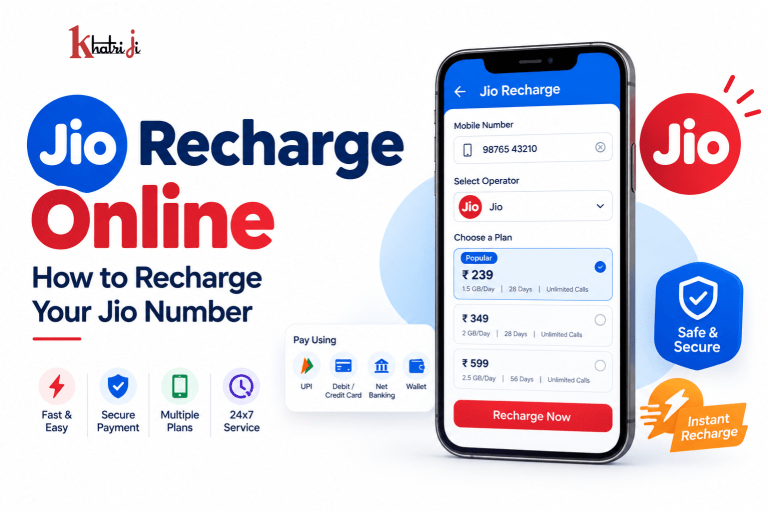
Keeping your Jio mobile number active is essential for calls, SMS, mobile data, entertainment, and other connected services. With online recharge, you no longer need to visit a physical recharge shop. You can select a suitable Jio prepaid plan, make a digital payment, and complete your recharge from your phone or computer.
Jio provides online recharge through its website and MyJio app, while platforms such as Khatriji also make it convenient to manage mobile recharge and other digital payment services from one place.
In this guide, we’ll explain how to recharge a Jio number online, how to choose a suitable plan, how to recharge someone else’s Jio number, what to do if your recharge fails, and important things to check before making payment.
What Is Jio Online Recharge?
Jio online recharge allows prepaid users to add a new plan, data benefit, validity, or other eligible recharge benefits to their Jio mobile number without visiting a retailer.
You can access Jio’s available prepaid plans online and select a plan based on your requirements. Jio currently offers different categories of prepaid options, including regular prepaid plans, data add-ons, annual plans, international roaming plans, and other specialized options.
Online recharge is useful when you want to:
- Recharge your own Jio number
- Recharge a family member’s number
- Recharge a friend’s number
- Add extra data
- Select a longer-validity plan
- Recharge while travelling
- Avoid visiting a physical recharge shop
How to Recharge Your Jio Number Online
The basic process is simple.
Step 1: Enter Your Jio Mobile Number
Start by entering the 10-digit Jio mobile number that you want to recharge.
If you are recharging someone else’s number, carefully check the number before continuing.
A wrong mobile number can result in the recharge being applied to another account, so verifying the number is extremely important.
Step 2: Select a Jio Recharge Plan
After entering the mobile number, browse the available recharge plans.
Jio offers different categories depending on your requirements, including plans with:
- Mobile data
- Voice calling
- SMS benefits
- Different validity periods
- Entertainment benefits
- Data add-ons
- Annual validity
- International roaming benefits
- Other specialized benefits
Jio recommends checking the applicable plan details and validity before selecting a recharge.
Step 3: Check the Plan Details
Don’t select a recharge only because the price looks attractive.
Before making payment, check:
- Recharge price
- Validity
- Data allowance
- Calling benefits
- SMS benefits
- Additional subscriptions or benefits
- Whether the plan is suitable for your current active plan
Jio notes that prepaid validity can vary. For example, a “1-month” plan may have a 28-day, 30-day, or calendar-month validity, depending on the specific plan.
Step 4: Complete the Payment
After selecting the appropriate plan, proceed to payment.
Depending on the platform, available payment methods may include:
- UPI
- Debit card
- Credit card
- Net banking
- Other supported digital payment methods
Jio’s online recharge channels support online payment, while its mobile services also provide recharge functionality through MyJio and Jio.com.
Step 5: Check the Recharge Confirmation
After successful payment, check the transaction confirmation.
Keep the transaction or recharge reference available until the recharge has been successfully reflected on your Jio account.
You can also check your active plan and upcoming plan information through MyJio or Jio.com. Jio’s support documentation says prepaid customers can view active plans, balance details, validity and upcoming plans.
How to Recharge Jio Using Khatriji
If you prefer to use a digital payment platform, you can also use Khatriji for mobile recharge.
A typical recharge process is:
1. Open Khatriji
Download the Khatriji app or open the website according to your device:
- Android App: Click here to download the Khatriji app.
- Ios App (Apple): Click here to download the Khatriji app.
- Website: Click here to open the Khatriji website.
2. Select Mobile Recharge
Choose the mobile recharge service.
3. Enter Your Jio Number
Enter the Jio mobile number that you want to recharge.
4. Select Jio as the Operator
Make sure the selected operator is Jio.
5. Select Your Recharge Plan
Review the available plans and select the one that matches your requirements.
Khatriji also provides a dedicated page for comparing mobile recharge plans by operator and telecom circle, which can help users review available options before making a recharge.
6. Verify the Details
Before payment, check:
- Jio mobile number
- Operator
- Recharge plan
- Recharge amount
- Validity
- Final payable amount
7. Complete the Payment
Use the payment option available on the checkout page and complete the transaction.
8. Save the Confirmation
After successful recharge, keep the transaction details or confirmation for future reference.
How to Choose the Right Jio Recharge Plan
The best Jio recharge plan depends on how you use your mobile number.
For Heavy Data Users
If you frequently watch videos, use social media, attend video meetings, stream music, or use mobile hotspots, look for a plan with sufficient data.
You can also consider a Data Add-On if your daily data allowance is exhausted.
Jio currently provides Data Add-On options that can be purchased through MyJio, Jio.com and other supported channels.
For Users Who Mostly Make Calls
If calling is more important than mobile data, compare plans based on their voice benefits and validity.
Don’t automatically choose the plan with the highest data allowance if you don’t need it.
For Long-Term Users
If you don’t want to recharge every few weeks, consider a longer-validity or annual option where available.
Jio lists annual prepaid plans among its online recharge categories.
For Occasional Users
If your Jio number is a secondary SIM or you don’t use mobile data heavily, compare lower-cost options and their validity before making a decision.
What Are Jio Data Add-On Recharges?
A Jio Data Add-On can be useful when you need additional high-speed data.
For example, Jio’s current support information lists several Data Add-On options with different data allowances and validity periods. The available options can change, so users should check the current plan details before purchasing.
If your daily data quota is exhausted on a daily-FUP plan, Jio says the regular daily quota is renewed at midnight, while a Data Add-On can provide additional high-speed data before that renewal.
Can You Recharge Someone Else’s Jio Number?
Yes.
Online mobile recharge can be used to recharge an eligible Jio number belonging to another person.
For example, you can recharge:
- Your parents’ Jio number
- Your spouse’s number
- Your child’s number
- A friend’s number
- An employee’s number
- Another personal Jio SIM
The most important thing is to verify the mobile number before making payment.
How to Recharge Jio for a Family Member
The process is similar to recharging your own number:
- Enter the family member’s Jio number.
- Confirm the number carefully.
- Select the appropriate recharge plan.
- Check the amount and validity.
- Complete the payment.
- Save the transaction confirmation.
Tip: Ask the recipient to confirm that the recharge has been reflected before making another recharge.
Can You Recharge Jio in Advance?
Yes, Jio supports advance/queued recharge functionality for eligible plans.
Jio says that plans recharged in advance can remain in a queue so that users do not lose the benefits of their current active plan.
This can be useful if you want to secure a particular plan before your current plan expires.
However, always check the specific plan’s terms before making an advance recharge.
What Happens If You Miss Your Jio Recharge Date?
According to Jio’s online recharge FAQ, there is no penalty simply for delaying a prepaid recharge. The new recharge validity cycle starts according to the applicable recharge conditions. Jio recommends recharging in advance if you want to maintain uninterrupted service.
Jio also states that voice, data and SMS services require an applicable recharge plan. Its support documentation says that if a number remains without a recharge plan for 90 days, it might be disconnected.
Because policies and eligibility can change, check your current Jio account status and applicable terms.
Jio Recharge Failed but Money Was Deducted
One of the most common online recharge concerns is:
“My payment was successful, but my Jio recharge has not been completed. What should I do?”
Don’t immediately make another payment.
Follow these steps:
1. Check Your Payment Status
First determine whether the payment was:
- Successful
- Failed
- Pending
- Reversed
2. Check Your Recharge History
Check whether the recharge appears in your transaction or recharge history.
3. Check Your Jio Account
Open MyJio or Jio.com and check whether the plan has been added to your account.
4. Wait for the Transaction Status to Update
A payment and recharge confirmation may not always appear at exactly the same time.
5. Keep Your Transaction Reference
If you need support, keep your:
- Transaction ID
- Payment reference
- Recharge amount
- Date and time
- Jio mobile number
6. Contact the Relevant Support Team
If the issue remains unresolved, contact the appropriate payment platform or Jio support with the transaction information.
Avoid making multiple payments immediately when the first transaction status is unclear.
What If You Select the Wrong Jio Recharge Plan?
This is an important consideration because Jio now provides a recharge reversal/cancellation facility for certain eligible transactions.
Jio’s current support information says that eligible recharges made directly through MyJio or Jio.com may be cancellable under specified conditions. Standard plans have a stated 3-hour cancellation window, while International Roaming or ISD plans have different conditions. Recharges made through third-party apps such as Google Pay, PhonePe or Paytm are specifically excluded from this Jio cancellation facility.
Therefore, if you accidentally choose the wrong plan:
- Don’t assume every recharge can be cancelled.
- Check your recharge history immediately.
- Check whether the cancellation option is available.
- Follow Jio’s current eligibility conditions.
- Act within the applicable time window.
Jio says eligible users can choose between an instant reversal to its MyJio Store Credit or a refund to the original payment method, with the latter potentially taking up to 21 business days according to its current support documentation.
Important: These cancellation rules apply specifically to eligible Jio transactions made through the supported Jio channels and can change. Always check the latest Jio terms before relying on them.
Jio Recharge Using UPI
UPI is one of the convenient ways to pay for digital services.
When UPI is available as a payment option:
- Select your Jio recharge plan.
- Continue to payment.
- Select UPI.
- Choose your preferred UPI payment method.
- Approve the payment securely.
- Return to the recharge page.
- Check the final recharge status.
UPI Safety Tips
Never share:
- UPI PIN
- OTP
- Debit card PIN
- Password
- Banking credentials
Remember that you never need to enter your UPI PIN to receive money.
Jio Recharge Using a Debit or Credit Card
Where card payment is supported, you can also use a debit or credit card for online recharge.
Before confirming:
- Check the recharge amount.
- Verify the Jio number.
- Use a secure payment page.
- Never share your card PIN with anyone.
- Don’t disclose OTPs to callers.
Always complete payment only through the legitimate website or app.
How to Check Your Jio Recharge and Plan Details
You can check your Jio plan information through MyJio or Jio.com.
According to Jio’s support documentation, prepaid users can view:
- Active plans
- Balance details
- Validity
- Upcoming plans
- Queued plans
On MyJio, users can log in, select the mobile service and choose View Plan. On Jio.com, users can log in using OTP and access their plan information.
How to Avoid Jio Recharge Mistakes
Before completing any recharge, use this simple checklist:
✔ Check the mobile number
Make sure every digit is correct.
✔ Check the operator
Confirm that the selected operator is Jio.
✔ Check the plan
Read the plan’s benefits and validity.
✔ Check the amount
Make sure the amount matches the plan you selected.
✔ Check your existing plan
If you already have an active plan, understand whether the new recharge will activate immediately or be queued.
✔ Check the payment status
Don’t repeat the payment if the first transaction is still pending.
Benefits of Online Jio Recharge
1. Convenience
You can recharge without visiting a physical store.
2. Plan Selection
Online platforms make it easier to browse available plans before paying.
3. Digital Payments
You can use available digital payment methods instead of cash.
4. Recharge for Others
You can conveniently recharge eligible numbers belonging to family members or friends.
5. Transaction Records
Digital recharge provides transaction information that can be useful for future reference.
6. Data Add-Ons
If you need additional data, you can check available Data Add-On options instead of changing your entire plan.
Why Use Khatriji for Jio Recharge?
Khatriji provides mobile recharge along with several other everyday digital payment services.
From time to time, Khatriji may offer recharge-related offers, discounts, or promotional benefits. Before recharging, make sure to check the available offers and applicable terms and conditions.
Its website currently highlights services including:
- Mobile recharge
- DTH recharge
- Electricity bill payment
- Gas bill payment
- Water bill payment
- Broadband
- Landline
- FASTag
- Insurance
- Credit card bill payment
- Digital gift vouchers
This can make it convenient for users who want to manage multiple everyday payments through one platform.
You can also use the Khatriji App for supported digital services.
Jio Recharge: Quick Checklist
Before clicking the final payment button, remember:
Mobile Number → Operator → Plan → Validity → Amount → Payment → Confirmation
Taking a few seconds to verify these details can prevent many common recharge mistakes.
Frequently Asked Questions
1. How can I recharge my Jio number online?
Enter your Jio mobile number on a supported recharge platform, select an available prepaid plan, verify the plan details and complete the payment. Jio supports online recharge through Jio.com and MyJio.
2. Can I recharge another Jio number?
Yes. You can recharge another eligible Jio number. Always verify the recipient’s mobile number before payment.
3. Can I recharge Jio using UPI?
Yes, where UPI is available as a payment option on the selected recharge platform.
4. Can I recharge Jio in advance?
Eligible plans can be recharged in advance and may remain queued while your existing plan is active.
5. What happens if my Jio recharge fails?
Check the payment and recharge status before trying again. If money has been deducted, keep your transaction reference and contact the relevant support channel if the issue remains unresolved.
6. Can I add extra data to my Jio number?
Yes. Jio offers Data Add-On options for eligible users. Available packs and benefits can change, so check the current options before purchasing.
7. How can I check my Jio plan validity?
You can check your active plan, balance and validity through MyJio or Jio.com.
8. What should I do if I recharge the wrong Jio number?
If the recharge was made directly through eligible Jio channels, check whether Jio’s current recharge cancellation/reversal facility applies. Jio currently has specific eligibility requirements and time limits.
9. Can I cancel a Jio recharge made through a third-party app?
Jio’s current recharge reversal facility specifically excludes recharges made through third-party apps such as Google Pay, PhonePe and Paytm. Check the payment platform’s own support process if you made the recharge there.
10. How long is a Jio monthly plan valid?
It depends on the specific plan. Jio says a one-month prepaid plan may have 28 days, 30 days, or one calendar month of validity depending on the plan. Always check the displayed plan validity before purchasing.
Conclusion
Jio recharge online makes it easy to maintain your mobile connectivity without visiting a physical recharge store. You can browse available plans, compare data and calling benefits, select the required validity, and complete the payment digitally.
Before every recharge, remember to verify your Jio number, check the plan validity, review the benefits, confirm the amount, and save your transaction details.
If you’re looking for a convenient platform for mobile recharge and other everyday digital payments, you can explore Khatriji or use the Khatriji App
If you are planning a Jio Recharge Online, compare the available prepaid plans before making a payment. Check the plan validity, data benefits, calling benefits, and other included services to choose an option that suits your needs. For more information about online mobile recharges, read our Mobile Recharge Online guide. You can also explore our Vi Recharge Online guide to learn more about prepaid recharge options from another telecom operator.
Tags: Jio Data Recharge, Jio Mobile Recharge, Jio Prepaid Recharge, Jio Recharge, Jio Recharge Online, Jio Recharge Plans, Mobile Recharge, Online Recharge, Prepaid Recharge, UPI Recharge