
Mobile connectivity has become an essential part of everyday life. From making calls and browsing the internet to online payments, social media, video streaming, online classes, and work, we depend on our mobile phones for many important activities.
If you use an Airtel prepaid mobile number, keeping your connection active with a timely recharge is important. With online recharge services, you no longer need to visit a mobile shop or wait in a queue. You can recharge your Airtel number online from your smartphone or computer in just a few simple steps.
Khatriji makes digital recharge and payment services convenient by bringing supported recharge and bill-payment services together on one platform.
In this guide, we will explain how to recharge an Airtel number online with Khatriji, how to choose the right Airtel recharge plan, what to check before making a payment, what Airtel data add-ons are, and what to do if a recharge fails.
What is Airtel Recharge Online?
Airtel Recharge Online means recharging an Airtel prepaid mobile number through an internet-based platform instead of visiting a physical recharge store.
Online recharge allows you to select a suitable plan, make a digital payment, and complete your recharge remotely.
Depending on the plans and services currently available, Airtel users may find options such as:
- Prepaid recharge plans
- Daily data plans
- Unlimited calling plans
- Data add-on packs
- Long-validity plans
- Entertainment-related plans
- Top-up options
- Applicable 5G-related benefits
Recharge plans, prices, validity periods, and benefits can change over time. Always check the latest plan details before completing your recharge.
Why Choose Khatriji for Airtel Recharge?
Khatriji is a digital payment platform that provides supported recharge and payment services through an online platform.
Instead of using different platforms for different everyday payments, users can access multiple supported digital services from one place.
From time to time, Khatriji may offer recharge-related offers, discounts, or promotional benefits. Before recharging, make sure to check the available offers and applicable terms and conditions.
Depending on the services available to you, Khatriji can be useful for:
- Mobile Recharge
- DTH Recharge
- Electricity Bill Payment
- Gas Bill Payment
- Broadband Bill Payment
- Landline Bill Payment
- FASTag Recharge
- Insurance Payments
- Credit Card Bill Payment
- Other supported digital payment services
This can make everyday recharge and bill-payment activities more convenient.
How to Recharge Your Airtel Number Online with Khatriji
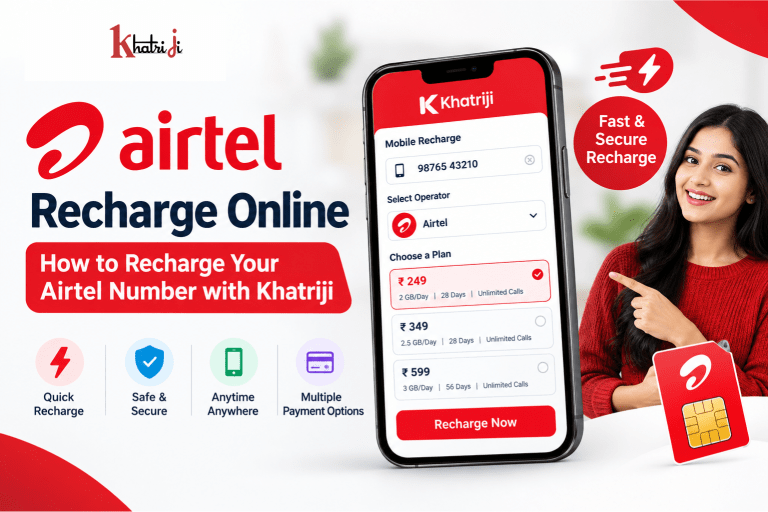
Recharging an Airtel prepaid number online is simple. Follow these steps to complete your recharge.
Step 1: Open Khatriji
Download the Khatriji app or open the website according to your device:
- Android App: Click here to download the Khatriji app.
- Ios App (Apple): Click here to download the Khatriji app.
- Website: Click here to open the Khatriji website.
Go to the Mobile Recharge section.
Step 2: Enter Your Airtel Mobile Number
Enter the 10-digit Airtel mobile number that you want to recharge.
You can recharge your own number or recharge an Airtel number belonging to a family member or friend.
Important:
Before proceeding to payment, carefully verify the mobile number.
A small mistake in the mobile number can result in the recharge being made to the wrong number.
Step 3: Select Airtel as the Operator
Select Airtel as your mobile operator.
If the platform automatically identifies the operator, still verify the displayed details before making the payment.
Step 4: Select a Recharge Plan
Now select the recharge plan according to your requirements.
Before choosing a plan, check:
- Recharge amount
- Validity
- Daily data allowance
- Total data
- Calling benefits
- SMS benefits
- Entertainment benefits
- Applicable 5G benefits
- Other applicable benefits
Do not select a plan only because it has a lower price. Choose a plan based on how you actually use your mobile connection.
Step 5: Verify Your Recharge Details
Before making the payment, carefully check:
Mobile Number → Operator → Recharge Plan → Amount → Validity
Make sure everything is correct before continuing.
Step 6: Make the Online Payment
Proceed with the available digital payment method and complete the transaction.
Depending on the platform and payment options available to you, payment methods may include options such as:
- UPI
- Debit Card
- Credit Card
- Net Banking
- Other supported payment methods
Always use a trusted payment environment and never share your UPI PIN, card PIN, OTP, or banking password with anyone.
Step 7: Check Recharge Confirmation
After completing the payment, check the transaction and recharge status.
It is a good idea to keep your transaction details until you confirm that the recharge has been successfully processed.
How to Choose the Right Airtel Recharge Plan?
There is no single recharge plan that is best for every user.
Your ideal plan depends on how frequently you use mobile data, calls, SMS, entertainment services, and other features.
Here are some factors to consider.
1. Check Your Data Usage
If you frequently watch YouTube videos, stream movies, use Instagram, browse social media, attend video calls, or play online games, you may need a plan with sufficient data.
Before selecting a plan, think about your average daily data usage.
2. Consider Your Calling Requirements
If you make frequent voice calls, check the calling benefits included with the plan.
A plan that suits your calling requirements can be more useful than simply selecting the cheapest available option.
3. Look at the Plan Validity
Validity is another important factor.
Compare the number of days for which different plans remain valid before choosing one.
A plan with a suitable validity period can help you avoid unnecessary frequent recharges.
4. Check SMS Benefits
SMS may still be important for banking alerts, service notifications, account verification, and other activities.
If SMS is important to you, check the applicable SMS benefits before purchasing a recharge plan.
5. Check Entertainment Benefits
Some mobile plans may include additional entertainment or OTT-related benefits.
If you regularly use streaming or entertainment services, check whether the selected plan includes benefits that are useful to you.
What is an Airtel Data Add-On?
Sometimes your main prepaid plan may still be active while your available high-speed data has been used.
In such situations, an applicable Data Add-On or data booster may be useful.
A data add-on can provide additional data according to the specific pack’s terms.
Before purchasing a data add-on, check:
- Data quantity
- Price
- Validity
- Eligibility
- Activation conditions
- Applicability with your existing plan
If you only need additional internet data, comparing available add-on options may be more suitable than purchasing another full recharge plan.
Airtel 5G Recharge: What Should You Check?
5G has made high-speed mobile connectivity an important consideration for many smartphone users.
If you have a 5G-compatible smartphone and Airtel 5G is available in your location, you may want to check plans that provide applicable 5G benefits.
However, 5G availability and benefits can depend on several factors, including:
- Smartphone compatibility
- Network availability
- Recharge plan eligibility
- Applicable operator terms
- Coverage in your location
Therefore, always check the latest Airtel information before selecting a plan specifically for 5G usage.
Benefits of Airtel Recharge Online
Online Airtel recharge offers several advantages compared with traditional recharge methods.
1. Recharge from Anywhere
You can recharge your Airtel number from home, the office, or while travelling, as long as you have internet access and a supported payment method.
2. Saves Time
You don’t need to visit a mobile shop or wait in a queue.
The entire process can be completed online.
3. Easy Plan Selection
Online platforms make it easier to review available recharge options and choose a plan based on your requirements.
4. Digital Payment
You can use supported digital payment methods instead of carrying cash.
5. Recharge Family Members
You can also recharge a family member’s or friend’s Airtel number by entering their mobile number during the recharge process.
6. Convenient Digital Services with Khatriji
Khatriji can be useful beyond mobile recharge because supported users can access multiple digital payment and bill-payment services from the same platform.
Airtel Recharge Online with Khatriji: Things to Check Before Payment
Before clicking the final payment button, take a few seconds to verify your information.
Check Your Mobile Number
Make sure all 10 digits are correct.
Check the Operator
Verify that Airtel is selected as the operator.
Check the Recharge Amount
Confirm that the amount shown is the amount you intend to pay.
Check the Plan
Review the plan’s data, calling, validity, and other benefits.
Check the Validity
Make sure the validity period matches your requirements.
Check Additional Benefits
If you are choosing a plan because of 5G, entertainment, or another benefit, verify that the selected plan actually includes the applicable benefit.
What to Do if Airtel Recharge Fails?
Sometimes a recharge may not immediately reflect after payment.
If this happens, don’t immediately make another payment.
Follow these steps.
Step 1: Check Your Payment Status
Check your UPI app, bank account, card statement, or other payment method to determine whether the payment was successful, pending, or failed.
Step 2: Check Your Recharge Status
Check whether the Airtel recharge has been successfully processed.
Step 3: Avoid Making an Immediate Second Payment
If the amount has already been deducted, first check the status of the original transaction.
Making another recharge immediately could result in an unnecessary additional transaction.
Step 4: Keep Your Transaction Details
Keep information such as:
- Transaction ID
- Recharge amount
- Mobile number
- Date and time
- Payment status
These details can be useful if you need customer support.
Step 5: Contact Support if Required
If the payment was deducted but the recharge has not been reflected, contact the appropriate Khatriji, payment provider, or service support channel with your transaction details.
Refunds or reversals, where applicable, depend on the transaction status and relevant terms.
What If You Recharge the Wrong Airtel Number?
Entering the wrong mobile number is one of the most common mistakes during online recharge.
Before making payment, always verify:
Mobile Number + Operator + Plan + Amount
If you accidentally recharge another number, contact the relevant recharge or payment service support as soon as possible.
Whether a transaction can be reversed or refunded depends on the transaction and applicable terms. Therefore, it is important to verify your number before completing payment.
Can You Recharge an Airtel Number in Advance?
Depending on the recharge option and applicable operator terms, some prepaid recharges may be performed in advance or may follow specific activation/queue rules.
If your current Airtel plan is still active and you want to recharge in advance, check the latest terms associated with the selected recharge before making the payment.
How Can Khatriji Make Digital Payments More Convenient?
Mobile recharge is only one part of everyday digital payments.
Many users also need to pay:
- Electricity bills
- Gas bills
- Broadband bills
- Landline bills
- Insurance premiums
- Credit card bills
- FASTag recharge
- DTH recharge
Khatriji brings supported digital payment and recharge services together, helping users manage multiple everyday payment requirements through an online platform.
Other Recharge and Payment Services on Khatriji
Depending on the services currently available, Khatriji can help users with several digital payment requirements.
Mobile Recharge
Recharge supported mobile operators online.
DTH Recharge
Recharge supported DTH connections without visiting a physical retailer.
Electricity Bill Payment
Pay supported electricity bills online.
FASTag Recharge
Recharge your FASTag balance for convenient toll payments.
Broadband and Landline Bills
Pay supported broadband and landline bills online.
Insurance Payments
Make supported insurance-related payments online.
These services can make Khatriji useful as an everyday digital payment platform rather than only a mobile recharge service.
How to Select an Airtel Recharge Plan Based on Your Needs
Use the following simple guide when comparing available plans:
| Your Requirement | What to Look For |
|---|---|
| Regular internet usage | Suitable daily-data plan |
| Heavy internet usage | Higher-data plan |
| Extra internet | Data Add-On |
| Frequent calling | Calling-focused plan |
| Long-term usage | Long-validity/annual option |
| Entertainment | Applicable entertainment benefits |
| 5G usage | Eligible 5G benefits |
| Basic balance needs | Applicable top-up option |
Plan availability, pricing, validity, and benefits can change, so always check the current options before purchasing.
Tips to Save Money on Airtel Recharge
Choosing the right recharge plan can also help you avoid unnecessary spending.
Understand Your Data Usage
Don’t purchase a plan with significantly more data than you actually need unless you have a specific reason for doing so.
Compare Validity
Compare both price and validity instead of looking at price alone.
Avoid Unnecessary Add-Ons
If your existing data allowance is sufficient, you may not need an additional data pack.
Check Available Offers
Before completing your recharge, check whether any applicable offers, discounts, or cashback are available on the platform.
Offers may have specific eligibility requirements and can change over time.
Airtel Recharge Online for Families
Online recharge is especially convenient for families with multiple mobile numbers.
For example, one person can recharge:
- Their own Airtel number
- A parent’s number
- A spouse’s number
- A child’s number
- Another family member’s number
However, always verify the mobile number before making each payment.
Airtel Recharge Online for Business Users
Businesses and professionals may also need to manage multiple mobile connections.
Online recharge can make it easier to handle supported mobile recharge requirements without visiting a physical retailer.
For businesses managing multiple numbers, it is particularly important to maintain accurate mobile-number records and verify every number before completing a transaction.
Airtel Recharge Online: Quick Process
The complete process can be summarized in a few simple steps:
1. Open Khatriji
↓
2. Select Mobile Recharge
↓
3. Enter the Airtel Mobile Number
↓
4. Select Airtel
↓
5. Choose a Suitable Recharge Plan
↓
6. Verify Number, Plan and Amount
↓
7. Complete Online Payment
↓
8. Check Recharge Confirmation
That’s it. Your online Airtel recharge process is complete.
Frequently Asked Questions About Airtel Recharge Online
1. How can I recharge my Airtel number online?
You can use a supported online recharge platform such as Khatriji. Enter your Airtel mobile number, select Airtel, choose a suitable recharge plan, verify the details, and complete the available online payment process.
2. Can I recharge an Airtel number through Khatriji?
If Airtel mobile recharge is currently supported on your Khatriji platform/account, you can use the available mobile recharge process to recharge an Airtel number online.
3. Can I recharge someone else’s Airtel number?
Yes. You can enter the Airtel mobile number you want to recharge. Always verify the number before making payment.
4. What information is required for Airtel recharge?
Generally, you need the Airtel mobile number and the recharge plan you want to purchase. You also need an available payment method to complete the transaction.
5. What is an Airtel Data Add-On?
An Airtel Data Add-On is an additional data recharge option that eligible users can use when they need extra internet data. Check the specific pack’s validity and applicable conditions before purchasing.
6. Which Airtel recharge plan is best?
The best plan depends on your requirements. Consider data usage, calling, SMS, validity, entertainment benefits, and applicable 5G benefits before selecting a plan.
7. What should I do if my Airtel recharge fails?
First check your payment status and recharge status. If money has been deducted but the recharge has not been processed, keep your transaction details and contact the relevant support channel.
8. What happens if I recharge the wrong Airtel number?
Contact the relevant recharge/payment support service immediately with your transaction details. Reversal or refund availability depends on the transaction and applicable terms.
9. Is online Airtel recharge safe?
Online recharge can be convenient when using a trusted platform and secure payment method. Never share your OTP, UPI PIN, card PIN, CVV, or banking password with anyone.
10. Can I recharge Airtel for a family member?
Yes. You can recharge another Airtel mobile number by entering the number during the recharge process.
11. Can I recharge Airtel before my current plan expires?
Some prepaid recharge options may support advance recharge according to the operator’s applicable rules. Check the current recharge terms before purchasing.
12. Can I use Khatriji for services other than mobile recharge?
Khatriji provides multiple supported digital recharge and bill-payment services. Depending on current service availability, these can include DTH, utility bills, FASTag, insurance and other digital payments.
Why Choose Khatriji for Your Digital Payment Needs?
Managing digital payments does not have to be complicated.
With Khatriji, supported users can access multiple recharge and payment services from an online platform.
Whether you need to recharge your Airtel mobile number, recharge DTH, pay an electricity bill, recharge FASTag, or manage another supported payment, having these services available through one platform can make everyday payments more convenient.
Conclusion
Airtel Recharge Online is a simple and convenient way to keep your Airtel prepaid mobile connection active without visiting a physical recharge shop.
With Khatriji, users can access supported mobile recharge services online and manage their recharge requirements from their smartphone or computer.
Before completing any Airtel recharge, always verify your mobile number, operator, recharge amount, plan validity, data allowance, calling benefits, and other applicable benefits.
If you need additional internet data, check the available Data Add-On options. If you need longer validity, compare the available long-validity plans. If you use 5G, check the eligibility and current terms of the selected plan.
Most importantly, always check the latest recharge information before making a payment because Airtel plans, prices, validity, offers, and benefits may change over time.
With the right plan and a convenient online platform, recharging your Airtel number can be quick, simple, and hassle-free.
Recharge your Airtel number online with Khatriji and make your everyday digital payments more convenient.
Tags: Airtel 5G, Airtel Data Plan, Airtel Mobile Recharge, Airtel Prepaid, Airtel Recharge, Airtel Recharge Online, khatriji, Mobile Recharge, Online Recharge