
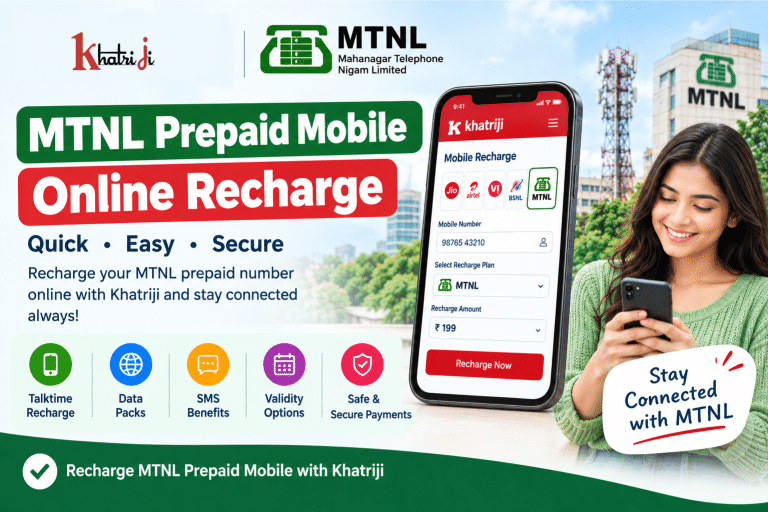
If you use an MTNL prepaid mobile number and want to recharge your account online, this guide will help you understand the process. With MTNL Prepaid Mobile Online Recharge, you can check the available recharge options, choose a suitable plan, and complete your payment digitally whenever online recharge is available for your number.
You no longer need to visit a physical recharge shop every time you need a mobile recharge. You can use an available online recharge platform through your smartphone or computer to complete the process conveniently.
Khatriji provides digital services, including mobile recharge options. Before making a recharge, always verify the availability of MTNL recharge for your number, along with the applicable talktime, benefits, and validity.
What Is MTNL Prepaid Mobile Recharge?
MTNL prepaid mobile recharge is the process of adding talktime, monetary balance, or eligible plan benefits to an MTNL prepaid mobile account.
Depending on the available recharge options, you may find different types of benefits, including:
- Talktime balance
- Voice-calling benefits
- Mobile data packs
- SMS benefits
- Validity-related benefits
- Combo recharge options
Not every recharge includes all these benefits. Therefore, it is important to check the details of the selected recharge before making a payment.
How to Recharge an MTNL Prepaid Mobile Number Online
Follow these general steps to recharge your MTNL prepaid number online.
Step 1: Open an Online Recharge Platform
Open an online mobile recharge platform that supports MTNL recharges. You can also visit the official MTNL website to check the available recharge information and instructions.
Step 2: Enter Your Mobile Number
Enter the MTNL prepaid mobile number you want to recharge.
Check the number carefully before proceeding to reduce the risk of recharging the wrong number.
Step 3: Select the Operator
Choose MTNL from the operator list if it is available on the platform. If the platform asks you to select a telecom circle or provide additional details, enter the correct information.
Step 4: Choose a Suitable Recharge
Review the available recharge options and compare their talktime, validity, data, and calling benefits.
Recharge plans and prices can change, so check the current options instead of relying on old recharge information.
Step 5: Complete the Payment
Choose an available digital payment method and complete the transaction.
Before confirming the payment, verify the mobile number, recharge amount, and other displayed details.
Step 6: Check Recharge Confirmation
After payment, check the transaction status and any confirmation message provided by the platform.
Keep the transaction details for future reference. If the recharge does not appear immediately, check its status before making another payment.
Important: If MTNL online recharge is unavailable for your number or on your chosen platform, check the official MTNL website for alternative recharge methods.
How to Recharge an MTNL Number Through Khatriji
Khatriji is a digital services platform that offers mobile recharge and other digital services. Before starting an MTNL recharge, confirm that MTNL and the required recharge option are currently available for your number.
The general mobile recharge process is as follows:
- Open the Khatriji website or app.
- Go to the mobile recharge section.
- Enter your mobile number.
- Select MTNL if it is available in the operator list.
- Review the available recharge options.
- Choose a suitable recharge.
- Verify the mobile number and payment amount.
- Complete the payment and check the transaction status.
For a detailed explanation of the general online recharge process, read our guide:
How to Recharge Any Mobile Number Online in Seconds
You can also explore the Khatriji App on Google Play.
How to Choose the Right MTNL Recharge Plan
Choosing a suitable recharge involves more than comparing prices. You should also consider your calling, data, and validity requirements.
1. Check the Talktime Amount
If you mainly need calling balance, review the talktime included in the recharge. The recharge amount and the talktime credited to your account may not be the same.
2. Check the Validity
Review any validity conditions associated with the selected recharge. Make sure the option suits your current account and usage requirements.
3. Compare Data Benefits
If you use mobile internet, check the available data packs or combo plans and their conditions.
4. Review Additional Benefits
Some recharge options may include calling, SMS, or other benefits. Check their eligibility conditions and usage limits before paying.
5. Confirm Current Availability
Previously published MTNL recharge prices and plans may no longer be available. Always verify the current options before completing your recharge.
How to Check MTNL Mobile Balance and Validity
MTNL Mumbai’s official website provides information about checking prepaid balance and validity.
According to the instructions published on its website, MTNL Mumbai prepaid users can:
- Dial 444 and follow the IVR instructions.
- Dial *444# to check balance and validity information.
- Visit the official MTNL Mumbai website to review the relevant service instructions.
These instructions relate to MTNL Mumbai. USSD codes and service availability may change, so confirm the latest instructions through the official website if necessary.
Official reference:
MTNL Mumbai: Recharge and Balance Check Process
Can You Recharge Another MTNL Mobile Number?
If your chosen recharge platform supports recharging other numbers, you may be able to recharge another eligible MTNL mobile number.
For example, you might want to recharge:
- A family member’s mobile number
- A parent’s mobile number
- A friend’s number
- Your secondary SIM card
Always verify the mobile number and operator before payment. Recovering a recharge sent to the wrong number may not always be possible.
What Should You Do If Your MTNL Recharge Fails?
Sometimes, a recharge may remain pending or fail because of payment-processing delays, network problems, or technical issues.
If your MTNL recharge fails, follow these steps:
- Avoid immediately making another payment.
- Check whether money was deducted from your bank account or payment method.
- Review the transaction status on the recharge platform.
- Check whether the balance or recharge benefits have been updated.
- Allow time for a pending transaction to be updated.
- Contact the relevant support team if the issue remains unresolved.
You can also review your Khatriji payment details using our guide:
How to Check Your Khatriji Transaction History
What If Money Is Deducted but the Recharge Is Not Received?
If money has been deducted from your bank account but your MTNL recharge is not confirmed, check the transaction status first.
Keep the following details available:
- Transaction ID or reference number
- Payment date and time
- Recharged mobile number
- Amount paid
- Current transaction status
If the transaction is pending, avoid making another payment until you have checked the status of the original transaction.
If the issue continues, contact the relevant recharge platform or payment provider with your transaction details.
Is Online MTNL Recharge Safe?
Online recharge can be convenient, but it is important to follow basic digital payment security practices.
Never share the following confidential information with anyone:
- UPI PIN
- ATM or debit card PIN
- OTP
- Card CVV
- Internet banking password
- Other confidential payment credentials
Be cautious if someone asks for these details in the name of recharge assistance or a refund.
To learn more about avoiding online payment scams, read our guide:
How to Identify Fake Payment Links: A Complete Guide to Safe Digital Payments
How to Recharge Through the Official MTNL Website
The official MTNL Mumbai website provides information about mobile services, prepaid recharge, and balance checking.
You can follow these general steps:
- Visit the official MTNL Mumbai website.
- Look for the mobile services or recharge section.
- Review the available recharge options and instructions.
- Verify your mobile number and recharge details.
- Follow the instructions provided for the available service.
If online recharge is unavailable, check the official website for alternative recharge methods.
Compare MTNL Recharge With Other Mobile Operators
If you want to understand recharge options offered by different mobile operators, you can read our comparison guide.
Mobile Recharge Plans Comparison: Jio vs Airtel vs Vi vs BSNL
This guide may help you understand the differences between available options from these operators. Please note that the comparison does not necessarily include MTNL.
Benefits of Online MTNL Recharge
1. Convenience
When online recharge is available, you can recharge your mobile number without visiting a physical shop.
2. Digital Payments
You can complete payment using the digital payment methods supported by the selected platform.
3. Recharge Comparison
Online recharge options make it easier to compare talktime, validity, and other included benefits.
4. Transaction Records
Keeping digital payment records can help you review previous transactions and check payment status when needed.
5. Time Savings
You can complete the recharge process from home or the office when the relevant online service is available.
Useful Tips for MTNL Prepaid Recharge
Follow these tips for a smoother recharge experience:
- Enter the correct mobile number.
- Verify that the operator is MTNL.
- Select a recharge that is currently available.
- Check talktime and validity.
- Review the final payment amount.
- Keep the transaction confirmation.
- Avoid immediately repeating a pending payment.
- Never share your OTP or UPI PIN.
- Keep payment records until the recharge is confirmed.
Frequently Asked Questions (FAQs)
1. How can I recharge an MTNL prepaid mobile number online?
Check the recharge instructions on the official MTNL website. If MTNL and your required recharge option are available on an online recharge platform, enter your number, choose a suitable option, and complete the payment.
2. How can I check my MTNL mobile balance?
According to the instructions published by MTNL Mumbai, prepaid users can dial 444 or use *444# for balance-related information. Confirm that these codes are currently supported by checking the official website.
3. Are MTNL talktime recharge and combo plans different?
Yes. Their benefits can differ. A talktime recharge may provide monetary balance, while a combo plan may include calling, data, or SMS benefits, depending on its conditions.
4. Can I recharge an MTNL number through Khatriji?
First, check whether MTNL and the required recharge option are available on Khatriji for your number. If available, enter the number, review the recharge details, and complete the payment.
5. What should I do if my MTNL recharge is pending?
Check the payment and recharge status first. If money has been deducted, avoid immediately making another payment. Keep your transaction reference and contact the relevant support team if the problem continues.
6. Can I recharge another MTNL mobile number?
This depends on the features supported by the recharge platform and the available recharge options. If recharging another number is supported, verify the number carefully before payment.
7. Is online MTNL recharge safe?
Online recharge can be convenient when using a legitimate service. Verify the payment details and never share confidential information such as your OTP, UPI PIN, or card PIN.
Conclusion
MTNL Prepaid Mobile Online Recharge can be a convenient way to manage your prepaid mobile account whenever an eligible online recharge option is available.
Before recharging, check the mobile number, operator, recharge amount, talktime, validity, and included benefits. If your payment remains pending or money is deducted without recharge confirmation, check the transaction status before trying again.
With Khatriji, you can explore available digital services and supported mobile recharge options. Verify MTNL recharge availability for your number before making a payment, and keep your transaction details for future reference.
Tags: Khatriji Mobile Recharge, MTNL Mobile Recharge, MTNL Online Recharge, MTNL Prepaid Recharge, MTNL Recharge, Online Recharge, Prepaid Mobile Recharge