
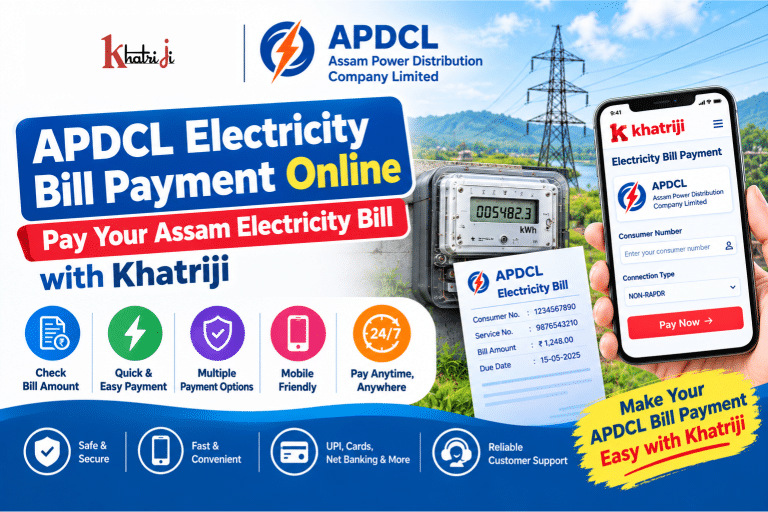
Paying your electricity bill online can save time and help you avoid visiting a billing office. If you are an Assam Power Distribution Company Limited (APDCL) consumer, you can use the APDCL Electricity Bill Payment service on Khatriji to conveniently pay your electricity bill online.
For consumers whose connection is listed under the NON-RAPDR category, it is important to select the correct consumer category and enter the correct consumer number before making a payment.
In this guide, you will learn how to complete APDCL Electricity Bill Payment Online, what details you need, how to check your bill, what to do if a payment is pending or failed, and how to stay safe from fraudulent payment links.
What Is APDCL?
Assam Power Distribution Company Limited (APDCL) is the electricity distribution company serving consumers in Assam. APDCL provides online facilities for paying electricity bills, viewing bills, prepaid meter recharge and other consumer services.
APDCL’s official online bill-payment facility asks consumers for their Consumer Number and displays information such as consumer name, subdivision, bill number, bill date, due date and bill amount before payment.
You can also use the official APDCL website for consumer services and bill-related information.
APDCL Electricity Bill Payment Online with Khatriji
With Khatriji, you can access the APDCL electricity bill payment service online without needing to visit an electricity office.
APDCL Electricity Bill Payment service:
https://khatriji.in/electricity-bill-payment/assam-power-distribution-company-ltd-non-rapdr
The basic process is:
Select APDCL → Enter Consumer Number → Fetch Bill → Verify Details → Make Payment → Save Receipt
What Is NON-RAPDR in APDCL Bill Payment?
You may see NON-RAPDR as a category while selecting APDCL for an online electricity payment.
If your APDCL connection belongs to the NON-RAPDR category, make sure you select the corresponding service before entering your consumer details.
APDCL’s own consumer-number facility also refers to registering a new 12-digit consumer number using the NON-RAPDR option with supported payment services.
If you are unsure which category applies to your connection, verify your consumer information through APDCL or contact APDCL customer care before making the payment.
What Details Are Required for APDCL Bill Payment?
Before starting your APDCL Electricity Bill Payment, keep the following information available:
- APDCL Consumer Number
- Registered mobile number, if required
- Current electricity bill, if available
- Payment method
- Mobile phone for payment verification
- Email address, if you want to receive payment information electronically
The most important detail is your APDCL Consumer Number.
APDCL’s official payment page specifically asks for the Consumer Number to retrieve the bill details.
How to Find Your APDCL Consumer Number
Your APDCL Consumer Number can generally be found on your electricity bill or consumer-related documents.
APDCL also provides an official Know Your Consumer Number facility. The service allows consumers to enter an old consumer number and retrieve their new 12-digit Consumer Number, where applicable.
If you have an older consumer number, check whether APDCL has migrated your connection to a new consumer number before making an online payment.
How to Pay APDCL Electricity Bill Online with Khatriji
Follow these steps to make your APDCL Electricity Bill Payment Online.
Step 1: Open the Khatriji APDCL Bill Payment Page
Visit the APDCL NON-RAPDR electricity bill payment service on Khatriji:
APDCL Electricity Bill Payment Click the link:
https://khatriji.in/electricity-bill-payment/assam-power-distribution-company-ltd-non-rapdr
Step 2: Enter Your Consumer Number
Enter your APDCL Consumer Number carefully.
Before continuing, check each digit because entering an incorrect consumer number can result in the wrong account being displayed or prevent the bill from being retrieved.
Step 3: Verify Your Bill Details
After your consumer information is processed, review the displayed bill details.
Check information such as:
- Consumer name
- Consumer number
- Bill amount
- Due date
- Bill number
- Other available account information
Do not make the payment until you have verified that the displayed consumer information belongs to you.
APDCL’s official payment page similarly displays consumer name, subdivision, bill number, bill date, due date and bill amount as part of its payment flow.
Step 4: Select a Payment Method
Choose an available digital payment method and complete the payment process.
Depending on the payment options available at the time, digital electricity payments can support methods such as:
- UPI
- Debit card
- Credit card
- Internet banking
- Other supported digital payment methods
APDCL itself states that its digital payment ecosystem supports multiple payment methods through its website, mobile application and integrated third-party payment services.
Step 5: Complete the Payment
Follow the payment instructions shown on the payment page.
For UPI, verify the payment request in your UPI application before approving it.
For card payments, enter your card details only on the secure payment page and complete the required authentication.
Step 6: Save Your Payment Confirmation
After a successful payment, save your transaction information.
You should keep:
- Transaction ID
- Payment reference number
- Amount paid
- Date and time
- Receipt or confirmation page
Keeping the payment reference is particularly useful if the bill does not immediately reflect the payment.
How to Check Your APDCL Electricity Bill
APDCL provides an official online View Bill facility. The current APDCL portal indicates that users can log in to view bill information, including bill number, bill date, due date, due bill amount and net bill amount.
Before paying, you can therefore verify your outstanding amount and due date through the available APDCL facilities.
This is useful if you have received a payment reminder but do not know the exact outstanding amount.
Benefits of APDCL Electricity Bill Payment Online
Online bill payment provides several practical advantages.
1. Pay From Anywhere
You do not need to visit an electricity office or payment counter. You can make the payment using your smartphone or computer.
2. Saves Time
Online payment can reduce the time spent travelling to a billing office or waiting in a queue.
3. Convenient Digital Payment
You can use supported digital payment methods instead of carrying cash.
4. Easy Bill Verification
You can review the bill amount and account details before completing the payment.
5. Payment Records
Keeping your transaction ID or receipt makes it easier to track a payment later.
6. Useful for Family Members
If you have the correct consumer details, online bill-payment services can also make it easier to manage electricity payments for family members.
What If My APDCL Bill Is Not Showing?
Sometimes a bill may not appear immediately.
Possible reasons include:
- Incorrect Consumer Number
- Incorrect service/category selected
- Temporary technical issue
- Bill data not yet updated
- Network problem
- Temporary payment-service issue
What should you do?
First, verify your Consumer Number.
Then make sure you selected the correct APDCL service/category, particularly if your connection is associated with a NON-RAPDR option.
If the problem continues, check your bill through APDCL’s official facilities or contact APDCL customer support.
APDCL Electricity Bill Payment Failed
If your payment fails, do not immediately make another payment.
First check:
- Whether money was deducted from your bank account.
- Whether the transaction shows as successful, failed or pending.
- Whether your APDCL bill has been updated.
- Whether you received a transaction reference.
- Whether the amount has been automatically reversed.
If the money was not deducted, you can generally retry after confirming your consumer details.
If money was deducted but the bill has not been updated, keep your transaction reference and contact the appropriate support channel instead of repeatedly paying the same bill.
Money Deducted but APDCL Bill Still Shows Unpaid
This is one of the most important situations to handle carefully.
Suppose you paid your APDCL bill online and your bank account was debited, but the electricity bill still appears unpaid.
Follow these steps:
Step 1: Do Not Immediately Pay Again
Avoid making a second payment until you understand the status of the first transaction.
Step 2: Check Your Bank or UPI Transaction
Verify whether the transaction is marked:
- Successful
- Pending
- Failed
- Reversed
Step 3: Save the Transaction Reference
Take a screenshot or save the transaction ID.
Step 4: Check the Bill Again Later
Sometimes the payment status can take time to update.
Step 5: Contact Support if Required
If the payment remains unresolved, contact APDCL and provide your Consumer Number and transaction details.
APDCL states that billing-related complaints should include the 12-digit Consumer Number and subdivision name.
APDCL Customer Care Number
For APDCL electricity-related complaints and queries, APDCL currently lists:
Customer Care: 1912
For calls from outside Assam:
0361-3126201 / 0361-2803200
APDCL also lists:
WhatsApp: 7575999666
Email: support@apdcl.org
APDCL says consumers can use its customer-care channels for billing-related complaints and queries.
For billing complaints, keep your 12-digit Consumer Number and subdivision name ready.
How to Check APDCL Bill Through SMS
APDCL also provides a Virtual Mobile Number for checking postpaid bill information.
According to APDCL, you can send:
BILL <space> 12-digit Consumer Number
to:
8424882488
This can be useful when you want to obtain your postpaid bill information without opening the website.
APDCL Prepaid Meter vs Postpaid Electricity Bill
APDCL provides services for both postpaid electricity bills and prepaid meters.
For prepaid connections, APDCL provides a Recharge Prepaid Meter facility where consumers can enter their Consumer Number, recharge amount, mobile number and other information.
APDCL also provides a Smart Prepaid Balance facility for checking prepaid balance and recharge history.
Therefore, make sure you select the appropriate service for your connection:
| Connection Type | Service |
|---|---|
| Postpaid | Electricity Bill Payment |
| Prepaid | Prepaid Meter Recharge |
| Smart Prepaid | Smart Prepaid Balance |
APDCL Bill Payment Through Mobile
You can manage electricity payments using a smartphone.
The official APDCL consumer dashboard provides options including:
- Pay Electricity Bill
- View Electricity Bill
- Recharge Prepaid Meter
- Check Smart Prepaid Balance
- Apply for New Connection
- Register Complaints
- Print Duplicate Receipt
You can also use the Khatriji App for supported digital payment services.
Is Online APDCL Bill Payment Safe?
Online electricity payments can be convenient, but consumers should be careful about fraudulent messages and fake payment links.
APDCL itself warns consumers about fraudulent SMS messages and advises them not to:
- Share personal information with unknown callers
- Click suspicious links
- Download unknown applications
- Follow payment instructions received from unverified sources
APDCL states that its messages are sent using the sender ID DAPDCL and advises consumers to contact their billing office or 1912 if they receive suspicious messages.
Follow these safety tips:
- Use trusted payment platforms.
- Verify the consumer name before paying.
- Never share your UPI PIN.
- Never share OTPs with another person.
- Do not install unknown APK files.
- Avoid payment links received from unknown numbers.
- Save your transaction reference.
- Check the payment status after completing the transaction.
Common APDCL Bill Payment Problems
| Problem | Possible Solution |
|---|---|
| Bill not found | Verify Consumer Number and selected service |
| Wrong consumer details | Stop payment and check the number |
| Payment failed | Check bank/UPI status and retry if no debit occurred |
| Money deducted | Check transaction status before paying again |
| Bill not updated | Wait for status update and retain transaction ID |
| Forgot Consumer Number | Use APDCL’s consumer-number facility |
| Need bill amount | Use APDCL View Bill or supported payment facility |
| Prepaid connection | Use APDCL prepaid recharge service |
| Suspicious SMS | Do not click the link; contact APDCL 1912 |
Tips Before Making APDCL Electricity Bill Payment
Before paying your bill online, follow these simple checks:
- Keep your Consumer Number ready.
- Select the correct APDCL category.
- Check whether your connection is NON-RAPDR if that is the applicable option.
- Verify the consumer name.
- Check the bill amount.
- Check the due date.
- Use a secure internet connection.
- Never share your UPI PIN or OTP.
- Save the payment reference after successful payment.
- Do not make a second payment immediately if the first transaction is pending.
Why Use Khatriji for APDCL Electricity Bill Payment?
Khatriji is designed to make digital payments and everyday services easier from one platform.
For APDCL consumers, the online payment process can help you:
- Access the electricity bill payment service online
- Avoid unnecessary visits to payment counters
- Enter your consumer details digitally
- Review bill information before payment
- Use available digital payment methods
- Keep payment information for future reference
You can also explore Khatriji’s other digital payment and recharge services according to your requirements.
For example, you can read our guides on how to recharge any mobile number online and how to check your Khatriji transaction history.
Frequently Asked Questions About APDCL Electricity Bill Payment
1. How can I pay my APDCL electricity bill online?
You can use the APDCL online bill-payment facility or a supported digital payment platform such as Khatriji. Enter your Consumer Number, verify the bill details and complete the payment using an available payment method.
2. What is required for APDCL bill payment?
The main information required is your APDCL Consumer Number. Depending on the payment flow, a mobile number and other information may also be requested.
3. What is a NON-RAPDR APDCL connection?
NON-RAPDR is an APDCL consumer/payment category that can appear in digital payment services. If your APDCL connection is listed under this category, select the corresponding NON-RAPDR service before making your payment.
4. Where can I find my APDCL Consumer Number?
You can generally find it on your APDCL electricity bill. APDCL also provides a Know Your Consumer Number facility for checking a new consumer number against an old consumer number.
5. Can I check my APDCL bill online?
Yes. APDCL provides an online View Bill facility for registered/logged-in consumers.
6. What should I do if my APDCL payment fails?
First check whether your bank account or UPI account was debited. If no money was deducted, verify the consumer details and try again. If money was deducted, keep the transaction reference and check the payment status before making another payment.
7. What if my APDCL bill is not updated after payment?
Keep your transaction ID and payment confirmation. Allow some time for the payment status to update. If the issue remains unresolved, contact APDCL customer care with your Consumer Number and transaction details.
8. What is APDCL customer care number?
APDCL lists 1912 as its centralized customer-care number. It also lists 0361-3126201 and 0361-2803200 for calls from outside Assam.
9. Can I check my APDCL postpaid bill by SMS?
Yes. APDCL states that you can send BILL followed by a space and your 12-digit Consumer Number to 8424882488 to know your postpaid bill.
10. Can I recharge an APDCL prepaid meter online?
Yes. APDCL provides a separate online prepaid-meter recharge facility.
Conclusion
APDCL Electricity Bill Payment Online makes it easier for Assam consumers to manage their electricity payments without visiting a payment counter. If your connection falls under the NON-RAPDR category, selecting the correct service and entering the correct Consumer Number are important before completing the payment.
With Khatriji, you can access the APDCL electricity bill payment service online, verify your bill information and complete the payment using an available digital payment option.
Always verify the consumer details before paying, keep your transaction reference after payment and avoid suspicious electricity-payment links or unknown applications.
Pay your APDCL electricity bill online with Khatriji and make your everyday bill payments simpler.
Tags: APDCL Bill Pay, APDCL Bill Payment, APDCL Bill Payment Online, APDCL Consumer Number, APDCL Electricity Bill, APDCL Electricity Bill Payment, APDCL NON-RAPDR, APDCL Online Bill Payment, Assam Electricity Bill Payment, Assam Power Distribution Company Limited, Electricity Bill Payment Online, Khatriji Bill Payment, Online Electricity Bill Payment