
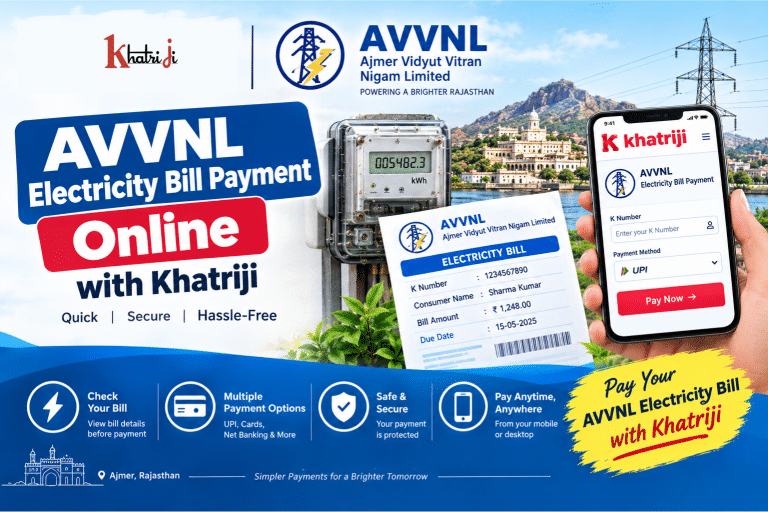
Paying your electricity bill online is a convenient way to avoid queues, save time and keep your payments organized. If you are a consumer of Ajmer Vidyut Vitran Nigam Limited (AVVNL) in Rajasthan, you can pay your electricity bill online using the Khatriji AVVNL Electricity Bill Payment service.
AVVNL is the electricity distribution company serving several areas of Rajasthan. Online payment options for AVVNL have historically included quick bill payment, Web Self Service, Bharat BillPay and other digital payment channels.
In this guide, you will learn how to make AVVNL Electricity Bill Payment Online, what information you need, how to find your K Number, what to do when a payment fails, how to handle a payment where money has been deducted, and how to stay safe while paying your electricity bill online.
What Is AVVNL?
Ajmer Vidyut Vitran Nigam Limited (AVVNL) is a Rajasthan electricity distribution company headquartered in Ajmer.
AVVNL’s registered office is at Vidyut Bhawan, Panchsheel Nagar, Makadwali Road, Ajmer, Rajasthan.
The distribution company provides electricity-related consumer services including:
- Electricity bill payment
- Bill viewing
- Payment and consumption history
- Consumer self-service
- New connection-related services
- Online complaints and requests
- Complaint status tracking
AVVNL consumer self-service functionality is also available through digital platforms, including services for viewing bills and payment/consumption history.
AVVNL Electricity Bill Payment Online with Khatriji
You can access the AVVNL Electricity Bill Payment service on Khatriji here:
Pay AVVNL Electricity Bill Online with Khatriji
The basic process is:
Select AVVNL → Enter K Number/Consumer Details → Fetch Bill → Verify Amount → Make Payment → Save Transaction Details
Before making the payment, always verify the consumer information and bill amount shown on the payment page.
What Is Required for AVVNL Bill Payment?
Before starting your AVVNL Electricity Bill Payment Online, keep your electricity bill or consumer information ready.
Depending on the payment service, you may need:
- AVVNL K Number
- Consumer Number, where applicable
- Registered mobile number, where applicable
- Electricity bill
- Bill amount
- Mobile phone
- UPI/card or another available payment method
The K Number is particularly important for AVVNL bill-payment flows. Historical AVVNL online-payment instructions specifically describe entering the K Number to retrieve bill information.
What Is the AVVNL K Number?
The K Number is an important consumer identifier used in AVVNL electricity bill services.
You can generally find the K Number on your AVVNL electricity bill.
If you are unsure about your K Number, check your latest or previous electricity bill before starting the online payment.
Tip: Enter the K Number carefully. A wrong digit can prevent the bill from being fetched or may display incorrect consumer information.
How to Pay AVVNL Electricity Bill Online with Khatriji
Follow these steps to make your AVVNL Electricity Bill Payment Online.
Step 1: Open the Khatriji AVVNL Payment Page
Visit the Khatriji AVVNL electricity bill payment service:
https://khatriji.in/electricity-bill-payment/ajmer-vidyut-vitran-nigam-limited-avvnl
Step 2: Enter Your Consumer Details
Enter the required AVVNL consumer information, such as your K Number, in the appropriate field.
Check the number carefully before continuing.
Step 3: Fetch Your Bill
Submit your consumer details to retrieve the available bill information.
If the bill is successfully retrieved, review the information displayed on the screen.
Step 4: Verify Your Bill
Before paying, carefully check:
- Consumer name
- K Number
- Bill amount
- Due date
- Bill details
- Other available consumer information
Do not proceed if the displayed consumer details do not belong to you.
Step 5: Choose a Payment Method
Select one of the payment methods available on the payment page.
Depending on the available payment gateway, options may include:
- UPI
- Debit Card
- Credit Card
- Internet Banking
- Other supported digital payment methods
Step 6: Complete the Payment
Follow the instructions shown by the payment gateway.
If using UPI, carefully check the payment request in your UPI application before approving it.
If using a card, enter your card details only on the secure payment page.
Step 7: Save the Transaction Details
After successful payment, save your:
- Transaction ID
- Payment reference number
- Payment amount
- Date and time
- Receipt/confirmation
These details can be useful if you need to investigate a payment issue later.
How to Check Your AVVNL Electricity Bill Online
AVVNL has provided digital consumer services for viewing bills and payment/consumption history.
When your bill is available, review important information such as:
- Consumer details
- K Number
- Current bill amount
- Due date
- Previous payment information
- Consumption information, where available
Checking your bill before payment helps you avoid entering the wrong consumer information or paying an unexpected amount.
Benefits of AVVNL Electricity Bill Payment Online
1. Pay From Anywhere
You can pay your electricity bill online without visiting a payment counter.
2. Save Time
Online payment can help you avoid travelling and waiting in queues.
3. Digital Payment Convenience
You can use available digital payment methods such as UPI, cards or Internet Banking.
4. Check Bill Before Payment
You can verify the available bill amount before completing the transaction.
5. Keep Payment Records
Transaction IDs and receipts make it easier to track your payments.
6. Mobile-Friendly
Online electricity payments can be managed using a smartphone, making bill payment more convenient.
AVVNL Bill Payment for Different Areas of Rajasthan
AVVNL serves electricity consumers across several areas of Rajasthan.
Publicly available consumer-support information lists areas including:
- Ajmer
- Bhilwara
- Nagaur
- Sikar
- Jhunjhunu
- Rajsamand
- Dungarpur
- Udaipur
- Banswara
- Chittorgarh
- Pratapgarh
The exact service coverage and consumer arrangements can change, so consumers should verify their current electricity distributor and bill details before making a payment.
What If My AVVNL Bill Is Not Showing?
Sometimes your bill may not be retrieved after entering your consumer information.
Possible reasons include:
- Incorrect K Number
- Incorrect consumer details
- Temporary technical problem
- Bill information not currently available
- Network connectivity problem
- Payment service temporarily unavailable
What should you do?
First, check the K Number printed on your electricity bill.
Then enter the number again carefully.
If the problem continues, check your bill through the appropriate AVVNL consumer service or contact customer support.
AVVNL Electricity Bill Payment Failed
If your AVVNL Electricity Bill Payment fails, don’t immediately make another payment.
First check whether your bank account or UPI account was debited.
If no money was deducted
You can:
- Verify your K Number.
- Check the bill details.
- Check your Internet connection.
- Retry the payment when the payment service is available.
If money was deducted
Do not immediately pay again.
Instead:
- Check your bank/UPI transaction.
- Note the Transaction ID.
- Check whether the transaction is successful, pending or failed.
- Check whether your AVVNL bill has been updated.
- Contact the appropriate support channel if the issue remains unresolved.
Money Deducted but AVVNL Bill Is Still Unpaid
This is an important situation to handle carefully.
If your bank account was debited but your AVVNL bill still appears unpaid, follow these steps.
1. Don’t Make a Second Payment Immediately
Wait until you understand the status of the first transaction.
2. Check Your Bank or UPI App
Look for the transaction status:
- Successful
- Pending
- Failed
- Reversed
3. Save Your Transaction ID
Keep the payment reference number or transaction ID.
4. Check Your Bill Again
After some time, check whether the payment has been reflected.
5. Contact Support if Required
If the payment remains unresolved, provide your consumer details and transaction information to the relevant support team.
What to Do If Your AVVNL Payment Is Pending?
A pending transaction does not necessarily mean that you should pay again.
Follow this process:
Pending → Check Bank/UPI Status → Save Transaction ID → Check Bill Status → Wait for Final Status → Contact Support if Necessary
Avoid making multiple payments for the same bill while the first transaction is still unresolved.
AVVNL Customer Care and Complaint Support
Publicly available AVVNL customer-support information lists:
Customer Care: 1800 180 6565
Electricity Helpline: 1912
A publicly available AVVNL contact listing also identifies 741 201 2222 for contact/WhatsApp support.
Because customer-care numbers and channels can change, verify the latest contact information through the current AVVNL/Rajasthan electricity service before relying on a particular number.
For billing-related complaints, keep the following information ready:
- K Number
- Consumer details
- Bill number, if available
- Payment date
- Payment amount
- Transaction ID
- Screenshot/receipt
AVVNL Web Self Service
AVVNL’s digital self-service ecosystem supports consumer-related services such as:
- View Bill
- Payment History
- Consumption History
- Pay Bill
- Pay Demand
- Apply for New Connection
- Online Complaint
- Complaint/Request Status Tracking
These features are described in the current consumer self-service app listing for AVVNL/JVVNL consumers.
This can be useful when you need more information than simply making a bill payment.
AVVNL Electricity Bill Payment Through Mobile
You can manage your electricity payment from your smartphone.
A current consumer self-service app listing describes AVVNL services such as bill viewing, payment history, consumption history, bill payment and complaint tracking.
You can also use the Khatriji App for supported digital recharge and bill-payment services.
AVVNL Prepaid Meter Recharge
AVVNL’s online payment ecosystem has also included prepaid meter recharge as a separate service from normal postpaid electricity bill payment. Historical AVVNL payment instructions list prepaid recharge alongside energy bill payment options.
If you have a prepaid electricity connection, make sure you choose the appropriate prepaid service rather than treating it as a normal postpaid bill.
AVVNL Bill Payment Safety Tips
Online bill payment is convenient, but you should always protect your financial information.
Never share your UPI PIN
Your UPI PIN should only be entered by you to authorize a transaction.
Never share OTP
No genuine support representative should need your OTP for you to make a normal bill payment.
Don’t install unknown APK files
Avoid installing apps sent through WhatsApp, SMS or unknown websites claiming to be electricity-payment applications.
Verify the Consumer Name
Before making payment, check whether the displayed consumer details match your electricity connection.
Avoid suspicious payment links
Do not blindly open electricity-payment links received from unknown numbers.
Save your receipt
Keep the Transaction ID and payment confirmation until the bill has been successfully updated.
Common AVVNL Electricity Bill Payment Problems
| Problem | Possible Solution |
|---|---|
| Bill not found | Verify your K Number |
| Wrong consumer details | Stop and check the K Number |
| Payment failed | Check bank/UPI status |
| Money deducted | Don’t pay again immediately; check transaction status |
| Payment pending | Wait for final status and retain Transaction ID |
| Bill not updated | Check again later and contact support if required |
| Forgot K Number | Check your previous electricity bill |
| Need payment history | Use the appropriate consumer self-service facility |
| Prepaid connection | Use the applicable prepaid recharge service |
| Suspicious payment message | Don’t click the link; use an official/support channel |
Tips Before Making AVVNL Electricity Bill Payment
Before you click the payment button, follow these simple checks:
- Keep your latest electricity bill nearby.
- Find your K Number.
- Enter the K Number carefully.
- Verify the consumer name.
- Check the bill amount.
- Check the due date.
- Use a secure payment connection.
- Never share your UPI PIN or OTP.
- Save your Transaction ID.
- Don’t make a second payment while the first transaction is pending.
Why Use Khatriji for AVVNL Electricity Bill Payment?
Khatriji provides a convenient way to access supported digital payment services online.
For AVVNL consumers, the online payment process can help you:
- Access AVVNL bill payment online
- Avoid unnecessary visits to payment counters
- Enter your consumer information digitally
- Check available bill details
- Use available digital payment options
- Maintain a record of your transaction
You can also explore other Khatriji services for your everyday payment needs.
For example, you can read:
- How to Recharge Any Mobile Number Online
- Khatriji Transaction History Guide
- Khatriji App Guide
- Complete Guide to Safe Digital Payments
Frequently Asked Questions About AVVNL Electricity Bill Payment
1. How can I pay my AVVNL electricity bill online?
You can use the Khatriji AVVNL Electricity Bill Payment service or an applicable official AVVNL payment facility. Enter your required consumer details, verify the bill and complete the payment using an available payment method.
2. What is required for AVVNL bill payment?
Your K Number is an important consumer identifier for AVVNL bill payment. Keep your electricity bill nearby so that you can enter the correct details.
3. Where can I find my AVVNL K Number?
You can generally find your K Number on your AVVNL electricity bill or other consumer documents.
4. Can I pay my AVVNL bill using UPI?
If UPI is available through the selected payment gateway, you can use it to complete the payment. Always verify the payment request before entering your UPI PIN.
5. What should I do if my AVVNL bill payment fails?
First check whether money was deducted. If no money was deducted, verify your consumer information and retry later. If money was deducted, check the transaction status before making another payment.
6. What if money is deducted but my AVVNL bill is not updated?
Save your Transaction ID and payment confirmation. Check the payment status and bill again later. If the issue continues, contact the appropriate AVVNL support channel.
7. Can I check my AVVNL payment history online?
Yes. AVVNL’s consumer self-service ecosystem provides payment and consumption history functionality.
8. Can I view my AVVNL electricity bill online?
Yes. AVVNL’s digital consumer services include bill-viewing functionality.
9. Can I recharge an AVVNL prepaid meter online?
Yes. AVVNL’s payment facilities have included prepaid meter recharge as a separate service.
10. What is the AVVNL customer care number?
Publicly available AVVNL customer-support listings currently show 1800 180 6565 and 1912 among the support channels. Verify the latest details through the current official electricity service before contacting support.
Conclusion
AVVNL Electricity Bill Payment Online makes it easier for Ajmer Vidyut Vitran Nigam consumers to manage their electricity payments digitally without relying on traditional payment counters.
To make a successful payment, keep your K Number ready, select the correct AVVNL service, verify your consumer details and bill amount, and then complete the payment using an available digital payment method.
With Khatriji, you can access the AVVNL Electricity Bill Payment service online and make your everyday bill payment process more convenient.
Always save your transaction reference after payment and avoid making a second payment when the first transaction is still pending.
Pay your AVVNL electricity bill online with Khatriji and make your bill payments simpler, faster and more convenient.
Tags: Ajmer Bill Payment, Ajmer Electricity Bill Payment, Ajmer Vidyut Vitran Nigam, AVVNL Bill Pay, AVVNL Bill Payment, AVVNL Bill Payment Online, AVVNL Consumer Number, AVVNL Electricity Bill, AVVNL Electricity Bill Payment, AVVNL K Number, AVVNL Online Bill Payment, AVVNL Payment Status, Electricity Bill Payment Online, Khatriji Bill Payment, Rajasthan Electricity Bill Payment