
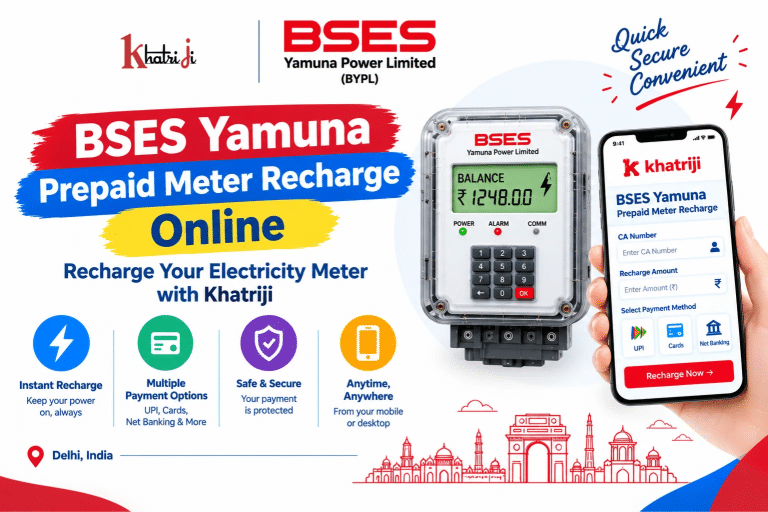
BSES Yamuna Prepaid Meter Recharge Online: Recharge Your Electricity Meter with Khatriji
Managing your electricity balance is important when you use a prepaid electricity meter. With BSES Yamuna Prepaid Meter Recharge Online, consumers can add money to their prepaid electricity account without necessarily visiting a payment counter. Online recharge makes it easier to manage your electricity balance and keep track of payments.
BSES Yamuna Power Limited (BYPL) supplies electricity to consumers in parts of Delhi. If you use a BSES Yamuna prepaid meter, you can explore the available online recharge options through Khatriji and other supported payment channels.
In this guide, you will learn how to recharge your BSES Yamuna prepaid meter online, which details you may need, how to check your meter balance, and what to do if your payment is pending or your recharge is not reflected.
What Is a BSES Yamuna Prepaid Meter?
A prepaid electricity meter allows consumers to pay for electricity in advance and use electricity according to the available credit and applicable billing rules.
Unlike a conventional postpaid electricity arrangement, where a bill is generally generated after electricity consumption, a prepaid meter requires consumers to monitor their available balance and recharge when needed.
BSES Yamuna Power Limited, commonly known as BYPL, provides electricity-related services to its consumers in Delhi. Consumers can use the available BYPL digital services to manage eligible payments and check relevant account information.
It is important to remember that the balance displayed on a prepaid meter may be affected by applicable billing adjustments or outstanding dues. Always check the latest information provided by BYPL.
What Do You Need for BSES Yamuna Prepaid Meter Recharge?
Before starting your BSES Yamuna prepaid meter recharge, keep the following details ready:
- CA Number: Your Customer Account Number associated with the electricity connection.
- Recharge Amount: The amount you want to add to your prepaid meter.
- Payment Method: An online payment method supported by your selected platform.
- Internet Connection: A smartphone, tablet, or computer with internet access.
- Transaction Reference: After payment, retain the transaction ID, UTR number, or receipt if provided.
Check your CA Number carefully before proceeding. Entering incorrect account information may cause payment-related complications.
How to Recharge a BSES Yamuna Prepaid Meter Online with Khatriji
You can visit the dedicated BSES Yamuna Prepaid Meter Recharge page on Khatriji to check the available recharge process.
Follow these general steps, using the instructions displayed on the payment page.
Step 1: Visit Khatriji
Open the Khatriji website and navigate to the BSES Yamuna prepaid meter recharge service.
Make sure the service you select is for BSES Yamuna Power Limited rather than another electricity provider.
Step 2: Enter Your CA Number
Enter the CA Number or other consumer details requested on the recharge page.
Check the number against your electricity account records before continuing.
Step 3: Enter the Recharge Amount
Enter the amount you want to recharge. Consider your current balance and expected electricity usage when deciding how much to add.
The minimum recharge amount and any applicable conditions should be checked on the selected service page.
Step 4: Verify Your Details
Before proceeding, carefully review the available transaction details:
- Electricity provider
- CA Number or consumer details
- Recharge amount
- Applicable charges, if displayed
- Total payable amount
Correct any errors before confirming the transaction.
Step 5: Complete the Online Payment
Choose one of the payment methods displayed on the checkout page and follow the instructions to complete the payment.
Payment methods can vary by platform. Use only the options actually presented during checkout.
Step 6: Save the Payment Confirmation
After completing the payment, check the displayed transaction status.
If a confirmation, receipt, or reference number is available, save it for future use. You may need these details if the payment is delayed or the meter balance does not update.
Important: A successful payment confirmation and an updated prepaid meter balance may not appear at exactly the same time. Check the transaction status before attempting another payment.
How to Recharge Through the Official BSES Yamuna Website
BYPL also provides an official digital payment route for prepaid meter recharge.
To use the official website:
- Open the BSES Delhi official website.
- Navigate to the BSES Yamuna Power Limited (BYPL) section.
- Open the Payments or Online Payment section.
- Look for the Prepaid Meter Recharge option.
- Enter your CA Number and the required recharge amount.
- Review the details and follow the displayed payment instructions.
- Save the payment confirmation or transaction reference.
The website layout may change over time, so follow the current instructions shown on the official website.
BYPL has also listed digital recharge options through its mobile app and supported payment platforms. Availability and the exact steps may vary. <Cite refs={[“turn711581search19″,”turn711581search2”]}/>
Can You Recharge BSES Yamuna Prepaid Meter Through a Mobile App?
Yes. BYPL provides an official app called BYPL Connect, which includes consumer account services and a prepaid meter balance-check feature. <Cite refs={[“turn711581search0″,”turn711581search4”]}/>
You can find the official app through the BYPL Connect Google Play listing.
Before using an app to recharge:
- Confirm that the app is published by BSES Yamuna Power Limited.
- Open the relevant prepaid meter or payment section.
- Enter the requested account information.
- Verify the displayed details and amount.
- Complete the payment only through the available authorized options.
- Keep the transaction reference for future use.
App features and menu names may change with updates. Follow the latest instructions in the official app.
How to Check Your BSES Yamuna Prepaid Meter Balance
Checking your prepaid meter balance regularly helps you understand how much credit is available and when a recharge may be needed.
1. Use the BYPL Connect App
BYPL Connect lists a Prepaid Meter Balance Check feature. Install the official app, open the relevant section, and follow the displayed instructions to check your balance. <Cite refs={[“turn711581search0”]}/>
2. Check Through the Meter Display
Depending on your meter model, the meter display may provide balance or credit information through its screen or button controls.
- Check the instructions supplied with your meter.
- Look for the available balance or credit display.
- Read the displayed amount carefully.
The exact method varies by meter model.
3. Check After Recharging
After completing a recharge, check the transaction status and then review the available balance again.
If the displayed balance differs from what you expected, remember that applicable billing adjustments or outstanding dues may affect the amount. BYPL notes that the balance can vary after billing. <Cite refs={[“turn711581search0”]}/>
How Much Should You Recharge Your BSES Yamuna Prepaid Meter?
The appropriate recharge amount depends on your electricity usage, current balance, and the conditions applicable to your account.
Before selecting an amount, consider:
- Your current prepaid balance
- Average daily electricity consumption
- Use of high-consumption appliances such as air conditioners and water heaters
- Any balance adjustments or outstanding dues
- The minimum amount or other conditions displayed by the recharge service
If your balance is low, consider recharging before the available credit becomes insufficient for your electricity needs. Do not assume that the same recharge amount will be suitable for every household.
Benefits of Online BSES Yamuna Prepaid Meter Recharge
1. Convenient Access
Online recharge services allow you to access supported payment options from your phone or computer, subject to the platform’s availability.
2. Less Dependence on Physical Payment Counters
Using an online option can reduce the need to visit a payment counter solely to recharge your meter.
3. Easier Transaction Tracking
A digital transaction reference or receipt can help you follow up if a payment is pending or needs investigation.
4. Better Balance Awareness
Regularly checking your prepaid balance can help you plan when to recharge.
5. Access to Digital Services
You can visit Khatriji to explore its available digital payment services. You can also check the Khatriji App for supported services and features.
Common BSES Yamuna Prepaid Meter Recharge Problems and Solutions
Problem 1: Recharge Payment Failed
A payment may fail because of a temporary technical issue, a bank response, or a payment-processing problem.
What to do:
- Check the payment status in your bank or payment app.
- Confirm whether the amount was deducted.
- Save any transaction reference or error message.
- Follow the instructions shown by the payment provider.
- Contact support if the status remains unclear.
Avoid making repeated payments until you understand the status of the original transaction.
Problem 2: Money Was Deducted but the Meter Balance Has Not Updated
A payment may be debited before the updated balance is visible.
What to do:
- Check whether the transaction is marked successful, pending, or failed.
- Save the transaction ID or UTR number.
- Check the balance again after the applicable processing period.
- If the balance remains unchanged, contact BYPL or the payment platform with the transaction details.
Do not assume that a second payment is necessary simply because the balance has not immediately changed.
Problem 3: Incorrect CA Number Entered
The CA Number links the transaction to your electricity account, so it should be checked before payment.
If you notice an error before paying, correct it before continuing. If payment has already been completed, contact the relevant support channel with the transaction reference and details of the issue.
A refund or transfer of the payment cannot be guaranteed; the outcome depends on the transaction investigation and applicable process.
Problem 4: Recharge Is Pending
If the recharge status is pending, check the transaction details before trying again.
- Review the status on the payment platform.
- Keep the reference number.
- Check the account balance through an official BYPL channel.
- Contact support if the pending status continues.
Problem 5: Receipt Is Not Available
If you cannot find the receipt, check the transaction history or payment records available through the platform you used.
You can also read the Khatriji Transaction History guide to learn how to review transaction records.
Problem 6: Electricity Supply Is Still Interrupted
If electricity supply is interrupted even after a recharge, check the meter display and the latest account information. A recharge alone may not resolve every type of supply interruption.
Contact BYPL if the problem continues. Do not open or tamper with the meter or electrical equipment yourself.
BSES Yamuna Customer Care Number
For prepaid meter recharge, balance, or payment-related assistance, you can contact BSES Yamuna Power Limited.
- Customer Care Helpline: 19122 (24×7 toll-free, according to the official BYPL contact page)
- Email: bypl.customercare@reliancegroupindia.com
- Official Website: https://www.bsesdelhi.com/
Confirm the latest contact information on the official BYPL Customer Care page. <Cite refs={[“turn711581search3”]}/>
When contacting customer care, keep these details ready:
- CA Number
- Recharge amount
- Payment date and time
- Transaction ID or UTR number
- Screenshot of the payment status, if available
Never share your UPI PIN, card PIN, password, or OTP with anyone claiming to provide customer support.
Safety Tips for Online Electricity Recharge
Follow these precautions whenever you make an online electricity payment:
- Use the official BYPL website, the verified BYPL Connect app, or a trusted payment service.
- Verify the electricity provider and CA Number before paying.
- Review the recharge amount and total payable amount.
- Avoid clicking suspicious payment links received through unexpected messages.
- Never share your OTP, UPI PIN, or banking password with another person.
- Keep your transaction reference and payment confirmation.
- Check the original transaction status before retrying a payment.
For additional guidance, read the Khatriji guide to identifying fake payment links.
Frequently Asked Questions
1. How can I recharge my BSES Yamuna prepaid meter online?
You can visit the BSES Yamuna prepaid meter recharge page on Khatriji to check the available process. You can also use the official BYPL website or other supported digital payment channels.
2. What is the CA Number for BSES Yamuna?
The CA Number is the Customer Account Number associated with your electricity connection. Use the number shown in your account records or other official BYPL information.
3. Can I check my BSES Yamuna prepaid meter balance online?
BYPL Connect provides a Prepaid Meter Balance Check feature. Open the official app and follow its current instructions. <Cite refs={[“turn711581search0”]}/>
4. Can I recharge my BSES Yamuna meter using my phone?
You can use a compatible mobile browser or an authorized app that supports the relevant BYPL prepaid recharge service. Follow the current instructions on the selected platform.
5. What should I do if money is deducted but the recharge is not reflected?
Check the payment status, save the transaction reference, and review the balance through an official BYPL channel. If the issue continues, contact the payment provider or BYPL before attempting another payment.
6. How can I contact BSES Yamuna customer care?
The official BYPL contact page lists 19122 as its 24×7 toll-free customer care helpline. Check the official contact page for current details. <Cite refs={[“turn711581search3”]}/>
7. Is the prepaid meter balance always the same as the recharge amount?
Not necessarily. The displayed balance may be affected by applicable billing adjustments or outstanding dues. Check the latest information available from BYPL.
8. Should I recharge again if the first transaction is pending?
No. First check the original transaction status and whether money was deducted. Retain the reference number and contact support if necessary before making another payment.
9. Where can I find my recharge receipt?
Check the confirmation page, transaction history, or payment records available through the platform you used. Save the transaction ID or UTR number for future reference.
10. Can I use Khatriji for BSES Yamuna prepaid meter recharge?
You can visit Khatriji’s dedicated BSES Yamuna prepaid meter recharge page and follow the options currently displayed there.
Conclusion
BSES Yamuna Prepaid Meter Recharge Online provides a convenient way for eligible consumers to add credit to their prepaid electricity account through supported digital channels.
Before making a recharge, verify your CA Number, select the correct electricity provider, and check the amount carefully. After paying, retain your transaction reference and check the meter balance. If a payment is pending or the balance does not update, investigate the original transaction before trying again.
To get started, visit the BSES Yamuna Prepaid Meter Recharge page on Khatriji and follow the current instructions displayed on the service page.
Tags: BSES Recharge Status, BSES Yamuna, BSES Yamuna Recharge, BYPL CA Number, BYPL Connect, BYPL Prepaid Meter Recharge, Delhi Electricity Recharge, khatriji, Online Electricity Recharge, Prepaid Meter Balance