
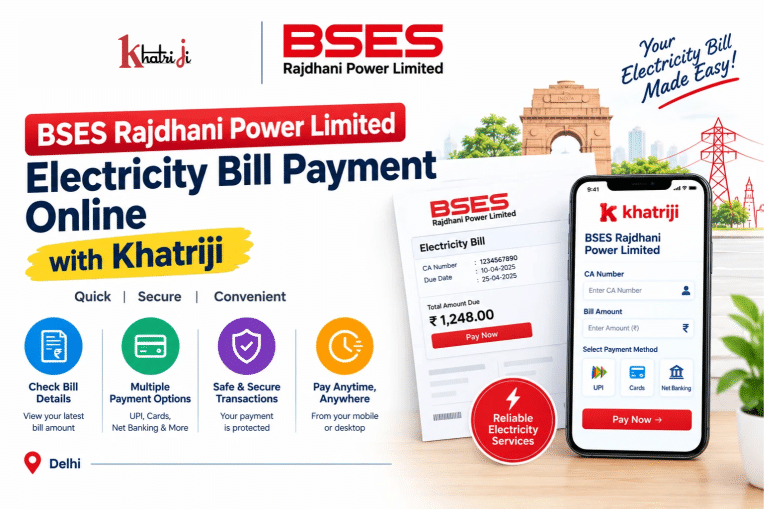
Paying your electricity bill on time helps you avoid late-payment issues and manage your household or business expenses more effectively. With BSES Rajdhani Power Limited Electricity Bill Payment Online, eligible consumers in Delhi can check their bill details and use supported digital payment options without necessarily visiting a payment counter.
BSES Rajdhani Power Limited (BRPL) supplies electricity to consumers in designated areas of Delhi. If BRPL is your electricity provider, you can visit the dedicated BSES Rajdhani electricity bill payment page on Khatriji to explore the available payment process.
In this guide, you will learn how to pay your BSES Rajdhani electricity bill online, find your CA Number, check your bill amount and due date, understand payment options, troubleshoot common problems, and contact customer care when necessary.
What Is BSES Rajdhani Power Limited?
BSES Rajdhani Power Limited, commonly known as BRPL, is an electricity distribution company serving designated areas of Delhi. It provides electricity-related services, including billing, online payments, customer support, and digital account services.
Consumers can use BRPL’s official website and other supported payment channels to access their electricity account information and pay their bills.
Before making a payment, confirm that your electricity provider is BSES Rajdhani Power Limited. Delhi has multiple electricity distribution companies, and choosing the wrong provider can cause payment complications.
What Do You Need for BSES Rajdhani Electricity Bill Payment?
Keep the following details ready before starting your online payment:
- CA Number: Your Customer Account Number associated with your BRPL electricity connection.
- Registered Mobile Number: This may be required for verification or quick payment.
- Email Address: Keep it available if the payment page requests it.
- Bill Amount: Check the amount payable on your latest bill.
- Payment Method: Use an online payment option supported by the selected platform.
- Transaction Reference: Save the transaction ID or payment receipt after completing the payment.
BRPL’s official Quick Pay verification page requests the CA Number, mobile number, and email address. Requirements may vary depending on the payment method you choose.
How to Pay Your BSES Rajdhani Electricity Bill Online with Khatriji
You can visit the dedicated Khatriji BSES Rajdhani Power Limited bill payment service to check the available payment options.
Follow the instructions displayed on the service page.
Step 1: Visit Khatriji
Open the Khatriji website and navigate to the BSES Rajdhani Power Limited electricity bill payment service.
Make sure you select the correct electricity provider before proceeding.
Step 2: Enter Your Consumer Details
Enter the CA Number or other details requested on the payment page.
Check the number against your electricity bill or account records to ensure that it belongs to the correct connection.
Step 3: Check Your Electricity Bill Amount
If the payment page provides bill details, review the information displayed, including the payable amount and any available due-date information.
Compare the displayed details with your latest bill before proceeding.
Step 4: Enter or Confirm the Payment Amount
Follow the instructions on the page to confirm the payable amount or enter an amount if the service supports that option.
Before continuing, verify the electricity provider, CA Number, and total amount.
Step 5: Choose an Available Payment Method
Select a payment method displayed on the checkout page. Depending on the platform, available methods may include UPI, debit cards, credit cards, or net banking.
The exact options can vary, so use only the methods currently shown on the payment page.
Step 6: Complete the Payment
Follow the payment gateway’s instructions to authorize the transaction.
Review the amount before confirming. Never share your UPI PIN, card PIN, password, or OTP with anyone claiming to help you make the payment.
Step 7: Save the Transaction Confirmation
After completing the payment, check the confirmation message and transaction status.
Save the transaction ID, receipt, or UTR number if one is provided. These details may be useful if the payment is delayed or you need to contact customer support.
Important: Do not make another payment immediately if the first transaction is pending. Check the original transaction status before trying again.
How to Pay Your BSES Rajdhani Electricity Bill Through the Official Website
BRPL provides online bill payment through its official website.
To pay through the official BRPL website:
- Open the official BSES Delhi website.
- Navigate to the BRPL section.
- Open the Quick Pay or relevant online bill payment option.
- Enter your CA Number and any other details requested.
- Review the consumer information and current bill details.
- Select the applicable payment option.
- Follow the payment gateway instructions.
- Save the transaction reference or payment acknowledgement.
BRPL’s official online payment instructions state that consumers can enter their CA Number, view their current bill online, select Pay, and complete the transaction through the available payment gateway. A transaction reference number is provided as an acknowledgement of the payment request. https://www.bsesdelhi.com/web/brpl/net-banking
How to Find Your BSES Rajdhani CA Number
The CA Number, or Customer Account Number, identifies your electricity connection in BRPL’s billing system. You may need it to view your bill, make a payment, or contact customer care.
You can find your CA Number by checking:
- Your latest BSES Rajdhani electricity bill.
- Your BRPL online account, if registered.
- The relevant consumer details available through BRPL’s official digital services.
- Your previous electricity bill payment records, if the number is shown there.
BRPL’s online services commonly use a nine-digit CA Number. Check the number on your own bill rather than guessing it.
If you cannot locate your CA Number, contact BRPL through its official customer support channels.
How to Check Your BSES Rajdhani Electricity Bill Online
Checking your bill before payment helps you confirm the amount due and the billing period.
1. Visit the Official BRPL Website
Open the BSES Delhi website and navigate to the relevant bill payment or Quick Pay section.
2. Enter Your CA Number
Provide your CA Number and complete any additional verification requested by the website.
3. Review Your Bill Details
If the service retrieves your bill, review the available information, such as:
- Consumer name and premises details
- Bill month and bill date
- Total amount payable
- Due date
- Applicable adjustments or other bill entries
The exact details displayed depend on the service and your account.
4. Confirm the Amount Before Paying
Compare the amount shown online with your latest bill. If you notice an unexpected charge or discrepancy, contact BRPL for clarification before proceeding.
How to Check Your BSES Rajdhani Bill Due Date
Your electricity bill’s due date indicates when payment should be made to avoid applicable late-payment consequences.
To check it:
- Open your latest BRPL electricity bill.
- Look for the due-date field.
- Alternatively, use the official online payment service to view available bill details.
- If the due date is missing or unclear, contact BRPL customer care.
Do not rely on an old bill’s due date for your current payment. Check the latest billing information before making a payment.
Which Payment Methods Are Available for BSES Rajdhani Bill Payment?
BRPL supports multiple payment avenues. Online options may include UPI, debit cards, credit cards, and net banking, depending on the selected payment gateway.
Before completing a payment, check the options and any charges displayed by the payment service.
UPI
If UPI is available, you can authorize the payment using your supported UPI app. Review the amount and recipient details before confirming.
Debit Card
You may be able to use a supported debit card. Check whether any processing charges apply before completing the transaction.
Credit Card
If credit card payment is offered, review the applicable terms and processing charges before paying.
Net Banking
You may be able to pay using your bank’s net banking service through the payment gateway.
Note: BRPL’s official website publishes payment-mode-specific processing charges and conditions. These may vary by payment gateway and transaction type. Review the current charges shown by the official payment page before confirming your payment.
Benefits of Paying Your BSES Rajdhani Electricity Bill Online
1. Convenient Payment Access
Online bill payment allows you to use supported digital payment services from your phone or computer without necessarily visiting a payment counter.
2. Easy Bill Review
Online payment services may let you view your current bill details before paying, helping you verify the amount due.
3. Digital Payment Confirmation
A transaction reference or payment acknowledgement can help you track a payment and provide evidence when contacting customer support.
4. Better Bill Management
Checking the bill amount and due date regularly can help you plan electricity expenses and avoid overlooking a payment deadline.
5. Access to Digital Payment Services
You can visit Khatriji to explore its available digital payment services. You can also check the Khatriji App listing for information about the app and its available features.
Common BSES Rajdhani Bill Payment Problems and Solutions
Problem 1: Payment Failed
A payment can fail because of a bank response, payment gateway issue, or temporary technical problem.
What to do:
- Check the transaction status in your bank or payment app.
- Confirm whether money was deducted.
- Save any transaction reference or error message.
- Follow the instructions provided by the payment service.
- Contact the relevant support team if the status remains unclear.
Avoid repeated payments until you know the status of the original transaction.
Problem 2: Money Was Deducted but the Bill Still Shows Unpaid
Sometimes the bank may debit the amount before the updated status becomes visible in the bill payment system.
What to do:
- Check the transaction status with your bank or payment app.
- Save the transaction ID or UTR number.
- Check your payment history or the official BRPL payment-status service, if available.
- Allow the applicable processing period.
- Contact BRPL or the payment provider if the payment remains unconfirmed.
Do not pay again solely because the bill has not immediately changed to Paid.
Problem 3: Incorrect CA Number Entered
If you enter the wrong CA Number, the payment may be associated with the wrong consumer account or may not proceed as expected.
If you notice the error before payment, correct it first. If payment has already been made, contact the relevant support team with the transaction reference and correct account details.
A refund or transfer cannot be guaranteed; the outcome depends on the transaction investigation and applicable process.
Problem 4: Payment Is Pending
A pending transaction means the payment status has not yet been conclusively confirmed.
- Check the original transaction in your bank or payment app.
- Keep the payment reference number.
- Check the payment status through an official BRPL channel, where available.
- Contact customer care if the pending status continues.
Avoid making another payment before checking the original transaction.
Problem 5: Payment Receipt Is Missing
If you cannot find the receipt, check the payment confirmation screen, bank statement, payment app history, or the relevant platform’s transaction history.
You can also read the Khatriji Transaction History guide for help reviewing transaction records.
Problem 6: The Bill Amount Looks Incorrect
If your current bill amount appears unusually high or differs from your expectations, compare it with your latest bill and previous consumption records.
For billing complaints, contact BRPL through its official website, customer care, or the applicable complaint channel. Avoid assuming that the displayed amount is incorrect without checking the account details.
Problem 7: You Paid the Bill but Received Another Reminder
A reminder may have been generated before your payment status was updated, or it may relate to another outstanding item.
Check the original payment confirmation and current account status. If the bill still appears unpaid, contact BRPL and provide your transaction reference.
BSES Rajdhani Power Limited Customer Care Number
For electricity bill payment, billing discrepancies, or transaction-related assistance, contact BRPL using its official customer support details.
- Customer Care Helpline: 19123 (24×7 toll-free, according to the official BRPL contact page)
- Email: brpl.customercare@reliancegroupindia.com
- Official Website: https://www.bsesdelhi.com/
- Customer Care Page: https://www.bsesdelhi.com/web/brpl/contact-customer-care
Verify the current contact details on the official website before contacting support.
Keep the following information ready when reporting a problem:
- CA Number
- Bill month and amount
- Payment date and time
- Transaction ID or UTR number
- Payment confirmation or screenshot, if available
Never share your UPI PIN, card PIN, banking password, or OTP with anyone claiming to provide customer support.
Safety Tips for Online Electricity Bill Payment
Follow these precautions when paying your electricity bill online:
- Use the official BRPL website, its verified app, or a trusted payment service.
- Check the electricity provider and CA Number before proceeding.
- Review the amount and any displayed processing charges.
- Avoid clicking suspicious payment links received through unexpected messages.
- Never share your OTP, UPI PIN, or banking password.
- Save the payment confirmation and transaction reference.
- Check the original payment status before trying again.
For additional advice, read the Khatriji guide to identifying fake payment links.
Frequently Asked Questions About BSES Rajdhani Electricity Bill Payment
1. How can I pay my BSES Rajdhani electricity bill online?
Visit the BSES Rajdhani bill payment page on Khatriji to check the available process. You can also use the official BRPL website or other supported payment channels.
2. What is the CA Number for BSES Rajdhani?
The CA Number is your Customer Account Number associated with your BRPL electricity connection. Check your latest bill or official account records to find it.
3. Can I check my BSES Rajdhani bill online before paying?
Yes. BRPL’s official Quick Pay service can retrieve current bill details after you enter the required consumer information. Follow the current verification instructions on the official website.
4. Which payment methods can I use for BSES Rajdhani bill payment?
Depending on the selected payment gateway, available options may include UPI, debit cards, credit cards, and net banking. Check the current options and charges before confirming your payment.
5. What should I do if money is deducted but the bill still shows unpaid?
Check your bank or payment app status, save the transaction reference, and review the payment status through an official BRPL channel where available. Contact BRPL or the payment provider if the issue continues.
6. What is the BSES Rajdhani customer care number?
The official BRPL contact page lists 19123 as its 24×7 toll-free customer care helpline. Check the official customer care page for current contact information.
7. Can I pay my BSES Rajdhani bill in advance?
BRPL’s official Quick Pay service includes an advance payment option. Review the instructions on the official payment page to confirm how advance payments can be made for your account.
8. How can I get my BSES Rajdhani payment receipt?
Save the payment confirmation provided after the transaction. You can also check your bank or payment app history and the relevant official account services for available payment records.
9. Are there processing charges for online BSES Rajdhani bill payments?
Charges depend on the payment method and gateway. BRPL publishes payment-specific conditions and charges on its official website. Review the current details before confirming the transaction.
10. Can I use Khatriji to pay my BSES Rajdhani electricity bill?
You can visit Khatriji’s dedicated BSES Rajdhani Power Limited bill payment page and follow the instructions and options currently displayed there.
Conclusion
BSES Rajdhani Power Limited Electricity Bill Payment Online offers consumers a convenient way to manage their electricity payments through supported digital channels.
Before paying, verify your CA Number, check the latest bill amount and due date, and review any applicable processing charges. After payment, keep your transaction reference and confirm the payment status. If the payment is pending or the bill still appears unpaid, investigate the original transaction before trying again.
To get started, visit the BSES Rajdhani Power Limited bill payment service on Khatriji and follow the current instructions displayed on the page.
Tags: BRPL Electricity Bill, BSES Bill Check, BSES CA Number, BSES Payment Status, BSES Quick Pay, BSES Rajdhani, BSES Rajdhani Bill Payment, Delhi Electricity Bill Payment, khatriji, Online Electricity Bill Payment