
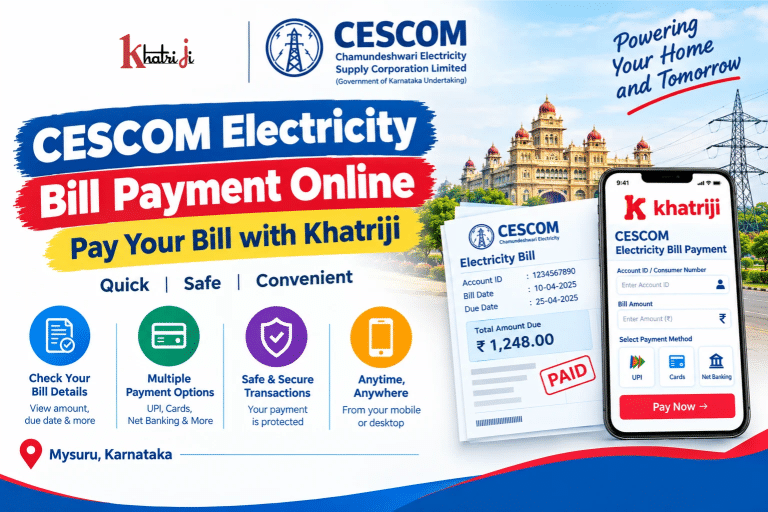
Paying your CESCOM electricity bill online is a convenient way to manage your electricity expenses without visiting a payment counter. If you live in Mysuru, Mandya, Hassan, Chamarajanagar, Kodagu, or another area served by Chamundeshwari Electricity Supply Corporation Limited (CESCOM), you can use online services to access bill payment and account-related facilities.
With Khatriji, you can visit the dedicated CESCOM electricity bill payment page to start the payment process. Keep your CESCOM Account ID or other required consumer details ready, check your bill amount, and follow the instructions shown on the payment page.
In this guide, you will learn how to pay your CESCOM electricity bill online, find your Account ID, check payment status, handle failed transactions, and get help with common payment problems.
What Is CESCOM?
Chamundeshwari Electricity Supply Corporation Limited (CESCOM) is an electricity distribution company wholly owned by the Government of Karnataka. It serves consumers in parts of Karnataka, including the Mysuru region.
CESCOM provides online facilities that help consumers access electricity billing and payment services. Its online portal includes Quick Payment without registration, payment-status checking, bill viewing, and other consumer services.
You can visit the official CESCOM online portal here:
https://wss.cescom.ieasybill.com/
How to Pay Your CESCOM Electricity Bill Online Through Khatriji
You can begin the process through the Khatriji CESCOM service page.
Step 1: Visit the Khatriji CESCOM Payment Page
Open the dedicated service page:
https://khatriji.in/electricity-bill-payment/chamundeshwari-electricity-supply-corp-ltd-cescom
Confirm that the selected electricity provider is Chamundeshwari Electricity Supply Corporation Limited (CESCOM).
Step 2: Enter Your Consumer Details
Enter the Account ID or other consumer identification details requested by the payment form.
Check your latest CESCOM bill to find the correct information. Make sure the details match your electricity connection before proceeding.
Step 3: Check the Bill Amount
If the payment form retrieves your bill details automatically, review the displayed amount and consumer information. If it asks you to enter the amount manually, use the amount shown on your latest bill.
Always verify the amount due before confirming the transaction.
Step 4: Review the Payment Details
Check the consumer information, bill amount, and any additional charges displayed before proceeding.
If the information is incorrect, stop and verify your account details before continuing.
Step 5: Choose an Available Payment Method
Proceed to the checkout page and select one of the payment methods displayed. Depending on the available payment gateway, options may include UPI, debit or credit cards, net banking, or other digital payment methods.
Follow the payment instructions and complete any required bank authentication.
Step 6: Complete the Transaction
Authorise the payment using your selected payment method. Wait for the payment response instead of refreshing the page repeatedly.
Step 7: Save Your Payment Confirmation
After the transaction, save the receipt, transaction ID, or confirmation details if provided.
If money is deducted but the receipt does not appear, check your transaction status before attempting another payment.
Important: The exact fields and payment methods depend on the live Khatriji payment page. Follow the instructions displayed during checkout.
How to Pay CESCOM Electricity Bill on the Official Website
CESCOM also provides an official online payment portal. Its portal offers a Quick Payment option that can be used without registration.
Follow these general steps:
-
Open the official CESCOM online portal.
-
Find the Online Payment or Quick Payment option.
-
Enter the required Account ID or consumer details.
-
Review the account and bill information displayed.
-
Continue to the payment page.
-
Select an available payment method and complete the transaction.
-
Save the payment confirmation or receipt.
The portal also provides a Last Online Payment Status facility for checking a previous transaction.
Use the official portal if you want to verify account information or resolve a payment-status issue.
What Details Are Required for CESCOM Bill Payment?
Before starting the payment process, keep the following information ready:
-
CESCOM Account ID or the consumer number requested by the payment form.
-
Your latest electricity bill.
-
The amount due and payment due date.
-
A valid payment method supported by the checkout page.
-
Your registered mobile number or other contact details, if requested.
Entering the correct consumer details helps you identify the appropriate electricity account and reduces the risk of payment errors.
How to Find Your CESCOM Account ID
Your CESCOM Account ID is used to identify your electricity account on the online portal.
If you do not know your Account ID, check your latest electricity bill for the account identification details. You can also visit the official CESCOM portal and use its account-related facilities where available.
If you are registering for the online portal, the registration page provides an Account ID field and a Search option to retrieve the associated account details.
Official portal: https://wss.cescom.ieasybill.com/
Do not confuse your Account ID with a registered mobile number or another reference printed on your bill. Enter the identifier specifically requested by the payment form.
Benefits of Paying Your CESCOM Bill Online
1. Convenient Bill Payment
Online services let you start the payment process from your home or office without travelling to a payment counter.
2. Save Time
You can access the payment portal using a compatible mobile phone or computer, provided you have an internet connection.
3. Access to Digital Services
CESCOM’s online portal includes payment and account-related facilities, such as Quick Payment and payment-status checking.
4. Flexible Payment Options
Depending on the payment service and gateway, different digital payment methods may be available.
5. Easier Transaction Tracking
Keeping your payment receipt and transaction reference makes it easier to follow up if a payment is delayed or its status is unclear.
6. Better Bill Management
Checking your bill and due date regularly helps you plan your electricity expenses and pay on time.
How to Check CESCOM Electricity Bill Payment Status
If you have paid your CESCOM electricity bill but have not received confirmation, use the official payment-status facility.
-
Visit the CESCOM online portal.
-
Find the Last Online Payment Status option.
-
Enter the Account ID and other information requested.
-
Complete any verification shown on the page.
-
Submit the details and review the transaction status.
-
Save the receipt if it becomes available.
Keep your transaction ID and bank reference handy if you need to contact customer support.
What to Do If Your CESCOM Bill Payment Fails
Online transactions can sometimes fail because of network interruptions, bank authentication problems, or payment gateway issues.
If this happens, follow these steps.
Check Your Bank Account
First, confirm whether the payment amount was deducted from your account.
Check the Transaction Status
Use the payment service’s transaction history or CESCOM’s Last Online Payment Status facility, where applicable.
Avoid Immediate Duplicate Payments
If money was deducted but the payment status is unclear, do not pay again immediately. Check the transaction status first to reduce the risk of making a duplicate payment.
Keep Your Transaction Details
Save the transaction ID, payment date, amount, and bank reference number. These details may be required when raising a complaint.
Contact the Relevant Support Team
If the transaction remains unresolved, contact the payment provider or bank. You can also contact CESCOM through its official support channels to verify whether the payment has been recorded.
CESCOM Customer Care and Complaint Support
If you need assistance with an electricity bill, account details, payment status, or a service complaint, use the official CESCOM support channels.
-
Consumer helpline: 1912
-
Official online portal: https://wss.cescom.ieasybill.com/
-
Official consumer services information: https://mysore.nic.in/en/service/online-payment-cescom/
The Mysuru district administration lists 1912 as the CESCOM helpline. Check the official consumer services page for current contact information and complaint-registration instructions.
When contacting support about a payment, provide the relevant Account ID and transaction reference. Never share your bank PIN, password, or OTP with anyone claiming to assist with the transaction.
Tips for Safe Online Electricity Bill Payment
Follow these precautions whenever you pay your electricity bill online:
-
Verify your CESCOM Account ID before submitting the payment.
-
Check the bill amount and consumer information carefully.
-
Use a trusted website and secure internet connection.
-
Never disclose your OTP, ATM PIN, or banking password.
-
Save your payment receipt and transaction reference.
-
Check the transaction status if confirmation is delayed.
-
Avoid repeating a payment while an earlier transaction is unresolved.
-
Use official support channels for account or payment-related complaints.
Frequently Asked Questions About CESCOM Electricity Bill Payment
1. How can I pay my CESCOM electricity bill online?
Visit the Khatriji CESCOM bill payment page, enter the required consumer details, review the bill information, and follow the available checkout instructions.
2. What is CESCOM?
CESCOM stands for Chamundeshwari Electricity Supply Corporation Limited. It is a Government of Karnataka-owned electricity distribution company serving parts of Karnataka.
3. Which details are required for CESCOM bill payment?
You generally need your CESCOM Account ID or the consumer identifier requested by the payment form, your bill details, and a supported payment method.
4. Where can I find my CESCOM Account ID?
Check your latest electricity bill or use the account-related facilities on the official CESCOM portal.
5. Can I pay my CESCOM bill without registering?
The official CESCOM online portal lists a Quick Payment option without registration. Follow the current instructions on the portal to see the details required.
6. How can I check my CESCOM payment status?
Open the official CESCOM online portal and select Last Online Payment Status. Enter the required details and follow the verification instructions.
7. What should I do if money is deducted but my bill is not updated?
Check the transaction status and keep your bank reference number. Avoid making another payment immediately while the earlier transaction remains unresolved. Contact the relevant support team if the status does not update.
8. Can I pay my CESCOM bill using my mobile phone?
Yes. You can access the online payment portal from a compatible mobile browser. The payment methods available depend on the service and checkout page.
9. How can I contact CESCOM for payment assistance?
You can call the consumer helpline at 1912 or visit the official CESCOM online portal for account and payment services.
10. Where can I pay my CESCOM electricity bill through Khatriji?
Visit the dedicated service page:
https://khatriji.in/electricity-bill-payment/chamundeshwari-electricity-supply-corp-ltd-cescom
Conclusion
CESCOM electricity bill payment online offers a convenient way to manage your electricity dues without visiting a payment counter. With the correct Account ID, your latest bill, and a supported payment method, you can follow the online payment process and save your transaction details for future reference.
Visit Khatriji to access the dedicated CESCOM electricity bill payment service.
Always verify your consumer details, check the amount due, and confirm the payment status if a transaction is delayed. For official account information and payment-status checks, use the CESCOM online portal.
Tags: CESCOM, CESCOM Bill Payment, Chamundeshwari Electricity Supply Corporation, Karnataka Electricity Bill, khatriji, Online Electricity Bill Payment