
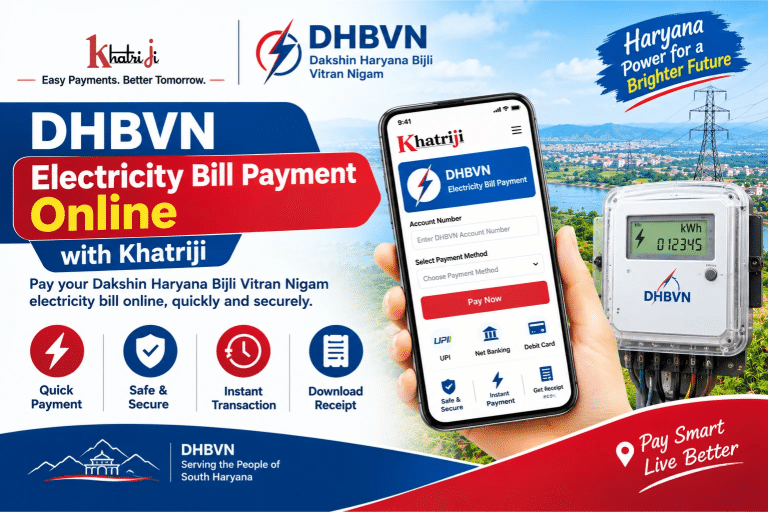
DHBVN Electricity Bill Payment Online: Pay Your Haryana Bijli Bill with Khatriji
DHBVN electricity bill payment online allows consumers in South Haryana to pay their electricity bills conveniently without visiting a payment counter. If you receive your electricity supply from Dakshin Haryana Bijli Vitran Nigam (DHBVN), you can use the official online payment portal or explore the available payment services on Khatriji to manage your electricity bill.
Online electricity bill payment helps you check the payable amount, choose a supported digital payment method, and keep a record of your transaction. Before making a payment, keep your DHBVN account number handy and verify the bill details carefully.
In this guide, you will learn how to complete DHBVN electricity bill payment online, which details you need, how to check payment status, and what to do if your transaction fails.
What Is DHBVN?
Dakshin Haryana Bijli Vitran Nigam Limited (DHBVN) is an electricity distribution company serving consumers in southern Haryana. It provides electricity-related services, including bill payment, consumer account management, complaint registration, and other customer services.
Consumers can access the official DHBVN website at:
https://www.dhbvn.org.in/web/portal/home
The official online payment portal provides services such as Quick Pay, prepaid recharge or advance payment, bill viewing, payment history, and KYC updates.
How to Pay Your DHBVN Electricity Bill Online with Khatriji
Khatriji provides an online platform for accessing supported bill payment services. Follow these steps to get started with your DHBVN electricity bill payment.
Step 1: Visit the Khatriji DHBVN Payment Page
Open the dedicated DHBVN electricity bill payment page:
https://khatriji.in/electricity-bill-payment/dakshin-haryana-bijli-vitran-nigam-dhbvn
Review the available payment service and follow the instructions displayed on the page.
Step 2: Enter Your DHBVN Account Details
Keep your electricity bill ready and locate your DHBVN account number. Enter the required details in the payment form if requested.
Make sure the account number is correct. Entering incorrect details may prevent the system from retrieving the right bill.
Step 3: Check Your Electricity Bill
If the service retrieves your bill, review the consumer name, account details, outstanding amount, and other information shown on the screen.
Do not proceed if the displayed consumer information or bill amount appears incorrect. Contact DHBVN through its official customer support channels if necessary.
Step 4: Select an Available Payment Method
Choose a payment method supported by the payment page. Depending on the service, available options may include UPI, debit card, or net banking.
Follow the instructions displayed by the payment gateway to complete the transaction securely.
Step 5: Complete the Payment
Confirm the payment amount and authorize the transaction through your selected payment method.
Never share your UPI PIN, card PIN, password, or OTP with anyone claiming to help you make a payment.
Step 6: Save the Payment Confirmation
After a successful transaction, save the receipt or transaction reference number. Keep a screenshot or downloaded receipt for your records if appropriate.
If you do not receive confirmation, check the transaction status before attempting another payment.
Important: Payment options and service availability can vary. Use the payment form only if it supports your DHBVN connection and confirms the transaction details.
How to Pay Your DHBVN Electricity Bill Through the Official Portal
You can also pay your bill directly through the official DHBVN payment website.
Official payment portal: https://epayment.dhbvn.org.in/b2cpaybill.aspx
Follow these steps:
- Open the official DHBVN payment portal.
- Locate the Pay Your Bill or Quick Pay option.
- Enter your electricity account number.
- Provide the mobile number and email address requested for the electronic receipt, if applicable.
- Complete the captcha displayed on the page.
- Review the consumer details and total payable amount.
- Select one of the available payment methods.
- Follow the payment gateway instructions to authorize the transaction.
- Save your payment receipt and transaction reference.
The exact fields and payment options may vary depending on the service selected and the consumer account.
What Details Are Required for DHBVN Bill Payment?
Before starting your DHBVN electricity bill payment online, prepare the following information:
- DHBVN account number: The account identifier printed on your electricity bill.
- Registered or contact mobile number: This may be required for payment updates or an electronic receipt.
- Email address: Some payment forms request an email address to send the receipt.
- Bill amount: Review the outstanding amount before making payment.
- Payment method: Keep your preferred supported payment method ready.
The official payment portal may request a captcha or additional information. Enter only the details required by the legitimate payment page.
Available Online Payment Methods for DHBVN
DHBVN’s online payment portal lists multiple digital payment options. Depending on the payment gateway and transaction, available methods may include:
UPI
Use a supported UPI application to authorize the payment. Verify the amount and recipient information before approving the transaction.
Debit Card
Enter your card details only on the secure payment gateway and complete the required authentication.
Net Banking
Choose your bank from the available list and follow its authentication process to complete the payment.
Other Supported Payment Gateway Options
The official portal may display different payment gateway providers. Available options can change, so check the live payment page before proceeding.
Always wait for the transaction result before closing the payment page.
How to Check DHBVN Electricity Bill Payment Status
After paying your electricity bill, you should verify that the payment has been recorded.
Follow these steps:
- Open the official DHBVN payment portal.
- Look for the Payment History option.
- Enter the account or transaction information requested by the portal.
- Check the available transaction records.
- Compare the payment date, amount, and status with your bank or UPI application.
- Save the receipt if the payment is shown as successful.
Official payment portal: https://epayment.dhbvn.org.in/b2cpaybill.aspx
If the payment does not appear immediately, allow time for the transaction to be processed and check again. If the issue continues, contact DHBVN customer support with your transaction reference.
How to Download or Save a DHBVN Electricity Bill Receipt
A payment receipt can help you verify that your bill has been paid and provide evidence if a dispute arises.
To save your receipt:
- Complete the payment through the official or supported payment service.
- Wait for the successful transaction confirmation.
- Select the receipt, download, or print option if available.
- Save the document on your device.
- Keep the transaction ID for future reference.
You can also check the official portal for payment history and receipt-related services. Receipt availability depends on the transaction and the portal’s current features.
What to Do If Your DHBVN Bill Payment Fails
Online transactions may sometimes remain pending or fail because of bank connectivity issues, payment gateway errors, or incomplete authentication.
Here is how to handle common situations.
Money Deducted but Bill Not Updated
If money has been deducted but your DHBVN bill still shows as unpaid:
- Check the transaction status in your bank or UPI application.
- Save the transaction ID and payment confirmation.
- Check DHBVN’s payment history after some time.
- Contact DHBVN support if the payment remains unconfirmed.
- Avoid paying the same bill again until you have checked the original transaction.
If the transaction failed, any refund timeline will depend on the payment provider and bank. Check the transaction status and the applicable bank or payment gateway guidance.
Payment Failed Without Money Being Deducted
Check your bank account or payment application to confirm that no amount was debited. If the transaction failed, retry only after confirming its status and verifying the bill details.
Incorrect Account Number
Recheck the account number printed on your DHBVN bill. Correct the details before attempting another payment.
Receipt Not Received
Check your email, SMS messages, and the payment history section. If the payment appears successful but the receipt is unavailable, contact the payment service or DHBVN support with your transaction reference.
Bill Amount Appears Incorrect
Do not proceed with a payment if the consumer details or payable amount appear inconsistent with your records. Contact DHBVN to clarify the discrepancy.
Benefits of Paying Your DHBVN Electricity Bill Online
Online electricity bill payment offers several practical benefits.
- Convenience: Pay from home or while travelling.
- Digital records: Keep transaction references and electronic receipts.
- Multiple payment options: Use the methods currently supported by the payment portal.
- Less paperwork: Store receipts digitally instead of keeping every paper copy.
- Payment tracking: Use the available payment history service to review transactions.
- Easy access: The online portal can be accessed without visiting a payment counter, subject to service availability.
Always make payment before the due date shown on your electricity bill to avoid applicable late charges or other consequences.
DHBVN Customer Care and Complaint Helpline
If you experience a payment problem, incorrect bill details, or an electricity supply issue, contact DHBVN through its official channels.
- Electricity complaint and customer support: 1912
- Toll-free number: 1800-180-4334
- Customer support email: 1912@dhbvn.org.in
- WhatsApp support: 8813999708
- Official website: https://www.dhbvn.org.in/web/portal/home
- Official contact page: https://dhbvn.org.in/contact-us
The official contact page lists these details for customer support and electricity supply complaints. Contact information can change, so verify it on the official website if you cannot reach the department.
When raising a payment complaint, keep your account number, transaction ID, payment date, amount, and bank confirmation ready. Never share confidential banking credentials.
Frequently Asked Questions About DHBVN Electricity Bill Payment
1. How can I pay my DHBVN electricity bill online?
Visit the Khatriji DHBVN payment page or the official DHBVN payment portal. Enter the required account details, verify your bill amount, select an available payment method, and save the transaction confirmation.
2. What is the official DHBVN bill payment website?
The official online payment portal is https://epayment.dhbvn.org.in/b2cpaybill.aspx.
3. What details do I need to pay my DHBVN bill?
You generally need your DHBVN account number. The payment portal may also request a mobile number, email address, captcha, or other details.
4. Can I pay my DHBVN bill using UPI?
The official payment portal lists UPI as a payment option. Availability may depend on the selected payment gateway and the current portal configuration.
5. How do I check whether my DHBVN bill has been paid?
Check the transaction confirmation from your bank or payment application and review the Payment History option on the official DHBVN portal.
6. What should I do if my payment is successful but the bill remains unpaid?
Save the transaction reference, check the payment history again after some time, and contact DHBVN customer support if the bill remains unpaid. Avoid making a duplicate payment until the original transaction is clarified.
7. What is the DHBVN customer care number?
You can call 1912 or 1800-180-4334 for electricity supply complaints and customer support.
8. Can I pay my DHBVN bill without visiting an office?
Yes. DHBVN provides an online payment portal for eligible consumers. You can complete the transaction online when the service is available and your account details are valid.
9. Is it safe to pay an electricity bill online?
Online payment can be convenient when you use the official DHBVN portal or a trusted payment service. Check the website address, verify the amount, and never disclose your UPI PIN, card PIN, password, or OTP to another person.
10. Can I download my DHBVN payment receipt?
If the payment service provides a receipt or payment history option for your transaction, you can save or print the available record. Keep your transaction reference as well.
Conclusion
DHBVN electricity bill payment online makes it easier for consumers in South Haryana to manage their electricity bills without visiting a payment counter. With your account number ready, you can review your bill, choose a supported digital payment method, and save the payment confirmation.
Khatriji provides a dedicated page for DHBVN electricity bill payment information. Before proceeding, confirm that the required service is available and that your bill details are correct.
For direct payment, bill status, or payment history, you can also use the official DHBVN portal. If a payment fails or the bill does not update, keep your transaction reference and contact the department’s customer support team.
Pay attention to your bill’s due date, keep your receipts, and use trusted payment channels for a smoother electricity bill payment experience.
Tags: Dakshin Haryana Bijli Vitran Nigam, DHBVN, DHBVN Bill Payment, Electricity Bill Status, Haryana Electricity Bill, khatriji, Online Electricity Bill Payment