
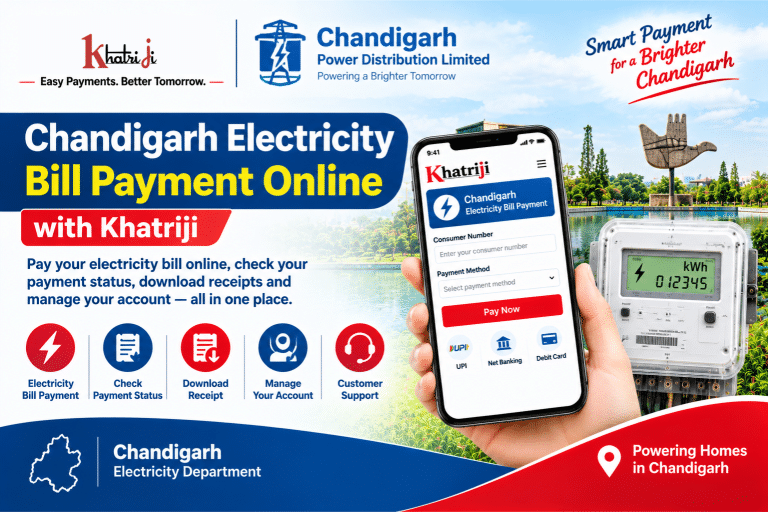
Paying your electricity bill online in Chandigarh is a convenient way to manage your monthly electricity expenses without visiting a payment counter. With online payment services, consumers can pay their bills, check payment records, and keep receipts for future reference.
With Chandigarh Electricity Bill Payment Online, you can explore available payment options through Khatriji and the official electricity payment portals. Before making a payment, keep your electricity account number or Consumer Account (CA) Number ready and verify the bill details carefully.
Chandigarh consumers can explore online electricity services through Chandigarh Power Distribution Limited (CPDL) and Chandigarh Administration’s e-Sampark portal. In this guide, you will learn how to pay your Chandigarh electricity bill online, check payment status, download receipts, and resolve common payment issues.
What Is Chandigarh Electricity Bill Payment Online?
Chandigarh Electricity Bill Payment Online allows consumers to pay their electricity bills through internet-based payment services. Instead of visiting a payment counter, consumers can use an available online portal to complete their transactions.
Chandigarh Power Distribution Limited (CPDL) provides electricity distribution and consumer services through its official website. Chandigarh Administration also offers electricity bill payment facilities through its e-Sampark portal.
Depending on the portal and your electricity account, online services may allow you to:
- Pay your electricity bill online.
- View available bill and account information.
- Check payment status and transaction records.
- Download or save payment receipts where available.
- Access other electricity-related consumer services.
The exact services and payment methods may vary depending on your account and the portal you choose.
How to Pay Chandigarh Electricity Bill Online with Khatriji
If Chandigarh electricity bill payment is available on Khatriji, you can follow these general steps to complete your payment.
- Visit Khatriji: Open the Khatriji website and navigate to the electricity bill payment service.
- Select the electricity provider: Search for Chandigarh or the relevant electricity department in the available provider list.
- Enter your consumer details: Provide the Consumer Number, Account Number, or other information requested by the payment form.
- Verify your bill: Check the displayed consumer information and bill amount, if available.
- Choose a payment method: Select one of the payment options offered on the payment page.
- Complete the transaction: Follow the on-screen instructions to finish the payment.
- Save the receipt: After successful payment, save the transaction reference number and download the receipt if available.
Important: The availability of Chandigarh electricity bill payment on Khatriji depends on the provider options currently supported. If Chandigarh is not listed, use the official CPDL or e-Sampark payment service instead.
Official Websites for Chandigarh Electricity Bill Payment
Chandigarh consumers can check the following official websites for electricity bill payment services.
1. Chandigarh Power Distribution Limited (CPDL)
Official website: https://www.chandigarhpower.com/
CPDL provides electricity-related consumer services and online payment options. Follow these general steps to pay your bill:
- Open the official CPDL website.
- Look for the electricity bill payment option, such as Quick Pay or Pay Now.
- Enter the required consumer account details, such as your Contract Account (CA) Number, as instructed by the portal.
- Review the consumer information and displayed bill amount.
- Select an available payment method.
- Complete the transaction by following the payment gateway instructions.
- Save the confirmation and receipt for your records.
The labels and location of payment options may change. Follow the instructions displayed on the official website.
2. Chandigarh e-Sampark Portal
Official payment page: https://sampark.chd.nic.in/Epayment/StaticPages/elec_water_bill.aspx
The Chandigarh Administration’s e-Sampark portal provides an online payment facility for electricity and water bills. Depending on your requirements, you may use Quick Pay or the login/sign-up facility.
Steps to pay through e-Sampark:
- Open the official e-Sampark electricity and water bill payment page.
- Select the electricity bill payment service.
- Choose Quick Pay or the available login option.
- Enter the account details requested by the portal, along with any additional information required.
- Verify the displayed bill and payment details.
- Select an available payment method and complete the transaction.
- Download or save the payment receipt if the option is available.
Always confirm that the website address is correct before entering your account or payment information.
How to Check Chandigarh Electricity Bill Payment Status
After paying your electricity bill online, it is important to confirm whether the transaction was successful.
Follow these steps:
- Visit the same official portal you used to make the payment.
- Look for Payment Status, Payment History, or a similar option.
- Enter the required account details or transaction reference number.
- Review the available payment record.
- Save the receipt or confirmation if it is available.
If your payment status does not update immediately, wait for some time and check again. A bank confirmation and an update in the electricity provider’s records may not happen simultaneously.
If the amount has been deducted but the payment is still pending, avoid making another payment until you have checked the transaction status.
How to Download Chandigarh Electricity Bill Payment Receipt
An electricity bill payment receipt is useful for maintaining financial records and resolving payment disputes.
To download your receipt:
- Open the portal where you completed the payment.
- Look for Payment History, Receipt, or Reprint Receipt.
- Enter the required account information or transaction reference.
- Select the relevant successful payment.
- Download the receipt if the portal provides this option.
- Save the receipt as a PDF or keep a copy in a secure location.
If the receipt is not available immediately, keep your transaction ID and bank payment confirmation. Contact the relevant portal’s support service if you need further assistance.
Which Payment Methods Are Available for Chandigarh Electricity Bills?
Available payment methods depend on the official portal and its payment gateway.
The e-Sampark payment information lists options such as:
- Net banking
- Debit cards
- Credit cards
Other payment methods may be available depending on the portal and the payment options displayed at checkout.
Before confirming your transaction:
- Review the bill amount carefully.
- Check for any applicable payment charges displayed on the screen.
- Use only a trusted payment gateway.
- Do not share your OTP, UPI PIN, or banking password with anyone.
- Save the transaction reference after completing the payment.
Common Chandigarh Electricity Bill Payment Problems and Solutions
Online electricity payments may occasionally be affected by network issues, bank delays, incorrect account information, or temporary portal problems.
Here are some common issues and their possible solutions.
1. Electricity Bill Payment Failed
If the payment fails, check your bank account or payment application to confirm whether any amount was deducted.
If no money was deducted and the transaction is confirmed as failed, verify your account details and try again when the service is available.
2. Money Deducted but Bill Not Updated
If the amount has been deducted but the electricity bill still shows as unpaid, do not immediately make another payment.
Instead:
- Save your transaction ID.
- Check the transaction status with your bank or payment service.
- Review the payment history on the electricity portal.
- Contact the relevant provider if the payment remains unresolved.
The time required to update a payment can vary.
3. Incorrect Consumer or Account Number
An incorrect account number may prevent the portal from retrieving your bill.
Check the number printed on your electricity bill. If the portal requests a CA Number or another specific identifier, enter the correct value in the appropriate field.
Do not use another consumer’s account information.
4. Payment Receipt Not Available
If your payment is successful but the receipt is not visible, revisit the Payment History or Receipt section.
Keep your transaction reference and bank confirmation. If the receipt remains unavailable, contact the relevant payment portal or electricity provider.
5. Official Payment Website Is Not Working
A website may occasionally be unavailable because of maintenance or technical issues.
Try again later and check the official website for announcements. Before using an alternative payment service, confirm the status of your earlier transaction to avoid duplicate payments.
6. Bill Amount Is Different from Your Expected Amount
Check the bill period, outstanding balance, adjustments, and any other details displayed on the official portal. If the amount still appears incorrect, contact the electricity provider before proceeding with payment.
Chandigarh Electricity Department Customer Care
For electricity billing, account, and payment-related assistance, use the contact details published by the relevant official service provider.
Chandigarh Power Distribution Limited (CPDL)
- Official website: https://www.chandigarhpower.com/
- 24×7 call centre: 19121
- Alternative phone and WhatsApp: +91 9240216666
- Email: connectcpdl@rpsg.in
These contact details are published in CPDL’s consumer service information. Verify the latest details on the official website before contacting support.
Chandigarh e-Sampark Support
- Official payment page: https://sampark.chd.nic.in/Epayment/StaticPages/elec_water_bill.aspx
- Helpline: 1800-180-1725
- Published support hours: 9:00 AM to 6:00 PM
Check the official e-Sampark website for current support hours and contact information.
When contacting customer support about a payment, keep your account number, payment date, transaction ID, and relevant confirmation details ready. Never share your OTP or banking PIN.
Tips for Safe Chandigarh Electricity Bill Payment Online
Follow these tips to make your online electricity bill payment safer and easier:
- Keep your electricity account number ready before starting.
- Verify your consumer details and bill amount before paying.
- Use the official electricity portal or a trusted payment service.
- Check the website address before entering personal information.
- Never share your OTP, UPI PIN, or banking password.
- Save the transaction ID and payment receipt.
- Check the status of a failed or pending transaction before trying again.
- Avoid paying the same bill twice.
- Contact official customer support if your payment remains unresolved.
Frequently Asked Questions About Chandigarh Electricity Bill Payment
1. How can I pay my Chandigarh electricity bill online?
You can use Khatriji if Chandigarh electricity bill payment is available in its provider list. Alternatively, visit the official CPDL website at https://www.chandigarhpower.com/ or use the Chandigarh e-Sampark payment portal.
2. What is the official website for Chandigarh electricity bill payment?
The official CPDL website is https://www.chandigarhpower.com/. Chandigarh Administration’s e-Sampark electricity and water bill payment page is https://sampark.chd.nic.in/Epayment/StaticPages/elec_water_bill.aspx.
3. Which account number is required to pay a Chandigarh electricity bill?
The required identifier depends on the payment portal. CPDL may request a Contract Account (CA) Number or another supported account identifier. Follow the instructions on the portal you are using.
4. Can I pay my Chandigarh electricity bill using a mobile phone?
Yes. You can access supported online payment services through a mobile browser. e-Sampark also provides information about mobile-based payment facilities. Availability depends on the service and your account.
5. How can I download my Chandigarh electricity bill payment receipt?
Open the portal used for payment and look for Payment History, Receipt, or Reprint Receipt. Select the relevant transaction and download the receipt if the option is available.
6. What should I do if money is deducted but the bill is not updated?
Check the transaction status with your bank or payment service and save the transaction reference. Avoid paying again until you have checked the original transaction. Contact the relevant portal or electricity provider if the issue remains unresolved.
7. How can I check my Chandigarh electricity bill payment status?
Visit the portal where you made the payment and look for Payment Status or Payment History. Enter the requested account details or transaction reference to review the available record.
8. Does e-Sampark provide electricity bill payment receipts?
The e-Sampark payment information describes a facility to download receipts for successful payments. Follow the instructions on the official portal to retrieve your receipt.
9. How can I contact Chandigarh electricity customer care?
You can find CPDL’s consumer support details on https://www.chandigarhpower.com/. Published contact details include 19121, +91 9240216666, and connectcpdl@rpsg.in. Verify current contact information on the official website.
10. Is Chandigarh electricity bill payment available on Khatriji?
Availability depends on the electricity providers currently supported by Khatriji. If Chandigarh is listed, follow the on-screen payment instructions. If it is not listed, use the official CPDL or e-Sampark payment service.
Conclusion
Chandigarh Electricity Bill Payment Online makes it easier for consumers to pay their bills and maintain payment records without visiting a payment counter. You can use Khatriji if the relevant service is available, or choose the official Chandigarh Power Distribution Limited (CPDL) website or Chandigarh Administration’s e-Sampark portal.
Before making a payment, verify your account number and bill amount. After completing the transaction, save your receipt and transaction reference for future use.
By following the steps in this guide, you can manage your Chandigarh electricity bill payment more conveniently and know what to do if a transaction is delayed or unsuccessful.
Tags: Chandigarh Electricity Bill, Chandigarh Electricity Bill Payment, Chandigarh Power Distribution Limited, CPDL, e-Sampark Chandigarh, Electricity Department Chandigarh, khatriji, Online Electricity Bill Payment