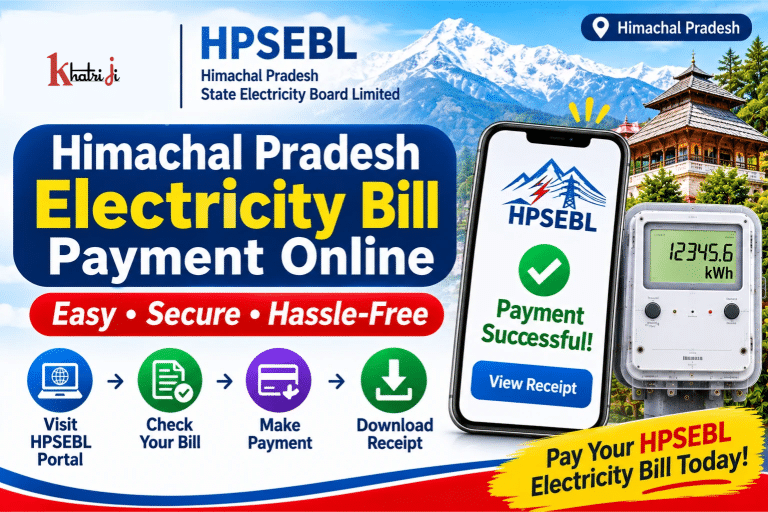
If you live in Himachal Pradesh and receive your electricity supply from the Himachal Pradesh State Electricity Board Limited (HPSEBL), you can pay your electricity bill online without visiting an electricity office. HPSEBL provides online services that allow consumers to view energy bills, make quick payments, check payment history, download receipts and register complaints.
Whether you want to pay your monthly electricity bill, check an outstanding amount or download an old payment receipt, HPSEBL’s official Consumer Portal makes these services accessible online.
In this guide, we will explain how to pay the Himachal Pradesh electricity bill online, how to use HPSEBL Quick Payment, where to find your Consumer ID, how to check bill payment status, download receipts and contact customer care if you face any issues.
What is HPSEBL?
HPSEBL stands for Himachal Pradesh State Electricity Board Limited. It is a state government undertaking responsible for electricity distribution and related consumer services in Himachal Pradesh.
HPSEBL provides electricity-related services to domestic, commercial, industrial and other consumers across the state.
Some of the important online services provided by HPSEBL include:
- Online electricity bill payment
- Quick Payment without registration
- View and download electricity bills
- Payment history and consumption history
- New electricity connection applications
- Complaint registration and tracking
- Consumer account management
- Online payment for selected electricity-related fees
Consumers can access these services through the official website, Consumer Portal and HPSEBL mobile application.
How to Pay Himachal Pradesh Electricity Bill Online?
You can pay your HPSEBL electricity bill through the official website or Consumer Portal. You generally need your 12-digit Consumer ID, which is printed on your electricity bill.
You can also check whether HPSEBL is available on Khatriji’s Electricity Bill Payment page before starting a payment.
Pay HPSEBL Electricity Bill Through Khatriji
If HPSEBL is listed among the available electricity boards on Khatriji, follow these steps:
- Visit the Khatriji website.
- Open the Electricity Bill Payment section.
- Select HPSEBL – Himachal Pradesh State Electricity Board Limited.
- Enter the required Consumer ID or consumer details.
- Check the displayed consumer name and bill amount.
- Select an available payment method.
- Complete the payment and save the transaction reference or receipt.
Important: Check the current biller availability on Khatriji before proceeding. If HPSEBL is not listed, use the official HPSEBL payment portal instead.
Pay HPSEBL Electricity Bill Through the Official Website
HPSEBL provides an official online payment facility for electricity consumers.
Follow these steps:
- Visit the official HPSEBL website: https://www.hpseb.in/
- Find the Quick Payment or Online Bill Payment option.
- Open the electricity bill payment page.
- Enter your 12-digit Consumer ID.
- Complete the CAPTCHA, if requested.
- Retrieve your consumer and bill details.
- Verify your name, email address, mobile number and payable amount.
- Select the available payment gateway.
- Choose a payment method and complete the transaction.
- Save the Transaction Reference Number or payment acknowledgement.
You can also use the dedicated payment portal:
https://epportal.hpseb.in/HPSEBIntregratedPayV2/index.html
Always verify that you are using an official HPSEBL payment page before entering your consumer or payment details.
What is HPSEBL Quick Payment?
HPSEBL Quick Payment is an online facility that allows consumers to pay electricity bills without logging in to a registered consumer account.
It is useful when you only want to check your current bill and make a payment.
The official Consumer Portal lists Quick Payment among the services available without login.
Benefits of Quick Payment:
- No consumer account login required for the quick payment service.
- Pay your electricity bill online.
- Access the service through a mobile or computer browser.
- Check the bill details before making payment.
- Receive a transaction reference after successful payment.
The exact information and payment options may depend on the payment page and the consumer account.
How to Register on the HPSEBL Consumer Portal?
If you want to use more than just the Quick Payment facility, you can access the HPSEBL Consumer Portal.
Official Consumer Portal:
The portal provides consumer services such as:
- Consumer registration and login
- Electricity bill viewing
- Quick Payment
- Payment of electricity bills and selected other fees
- Bill history and payment history
- Consumption history
- Electricity bill and payment receipt downloads
- Complaint registration
- Complaint status checking
- New connection-related services
To register or access your account:
- Open the official HPSEBL Consumer Portal.
- Select the consumer registration or login option.
- Follow the instructions displayed on the portal.
- Enter the required consumer and contact information.
- Complete the verification process, if requested.
- Log in to access the services available for your account.
Some services are available without login, while other services require a registered consumer account.
What is the Consumer ID in an HPSEBL Electricity Bill?
A Consumer ID is a unique identification number associated with your electricity connection. HPSEBL’s online payment page asks consumers to enter a 12-digit Consumer ID to retrieve bill details.
You can find your Consumer ID on your electricity bill.
Before making payment, check the number carefully. Entering an incorrect Consumer ID may display the wrong consumer details or prevent the bill from being retrieved.
Keep a copy of your latest electricity bill if you frequently make online payments.
How to Check HPSEBL Electricity Bill Online?
You can view your electricity bill using the official HPSEBL Consumer Portal.
Follow these steps:
- Visit https://cportal.hpseb.in/
- Select View Your Energy Bill.
- Enter the required Consumer ID and other requested details.
- Complete any verification shown on the page.
- Submit the information.
- Check the displayed bill details.
Review the consumer name, bill amount, billing period and due date before making payment.
You can also access the online payment page to retrieve your bill details before proceeding with payment.
How to Check HPSEBL Electricity Bill Payment Status?
After paying your electricity bill, you should confirm whether the transaction was successful and whether the payment has been updated in your consumer account.
You can check the status through the available HPSEBL portal services.
Steps to check payment status:
- Open the HPSEBL Consumer Portal.
- Log in if the service requires an account.
- Open Payment History or the relevant payment section.
- Check the latest transaction details.
- Verify the payment amount, date and transaction reference.
The Consumer Portal also provides access to payment history for consumers.
If your bank account has been debited but the payment is not yet reflected, do not immediately pay the same bill again. First check the transaction status with your bank or payment application.
How to Download HPSEBL Electricity Bill?
You can view and download your electricity bill through HPSEBL’s online services.
Follow these steps:
- Visit the HPSEBL Consumer Portal.
- Open View Your Energy Bill.
- Enter your 12-digit Consumer ID and other requested information.
- Complete the verification process.
- View the available electricity bill.
- Use the available Download or Print option to save a copy.
You can also log in to your consumer account to access bill history, where available.
Saving your electricity bill as a PDF can help you maintain a record of previous bills and payments.
How to Download HPSEBL Payment Receipt?
A payment receipt is proof that you have made an electricity bill payment. It is useful if you need to report a payment issue or verify a previous transaction.
HPSEBL’s Consumer Portal provides facilities to view and download electricity bills and payment receipts for registered consumers.
Steps to download your payment receipt:
- Open https://cportal.hpseb.in/
- Log in to your consumer account.
- Find the Payment History or payment receipt section.
- Select the relevant transaction.
- Open the receipt.
- Download or print it if the option is available.
Keep the receipt and Transaction Reference Number safely.
For payments made through the dedicated online payment page, HPSEBL also provides a Transaction Reference Number to the registered email address or mobile number as an acknowledgement.
HPSEBL Online Electricity Bill Payment Methods
HPSEBL provides several digital and assisted payment options for electricity consumers.
Depending on the payment channel, available methods may include:
- UPI
- BHIM
- Debit Card
- Credit Card
- Internet Banking
- Bharat Bill Payment System (BBPS)
- HPSEBL Mobile App
- Lok Mitra Kendra
- e-CMS and other authorised payment channels
The official HPSEBL payment gateway information also lists card and Net Banking options. Availability may differ between payment gateways.
Before completing a payment, check the applicable payment options and any transaction charges displayed on the selected gateway.
How to Pay HPSEBL Electricity Bill Through the Mobile App?
HPSEBL also provides an official mobile application for consumer-related services.
The HPSEBL mobile application is listed on Google Play under the developer name Himachal Pradesh State Electricity Board Limited.
Google Play link:
https://play.google.com/store/apps/details?id=com.phonegap.mhpsebseva
The application provides services such as:
- Consumer registration and login using a mobile number
- Adding one or more electricity connections
- Viewing electricity bills
- Checking consumption history
- Viewing bill payment history
- Paying electricity bills online
- Registering consumer complaints
- Making advance payments
Steps to use the HPSEBL app:
- Download the official HPSEBL application from Google Play.
- Open the app and complete the registration or login process.
- Add your electricity connection using the 12-digit Consumer ID printed on your bill.
- Open the electricity bill section.
- Check your outstanding bill amount.
- Select the payment option.
- Complete the payment using an available payment method.
- Save the transaction details for future reference.
Download the app only from the official app store and verify the developer name before installing it.
What is HPSEBL Advance Payment?
HPSEBL provides an advance payment facility through its mobile application and web portal.
This option allows consumers to deposit an amount in advance towards their electricity account, subject to the applicable portal rules.
If you want to use this facility:
- Open the official HPSEBL mobile app or website.
- Log in to your consumer account.
- Check whether the advance payment option is available.
- Review the amount and payment instructions.
- Complete the transaction only after verifying the details.
Do not confuse advance payment with the regular bill payment option. Check the amount and applicable conditions before proceeding.
What to Do If HPSEBL Electricity Bill Payment Fails?
Sometimes an online electricity bill payment may show Pending, Failed or Processing due to a bank issue, payment gateway problem or temporary internet interruption.
If money has been deducted from your bank account but the HPSEBL bill is not updated, follow these steps:
- Check the transaction status in your UPI or banking application.
- Save the Transaction ID or UTR number.
- Note the date, time and payment amount.
- Check the payment history on the HPSEBL portal.
- Avoid making another payment until the previous transaction is clarified.
- If the payment gateway confirms a successful transaction, follow HPSEBL’s instructions regarding receipt generation and account updates.
- Contact HPSEBL or the relevant payment gateway if the issue continues.
How Long Does HPSEBL Take to Update a Payment?
According to the official online payment instructions, if the payment gateway confirms that a transaction was successful, consumers should wait for the receipt for up to 24 hours, or up to 48 hours in case of holidays.
If the receipt is still unavailable after the stated period, contact HPSEBL using the official payment support details.
Payment Gateway Customer Support
For payment-related complaints, the dedicated HPSEBL payment page lists the following gateway contacts:
BillDesk
- Phone: 011-4686 9004
- Phone: 011-4686 9010
- Phone: 011-4686 9000
- Email: pgsupport@billdesk.com
Paytm
- Phone: 0120-3888 3888
- Email: care@paytm.com
When reporting a payment problem, keep your Consumer ID, consumer name, Transaction ID, date and time, bank name, amount and payment receipt ready.
HPSEBL Customer Care Number and Contact Details
If you have questions about electricity bills, payment status, consumer details or electricity services, you can contact HPSEBL through its official support channels.
HPSEBL Customer Care:
- Toll-Free Number: 1800-180-8060
- Alternative Helpline: 1800-180-1912
- Short Helpline: 1912
- Email: onlinebillpayment@hpseb.in
- Official Website: https://www.hpseb.in/
- Consumer Portal: https://cportal.hpseb.in/
Corporate Office Address:
Himachal Pradesh State Electricity Board Limited
Vidyut Bhawan, Shimla,
Himachal Pradesh – 171004, India.
For online payment complaints, you can email the payment support team at onlinebillpayment@hpseb.in.
When sending an email, include your Consumer ID, name, Transaction ID, transaction date and time, bank name, payment amount and receipt copy, if available.
How to Register an Electricity Complaint with HPSEBL?
HPSEBL provides online complaint registration and complaint status checking facilities through its Consumer Portal.
Follow these steps:
- Visit https://cportal.hpseb.in/
- Select Register Complaints.
- Enter the required consumer and complaint details.
- Submit the complaint.
- Save the complaint reference number.
- Use Check Complaint Status to follow up on the complaint.
You can also contact the HPSEBL helpline at 1912 for assistance.
The Consumer Portal provides complaint-related services for issues connected with electricity supply and consumer accounts.
Important Tips for Safe HPSEBL Online Bill Payment
Keep these points in mind while paying your electricity bill online:
- Use the official HPSEBL website or an authorised payment platform.
- Check the website address before entering your Consumer ID.
- Verify the consumer name and bill amount before payment.
- Never share your OTP, UPI PIN, card PIN or banking password.
- Do not click unknown electricity bill payment links received through messages.
- Save your Transaction Reference Number and payment receipt.
- Check the previous transaction status before paying again.
- Use only the official app store to download the HPSEBL mobile application.
- Contact official customer care if you notice an incorrect bill or payment issue.
Frequently Asked Questions About HPSEBL Electricity Bill Payment
1. How can I pay my Himachal Pradesh electricity bill online?
You can pay your electricity bill through the official HPSEBL website at https://www.hpseb.in/ or the HPSEBL Consumer Portal. Enter your 12-digit Consumer ID, verify the bill details and complete the payment using an available payment method.
2. What is the official HPSEBL online payment website?
HPSEBL provides online payment through its official website and dedicated payment portal:
https://epportal.hpseb.in/HPSEBIntregratedPayV2/index.html
3. Can I pay my HPSEBL electricity bill without login?
Yes. HPSEBL lists Quick Payment among the services available without login on its Consumer Portal. You can use the facility by entering the required consumer details.
4. What is the Consumer ID in HPSEBL?
Consumer ID is a 12-digit identification number associated with your electricity connection. It is printed on your electricity bill and is required to retrieve bill details through the online payment portal.
5. How can I check my HPSEBL electricity bill?
Visit the HPSEBL Consumer Portal and select View Your Energy Bill. Enter your 12-digit Consumer ID and other requested information to view your bill.
6. How can I check HPSEBL payment status?
Log in to the HPSEBL Consumer Portal, if required, and open Payment History or the relevant payment section to check your transaction details.
7. How can I download my HPSEBL electricity bill receipt?
Log in to the HPSEBL Consumer Portal and open the payment history or receipt section. Select the transaction and use the available download or print option.
8. Which payment methods are available for HPSEBL electricity bills?
Depending on the payment channel, options may include UPI, BHIM, debit cards, credit cards, Internet Banking, BBPS and the HPSEBL mobile app.
9. What should I do if my HPSEBL bill payment is pending?
Check your bank or UPI transaction status and save the Transaction ID. Do not pay the same bill again immediately. Check the HPSEBL payment history and contact the payment gateway or HPSEBL if the transaction remains unresolved.
10. How long does HPSEBL take to generate a payment receipt?
The official online payment instructions advise consumers to wait up to 24 hours after gateway confirmation, or up to 48 hours in case of holidays, for the receipt.
11. What is the HPSEBL customer care number?
HPSEBL customer care numbers include 1800-180-8060 and 1800-180-1912. You can also call 1912 for assistance.
12. Can I pay my HPSEBL electricity bill through a mobile app?
Yes. HPSEBL provides an official mobile application that supports bill viewing, online payment, payment history, consumption history and consumer complaint services.
13. Can I pay my HPSEBL bill through UPI?
UPI and BHIM are among the digital payment options supported through HPSEBL’s payment channels. Check the options displayed on the payment page before proceeding.
14. Can I view previous HPSEBL electricity bills?
Yes. HPSEBL’s Consumer Portal provides bill history and other account services. Log in and check the available bill history options.
Conclusion
Paying your Himachal Pradesh electricity bill online is convenient through HPSEBL’s official website, Consumer Portal and mobile application. Consumers can use Quick Payment without login, enter their 12-digit Consumer ID, check bill details and complete payment through the available digital payment methods.
You can also use the Consumer Portal to view bills, check payment history, download receipts and register complaints.
Before making a payment, always verify your Consumer ID and bill amount. After payment, save your Transaction Reference Number and receipt for future reference.
If you prefer using Khatriji, first check whether HPSEBL is available in the Electricity Bill Payment section. For official payment services and consumer support, visit the HPSEBL website.
Official HPSEBL Website: https://www.hpseb.in/
HPSEBL Consumer Portal: https://cportal.hpseb.in/
HPSEBL Customer Care: 1800-180-8060 / 1912
Tags: Himachal Pradesh Bijli Bill, Himachal Pradesh Electricity Bill, Himachal Pradesh State Electricity Board, HPSEB Consumer Portal, HPSEBL Bill Payment, HPSEBL Electricity Bill, HPSEBL Online Payment, HPSEBL Quick Payment, khatriji, Online Electricity Bill Payment