
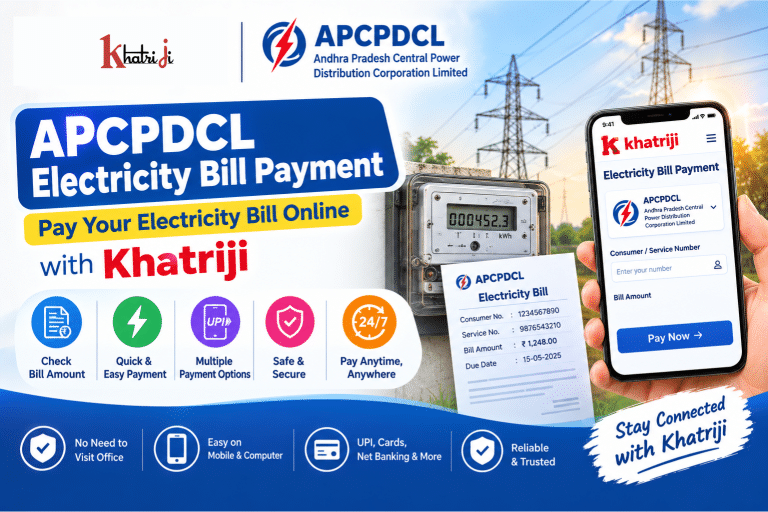
Paying your electricity bill online is a convenient way to keep your power connection active without visiting an electricity office or payment counter. If your electricity provider is Andhra Pradesh Central Power Distribution Corporation Limited (APCPDCL), you can use an online bill-payment platform to check your bill amount and complete the payment digitally.
With Khatriji, you can select Andhra Pradesh Central Power Distribution Corporation Limited from the electricity bill-payment section, enter the required consumer or service details, verify the bill amount and complete the payment using an available digital payment method.
This guide explains APCPDCL Electricity Bill Payment Online, what information you need, how to pay your electricity bill through Khatriji, how to handle failed or pending payments, and how to stay safe while making online electricity payments.
What Is APCPDCL Electricity Bill Payment?
APCPDCL Electricity Bill Payment refers to paying an electricity bill issued by the Andhra Pradesh Central Power Distribution Corporation Limited through an online payment channel.
Instead of visiting a physical electricity bill payment counter, consumers can use digital platforms to:
- Enter their electricity account details
- Fetch the current bill
- Check the payable amount
- Make an online payment
- Receive a payment confirmation
- Keep the transaction/reference details for future use
Khatriji’s electricity bill-payment page lists Andhra Pradesh Central Power Distribution Corporation Limited as an available electricity biller.
How to Pay APCPDCL Electricity Bill Online with Khatriji
Paying your APCPDCL bill through Khatriji can be completed in a few simple steps.
Step 1: Open the APCPDCL Bill Payment Page
Visit the APCPDCL Electricity Bill Payment page on Khatriji.
You can start the payment process directly from the electricity bill-payment section.
Step 2: Select Andhra Pradesh Central Power Distribution Corporation Limited
Select:
Andhra Pradesh Central Power Distribution Corporation Limited
from the list of electricity billers.
Make sure that you select the correct electricity provider before entering your consumer details.
Step 3: Enter Your Consumer or Service Details
Enter the information requested by the payment form.
Depending on the biller and payment flow, you may need details such as:
- Consumer Number
- Service Number
- Account-related information
- Other details requested on the payment page
Your Service Number is particularly important because it identifies the electricity service associated with the bill.
Always enter the number exactly as it appears on your electricity bill.
Step 4: Fetch and Verify Your Bill
After entering the required details, proceed to fetch your bill.
Before making the payment, carefully check:
- Consumer/customer name
- Service number
- Bill amount
- Due date
- Arrears, if any
- Other displayed charges
Do not continue with payment if the displayed consumer information does not match your electricity connection.
Step 5: Pay Your Electricity Bill
Once you have verified the bill information, proceed with payment using an available digital payment method.
Depending on the payment options available on the platform, you may be able to use methods such as:
- UPI
- Debit Card
- Credit Card
- Net Banking
- Other supported digital payment options
Khatriji’s electricity-payment page currently advertises multiple payment options, including UPI and cards.
Step 6: Save Your Payment Confirmation
After completing the payment, save the transaction/reference information.
This information can be useful if:
- Your bill does not update
- Payment is shown as pending
- Your bank account was debited
- You need to contact support
- You need to verify a previous payment
What Is APCPDCL?
APCPDCL stands for Andhra Pradesh Central Power Distribution Corporation Limited.
It is an electricity distribution utility in Andhra Pradesh. The Andhra Pradesh Electricity Regulatory Commission granted APCPDCL a distribution licence for 25 years effective from 1 April 2020, covering Krishna, Guntur and Prakasam districts in the licence document.
For consumers, APCPDCL-related services can include electricity billing, payments, account information and complaint-related services.
What Details Are Required for APCPDCL Bill Payment?
Before starting your online electricity bill payment, keep your latest electricity bill nearby.
Depending on the payment flow, you may need:
Service Number
Your Service Number identifies your electricity service.
Consumer Number
Some payment interfaces may refer to the account identifier as a Consumer Number.
Registered Information
Additional account information may be requested depending on the biller/payment service.
Mobile Number
A mobile number may be required for OTP or payment-related communication depending on the payment method.
Where Can I Find My APCPDCL Service Number?
Your Service Number can generally be found on your electricity bill.
Look for fields such as:
- Service Number
- Consumer Number
- Consumer/SC No.
- Account Number
The exact placement and format can vary between bill formats.
Some older APCPDCL-related payment systems use service numbers with different lengths and formats depending on the area/distribution code. Therefore, it is best to enter the number exactly as printed on your current bill rather than trying to modify its format.
How to Check Your APCPDCL Electricity Bill Amount Online
You can check your current payable amount while initiating an online bill payment.
The general process is:
- Open the APCPDCL bill-payment page.
- Select Andhra Pradesh Central Power Distribution Corporation Limited.
- Enter the required consumer/service details.
- Submit the details.
- Fetch the bill.
- Verify the displayed amount and due date.
- Proceed with payment if the information is correct.
This can help you confirm your bill amount before making the payment.
Why Pay APCPDCL Electricity Bill Online?
1. Convenient
You can pay your electricity bill from your smartphone or computer.
2. Saves Time
Online payment eliminates the need to visit a physical payment counter.
3. Easy Bill Verification
You can check the bill details before completing the payment.
4. Digital Payment
You can use supported digital payment methods instead of carrying cash.
5. Payment Reference
Online transactions generally provide transaction/reference information that can help with future verification.
6. Pay From Anywhere
You can initiate the payment whenever the online payment service is available.
APCPDCL Electricity Bill Payment Through Mobile
You can use your smartphone to pay your APCPDCL electricity bill online.
A typical process is:
Open Khatriji → Select Electricity Bill Payment → Select APCPDCL → Enter Service/Consumer Details → Fetch Bill → Verify Amount → Pay → Save Confirmation
This makes it possible to manage electricity bill payments without using a desktop computer.
APCPDCL Bill Payment Through UPI
UPI can make online electricity payments convenient.
If UPI is available as a payment option, you can:
- Fetch your APCPDCL bill.
- Verify the payable amount.
- Select UPI.
- Choose your preferred UPI application.
- Approve the payment.
- Wait for the transaction confirmation.
Important: Never share your UPI PIN or OTP with anyone.
APCPDCL Electricity Bill Payment by Debit or Credit Card
Where card payment is supported, you can pay your electricity bill using an eligible debit or credit card.
Before submitting the payment:
- Verify the bill amount.
- Check the payment page.
- Enter card details only on the secure payment page.
- Never share your CVV or OTP with another person.
- Keep your transaction reference after payment.
What If My APCPDCL Bill Is Not Showing?
Sometimes an online bill may not appear immediately after entering your consumer details.
Possible reasons include:
- Incorrect Service Number
- Incorrect Consumer Number
- Temporary biller-server issue
- Incorrect account information
- Temporary connectivity problem
- Bill data not being available at that moment
Khatriji’s electricity bill-payment page also advises checking whether the consumer number is correct and whether the board server may be temporarily unavailable when a bill does not appear.
What should you do?
First:
- Check the Service/Consumer Number.
- Enter it again exactly as shown on your bill.
- Try again after some time.
- Check whether the electricity provider selected is correct.
Avoid repeatedly submitting payments if you cannot first confirm the bill.
What If APCPDCL Electricity Bill Payment Is Pending?
A payment can sometimes remain pending because of a delay between the payment gateway, bank and electricity biller.
If your payment is pending:
- Do not immediately make another payment.
- Check your bank or UPI transaction status.
- Check whether the electricity bill has been updated.
- Save the transaction/reference number.
- Wait for the transaction status to update.
- Contact the relevant support channel if the payment remains unresolved.
Keeping the transaction reference number is particularly important because payment acknowledgements can contain the transaction reference, date/time, service number and amount paid.
What If Money Is Deducted but APCPDCL Bill Is Not Updated?
This is one of the most important situations to handle carefully.
If your bank account or UPI account has been debited but the electricity bill is still showing as unpaid:
Step 1: Don’t Pay Again Immediately
First determine whether the original payment is successful, pending or failed.
Step 2: Check Your Bank/UPI App
Look at the transaction status.
Step 3: Save the Transaction ID
Keep the:
- Transaction ID
- UPI reference number
- Date
- Time
- Amount
- Consumer/Service Number
Step 4: Check the Electricity Account Again
After some time, check whether the payment has been reflected.
Step 5: Contact Support if Required
If the amount remains unresolved, provide the transaction details to the relevant support team.
APCPDCL Bill Payment Failed
If your APCPDCL electricity bill payment fails, first determine whether money was deducted.
If money was not deducted
You can retry the payment after verifying your account details.
If money was deducted
Do not immediately make another payment.
First check:
- Bank transaction status
- UPI transaction status
- Payment gateway status
- Electricity account status
Keep your transaction reference number for further investigation.
APCPDCL Electricity Bill Due Date
Your electricity bill contains a due date.
Paying before the due date can help you avoid issues associated with late payment.
Your bill may also show:
- Bill date
- Due date
- Current demand
- Arrears
- Other applicable charges
Older APCPDCL payment records demonstrate that payment acknowledgements can include bill date, due date, service number and amount.
Always use the due date printed on your current bill because billing dates and applicable charges can vary.
Can I Pay an APCPDCL Bill After the Due Date?
The availability and consequences of late payment can depend on the electricity provider’s current rules and the status of the account.
If your bill is overdue:
- Check the current payable amount.
- Look for any applicable late charges.
- Pay the displayed amount through a supported payment channel.
- Keep the payment confirmation.
Do not rely on an old bill amount because arrears or other applicable charges may have changed.
How to Avoid Electricity Disconnection
Regularly checking your electricity bill can help you avoid missing the due date.
A simple routine is:
- Check the bill when it is generated.
- Note the due date.
- Verify the payable amount.
- Pay online before the due date.
- Save the confirmation.
- Check the account again if the payment does not immediately reflect.
APCPDCL Electricity Bill Payment Safety Tips
Online electricity payments are convenient, but you should always follow digital-payment safety practices.
Verify the Biller
Before payment, confirm that you selected:
Andhra Pradesh Central Power Distribution Corporation Limited
Verify Your Service Number
Check the number against your electricity bill.
Verify the Customer Name
After fetching the bill, make sure the displayed customer/account information is correct.
Never Share Your UPI PIN
Your UPI PIN should remain private.
Never Share OTPs
Do not give payment OTPs to callers, agents or unknown individuals.
Avoid Suspicious Payment Links
Don’t use unknown electricity-payment links received through WhatsApp, SMS or social media.
Don’t Install Unknown Apps
A person claiming to be electricity-board support should not require you to install an unknown remote-access application to complete a normal bill payment.
APCPDCL Customer Support and Complaints
For electricity-related complaints or service issues, consumers should use the current official APCPDCL support channels or consumer services rather than relying on unofficial phone numbers found online.
APCPDCL also has an official Central Power mobile application published by Andhra Pradesh Central Power Distribution Corporation Limited. The current Google Play listing identifies the developer as APCPDCL and provides its corporate address in Vijayawada.
Because support numbers and digital services can change, users should verify the current contact details through the official APCPDCL resources.
APCPDCL Mobile App
APCPDCL provides the Central Power mobile application for consumers.
The current Google Play listing shows features related to consumer services and, in its latest updates, mentions smart-meter consumption and dashboard functionality.
However, app functionality and availability can change with updates. For a simple bill payment, you can use a supported online payment platform such as Khatriji.
APCPDCL Electricity Bill Payment vs Offline Payment
| Feature | Online Payment | Offline Payment |
|---|---|---|
| Convenience | High | Requires physical visit |
| Payment method | Digital | Depends on payment center |
| Location | From anywhere | Designated payment location |
| Transaction record | Digital reference | Receipt may be provided |
| Time | Usually quick | May require waiting |
| Bill verification | Can verify before payment | Depends on counter |
Common APCPDCL Electricity Bill Payment Problems
Bill not showing
Check your Service/Consumer Number and try again later if the biller system is temporarily unavailable.
Wrong consumer details
Verify the number exactly as printed on your electricity bill.
Payment failed
Check whether your bank account was debited before trying again.
Payment pending
Wait for the transaction status to update and keep your reference number.
Money deducted but bill unpaid
Check the bank/UPI status and avoid making a duplicate payment immediately.
Bill amount looks different
Check whether there are arrears, late charges or other applicable amounts.
Due date has passed
Check the current payable amount instead of paying an old bill amount.
Frequently Asked Questions About APCPDCL Electricity Bill Payment
What is APCPDCL?
APCPDCL stands for Andhra Pradesh Central Power Distribution Corporation Limited, an electricity distribution utility in Andhra Pradesh. Its distribution licence was granted by the Andhra Pradesh Electricity Regulatory Commission effective from 1 April 2020 for 25 years, covering Krishna, Guntur and Prakasam districts in the cited licence document.
How can I pay my APCPDCL electricity bill online?
Open the APCPDCL Electricity Bill Payment page on Khatriji, select the biller, enter the required consumer/service details, verify the bill and complete the available online payment.
What details are required for APCPDCL bill payment?
You generally need an account identifier such as your Service Number or Consumer Number, depending on the payment interface.
Where can I find my APCPDCL Service Number?
Your Service Number is printed on your electricity bill. Enter it exactly as shown on the bill.
Can I pay my APCPDCL bill using UPI?
Yes, if UPI is available as a payment option on the payment platform. Khatriji currently lists UPI among its supported electricity bill-payment options.
Can I pay my APCPDCL bill using a debit card?
Debit-card payment may be available through the supported payment options on the platform.
Can I pay an APCPDCL bill using a credit card?
Credit-card payment may be available where supported by the payment platform.
What should I do if my APCPDCL bill is not showing?
Check that your Service/Consumer Number is correct. If the number is correct, the biller system may temporarily be unavailable. Try again later.
What if money is deducted but my APCPDCL bill is still unpaid?
Check the transaction status with your bank or UPI application, save the transaction reference and avoid making a duplicate payment until the first transaction’s status is clear.
Can I pay someone else’s APCPDCL electricity bill?
Yes, if you have the correct Service/Consumer Number and verify the consumer information displayed before making the payment.
Is online APCPDCL bill payment safe?
Online payment can be convenient when you use a trusted payment platform and follow basic security practices. Never share your OTP, UPI PIN, card PIN or other confidential payment information.
Can I check my APCPDCL bill before paying?
Yes. The online bill-payment process can fetch the bill after you provide the required consumer/service details, allowing you to verify the payable amount before payment.
Other Khatriji Bill Payment Services
If you regularly manage household bills online, you can also explore other supported services on Khatriji.
For example:
- Electricity Bill Payment
- DTH Recharge
- Airtel Digital TV Recharge
- Dish TV Recharge
- Sun Direct Recharge
You can also learn more about the Khatriji App for supported mobile recharge, DTH and bill-payment services.
Conclusion
APCPDCL Electricity Bill Payment Online provides a convenient way to manage your Andhra Pradesh Central Power Distribution Corporation Limited electricity bill digitally.
With Khatriji, you can select Andhra Pradesh Central Power Distribution Corporation Limited, enter the required Service or Consumer Number, fetch and verify your bill, and complete the payment using an available digital payment method.
Before making any payment, always verify your consumer details, service number, bill amount and due date. If a transaction becomes pending or your bank account is debited without the bill being updated, avoid making an immediate duplicate payment and keep your transaction/reference number for resolution.
For account-specific issues, complaints and official electricity-service information, use the latest official APCPDCL consumer-support resources.
Tags: Andhra Pradesh Central Power Distribution Corporation Limited, Andhra Pradesh Electricity Bill Payment, APCPDCL Bill Payment, APCPDCL Consumer Number, APCPDCL Electricity Bill, APCPDCL Electricity Bill Payment, APCPDCL Online Bill Payment, APCPDCL Service Number, Electricity Bill Payment Online, Khatriji Bill Payment, Online Electricity Bill Payment