
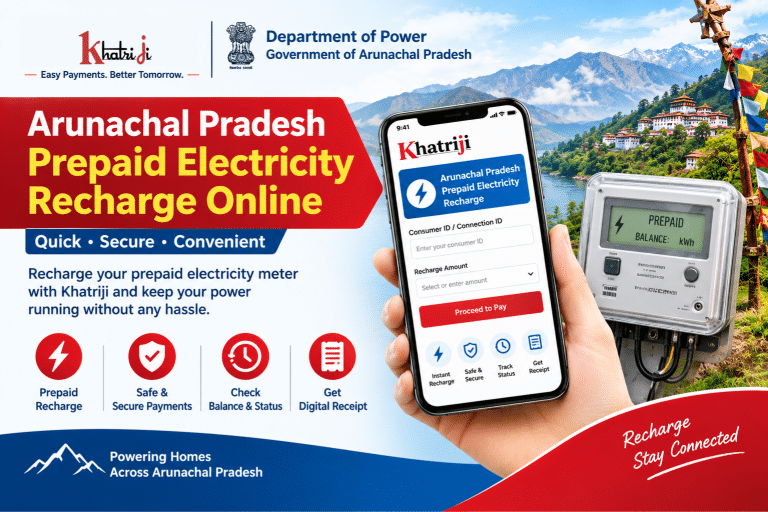
Electricity is an essential part of everyday life, and keeping your prepaid electricity meter recharged helps you manage your power usage conveniently. If you are looking for Arunachal Pradesh prepaid electricity recharge online, Khatriji provides a dedicated service page to help you explore the available payment process for the Department of Power, Government of Arunachal Pradesh.
The Department of Power provides electricity services to consumers across the state, including prepaid recharge and postpaid bill payment facilities. Prepaid electricity consumers need to monitor their available balance and recharge their connections when required.
In this guide, you will learn how to recharge an Arunachal Pradesh prepaid electricity meter through Khatriji, what information you may need, how to check your transaction status, and what to do if an online recharge is temporarily unavailable.
What Is the Department of Power, Arunachal Pradesh?
The Department of Power, Government of Arunachal Pradesh, is responsible for electricity-related services in the state. Its official consumer portal provides services such as prepaid recharge, postpaid bill payment, bill viewing, payment history, and receipt or voucher-related facilities. <Cite refs={[“turn364731search1″,”turn364731search3”]}/>
Consumers can visit the official portal to access the services currently available for their electricity connection.
Official website: https://www.arpdop.gov.in/dopap-portal/
What Is a Prepaid Electricity Meter?
A prepaid electricity meter allows consumers to pay for electricity in advance. Instead of receiving a conventional bill for consumption after a billing period, consumers recharge their prepaid connection and use the available balance according to their electricity consumption and applicable charges.
Regularly checking your prepaid balance can help you plan your electricity expenses and identify when another recharge may be needed.
Benefits of a prepaid electricity connection
- Better expense management: Monitor electricity usage and plan your spending.
- Convenient recharge: Use an online recharge service when it is available.
- Transaction records: Keep payment references and receipts for future reference.
- Usage awareness: Check the available balance and recharge when necessary.
- Easy record-keeping: Use the available consumer portal facilities to review eligible transaction records.
The exact features available depend on your meter, consumer account, and the services currently operating on the official portal.
How to Recharge Arunachal Pradesh Prepaid Electricity Online with Khatriji
You can begin by visiting the Khatriji prepaid electricity service page and following the instructions displayed there.
Step 1: Open the Khatriji service page
Visit the following page:
This page is intended for the Department of Power, Government of Arunachal Pradesh prepaid electricity service.
Step 2: Select the appropriate electricity service
Check that you have selected the prepaid electricity recharge service rather than a postpaid electricity bill payment option.
Prepaid recharge and postpaid bill payment are different services, so selecting the correct option is important.
Step 3: Enter your consumer or connection details
Enter the consumer or connection identification details requested by the payment page. Check your electricity connection documents or previous recharge records to find the correct information.
Make sure that the details belong to your own prepaid connection before proceeding.
Step 4: Enter the recharge amount
If the recharge service is available, enter the amount you want to recharge according to the options and limits displayed on the page.
Review the amount carefully before continuing. Any minimum recharge requirement, applicable fee, or other condition should be checked on the payment screen.
Step 5: Review the details and continue
Before proceeding, verify your consumer information and recharge amount. Follow the instructions displayed by Khatriji and use the payment methods available on the checkout page.
If the service redirects you to another payment page, check that the page is legitimate before entering payment information.
Step 6: Complete the payment
Complete the transaction using an available payment method and follow the on-screen instructions.
Do not share your OTP, UPI PIN, card PIN, or banking password with anyone. Enter confidential payment credentials only in the appropriate secure payment interface.
Step 7: Save your transaction reference
After completing the payment, check the transaction result. Save the receipt, transaction reference number, or confirmation details if provided.
If the payment is pending, avoid making another payment immediately. First, verify the status of the original transaction.
Service availability notice: The official Department of Power portal currently displays a maintenance notice for online smart prepaid meter recharge and prepaid voucher generation. If you cannot complete the recharge online, follow the official portal’s current instructions or contact the department before trying another payment. <Cite refs={[“turn364731search0″,”turn364731search1”]}/>
What Information Is Required for Prepaid Electricity Recharge?
The information required may vary depending on the payment channel and your electricity connection. Keep the following details ready where applicable:
- Consumer ID or connection ID: To identify the electricity connection.
- Registered mobile number: If required for verification or account access.
- Recharge amount: The amount you intend to add to your prepaid connection.
- Payment method: One of the options currently supported by the payment page.
- Transaction reference: Useful for tracking a payment or raising a complaint.
Always use the details associated with your own electricity connection. If you are unsure which identification number is required, consult your electricity documents or the official consumer portal.
How to Check Arunachal Pradesh Prepaid Recharge Status
After making a recharge payment, you may want to confirm whether the transaction was successful and whether the amount has been credited to your connection.
Follow these steps:
- Open the official Department of Power consumer portal.
- Look for the prepaid recharge history or prepaid voucher reprint option.
- Enter the requested consumer or connection details.
- Check the transaction information available for your connection.
- Save the receipt or transaction reference for your records.
The official portal provides prepaid recharge history and voucher-related facilities when those services are available. However, some features may be temporarily unavailable during maintenance. <Cite refs={[“turn364731search0″,”turn364731search3”]}/>
Official portal: https://www.arpdop.gov.in/dopap-portal/
What to Do If Your Prepaid Recharge Fails
Online payment problems can occur because of network interruptions, payment gateway issues, incorrect connection details, or temporary service maintenance.
Payment failed but money was deducted
Check your bank account or payment application to confirm the transaction status. Keep the transaction reference number and payment date.
The Department of Power’s published payment terms advise consumers with unsuccessful payments to contact customer care, their nearest subdivision office, or the department’s IT Cell for resolution. <Cite refs={[“turn364731search12”]}/>
Recharge payment succeeded but the balance was not updated
First, verify whether the transaction is marked successful and whether a recharge voucher or receipt has been generated.
If the payment is still being processed, allow time for the transaction to be reconciled. If the balance remains unchanged, contact the department with your connection details and payment reference.
Prepaid voucher was not received
If money was deducted but you did not receive the voucher code, retain your transaction reference and contact the department promptly.
The department’s published terms specify that complaints about prepaid payments where a voucher was not received should be raised within 15 days of the transaction date, subject to the stated exceptions. Check the current official terms for the applicable procedure. <Cite refs={[“turn364731search12”]}/>
Online recharge service is under maintenance
If the official portal displays a maintenance message, do not repeatedly submit payments. Follow the department’s instructions to visit the appropriate office counter or contact customer support for the current recharge procedure. <Cite refs={[“turn364731search0″,”turn364731search1”]}/>
Wrong consumer or connection details were entered
Stop before completing the payment if the displayed connection details do not match your electricity connection. Verify the required identification number and correct the information before proceeding.
Arunachal Pradesh Department of Power Customer Care
If you need help with prepaid electricity recharge, payment status, or a missing voucher, contact the Department of Power using its published support channels.
- Prepaid online payment helpline: 6033874608 / 6033874609
- Postpaid online payment helpline: 6033874612 / 6033874613
- Email: support@arpdop.gov.in
- Official portal: https://www.arpdop.gov.in/dopap-portal/
- Consumer helpline: 1912, as listed on the official portal
These contact details are published on the department’s official website. Confirm the current contact information and service hours before calling. <Cite refs={[“turn364731search6″,”turn364731search1”]}/>
Frequently Asked Questions (FAQs)
1. How can I recharge my Arunachal Pradesh prepaid electricity meter online?
Visit the Khatriji prepaid electricity service page, enter the requested connection details, and follow the displayed payment instructions if the service is available. You can also check the official Department of Power portal for current recharge availability.
2. What is the official website for Arunachal Pradesh electricity services?
The official Department of Power consumer portal is https://www.arpdop.gov.in/dopap-portal/.
3. What is the difference between prepaid and postpaid electricity?
Prepaid electricity requires consumers to pay in advance and use the available balance. Postpaid electricity generally involves receiving a bill for electricity already consumed and paying it according to the billing cycle.
4. What should I do if my recharge amount is deducted but the recharge is not completed?
Save your payment reference and check the transaction status. Contact the Department of Power customer support or your nearest subdivision office if the transaction remains unresolved. Avoid making another payment until you have checked the first transaction.
5. Can I download or reprint my prepaid recharge voucher?
The official portal includes prepaid voucher reprint and recharge-history facilities. Availability may depend on the status of the portal and the details associated with your transaction. <Cite refs={[“turn364731search0″,”turn364731search3”]}/>
6. Why is the online prepaid recharge option unavailable?
The department’s official portal currently reports maintenance for its online smart prepaid recharge and prepaid voucher generation services. Check the portal for updates or contact the department for instructions on completing your recharge. <Cite refs={[“turn364731search0″,”turn364731search1”]}/>
7. What is the prepaid recharge customer care number?
The official Department of Power website lists 6033874608 and 6033874609 for prepaid online payment support. Check the official contact page for the latest information. <Cite refs={[“turn364731search6”]}/>
8. Is it safe to recharge prepaid electricity online?
Use the official department website or a trusted payment service, verify the connection details before paying, and never share your OTP, UPI PIN, or banking password with another person.
Conclusion
Recharging your prepaid electricity meter on time can help you manage electricity expenses and keep track of your available balance. With the Khatriji prepaid electricity service page, you can review the available recharge process and follow the instructions provided for your connection.
Before making a payment, verify your consumer details, recharge amount, and transaction status. Since the Department of Power’s official portal currently reports maintenance for online prepaid recharge and voucher generation, check service availability before proceeding. If online recharge is unavailable or a transaction remains unresolved, contact the department through its official support channels.
Visit the Khatriji service page to get started:
Tags: Arunachal Pradesh Electricity, Department of Power Arunachal Pradesh, Electricity Payment, khatriji, Online Electricity Recharge, Prepaid Electricity Recharge, Prepaid Meter Recharge