
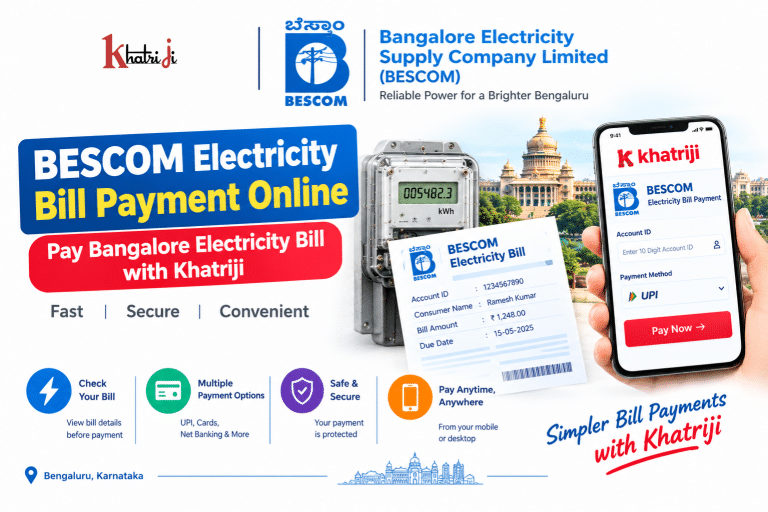
Paying your electricity bill on time is important to avoid overdue charges and service-related issues. If your electricity connection is supplied by Bangalore Electricity Supply Company Limited (BESCOM), you can use online payment services to check your bill and make a digital payment without visiting a payment counter.
With Khatriji, you can use the BESCOM Electricity Bill Payment service to conveniently pay your electricity bill online. In this guide, we will explain how to make BESCOM Electricity Bill Payment Online, what information you need, where to find your BESCOM Account ID, how to handle failed or pending payments, and important safety tips.
What is BESCOM?
BESCOM stands for Bangalore Electricity Supply Company Limited. It is the electricity distribution company serving Bengaluru and several areas of Karnataka.
BESCOM provides consumers with online facilities such as bill payment, bill statements, payment history, consumption information, complaints and other electricity-related services. The official BESCOM portal currently provides a quick-payment facility as well as a registered consumer portal.
What is BESCOM Electricity Bill Payment Online?
BESCOM Electricity Bill Payment Online allows consumers to pay their electricity bills digitally instead of visiting a physical payment counter.
Depending on the payment platform and current availability, consumers can use options such as:
- UPI
- Debit Card
- RuPay Debit Card
- Credit Card
- Net Banking
- Other available digital payment options
BESCOM’s current quick-payment page lists UPI, debit card, RuPay debit card, credit card and net banking among the available payment methods.
What Details Are Required for BESCOM Bill Payment?
Before starting your payment, keep your electricity bill nearby.
You may need:
- BESCOM Account ID
- Consumer information
- Bill amount
- Due date
- Email address, where required
- Mobile number, where required
- Payment method
The BESCOM Account ID is a 10-digit unique number printed on the electricity bill. BESCOM also states that the RR Number is the power-supply connection number and is printed on the meter board and monthly electricity bills.
What is BESCOM Account ID?
The BESCOM Account ID is a unique 10-digit identification number associated with your electricity account.
It is useful for:
- Identifying your electricity account
- Registering on the BESCOM consumer portal
- Accessing consumer services
- Checking bills
- Making online payments
- Tracking certain service requests
BESCOM specifically identifies the Account ID as a 10-digit number printed on the electricity bill and recommends using it for future communication with the utility.
Where Can I Find My BESCOM Account ID?
You can generally find your Account ID on your BESCOM electricity bill.
Check your latest or previous bill for:
Account ID
If you cannot identify the number, BESCOM’s customer portal provides an Account ID lookup facility. Its FAQ also explains that consumers can use the “Find out Account ID” option when registering.
Before making a payment, carefully check the Account ID to avoid entering incorrect information.
How to Make BESCOM Electricity Bill Payment Online with Khatriji?
You can use the BESCOM Electricity Bill Payment service on Khatriji to start your online payment.
Step 1: Open the BESCOM Bill Payment Service
Visit the Khatriji BESCOM electricity bill payment page.
Select the BESCOM electricity service and proceed with the payment process.
Step 2: Enter Your BESCOM Account Details
Enter the required consumer/account information, such as your BESCOM Account ID, as requested by the payment page.
Make sure all digits are correct before proceeding.
Step 3: Check Your Bill Details
After your account is identified, carefully review the available bill information.
Check:
- Consumer name
- Account details
- Bill amount
- Due date
- Other displayed information
Do not proceed if the displayed consumer information does not match your electricity connection.
Step 4: Enter or Confirm the Payment Amount
Confirm the amount you want to pay.
BESCOM’s current quick-payment interface also provides an “Enter Amount to Pay” field. It notes that if updated bill information is unavailable, consumers should tender the exact amount shown on their physical bill.
Step 5: Select a Payment Method
Choose an available payment option according to your preference.
Possible options include:
- UPI
- Debit Card
- RuPay Debit Card
- Credit Card
- Net Banking
Availability and applicable charges can vary by payment method.
Step 6: Complete the Payment
Enter the required payment information and authorize the transaction.
For UPI payments, approve the payment through your UPI application.
Step 7: Save Your Payment Receipt
After successful payment, save your transaction details.
Keep:
- Transaction ID
- Payment reference number
- Payment amount
- Date and time
- Receipt/acknowledgement
BESCOM states that after a successful transaction, an acknowledgement can be generated and an e-receipt can be sent to the email address entered during payment.
BESCOM Quick Payment Without Registration
One advantage of BESCOM’s online payment system is that consumers do not necessarily need to register before making a quick payment.
According to BESCOM’s FAQ, there are two payment routes:
- Quick Payment through the Online Payment option, without registration.
- Registered Consumer Payment through the consumer dashboard using Account Summary → Pay Bill.
This can make quick bill payments more convenient when you simply want to pay your current electricity bill.
BESCOM Registered Consumer Portal
If you frequently use BESCOM’s online services, registering for the consumer portal can provide access to additional facilities.
BESCOM lists services including:
- Account Summary
- View/Pay Bill
- Consumption History
- Consumption Calculator
- Billing and Payment History
- Profile Update
- Credential Management
- New Connection
- Service Requests
- Complaints
The registered portal can therefore be useful if you want more than just one-time bill payment.
BESCOM Electricity Bill Payment Online Benefits
1. Pay from Home
You can pay your electricity bill online without visiting a payment counter.
2. Saves Time
Digital payment can reduce the time required to travel to a physical payment location.
3. Multiple Payment Options
BESCOM currently lists several digital payment methods, including UPI, cards and net banking.
4. Easy Payment Records
Online transactions provide a digital transaction reference that can be saved for future use.
5. Bill and Payment History
Registered BESCOM users can access billing and payment history through the consumer portal.
6. Convenient Mobile Payment
You can complete digital bill payments using a smartphone when the required online service is available.
How to Check BESCOM Electricity Bill Online?
To check your bill before making payment:
- Open the BESCOM bill payment service.
- Enter your Account ID or other requested details.
- Submit the information.
- Check the displayed consumer information.
- Review the bill amount.
- Check the due date.
- Proceed with payment if everything is correct.
BESCOM’s online services also include a facility to view and download bill statements through the consumer portal.
What is BESCOM RR Number?
The RR Number is another important identifier associated with the electricity connection.
According to BESCOM’s FAQ, the RR Number is the power supply connection number. It is painted on the meter board and is also printed on monthly electricity bills.
Do not confuse the RR Number with the 10-digit Account ID. Both may appear on your electricity bill but serve different purposes.
BESCOM Bill Not Showing Online: What to Do?
Sometimes the latest electricity bill may not appear correctly in an online payment interface.
Try the following:
Check Your Account ID
Make sure every digit of your Account ID is correct.
Check Your Physical Bill
If online bill information has not been updated, compare the amount with your latest physical electricity bill.
BESCOM’s quick-payment page specifically instructs consumers to enter the exact amount from the physical bill if updated bill information cannot be viewed.
Try Again Later
A temporary technical or connectivity issue can prevent bill information from loading.
Check the BESCOM Portal
If necessary, use BESCOM’s official consumer services to verify your account and bill details.
BESCOM Electricity Bill Payment Failed
If your payment fails, do not immediately assume that the money has not been deducted.
First check:
- Bank account
- UPI application
- Card transaction history
- Payment status
- Transaction/reference ID
If no money was deducted and the transaction clearly failed, you can try again after confirming the bill is still unpaid.
If money was deducted, follow the steps below before making another payment.
Money Deducted but BESCOM Bill Payment Failed
This is one of the most important situations to handle carefully.
If your bank account has been debited but the payment acknowledgement has not been generated, do not immediately pay the same bill again.
BESCOM’s FAQ specifically advises consumers in this situation to avoid making another payment for the same bill and wait for the payment gateway to confirm the transaction with the bank and update the payment.
What you should do:
- Check your bank/UPI transaction status.
- Note the transaction ID or UTR.
- Check the BESCOM payment status.
- Save any available payment acknowledgement.
- Wait for the transaction to be reconciled.
- Contact the relevant payment support if required.
BESCOM’s FAQ currently lists 1912 for customer-care assistance regarding online-payment questions.
BESCOM Payment Pending
If your payment shows Pending, avoid immediately initiating another payment.
First:
- Check your bank account.
- Check your UPI app.
- Note the transaction reference.
- Check BESCOM payment status.
- Wait for the transaction to be updated.
Making a second payment while the first transaction is still processing could result in an unnecessary duplicate payment.
What If I Pay the BESCOM Bill Twice?
Avoid making a second payment until the first transaction has been properly checked.
BESCOM’s current quick-payment page states that after successful payment and acknowledgement generation, refund is not entertained, and it also notes that BESCOM is not responsible for double/excess payments.
Therefore, always check your transaction status before attempting another payment.
BESCOM Payment Receipt
Always save your electricity payment receipt.
A receipt may help you verify:
- Payment amount
- Payment date
- Transaction/reference number
- Consumer information
- Payment status
The receipt can also be useful if you later need to raise a payment-related query.
BESCOM Online Payment Charges
The applicable payment charges can depend on the payment method.
BESCOM’s current quick-payment page lists, among other examples:
| Payment Method | Current information shown by BESCOM |
|---|---|
| UPI | Currently listed as NIL |
| RuPay Debit Card | Currently listed as NIL |
| Debit Card | Charges may apply depending on amount |
| Credit Card | 0.75% listed on the current page |
| Net Banking | ₹3 per transaction listed |
These charges are subject to change, so users should check the payment page before completing a transaction.
BESCOM Electricity Bill Payment Using UPI
UPI is a convenient option for consumers who prefer mobile payments.
General process:
- Open the BESCOM bill payment service.
- Enter your Account ID.
- Verify the bill.
- Select UPI.
- Continue to the payment interface.
- Approve the payment in your UPI app.
- Wait for confirmation.
- Save the transaction reference.
BESCOM’s current quick-payment interface lists UPI as an available payment option.
BESCOM Electricity Bill Payment Using Debit or Credit Card
If you prefer card payments, select the appropriate card option when available.
Before completing the transaction:
- Check the amount.
- Verify the card details.
- Confirm any applicable convenience/MDR charge.
- Complete the required authentication.
- Save the receipt.
Never share your card PIN, OTP or CVV with another person.
BESCOM Electricity Bill Payment Using Net Banking
Net banking can also be used where available.
After selecting net banking:
- Choose your bank.
- Log in through the bank’s secure payment page.
- Verify the amount.
- Authorize the transaction.
- Wait for the payment confirmation.
- Save the acknowledgement.
BESCOM Payment for BBMP Area Consumers
BESCOM’s current quick-payment page includes a Property Tax ID (SAS Application Number) field and states that consumers in BBMP areas are requested to provide this information mandatorily. Other consumers can select the option indicating that they do not have a Property Tax ID.
If the payment page asks for this information, follow the current instructions displayed there.
Can BESCOM Consumers Make Advance Payments?
Yes. BESCOM’s FAQ states that an advance bill payment option is available through the customer portal. Consumers can enter the desired amount in the relevant field.
If you intend to make an advance payment, review the current BESCOM instructions before proceeding.
BESCOM Electricity Bill Due Date
Always check the due date displayed on your current bill.
Paying before the due date can help you avoid issues associated with delayed payment. BESCOM’s published conditions of supply also state that belated payments may attract charges as approved by the applicable commission.
How to Avoid Mistakes During BESCOM Bill Payment
Before clicking the final payment button, check:
- Correct Account ID
- Correct consumer name
- Correct bill amount
- Correct due date
- Correct payment method
- Any applicable payment charges
- Your bank/UPI transaction status after payment
This simple verification can help prevent many payment-related problems.
BESCOM Electricity Bill Payment Safety Tips
Never Share OTP
Your bank or UPI OTP should remain private.
Never Share UPI PIN
No genuine support representative needs your UPI PIN.
Avoid Unknown Links
Do not make payments through suspicious links received through SMS, WhatsApp or social media.
Verify Consumer Details
Always confirm that the displayed consumer information matches your electricity connection.
Save Your Transaction ID
Keep the payment reference until the bill status is successfully updated.
Use Trusted Payment Services
Use the official electricity-provider channels or trusted payment platforms such as Khatriji.
BESCOM Customer Care
For online-payment related questions, BESCOM’s FAQ currently lists:
Customer Care: 1912
BESCOM’s official website also prominently displays 1912 as its help number.
For payment-gateway-specific issues, use the contact information provided on the relevant payment page and keep your transaction reference ready.
BESCOM Online Services
BESCOM provides several digital services beyond electricity bill payment.
These include:
- View/Pay Bill
- Account Summary
- Consumption History
- Consumption Calculator
- Billing and Payment History
- Download Bill Statement
- Service Requests
- Billing Complaints
- New Connection
- Name Change
- Tariff Change
- Load Enhancement
- Load Reduction
- Meter-related services
BESCOM’s current website and consumer portal list these services.
Why Use Khatriji for BESCOM Electricity Bill Payment?
Khatriji’s BESCOM Electricity Bill Payment service provides a convenient way to access the supported BESCOM bill-payment flow.
The basic process is simple:
Enter Account Details → Check Bill → Select Payment Method → Complete Payment → Save Receipt
Khatriji also provides other digital payment services, allowing users to manage different everyday payments through a single platform.
Other Useful Khatriji Services
You can also explore:
- Khatriji
- Khatriji App
- How to Check Your Khatriji Transaction History
- How to Recharge Any Mobile Number Online
- Guide to Safe Digital Payments
BESCOM Electricity Bill Payment Online: FAQs
1. How can I make BESCOM Electricity Bill Payment Online?
Open the BESCOM bill-payment service on Khatriji, enter the required Account ID/details, verify your bill and complete payment using an available digital payment method.
2. What is the BESCOM Account ID?
The BESCOM Account ID is a 10-digit unique number printed on the electricity bill.
3. What is the BESCOM RR Number?
The RR Number is the power-supply connection number. BESCOM states that it is printed on the monthly electricity bill and painted on the meter board.
4. Can I pay my BESCOM bill without registration?
Yes. BESCOM’s FAQ states that quick payment can be made without registration.
5. Which payment methods are available for BESCOM online payment?
BESCOM’s current quick-payment page lists UPI, debit cards, RuPay debit cards, credit cards and net banking.
6. What should I do if money is deducted but payment is not confirmed?
Do not immediately make another payment. Check your bank/UPI status, keep the transaction reference and wait for reconciliation. BESCOM specifically advises against making another payment for the same bill while such a transaction is being confirmed.
7. What should I do if my BESCOM payment is pending?
Check your bank or UPI transaction status and keep the transaction reference. Wait for the payment status to update before making another payment.
8. Can I check my BESCOM payment history?
Yes. BESCOM lists Billing and Payment History among its consumer-portal services.
9. Can I download my BESCOM bill?
BESCOM’s consumer services include a Download Bill Statement facility.
10. What is BESCOM customer-care number?
BESCOM currently lists 1912 as its customer-care/help number.
11. Do BBMP consumers need a Property Tax ID for online payment?
BESCOM’s current quick-payment page says BBMP-area consumers are requested to provide the Property Tax ID/SAS Application Number.
12. Can I pay a BESCOM bill using UPI?
Yes. UPI is currently listed as an available payment method on BESCOM’s quick-payment interface.
Conclusion
BESCOM Electricity Bill Payment Online makes it easier for electricity consumers to pay their bills digitally without visiting a payment counter. With Khatriji, you can access the BESCOM bill-payment service, enter your required account details, verify the bill and complete payment using an available online payment option.
Before making the payment, always verify your BESCOM Account ID, consumer details, bill amount and due date. If money is deducted but the payment is not confirmed, avoid making a duplicate payment and first check the transaction status and reference number.
Tags: Bangalore Electricity Bill Payment, Bengaluru Electricity Bill Payment, BESCOM Account ID, BESCOM Bill Pay, BESCOM Bill Payment, BESCOM Bill Payment Online, BESCOM Consumer Number, BESCOM Customer Care, BESCOM Electricity Bill, BESCOM Electricity Bill Payment, BESCOM Online Bill Payment, BESCOM Payment Status, BESCOM RR Number, Electricity Bill Payment Online, Karnataka Electricity Bill Payment, Khatriji Bill Payment, Online Electricity Bill Payment