
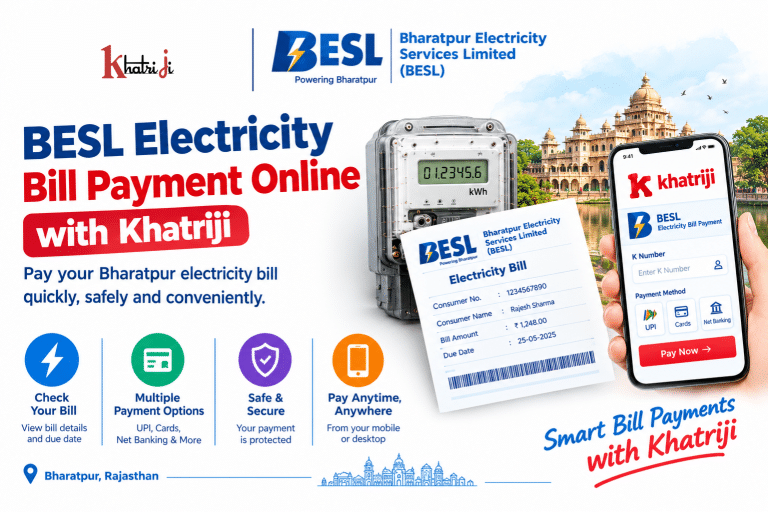
Paying your electricity bill on time helps you avoid late-payment issues and manage your household expenses more conveniently. If you are a consumer of Bharatpur Electricity Services Limited (BESL) in Rajasthan, you can use online bill-payment services to check your bill details and pay the amount due.
With Khatriji, you can access the BESL Electricity Bill Payment service and follow a convenient digital payment process without needing to visit a payment counter.
This guide explains how to make BESL electricity bill payments online, find your K Number, check payment status, handle common payment problems, and keep your transaction details safe.
What Is Bharatpur Electricity Services Limited (BESL)?
Bharatpur Electricity Services Limited (BESL) is an electricity distribution franchisee of Jaipur Vidyut Vitran Nigam Limited (JVVNL) and a wholly owned subsidiary of CESC Limited. Its electricity distribution operations in Bharatpur, Rajasthan, began on 1 December 2016. Read more about BESL on its official website.
Consumers can use the available online services to view and pay electricity bills, access consumer information, and seek assistance with billing or electricity-supply issues.
What Is BESL Electricity Bill Payment Online?
BESL Electricity Bill Payment Online is the process of paying your Bharatpur electricity bill through an internet-based payment service rather than visiting a physical payment counter.
Depending on the payment service available to you, you may be able to use UPI, net banking, debit cards, credit cards, or other supported payment methods.
You can start with the BESL Electricity Bill Payment service on Khatriji and follow the instructions shown on the payment page.
What Do You Need Before Paying Your BESL Electricity Bill?
Keep the following information ready before starting your payment:
- K Number: Your electricity consumer identification number, printed on your electricity bill.
- Latest bill details: Check the bill amount, due date, and any outstanding balance.
- Registered mobile number: Keep it available if verification or a payment alert is required.
- Payment method: Use an available UPI app, bank account, debit card, credit card, or another supported option.
- Internet connection: A stable connection helps prevent interruptions during payment.
Your K Number is particularly important because BESL’s official Quick Bill Pay page asks consumers to enter their K Number and the displayed security code before submitting the request. Visit BESL Quick Bill Pay.
How to Pay BESL Electricity Bill Online with Khatriji
Follow these steps to pay your Bharatpur electricity bill online.
Step 1: Open the BESL bill-payment service
Visit the BESL Electricity Bill Payment page on Khatriji.
Step 2: Enter your consumer details
Provide the requested electricity consumer information, such as your K Number. Check the details carefully before continuing.
Step 3: Check the bill amount
If the service retrieves your bill, verify the consumer details, outstanding amount, and due date before proceeding. If the information does not appear or seems incorrect, check your latest electricity bill or use BESL’s official consumer services.
Step 4: Select a payment method
Choose one of the payment methods displayed on the payment page. Options depend on the service and payment gateway available at the time of your transaction.
Step 5: Complete the payment
Follow the payment gateway’s instructions. For UPI payments, verify the payment request in your UPI app before authorising it. Never share your UPI PIN or bank OTP with another person.
Step 6: Save the payment confirmation
After completing the transaction, wait for the final confirmation. Save or download the receipt and note the transaction reference number for future use.
Important: The exact payment steps, available methods, and confirmation process may vary according to the service currently displayed on Khatriji.
How to Pay BESL Electricity Bill Through the Official Website
Consumers can also use BESL’s official online bill-payment facility.
- Visit the BESL official website.
- Open the Quick Bill Pay or Quick Bill View/Pay section.
- Enter your K Number and the security code requested on the page.
- Submit the details and follow the displayed instructions.
- Review the bill information before proceeding to payment.
- Complete the transaction through an available payment option.
- Keep the confirmation or receipt for your records.
You can also open the direct BESL Quick Bill Pay page.
How to Find Your BESL K Number
Your K Number identifies your electricity connection and is required for many BESL bill-related services.
You can usually find it by following these steps:
- Open your latest BESL electricity bill.
- Look for the field labelled K Number or the corresponding consumer identification field.
- Copy the number exactly as printed.
- Check the number before submitting it on a payment page.
If you cannot locate your K Number, contact BESL customer support using the contact details on your bill or visit the official BESL website. Do not use another consumer’s K Number to make a payment.
Benefits of BESL Electricity Bill Payment Online
1. Convenience
You can initiate a payment online without making a separate trip to a payment counter.
2. Saves time
Online payment can reduce the time spent travelling and waiting in queues.
3. Digital payment options
The payment gateway may offer UPI, cards, net banking, or other supported options.
4. Easier record-keeping
Keeping digital receipts and transaction references helps you track your electricity bill payments.
5. Convenient access
Online services can be accessed when the relevant website or payment facility is available. Bank processing, gateway maintenance, or service interruptions may occasionally affect transactions.
How to Check Your BESL Electricity Bill
Before paying, confirm the amount due and the payment deadline.
You can check your bill by:
- Reviewing your latest BESL electricity bill.
- Visiting the official BESL website.
- Opening the Quick Bill View/Pay service, where available.
- Entering your K Number and following the instructions on the official page.
Always compare the displayed amount with your latest bill if the figures differ. Your outstanding amount may include previous dues or adjustments.
How to Check BESL Electricity Bill Payment Status
After making a payment through Khatriji or another payment service, check whether the transaction has been completed successfully.
- Open the payment service you used.
- Check the transaction history or payment-status section, if available.
- Look for a successful transaction confirmation.
- Save the transaction reference number and receipt.
- If the amount was debited but the BESL bill still appears unpaid, allow time for the payment information to update and contact support if necessary.
A bank debit notification alone does not always mean the electricity provider has received and posted the payment. Check the final transaction status before attempting another payment.
Common BESL Bill Payment Problems and Solutions
BESL electricity bill is not showing
If your bill details do not appear:
- Confirm that the K Number is correct.
- Check whether you selected BESL as the electricity provider.
- Try again later if the service is temporarily unavailable.
- Check the latest bill through the official BESL website.
- Contact BESL support if the issue continues.
BESL online payment failed
If a transaction fails, check your bank or UPI app for its status. If the payment was not completed and no amount was debited, you can retry after confirming the details.
If money was debited, first check whether the transaction is pending or successful. Avoid immediately repeating the payment for the same bill.
Money deducted but the BESL bill is still unpaid
If your bank account shows a debit but the bill remains outstanding:
- Save the transaction ID or reference number.
- Keep the bank debit confirmation.
- Check the payment status in the service you used.
- Allow time for the payment gateway and BESL systems to update.
- Contact the payment provider or BESL using the official contact details if the payment remains unresolved.
BESL’s digital-payment terms explain that a payment receipt may become available after the payment gateway’s confirmation reaches the company. The terms also advise consumers to include their K Number when contacting support. Read the digital-payment terms.
Duplicate payment
If you accidentally pay the same bill twice, retain both transaction references and contact the relevant payment provider and BESL for guidance. Do not assume that a second payment will automatically be refunded.
Incorrect bill amount
If the displayed amount differs from your latest bill, do not proceed until you have checked the bill details. Contact BESL if the difference cannot be explained.
BESL Customer Care and Support
If you need help with an electricity bill, payment, or service issue, use BESL’s official support channels.
- Toll-free numbers: 1800-102-1912 and 1800-200-1912, as listed on BESL’s About Us page.
- Official website: BESL – CESC Rajasthan.
- Contact page: BESL Contact Us.
Keep your K Number, bill details, payment date, transaction reference, and registered contact information ready when contacting customer support. Verify the latest contact details on the official website or your electricity bill.
Safety Tips for Online Electricity Bill Payment
Follow these precautions whenever you pay your BESL electricity bill online:
- Use the official website or a trusted payment service.
- Check the provider name and K Number before authorising payment.
- Never share your UPI PIN, banking password, or OTP with anyone.
- Do not approve an unexpected UPI collect request claiming to be a refund.
- Avoid clicking unknown payment links received through SMS or messaging apps.
- Keep your payment receipt and transaction reference.
- If a payment is pending, check its status before paying again.
Why Use Khatriji for BESL Electricity Bill Payment?
Khatriji provides access to digital utility-payment services, including its BESL Electricity Bill Payment page.
Before confirming a payment, review the consumer details, bill amount, payment method, and any charges displayed on the page. Availability of a service or payment option may change, so always follow the instructions currently shown.
You can also explore the Khatriji App on Google Play.
Frequently Asked Questions (FAQs)
1. How can I pay my BESL electricity bill online?
Visit the BESL bill-payment service on Khatriji, enter the requested consumer details, verify the bill amount, and complete the payment using an available method.
2. What is the K Number in a BESL electricity bill?
The K Number is the consumer identification number used for BESL electricity-related services. You can generally find it on your electricity bill.
3. Can I pay my BESL electricity bill through UPI?
UPI may be available depending on the payment service and gateway displayed to you. Check the available options before proceeding.
4. How can I check my BESL bill online?
Visit the official BESL website and open its Quick Bill View/Pay facility, where available. Enter your K Number and follow the on-screen instructions.
5. What should I do if my BESL payment fails?
Check your bank or UPI transaction status first. If money was debited, retain the transaction reference and contact the payment provider or BESL before making another payment.
6. How long does it take for an online payment to appear on my BESL bill?
The time can vary depending on the payment gateway and provider systems. Keep your receipt and check the payment status; contact support if the payment remains unposted.
7. Can I pay someone else’s BESL electricity bill?
You may be able to pay another consumer’s bill if the payment service allows it. Verify the correct K Number, consumer details, and amount before confirming the transaction.
8. Where can I get help with BESL electricity bill payment?
Visit the official BESL website or contact customer support using the details listed on the website or your electricity bill.
Conclusion
BESL Electricity Bill Payment Online provides a convenient way for Bharatpur consumers to manage electricity bill payments digitally. By keeping your K Number ready, checking your bill details, using a trusted payment method, and saving your receipt, you can make the process easier to track.
To get started, visit the BESL Electricity Bill Payment service on Khatriji and follow the payment instructions displayed on the page.
Tags: BESL Bill Check, BESL Bill Payment, BESL Consumer Number, BESL Customer Care, BESL Electricity Bill, BESL Electricity Bill Payment, BESL K Number, BESL Online Bill Payment, BESL Payment Status, Bharatpur Bill Payment, Bharatpur Electricity Bill Payment, Bharatpur Electricity Services Limited, Electricity Bill Payment Online, Khatriji Bill Payment, Online Electricity Bill Payment, Rajasthan Electricity Bill Payment