
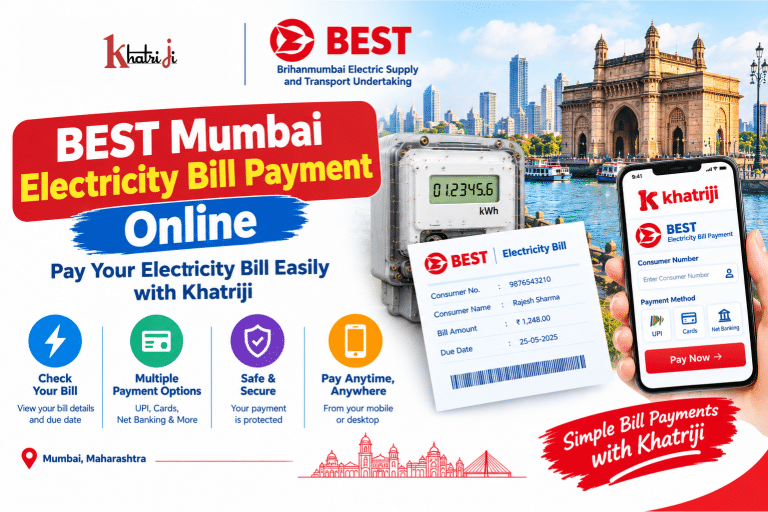
Paying your electricity bill on time helps you manage household expenses and avoid outstanding dues. If you are a consumer of Brihanmumbai Electric Supply and Transport (BEST) Undertaking in Mumbai, you can use online payment facilities to pay your electricity bill conveniently.
With Khatriji, you can visit the BEST Mumbai Electricity Bill Payment service and follow the instructions available on the payment page.
This complete guide explains how to make BEST electricity bill payments online, find your consumer number, check your bill, save payment receipts, and resolve common payment problems.
What Is BEST Mumbai Electricity Bill Payment?
BEST Mumbai Electricity Bill Payment is the process of paying your electricity bill online through an available digital payment service.
The Brihanmumbai Electric Supply and Transport Undertaking provides electricity distribution services in parts of Mumbai. Its electricity division offers consumers several payment options, including digital payment facilities and the miBEST mobile application. The BEST Undertaking’s published information also describes UPI and other digital payment facilities. Source: Brihanmumbai Municipal Corporation Year Book.
Online bill payment can help you avoid travelling to a collection counter and keep your payment records organised.
What Do You Need Before Paying Your BEST Electricity Bill?
Before starting your online payment, keep the following details ready:
- BEST Consumer Number: Your electricity account identification number, printed on your electricity bill.
- Latest electricity bill: Check your bill amount, billing period, outstanding dues, and due date.
- Registered mobile number: Keep it available if your chosen service requires verification.
- Payment method: Use one of the payment options supported by the payment page.
- Internet connection: A stable connection helps you complete the transaction without interruptions.
Always enter the correct consumer number and verify the displayed bill details before authorising a payment.
How to Pay BEST Mumbai Electricity Bill Online with Khatriji
Follow these steps to start your BEST electricity bill payment online.
Step 1: Open the Khatriji BEST payment page
Visit the BEST Mumbai Electricity Bill Payment page on Khatriji.
Step 2: Enter your consumer details
Enter your BEST consumer number and any additional details requested on the payment page. Make sure that the number matches your electricity bill.
Step 3: Verify your bill information
If the service retrieves your bill details, check the consumer information, outstanding amount, and due date carefully.
If your bill does not appear or the displayed amount seems incorrect, verify the details using an official BEST service before proceeding.
Step 4: Select a payment method
Choose an available payment option. Depending on the service, supported methods may include UPI, debit cards, credit cards, or net banking.
Step 5: Complete the transaction
Follow the payment gateway’s instructions and confirm the payment only after checking the amount and recipient details.
Step 6: Save your payment receipt
After payment, check the final transaction status. Save the receipt or transaction reference number so that you can use it if you need to raise a payment query.
Important: Payment methods and the exact process may vary depending on the service currently available on Khatriji.
How to Pay BEST Electricity Bill Through the Official Website
BEST consumers can also use the official BEST Undertaking website and its available online services.
- Visit the BEST Undertaking official website.
- Find the electricity bill payment or consumer services section.
- Select the appropriate bill payment option.
- Enter the consumer number and any other requested details.
- Review the bill information before proceeding.
- Choose an available payment method.
- Complete the payment and save the transaction confirmation.
Use only the official website and verify the web address before entering personal or payment information.
How to Pay Your BEST Bill Using the miBEST App
The miBEST app is the mobile application provided by BEST Undertaking for electricity consumers. Its Google Play listing describes features such as viewing current bills and billing history, making payments through net banking or credit/debit cards, quick pay, bill barcode scanning, and customer care information. Source: miBEST on Google Play.
You can follow these general steps:
- Open the miBEST app on Google Play.
- Install the application and open it.
- Follow the app’s instructions to access the relevant consumer services.
- Open the bill viewing or payment section.
- Check your current bill and consumer information.
- Select an available payment option and complete the transaction.
- Keep the payment confirmation for your records.
The exact steps may vary according to the current app version and your consumer account.
How to Find Your BEST Consumer Number
Your BEST consumer number identifies your electricity account and is required for many bill-related services.
You can usually find it by following these steps:
- Open your latest BEST electricity bill.
- Look for the field labelled Consumer Number or the corresponding account identification field.
- Copy the number exactly as printed.
- Check the number before entering it on the payment page.
If you cannot find your consumer number, consult a previous electricity bill or contact BEST through its official customer service channels.
Do not use another consumer’s number unless you have verified that it corresponds to the intended bill.
Benefits of BEST Electricity Bill Payment Online
1. Convenient bill payment
You can start the payment process online without visiting an electricity bill collection counter.
2. Saves time
Online payment can reduce travel and waiting time.
3. Multiple digital payment options
Depending on the service, you may be able to pay through UPI, debit cards, credit cards, or net banking.
4. Easier payment tracking
Digital receipts and transaction references can help you maintain a record of your electricity bill payments.
5. Access through mobile devices
You can use a smartphone or computer to access the payment service whenever it is available.
6. Convenient bill history
The miBEST app listing states that consumers can view current billing information and billing history, making it useful for reviewing previous bills. Source: miBEST app details.
How to Check Your BEST Mumbai Electricity Bill Online
Checking your bill before payment helps you confirm the amount due and avoid mistakes.
Follow these steps:
- Open the official BEST website or the miBEST app.
- Navigate to the bill viewing section.
- Enter your consumer details or sign in as instructed.
- Open the current electricity bill.
- Verify the billing period, amount due, and due date.
- Download or save the bill if the service offers that option.
If your bill information is unavailable, check your latest bill document and contact BEST if the problem continues.
How to Check BEST Electricity Bill Payment Status
After completing your payment, confirm whether the transaction was successful.
- Check the final status displayed by the payment gateway.
- Review your bank account or UPI app for the transaction details.
- Save the transaction reference number.
- Check the bill or billing history through the available BEST consumer service.
- If the bill remains unpaid after your account is debited, contact the relevant payment service or BEST.
A bank debit notification by itself does not always confirm that the electricity provider has received and posted the payment.
Common BEST Electricity Bill Payment Problems and Solutions
BEST electricity bill is not showing
If your bill details do not appear:
- Verify your consumer number.
- Check that you selected the correct electricity provider.
- Review your latest bill document.
- Try again later if the service is temporarily unavailable.
- Contact BEST if the problem persists.
BEST online payment failed
If your payment fails, check the transaction status in your bank or UPI app.
If no money was debited and the transaction is marked failed, you can retry after confirming your details. If money was debited, check the transaction status before attempting another payment.
Money deducted but the bill is not updated
If your bank account has been debited but your electricity bill still shows an outstanding amount:
- Keep your transaction reference number.
- Check whether the payment is pending, failed, or successful.
- Save your bank debit confirmation.
- Allow time for the payment status to update.
- Contact the payment provider or BEST if the payment remains unresolved.
Do not immediately pay the same bill again without checking the status of the first transaction.
Duplicate electricity bill payment
If you accidentally pay the same bill twice, save both transaction references and contact the payment provider and BEST for assistance. Do not assume that a refund will be automatic.
Incorrect bill amount
If the amount displayed online differs from your latest bill, verify the consumer number and billing period. Contact BEST before paying if you cannot explain the difference.
BEST Mumbai Electricity Bill Payment Customer Support
If you experience a billing issue, payment problem, or consumer account query, use the official BEST Undertaking website to find the appropriate support channel.
- Official website: BEST Undertaking
- Official app: miBEST on Google Play
- Billing and payment support: Use the relevant contact details listed on the official website or your electricity bill.
When contacting customer support, keep the following information ready:
- Consumer number
- Latest electricity bill
- Payment date and amount
- Transaction reference number
- Bank or UPI transaction confirmation
Always verify current telephone numbers and email addresses through an official BEST source rather than relying on unverified contact information.
Safety Tips for Online Electricity Bill Payment
Follow these precautions when paying your BEST electricity bill:
- Use the official BEST website or a trusted payment service.
- Verify your consumer number and bill amount before paying.
- Never share your UPI PIN, banking password, or OTP with another person.
- Avoid clicking unknown payment links received through SMS or messaging apps.
- Do not approve an unexpected payment request that claims to provide a refund.
- Keep your payment receipt and transaction reference number.
- If a transaction is pending, check its status before making another payment.
These precautions can help you reduce the risk of incorrect payments and online payment fraud.
Why Use Khatriji for BEST Mumbai Electricity Bill Payment?
Khatriji provides access to digital utility payment services, including its BEST Mumbai Electricity Bill Payment page.
Before proceeding, review the consumer details, bill amount, payment method, and any charges displayed on the page. Service availability and supported payment methods may change, so follow the instructions shown when you access the service.
You can also explore the Khatriji App on Google Play to learn more about Khatriji’s available digital services.
Frequently Asked Questions (FAQs)
1. How can I pay my BEST Mumbai electricity bill online?
Visit the BEST Mumbai Electricity Bill Payment page on Khatriji, enter the requested consumer details, verify the bill amount, and complete the payment using an available method.
2. What is the BEST electricity consumer number?
It is the identification number associated with your BEST electricity account. You can generally find it on your electricity bill.
3. Can I pay my BEST electricity bill using UPI?
UPI may be available depending on the payment service you choose. Check the available payment methods before proceeding.
4. Can I use the miBEST app to pay my electricity bill?
Yes. The miBEST app listing describes bill viewing, quick pay, and online payments through net banking and credit/debit cards. Check the current app for available services and payment options.
5. What should I do if my BEST bill payment fails?
Check your bank or UPI transaction status first. If money was debited, save the transaction reference and contact the payment provider or BEST before making another payment.
6. How can I download my BEST electricity bill?
Open the official BEST website or miBEST app and look for the bill viewing or billing history section. Follow the instructions provided by the service to access or download your bill, if available.
7. What should I do if money is deducted but my BEST bill remains unpaid?
Save your transaction reference, check the payment status, and contact the payment provider or BEST if the transaction remains unresolved. Avoid immediately paying the same bill again.
8. Can I pay another person’s BEST electricity bill?
You may be able to pay another consumer’s bill if the payment service allows it. Verify the consumer number and bill details before authorising the payment.
9. Where can I get help with BEST electricity bill payment?
Visit the official BEST Undertaking website or consult the contact details on your electricity bill.
Conclusion
BEST Mumbai Electricity Bill Payment Online is a convenient way for electricity consumers to manage their bills digitally. By checking your consumer number, reviewing the amount due, choosing an available payment method, and saving your receipt, you can keep your payment records organised.
To get started, visit the BEST Mumbai Electricity Bill Payment service on Khatriji and follow the instructions displayed on the page.
Remember to verify your payment status and keep your transaction reference safe for future use.
Tags: BEST Bill Payment Online, BEST Consumer Number, BEST Customer Care, BEST Electricity Bill Check, BEST Electricity Bill Payment, BEST Electricity Bill Receipt, BEST Mumbai Electricity Bill, BEST Mumbai Electricity Bill Payment, BEST Online Bill Payment, BEST Payment Status, BEST Undertaking, Khatriji Bill Payment, miBEST App, Mumbai Electricity Bill Payment, Online Electricity Bill Payment