
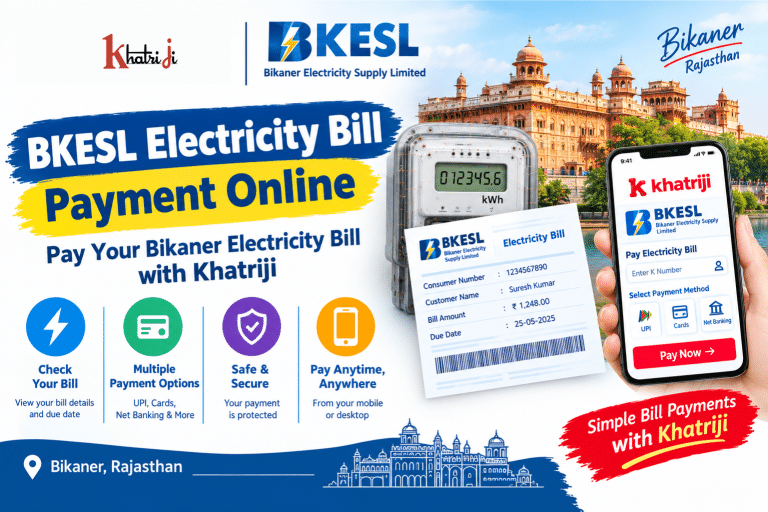
Paying your electricity bill on time helps you manage household expenses and avoid late-payment issues. With BKESL Electricity Bill Payment Online, consumers in Bikaner, Rajasthan, can access digital options to view and pay their electricity bills without necessarily visiting a payment counter.
If you want to pay your bill online, you can visit Khatriji and explore the BKESL Electricity Bill Payment service. This guide explains how to find your K Number, check bill details, complete an online payment, track payment status, and resolve common payment problems.
What Is BKESL Electricity Bill Payment?
BKESL stands for Bikaner Electricity Supply Limited, which operates as a distribution franchisee of Jodhpur Vidyut Vitran Nigam Limited (JDVVNL) and is a subsidiary of CESC Limited.
BKESL provides electricity-related services to consumers in its Bikaner service area. Consumers can use the official BKESL website to access services such as Quick Bill View/Pay and other electricity-related facilities.
Online electricity bill payment helps consumers:
-
Check their electricity bill details.
-
Pay outstanding bills through supported digital methods.
-
Keep a record of payment transactions.
-
Reduce the need to visit a payment counter.
-
Access bill-related services online.
You can explore the BKESL Electricity Bill Payment page on Khatriji to review the available payment process.
What Is Required for BKESL Electricity Bill Payment Online?
Before starting the payment process, keep the following details ready:
-
K Number: Your electricity consumer identification number.
-
Electricity bill: Your latest bill can help you verify the consumer details and amount due.
-
Payment method: Use one of the payment methods displayed by your selected payment platform.
-
Mobile phone or computer: You need an internet-connected device.
-
Transaction details: Keep your payment reference number or receipt after completing the transaction.
The exact information required may vary depending on whether you use Khatriji, the official BKESL website, or another authorized payment channel.
How to Make BKESL Electricity Bill Payment Online with Khatriji
Follow these steps to begin your BKESL electricity bill payment through Khatriji.
Step 1: Open the Khatriji Website
Visit Khatriji and navigate to the electricity bill payment section.
You can also open the dedicated BKESL Electricity Bill Payment page directly.
Step 2: Select BKESL Electricity Bill Payment
Make sure you select the correct electricity service provider. Choosing the correct provider helps ensure that your consumer details are processed against the intended service.
Step 3: Enter Your K Number
Enter your BKESL K Number in the field provided on the payment page.
Check the number carefully against your electricity bill before continuing. An incorrect K Number may prevent the bill from being retrieved or may display unexpected consumer details.
Step 4: Verify Your Electricity Bill
If the service displays your bill information, check the available details, including:
-
Consumer identification details
-
Bill amount
-
Outstanding balance, if shown
-
Due date, if shown
-
Other bill-related information
Do not proceed if the consumer details or bill amount appear incorrect. Verify the information before making a payment.
Step 5: Choose an Available Payment Method
Select one of the payment methods displayed by the payment platform. Available methods may vary, so follow the current instructions on the screen.
Review the amount and payment details before authorizing the transaction.
Step 6: Complete the Payment
Follow the payment instructions to authorize and complete the transaction.
Wait for the payment result rather than closing the page immediately. Avoid submitting the same payment repeatedly if the transaction is taking longer than expected.
Step 7: Save the Payment Confirmation
After payment, check the transaction status and save the receipt or reference number if one is provided.
You should also check whether the payment has been reflected in the relevant BKESL bill or payment records.
Important: Follow the instructions displayed on the live Khatriji payment page. The exact fields and payment options may change.
How to Pay a BKESL Electricity Bill Through the Official Website
BKESL also provides an official Quick Bill Pay facility.
You can visit the official BKESL Quick Bill Pay page to access the online payment process. The page requests a K Number and security code before submission. <Cite refs={[“turn870015search1”]}/>
The general process is:
-
Open the official BKESL Quick Bill Pay page.
-
Enter your K Number.
-
Enter the displayed security code.
-
Submit the information.
-
Review the bill details made available by the portal.
-
Follow the instructions to complete the payment.
-
Save the transaction acknowledgement or receipt.
Always ensure you are using the correct BKESL website and verify the consumer details before proceeding.
How to Find Your BKESL K Number
The K Number is an important identifier for BKESL electricity consumers. It is used on the official Quick Bill Pay page to access the bill-payment process.
If you do not know your K Number, try the following steps:
-
Locate your latest BKESL electricity bill.
-
Look for the K Number or consumer identification section.
-
Compare it with any previous bill you have.
-
If you cannot find the number, use the official BKESL website or contact the support details printed on your bill.
Enter the complete number carefully. Do not guess the number or use another consumer’s details.
How to Check Your BKESL Electricity Bill Online
Checking your bill before payment helps you confirm the outstanding amount and avoid mistakes.
To check your BKESL electricity bill:
-
Open the official BKESL Quick Bill View/Pay page.
-
Follow the available instructions to access the bill information.
-
Enter the required consumer details.
-
Review the bill amount and other information displayed.
-
Verify the due date, if available, before paying.
If your bill is not displayed, confirm that your K Number is correct and try again later. You can also contact BKESL customer support for assistance.
Use the RajVidyut App for BKESL Electricity Services
CESC Rajasthan provides the RajVidyut mobile app for consumers of BKESL, KEDL, and BESL. The app supports electricity bill payments and offers additional consumer services. <Cite refs={[“turn870015search3”]}/>
You can find the app on the Google Play Store.
Depending on your account and the current app version, available facilities include:
-
Online electricity bill payment
-
Bill and payment-related information
-
Smart-meter consumption insights
-
Electricity supply complaint registration
-
Planned power outage information
-
Other consumer services
To use the app, install the official application, follow its account instructions, select the BKESL service where applicable, and complete the requested steps.
Benefits of BKESL Electricity Bill Payment Online
Online bill payment can make electricity bill management more convenient.
1. Convenience
You can start the payment process from your home or office using an internet-connected device.
2. Less Travel
Online payment can reduce the need to visit a physical payment counter solely to pay your electricity bill.
3. Access to Digital Payment Options
You can choose from the payment methods supported by the platform you use.
4. Easier Record Keeping
Saving transaction references and receipts helps you maintain a record of your electricity payments.
5. Access to Other Online Services
The official BKESL website and RajVidyut app provide additional electricity-related services, subject to availability.
6. Better Bill Management
Checking the amount due and the payment status can help you keep track of your electricity expenses.
How to Check BKESL Electricity Bill Payment Status
After making a payment, check whether the transaction has been completed successfully.
Follow these steps:
-
Open the platform used to make the payment.
-
Check the transaction history or payment status, if available.
-
Note the transaction reference number or UTR number.
-
Check the corresponding bill or payment record through BKESL’s official channels.
-
If the payment remains pending, contact the payment provider or BKESL using the contact details provided on your bill.
Do not assume that a successful bank debit automatically means the electricity bill has been updated.
You can also read our guide on how to check your Khatriji Transaction History to understand the importance of keeping payment records.
Common BKESL Electricity Bill Payment Problems and Solutions
Sometimes, an online payment may fail, remain pending, or take time to appear in the bill records. Here are common situations and steps you can take.
1. BKESL Bill Is Not Showing
If your bill does not appear:
-
Verify your K Number.
-
Confirm that you selected BKESL.
-
Check whether the bill details are available on the official portal.
-
Retry after some time if the service is temporarily unavailable.
-
Contact BKESL support if the issue continues.
2. Payment Failed
If the transaction shows as failed, check your bank or payment app to determine whether money was deducted.
If no amount was deducted, you may try again after confirming the details and checking the payment status.
If money was deducted, do not immediately repeat the transaction. First establish what happened to the original payment.
3. Money Deducted but Bill Not Updated
This situation may occur when the payment gateway and bill records take time to synchronize.
To resolve it:
-
Save the transaction reference or UTR number.
-
Check the transaction status with your bank or payment app.
-
Check the bill status through BKESL’s official channels.
-
Contact the payment provider or BKESL support if the payment remains unresolved.
The official CESC Rajasthan payment terms state that successful or failed transaction acknowledgements are displayed and that consumers can check payment status through the assistance details provided on their bills. <Cite refs={[“turn870015search23”]}/>
4. Incorrect K Number
If you enter the wrong K Number, stop and correct it before authorizing the payment.
If a payment has already been made against incorrect details, keep the receipt and contact the relevant payment provider and BKESL support. Do not assume that the payment can be reversed automatically.
5. Payment Is Still Pending
A pending transaction does not necessarily mean that the payment has failed.
Check the transaction status and allow time for the payment gateway to process the result. Avoid repeated payments until you have checked the original transaction.
6. Payment Receipt Is Missing
If your payment appears successful but you cannot find the receipt:
-
Check your transaction history.
-
Look for an acknowledgement on the payment platform.
-
Save the transaction reference.
-
Contact the relevant support team if you need help retrieving the receipt.
BKESL Customer Care and Helpline
If you have questions about your electricity bill, K Number, payment status, or supply-related problems, use the contact information available through official BKESL channels.
The official BKESL contact page lists the following helpline numbers:
-
1800 200 1912
-
1800 330 1912
-
1912
-
0141-3532000
You can also visit the official BKESL Contact Us page to review the available contact information. <Cite refs={[“turn870015search0”]}/>
When contacting support about a payment, keep your K Number, bill details, transaction reference, payment date, and amount ready. Never share your UPI PIN, banking password, or OTP with anyone claiming to provide payment assistance.
Tips for Safe BKESL Online Bill Payment
Follow these precautions when paying your electricity bill online:
-
Use the correct BKESL service provider.
-
Verify the K Number and bill amount before payment.
-
Use trusted websites and official apps.
-
Never disclose your UPI PIN, banking password, or OTP.
-
Save your transaction reference and payment receipt.
-
Avoid clicking suspicious payment links received through SMS or messaging apps.
-
Check the status of a pending transaction before attempting another payment.
For additional guidance, read our article on how to identify fake payment links and stay safe with digital payments.
Frequently Asked Questions About BKESL Electricity Bill Payment Online
1. How can I pay my BKESL electricity bill online?
You can visit the BKESL Electricity Bill Payment page on Khatriji and follow the available instructions. You can also use the official BKESL Quick Bill Pay facility.
2. What is the K Number in BKESL electricity billing?
The K Number is a consumer identification number used to access BKESL bill-payment services. Check your electricity bill for the correct number.
3. How do I check my BKESL electricity bill?
Visit the official BKESL Quick Bill View/Pay page and follow the instructions to retrieve your bill information using the required consumer details.
4. Can I pay my BKESL electricity bill through a mobile app?
Yes. CESC Rajasthan’s official RajVidyut app supports electricity bill payments for BKESL consumers, along with other consumer services. See the RajVidyut app on Google Play.
5. What should I do if my BKESL payment fails?
Check your bank or payment app to confirm whether money was deducted. If the transaction failed without a debit, you can retry after checking your details. If money was deducted, investigate the original transaction before paying again.
6. How can I contact BKESL customer care?
You can use the contact information listed on the official BKESL Contact Us page or on your electricity bill.
7. How do I find my BKESL K Number?
Check your latest electricity bill. If you cannot find the number, contact BKESL through its official website or the assistance details printed on your bill.
8. Is it safe to pay an electricity bill online?
Online payment can be convenient when you use a trusted platform, verify the consumer details, and protect your banking credentials. Never share your UPI PIN, password, or OTP with anyone.
9. What should I do if money is deducted but my BKESL bill remains unpaid?
Keep your transaction reference, check the payment status with your bank or payment provider, and contact BKESL if the bill does not update. Avoid making a duplicate payment before checking the original transaction.
Conclusion
BKESL Electricity Bill Payment Online offers Bikaner consumers a convenient way to access digital electricity bill payment services. By keeping your K Number ready, checking the bill details carefully, and saving your payment receipt, you can manage your electricity payments more efficiently.
Visit Khatriji and explore the BKESL Electricity Bill Payment service to review the available online payment process.
For additional electricity and digital payment services, explore the facilities available on Khatriji and the official BKESL consumer channels.
Tags: Bikaner Electricity Bill Payment, Bikaner Electricity Supply Limited, BKESL Bill Pay, BKESL Bill Payment, BKESL Consumer Number, BKESL Customer Care, BKESL Electricity Bill, BKESL Electricity Bill Payment, BKESL K Number, BKESL Online Bill Payment, BKESL Payment Status, Khatriji Bill Payment, Online Electricity Bill Payment, Rajasthan Electricity Bill Payment, RajVidyut App