
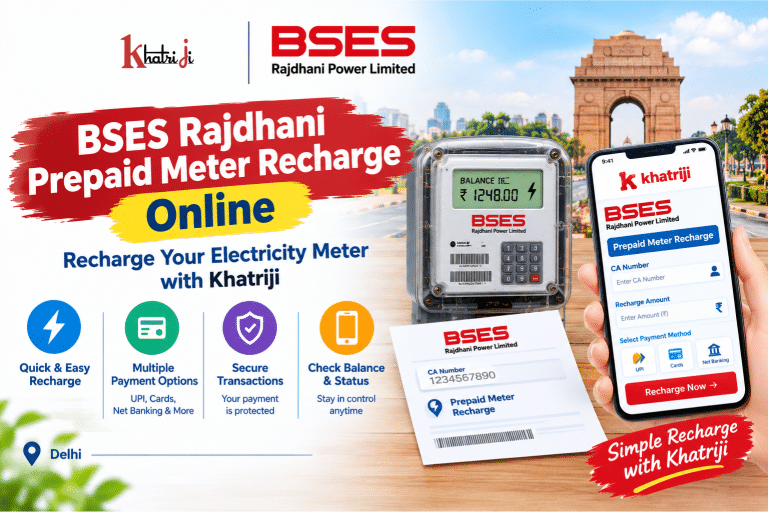
Electricity is an essential part of everyday life, and keeping your prepaid electricity meter sufficiently recharged helps you manage your household or business electricity usage. With BSES Rajdhani Prepaid Meter Recharge Online, consumers in Delhi can add prepaid credit through supported digital payment channels without needing to visit a payment counter.
If you are looking for a convenient way to recharge your prepaid electricity meter, you can visit Khatriji and explore the BSES Rajdhani Prepaid Meter Recharge service.
In this guide, we will explain how BSES Rajdhani prepaid meter recharge works, what information you need, how to check your meter balance, how to track a recharge transaction, and what to do if your payment fails.
What Is BSES Rajdhani Prepaid Meter Recharge?
BSES Rajdhani Power Limited (BRPL) supplies electricity to consumers in parts of Delhi. A prepaid electricity meter allows consumers to use electricity against the available prepaid credit in their account.
Instead of following only the traditional postpaid billing process, prepaid meter users add credit through an available recharge facility. The remaining balance changes according to electricity consumption and the applicable metering and tariff rules.
BSES Rajdhani provides a dedicated online prepaid meter recharge facility where consumers can enter their CA Number, check balance or details, and submit a recharge amount.
Consumers can also use supported digital payment platforms and the BSES mobile app, subject to the options currently available for their connection.
What Information Is Required for BSES Rajdhani Prepaid Meter Recharge?
Before starting your recharge, keep the following details ready:
-
CA Number: Your BSES Rajdhani Customer Account Number associated with the electricity connection.
-
Recharge Amount: The amount you want to add to your prepaid electricity account.
-
Payment Method: A payment option available on the selected website or app.
-
Mobile Phone or Computer: A device with an internet connection.
-
Transaction Reference: The transaction ID or UTR number generated after payment, if applicable.
Always check your CA Number against your electricity records before proceeding. Entering incorrect account details may cause the recharge process to fail or create confusion when tracking the transaction.
How to Recharge a BSES Rajdhani Prepaid Meter Online with Khatriji
You can visit the BSES Rajdhani Prepaid Meter Recharge page on Khatriji to access the service and follow the instructions shown on the live page.
Step 1: Open the Khatriji Website
Visit the Khatriji website using your mobile phone or computer.
Navigate to the electricity payment section and open the dedicated BSES Rajdhani Prepaid Meter Recharge page.
Step 2: Select the Correct Electricity Service
Make sure that you have selected the BSES Rajdhani prepaid meter recharge service rather than a different electricity provider or a regular postpaid bill payment service.
Selecting the correct service helps ensure that your recharge is directed to the appropriate electricity account.
Step 3: Enter Your CA Number
Enter the CA Number associated with your BSES Rajdhani prepaid electricity connection in the required field.
Check the number carefully before continuing. If you are unsure about your CA Number, refer to your electricity account records or contact BSES Rajdhani support.
Step 4: Enter the Recharge Amount
Enter the amount you want to recharge, following the instructions displayed on the payment page.
Choose an amount suitable for your expected electricity consumption and check that the amount entered is correct before proceeding.
Step 5: Review the Details
Before making the payment, verify:
-
The selected electricity provider.
-
Your CA Number.
-
The recharge amount.
-
Any additional details displayed on the payment page.
If any information appears incorrect, stop and verify your details before submitting the transaction.
Step 6: Complete the Payment
Choose one of the payment methods available on the live Khatriji payment page and follow the on-screen instructions.
Complete the transaction through the relevant payment interface. Never share your UPI PIN, banking password, or OTP with another person.
Step 7: Save Your Transaction Details
After payment, check the transaction status and save the confirmation or reference number if provided.
Keep the transaction details until the recharge has been reflected in your prepaid account and the balance has been updated.
Important: Payment and recharge processing times may vary. A successful payment confirmation does not always mean that the meter balance has updated instantly. Check the actual account status before attempting another recharge.
How to Recharge a BSES Rajdhani Prepaid Meter Through the Official Website
BSES Rajdhani also provides an official prepaid meter recharge facility.
Visit the official BSES Rajdhani Prepaid Meter Recharge page to begin the process.
The official page provides fields for the CA Number and recharge amount, along with options to get balance or account details.
Follow these general steps:
-
Open the official BSES Rajdhani prepaid meter recharge page.
-
Enter your CA Number.
-
Use the available balance or details option if you need to check your account information.
-
Enter the desired recharge amount.
-
Review the details carefully.
-
Follow the on-screen instructions to submit the recharge.
-
Save the payment confirmation or reference details.
Use only the current instructions displayed on the official BSES website, as the interface and payment process may change.
Can You Recharge BSES Rajdhani Prepaid Meter Using a Mobile App?
Yes. BSES Rajdhani’s published prepaid meter guidance describes recharge through its website, mobile app, and supported digital payment platforms.
If you prefer using a mobile app, follow these steps:
-
Open the official BSES app or a supported payment app.
-
Navigate to the electricity payment or prepaid meter recharge section.
-
Select BSES Rajdhani Power Limited.
-
Choose the prepaid meter recharge option where required.
-
Enter your CA Number and recharge amount.
-
Verify the account details.
-
Complete the payment and save the transaction reference.
The names of menu options and available payment methods can vary by app and version. Always confirm that the provider and service type are correct before making a payment.
How to Check Your BSES Rajdhani Prepaid Meter Balance
Checking your remaining prepaid credit helps you understand when another recharge may be needed.
Method 1: Use the Official BSES Website
Open the BSES Rajdhani Prepaid Meter Recharge page.
Enter your CA Number and use the available Get Balance or Get Details option, following the website’s instructions.
Method 2: Check the Meter Display
Many prepaid smart meters display information such as the available balance and credit status.
Depending on your meter model, you may be able to use its display scrolling or push-button feature to view the relevant information.
Method 3: Check the Meter’s Credit Indicator
Some prepaid meters use indicator lights to show the credit status. Refer to the instructions for your specific meter model to understand what the displayed indicator means.
Do not rely on an unfamiliar indicator alone. Check the meter display or official account information if you are uncertain about the remaining balance.
How Much Should You Recharge Your BSES Rajdhani Prepaid Meter?
The right recharge amount depends on your electricity usage, the available balance, and your household or business requirements.
Before selecting an amount, consider:
-
Your average daily electricity consumption.
-
The current prepaid balance.
-
Your expected usage over the next few days.
-
The applicable electricity tariff and other account adjustments.
-
The recharge amount accepted by the selected payment channel.
For example, a household that uses air conditioning frequently may consume electricity faster than a household with limited appliance usage. Checking your balance regularly can help you plan your next recharge.
There is no single recharge amount that is suitable for every consumer.
Benefits of Online BSES Rajdhani Prepaid Meter Recharge
1. Convenient Recharge from Home
Online recharge allows you to initiate the process using an internet-connected device instead of travelling to a payment counter.
2. Flexible Recharge Timing
Supported online channels can make recharge services accessible outside the operating hours of physical payment locations, subject to website availability and maintenance.
3. Easier Balance Monitoring
Checking your prepaid balance helps you keep track of available credit and plan future recharges.
4. Digital Transaction Records
A transaction reference or receipt can help you verify a payment and raise a support request if needed.
5. Better Electricity Budget Management
Regularly checking your balance and consumption can help you understand electricity usage and plan your household expenses.
6. Multiple Recharge Channels
BSES Rajdhani’s published guidance identifies its website, mobile app, and supported digital payment platforms as recharge channels. You can choose a channel that is convenient for you.
What to Do If BSES Rajdhani Prepaid Meter Recharge Fails
Online transactions can sometimes be delayed or unsuccessful because of network issues, payment gateway errors, incorrect account information, or processing delays.
Here is how to handle common problems.
Problem 1: Recharge Payment Failed
If your transaction shows as failed:
-
Check your bank account or payment app.
-
Confirm whether money was deducted.
-
Save any transaction reference or failure message.
-
If no money was deducted, verify your details before trying again.
-
If money was deducted, check the transaction status before submitting another payment.
Problem 2: Money Was Deducted but Recharge Was Not Updated
If your bank shows a debit but your prepaid balance has not changed:
-
Save your Transaction ID or UTR number.
-
Check whether the payment is pending or successful.
-
Check your prepaid balance again after an appropriate interval.
-
Contact the payment platform and BSES Rajdhani support if the recharge remains uncredited.
Avoid making another recharge until you have checked the status of the first transaction, so you do not unintentionally pay twice.
Problem 3: Incorrect CA Number
If you notice an incorrect CA Number before submitting the payment, correct it before continuing.
If you have already paid using incorrect details, keep the payment reference and contact the relevant payment provider and BSES Rajdhani support for guidance.
Problem 4: Recharge Is Pending
A pending transaction may still be processing. Check the status in your payment app or bank account and follow the instructions provided by the payment service.
Do not treat a pending transaction as either successful or failed until its status has been clarified.
Problem 5: Meter Balance Has Not Updated
If your recharge appears successful but the meter balance is unchanged, check the official account balance and transaction status.
If the balance remains unchanged, contact BSES Rajdhani support with your CA Number, recharge amount, payment date, and transaction reference. Do not share your PIN or banking password.
Problem 6: Recharge Receipt Is Missing
Check the transaction history in the payment app or website you used.
If a reference number or confirmation message is available, save it. If you cannot find a record, contact the relevant payment platform before attempting the same recharge again.
BSES Rajdhani Customer Care for Prepaid Meter Recharge
If you need help with your prepaid meter, account details, recharge status, or a payment-related issue, use the official BSES Rajdhani support channels.
BSES Rajdhani Customer Care: 19123
You can also visit the official BSES Rajdhani website to find current customer service information and available support options.
When contacting support, keep these details ready:
-
CA Number.
-
Recharge amount.
-
Date and approximate time of payment.
-
Transaction ID or UTR number.
-
Payment status displayed by your bank or app.
-
Current meter balance, if available.
Never disclose your UPI PIN, OTP, or banking password to someone claiming to resolve a recharge problem.
Safety Tips for Online Prepaid Meter Recharge
Keep these precautions in mind whenever you recharge your electricity meter online:
-
Use the official BSES website or a trusted payment platform.
-
Check the provider name before submitting a transaction.
-
Verify your CA Number and recharge amount.
-
Use a secure internet connection.
-
Never share your UPI PIN, OTP, or banking password.
-
Save your transaction receipt and reference number.
-
Check the status of an existing transaction before trying again.
-
Avoid unknown payment links received through unsolicited messages.
For more guidance, read the guide to identifying fake payment links and making safer digital payments.
Frequently Asked Questions About BSES Rajdhani Prepaid Meter Recharge
1. How can I recharge my BSES Rajdhani prepaid meter online?
You can visit the Khatriji BSES Rajdhani Prepaid Meter Recharge page and follow the instructions shown there. You can also use the official BSES Rajdhani prepaid meter recharge facility.
2. What is the CA Number for BSES Rajdhani?
The CA Number is the Customer Account Number associated with your electricity connection. You need to enter the correct number when using the official prepaid meter recharge facility.
3. How can I check my BSES Rajdhani prepaid meter balance?
Visit the official BSES Rajdhani prepaid meter recharge page and use the available balance or details option. Depending on your meter model, you may also be able to view the balance on the meter display.
4. Can I recharge my BSES Rajdhani prepaid meter using a mobile phone?
Yes. You can use a mobile browser or a supported app to access an available recharge service. Make sure you select BSES Rajdhani and the prepaid meter recharge option.
5. What should I do if my recharge payment fails?
Check your bank or payment app to see whether money was deducted. Save the transaction details and verify the status before trying again.
6. What if money is deducted but my meter balance does not update?
Keep your Transaction ID or UTR number, check the transaction status, and contact BSES Rajdhani support or the payment provider if the recharge remains uncredited.
7. How can I find my BSES Rajdhani CA Number?
Check your electricity account records or contact BSES Rajdhani through its official support channels if you cannot locate the number.
8. Is it possible to check my balance before recharging?
The official BSES Rajdhani prepaid meter recharge page provides a balance or details option. Enter your CA Number and follow the current on-screen instructions.
9. How can I contact BSES Rajdhani for recharge issues?
You can call BSES Rajdhani Customer Care at 19123 or visit the official BSES Rajdhani website for current support information.
10. Can I recharge my BSES Rajdhani prepaid meter through Khatriji?
You can visit the Khatriji BSES Rajdhani Prepaid Meter Recharge page to access the service and check the current payment instructions and availability.
Conclusion
BSES Rajdhani Prepaid Meter Recharge Online makes it possible for eligible consumers to add prepaid electricity credit through supported digital channels. By keeping your CA Number ready, checking your available balance, and saving your transaction details, you can manage your prepaid meter more confidently.
To explore the online recharge process, visit Khatriji and open the BSES Rajdhani Prepaid Meter Recharge service.
Always verify the account details before paying, check the transaction status afterward, and use official support channels if your recharge is delayed or unsuccessful.
Tags: BRPL Prepaid Meter Recharge, BSES CA Number, BSES Customer Care, BSES Meter Balance, BSES Prepaid Meter Recharge, BSES Rajdhani Prepaid Meter Recharge, BSES Rajdhani Recharge, BSES Recharge Status, Delhi Electricity Recharge, Khatriji Bill Payment, Online Electricity Recharge, Prepaid Electricity Meter