
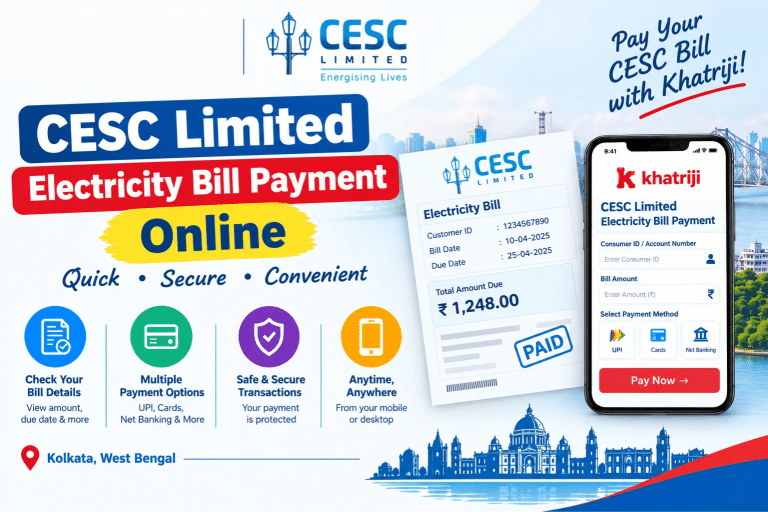
Paying your CESC Limited electricity bill online is a convenient way to keep your electricity connection active without visiting a payment counter. If you live in Kolkata or another area served by CESC, you can check your bill, review the amount due, and make an online payment using an available digital payment method.
With Khatriji, you can access the electricity bill payment service online. You need your CESC consumer details and the amount payable to get started. Before making a payment, always check your bill information and due date to avoid delays or late-payment consequences.
In this guide, you will learn how to pay your CESC Limited electricity bill online through Khatriji, which details you may need, how to check your payment status, and what to do if a transaction is delayed.
What Is CESC Limited?
CESC Limited is an electricity utility company serving Kolkata and surrounding areas in West Bengal. It provides electricity-related services to residential, commercial, and other consumers.
Customers can use CESC’s digital services to access electricity bills, make payments, view payment status, and manage certain account-related requests.
The official CESC website provides digital services, including Quick Bill Pay and View/Print Bill.
-
Official website: https://www.cesc.co.in/
-
Official digital services: https://www.cesc.co.in/digitalServices
-
Official online payment options: https://srvcs.cesc.co.in/ptrlineins/mjpgav_payon/online_payment_options.php
How to Pay CESC Limited Electricity Bill Online Through Khatriji
You can use the Khatriji CESC Limited electricity bill payment page to start the payment process.
Follow these steps:
Step 1: Open the Khatriji Electricity Bill Payment Page
Visit the CESC Limited service page:
https://khatriji.in/electricity-bill-payment/cesc-limited
Check that you have selected the correct electricity service provider before continuing.
Step 2: Select Your Electricity Provider Details
Choose the relevant state, operator, and city if these fields are displayed on the payment page. Select the CESC Limited option that matches your connection.
Step 3: Enter Your Consumer or Service Details
Enter the identification number requested by the payment form. Depending on the service and billing option, CESC may use a Customer ID or an 11-digit Consumer Number.
Important: A Customer ID and Consumer Number may be different. Check your bill and follow the exact field instructions rather than entering one number in the wrong field.
Step 4: Enter the Electricity Bill Amount
Check your latest CESC electricity bill and enter the amount payable in the Khatriji form, if requested. Verify the amount, consumer details, and any displayed charges before proceeding.
Step 5: Proceed to Payment
Click the payment button and follow the instructions shown on the screen. Review the transaction summary before authorising the payment.
Step 6: Complete the Transaction
Choose from the payment methods made available during checkout. Depending on the payment gateway, these may include supported cards, net banking, or other available digital methods.
Complete any required bank authentication or payment approval.
Step 7: Save the Payment Confirmation
After completing the transaction, save the confirmation page, transaction reference, or receipt if available. Keep the details until the payment is reflected in your CESC account.
Payment timing: CESC’s official guidance notes that payment-status or receipt updates can sometimes take time. If the amount has been debited but confirmation is missing, check the latest payment status before attempting another payment.
What Details Are Required for CESC Bill Payment?
Keep the following information ready before starting:
-
CESC Customer ID or Consumer Number, as requested.
-
Your latest electricity bill.
-
The bill amount and due date.
-
A valid payment method supported by the checkout page.
-
Your registered mobile number or email address, if required for confirmation.
Entering the correct consumer information helps reduce the risk of a failed or misdirected payment.
How to Find Your CESC Customer ID or Consumer Number
If you do not know your CESC account details, check your latest electricity bill.
Look for the Customer ID or Consumer Number field and read the instructions printed beside it. Use the number that matches the payment form you are completing.
CESC’s official online payment pages distinguish between the Customer ID used for monthly bill payments and the Consumer Number requested for certain other payment options. If you are unsure which number to use, consult CESC’s official website or customer support.
You can visit the official CESC website for bill-related services and account information.
Benefits of Paying Your CESC Electricity Bill Online
1. Convenient Payment
Online bill payment lets you complete the process without travelling to a payment counter.
2. Save Time
You can start the payment process from your phone or computer, subject to service availability and a working internet connection.
3. Access from Anywhere
You can manage your bill payment while at home, at work, or travelling, provided the service is accessible.
4. Multiple Digital Payment Options
Depending on the platform and checkout gateway, you may be able to use different digital payment methods.
5. Easier Record Keeping
Saving a payment confirmation or transaction reference can help you track the transaction and resolve payment-related queries.
6. Pay Before the Due Date
Paying on or before the due date can help you avoid late-payment consequences. CESC also states that eligible online payments made within the due date may receive an additional rebate. Check the current terms on CESC’s official website to confirm eligibility.
How to Pay Your CESC Bill Through the Official Website
You can also pay directly through CESC’s official online payment service.
-
Visit the official CESC website.
-
Open the Customer Zone or Quick Bill Pay section.
-
Choose the relevant payment option, such as Monthly Bill.
-
Enter the Customer ID or other details requested by that option.
-
Review the displayed customer and bill information.
-
Select an available payment method and follow the payment instructions.
-
Save the transaction acknowledgement or receipt.
Use the official payment options page for the currently available services: https://srvcs.cesc.co.in/ptrlineins/mjpgav_payon/online_payment_options.php
How to Check Your CESC Electricity Bill Payment Status
If you have already paid your electricity bill, verify that the payment has been recorded.
-
Open the official CESC website.
-
Find the Latest Payment Status option in the Customer Zone.
-
Enter the required account or transaction details.
-
Review the displayed payment status.
-
Save or download the receipt if it is available.
CESC’s official FAQ recommends checking the latest payment status if the payment was debited but the receipt was not received.
What to Do If Your CESC Bill Payment Fails
A payment may fail because of a network interruption, bank authentication issue, payment gateway error, or another technical problem.
Try these steps:
-
Check your bank account: Confirm whether the amount was debited.
-
Check the transaction status: Review the payment page or your transaction history, where available.
-
Verify with CESC: Use the official Latest Payment Status service to check whether the bill payment has been recorded.
-
Keep your reference number: Save the transaction ID, date, amount, and any bank reference.
-
Avoid paying again immediately: If money was debited but the status is unclear, check the official status first. CESC advises waiting at least two working days before retrying in the relevant missing-receipt situation.
-
Contact support if necessary: If the status remains unresolved, contact your bank or the relevant payment provider and CESC with the transaction details.
Do not share your card PIN, banking password, or OTP with anyone claiming to help with a payment.
CESC Limited Customer Care Details
For electricity bill queries, payment issues, or other service-related assistance, use CESC’s official support channels.
-
LT Consumer Helpline: 1912
-
Alternative helpline: 033-35011912
-
Alternative helpline: 033-44031912
-
Toll-free helpline listed by CESC: 18605001912
-
Official website: https://www.cesc.co.in/
-
Official email: cesclimited@rpsg.in
Contact details and available services can change, so verify the latest information on CESC’s official website before contacting support.
Tips for Safe CESC Electricity Bill Payment
Follow these simple precautions whenever you pay your electricity bill online:
-
Check that the consumer details match your own bill.
-
Confirm the payable amount before authorising payment.
-
Use a trusted website and a secure internet connection.
-
Never share your OTP, PIN, or banking password.
-
Save your transaction reference and receipt.
-
If payment confirmation is delayed, check the status before paying again.
-
Use official CESC support channels for unresolved payment problems.
Frequently Asked Questions About CESC Limited Electricity Bill Payment
1. How can I pay my CESC Limited electricity bill online?
Visit the Khatriji CESC Limited bill payment page, enter the requested consumer details and amount, and follow the payment instructions shown on the page.
2. Which details are required for CESC bill payment?
You may need your CESC Customer ID or Consumer Number, the bill amount, and an available digital payment method. Follow the field instructions because the required number can vary by payment option.
3. Where can I find my CESC Customer ID?
Check your latest CESC electricity bill. If you cannot identify the correct number, use CESC’s official website or contact customer support.
4. Can I pay my CESC bill through the official website?
Yes. CESC provides online bill payment through its official website and Quick Bill Pay service.
5. How do I check whether my CESC bill has been paid?
Visit CESC’s official website and look for Latest Payment Status. Enter the requested information and check the transaction status.
6. What should I do if money is deducted but my CESC bill is not updated?
Check your bank transaction and CESC’s latest payment status. Keep the transaction reference and avoid paying again immediately while the result is unclear. Follow CESC’s guidance for delayed confirmations.
7. Can I pay my CESC bill using a mobile phone?
Yes. You can access online payment services using a compatible mobile browser or use digital services offered by CESC, subject to availability.
8. Is it better to pay before the due date?
Yes. Paying before the due date helps you avoid late-payment consequences. CESC also publishes terms for an additional rebate on eligible online payments made on time; verify the current conditions with CESC.
9. How can I contact CESC for payment-related assistance?
You can call 1912 or visit https://www.cesc.co.in/ for current customer support information.
10. Where can I pay my CESC electricity bill through Khatriji?
Use the dedicated service page: https://khatriji.in/electricity-bill-payment/cesc-limited
Conclusion
CESC Limited electricity bill payment online is a convenient way to manage your electricity dues without visiting a payment counter. With the correct Customer ID or Consumer Number, your latest bill, and a supported payment method, you can follow the online payment steps and keep a record of the transaction.
Use Khatriji to access the dedicated CESC Limited electricity bill payment service. Always verify your bill details, pay attention to the due date, and check the payment status if confirmation is delayed.
For official payment options, current terms, and account-related assistance, refer to the CESC website.
Tags: CESC Electricity Bill Payment, CESC Limited, Electricity Bill Online, khatriji, Kolkata Electricity Bill, Online Electricity Bill Payment