
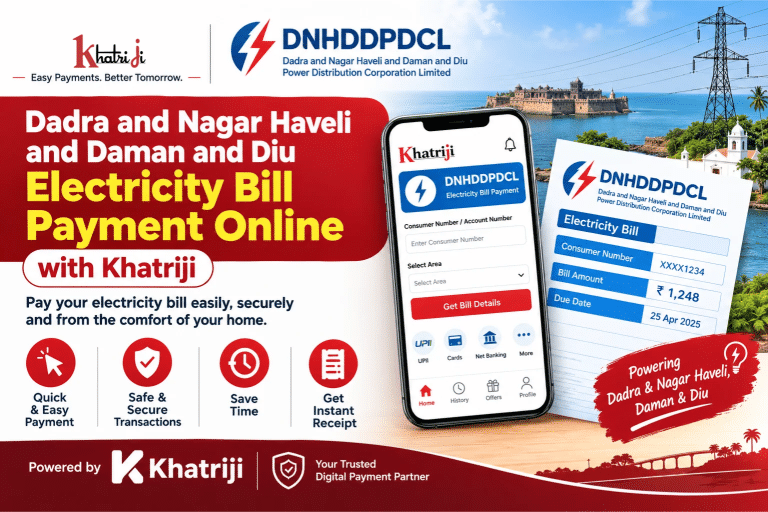
Paying your Dadra and Nagar Haveli and Daman and Diu electricity bill online is a convenient way to manage your electricity payments without visiting a payment counter. With Khatriji, you can access the electricity bill payment service online and follow a simple process to submit your bill payment from home or while travelling.
Dadra and Nagar Haveli and Daman and Diu has electricity services covering areas such as Silvassa, Dadra, Daman, and Diu. Before making a payment, check the electricity provider’s name printed on your latest bill to ensure that you select the correct service.
Use the Khatriji electricity bill payment service to get started.
What Is DNHDDPDCL?
Dadra and Nagar Haveli and Daman and Diu Power Distribution Corporation Limited (DNHDDPDCL) is a name associated with electricity distribution services in the Union Territory. Electricity-related services and billing arrangements can differ between areas and providers, so consumers should always verify the biller shown on their electricity bill before proceeding.
For official electricity services, consumers can also visit the Dadra and Nagar Haveli and Daman and Diu Administration website to find department information and relevant service links.
How to Pay Dadra and Nagar Haveli and Daman and Diu Electricity Bill Online with Khatriji
Follow these steps to make an online electricity bill payment through Khatriji.
Step 1: Visit the Khatriji Electricity Bill Payment Page
Open the DNHDDPDCL electricity bill payment page on Khatriji.
Step 2: Select Your Electricity Provider
Choose the appropriate electricity service provider from the available options. Check the provider’s name on your bill before selecting it, particularly if your bill is issued by a local electricity department rather than the distribution corporation.
Step 3: Enter Your Consumer or Service Number
Find your consumer number, service number, or account identifier on your latest electricity bill. Enter the required details carefully and check them for errors.
Step 4: Enter the Bill Amount
Enter the payable amount displayed on your electricity bill if the payment form asks you to enter it manually. Verify the amount and due date before continuing.
Step 5: Proceed to Payment
Select the option to proceed with the transaction. Follow the instructions shown on the payment page and complete any login or verification steps required.
Step 6: Complete the Payment
Choose from the payment methods displayed at checkout and follow the payment gateway’s instructions. The available payment methods may vary, so confirm the options shown before proceeding.
Step 7: Save Your Payment Confirmation
After completing the transaction, save the confirmation message, transaction reference, or receipt provided. Keep it until the payment is reflected in your electricity account.
Important: A successful payment transaction and an updated electricity account may not occur at exactly the same time. Check your payment status if the bill does not immediately show as paid.
Benefits of Paying Your Electricity Bill Online
Online bill payment can make routine electricity payments easier to manage.
- Convenience: Start your payment online without travelling to a payment counter.
- Time-saving: Complete the payment process from your phone or computer.
- Easy access: Open the payment page whenever you need to manage your bill.
- Payment records: Keep your transaction reference or receipt for future reference.
- Better bill management: Check your bill amount and due date before submitting payment.
- Digital payment process: Follow the instructions provided by the payment gateway to complete your transaction.
Visit Khatriji to explore its online payment services.
Details to Keep Ready Before Paying
Having your electricity bill available can help you complete the payment accurately.
- Consumer number, service number, or account ID
- Correct electricity provider name
- Current bill amount
- Bill due date
- Mobile phone for any required payment verification
- A supported payment method
Always enter your consumer details carefully. An incorrect number or a mismatched provider can prevent the system from retrieving the correct bill.
What to Do If Your Electricity Bill Payment Fails?
Occasionally, an online transaction may fail or remain pending. Follow these precautions before trying again.
1. Check Your Payment Status
Review the payment confirmation or transaction history available to you. If the transaction is pending, allow time for the payment gateway or service provider to update its status.
2. Check Your Bank or Payment App
If money has been debited, check whether the transaction is marked as successful, pending, or failed. Save the transaction reference and any available confirmation.
3. Avoid Paying Again Immediately
If the amount has been debited but the bill status has not changed, do not immediately repeat the payment. First verify the transaction status to reduce the risk of making a duplicate payment.
4. Verify Your Consumer Details
Confirm that you selected the correct provider and entered the consumer or service number accurately.
5. Contact the Appropriate Support Team
For issues relating to a payment made through Khatriji, use the support options available on Khatriji. For an electricity bill, account, or supply-related issue, consult the contact details on your latest bill or the official electricity department website.
How to Check Your Electricity Bill and Payment Status
To manage your bill effectively:
- Keep a copy of your latest electricity bill.
- Note your consumer number and due date.
- Check the transaction status after completing an online payment.
- Save the receipt or transaction reference.
- If the payment is not reflected, verify it with the relevant service provider before making another payment.
For official electricity department information, visit the Union Territory Electricity Department page. For consumers in Dadra and Nagar Haveli, the district administration also lists online electricity bill payment information.
Frequently Asked Questions (FAQs)
1. How can I pay my Dadra and Nagar Haveli and Daman and Diu electricity bill online?
Visit the Khatriji electricity bill payment page, select the appropriate provider, enter the requested consumer details, and follow the payment instructions displayed.
2. What details are required for online electricity bill payment?
You may need your consumer number, service number, or account ID, along with the bill amount if requested. Keep your latest electricity bill handy so that you can enter the correct information.
3. Can I pay my electricity bill using a mobile phone?
Yes. You can access the Khatriji website from a compatible mobile browser and follow the available payment process. The payment options depend on what is displayed at checkout.
4. What should I do if money is deducted but my bill is still unpaid?
Save your transaction reference and check the payment status with your bank or payment app. If the transaction is pending or successful but the bill has not updated, contact the appropriate support team before trying again.
5. How can I find the correct electricity provider?
Check the provider’s name printed on your latest electricity bill. Do not select a provider based only on the Union Territory name, as billing arrangements can vary by area.
6. Can I pay after the electricity bill due date?
The available payment process and any applicable late charges depend on your electricity provider’s rules. Check your bill for the due date and applicable charges, and pay as early as possible.
7. Where can I find official electricity department information?
Visit the official Union Territory Electricity Department page for department contacts and links to relevant electricity services.
Conclusion
Paying your Dadra and Nagar Haveli and Daman and Diu electricity bill online can help you manage your regular payments more conveniently. Keep your consumer details ready, confirm the correct electricity provider, check the payable amount, and save your transaction confirmation after payment.
Get started with the Khatriji electricity bill payment service and follow the instructions shown on the page to complete your transaction.
Tags: Dadra and Nagar Haveli, Daman and Diu, DNHDDPDCL, Electricity Bill Payment, Electricity Payment Guide, khatriji, online bill payment