
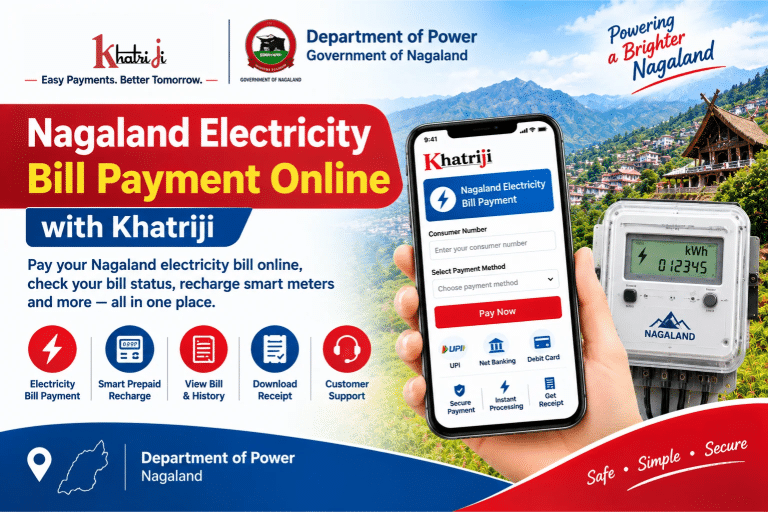
Nagaland electricity bill payment online allows consumers to pay their electricity bills conveniently without visiting a payment counter. If your electricity connection is supplied by the Department of Power, Government of Nagaland, you can use the available online services to view your bill, make payments, check transaction records, and manage your electricity account.
With Khatriji, you can explore the available electricity bill payment service for Nagaland and understand the steps involved in paying your bill online. Before making a payment, keep your consumer number or account details ready and verify the bill amount carefully.
In this guide, you will learn how to pay your Nagaland electricity bill online, check payment status, recharge a smart prepaid meter, download payment receipts, and resolve common payment problems.
What Is the Department of Power, Nagaland?
The Department of Power, Government of Nagaland, manages electricity-related services for consumers across the state. Its online consumer portal provides access to several electricity services, including bill viewing, bill payment, smart prepaid recharge, payment history, and complaint registration.
The official Department of Power Web Self Service portal is available here:
https://tups.dopn.gov.in/dopn-portal/
Through this portal, consumers can access services for postpaid electricity bills and smart prepaid meters, depending on their connection type and the services available for their account.
How to Pay Nagaland Electricity Bill Online with Khatriji
Follow these steps to get started with Nagaland electricity bill payment through Khatriji.
Step 1: Visit the Khatriji Nagaland Electricity Bill Payment Page
Open the dedicated Khatriji electricity bill payment page:
https://khatriji.in/electricity-bill-payment/department-of-power-nagaland
Review the available service information and follow the instructions displayed on the page.
Step 2: Keep Your Consumer Number Ready
Locate your consumer number or account details on your electricity bill. The exact identifier required may depend on your connection and the payment service.
Enter the requested information carefully. An incorrect consumer number may prevent the system from retrieving your bill.
Step 3: Check Your Electricity Bill Details
If the payment service retrieves your bill, review the information displayed on the screen.
Check the following details:
- Consumer name
- Consumer number or account details
- Outstanding electricity bill amount
- Payment due date, if displayed
- Any applicable charges shown by the payment service
If the details do not match your electricity connection, stop and verify the information before proceeding.
Step 4: Select an Available Payment Method
Choose a payment method displayed on the payment page. Depending on the service and payment gateway, supported options may include UPI, debit card, or net banking.
Payment options can vary, so check the options currently available on the screen.
Step 5: Complete the Payment
Review the payable amount and follow the payment gateway instructions to authorize the transaction.
Never share your UPI PIN, card PIN, banking password, or OTP with another person. Enter confidential details only within the appropriate secure payment or banking interface.
Step 6: Save Your Payment Confirmation
After completing the payment, check whether the transaction is marked successful. Save the transaction reference number and download the receipt if an option is available.
If you do not receive confirmation, check the transaction status before attempting another payment.
Important: Khatriji’s payment page and the official Department of Power portal may offer different services. Confirm that your connection is supported and that the payment has been successfully acknowledged before considering the bill paid.
How to Pay Your Nagaland Electricity Bill Through the Official Portal
You can also use the official Department of Power, Nagaland Web Self Service portal to view and pay your electricity bill.
Official portal: https://tups.dopn.gov.in/dopn-portal/
Follow these steps:
- Open the official Department of Power portal.
- Select the option for Pay Bill or View Bill.
- Register or sign in if the selected service requires an account.
- Enter your consumer number or the details requested by the portal.
- Retrieve your bill and verify the consumer information.
- Review the outstanding amount and due date.
- Choose an available payment method.
- Follow the on-screen instructions to complete the transaction.
- Save the payment receipt or transaction reference.
The portal also provides services for viewing payment history and reprinting previous payment receipts, where applicable.
How to Recharge a Smart Prepaid Electricity Meter in Nagaland
Consumers with eligible smart prepaid electricity meters may use the Department of Power’s online portal to recharge their accounts.
Unlike postpaid electricity connections, prepaid meters use an available balance that decreases as electricity is consumed.
To recharge a smart prepaid meter:
- Visit the official Department of Power Web Self Service portal.
- Select the Smart Prepaid Recharge option.
- Sign in or provide the account information requested by the portal.
- Confirm that the correct consumer account or meter is displayed.
- Enter or select the recharge amount, as permitted by the service.
- Review the transaction details.
- Complete the payment using an available payment method.
- Save the recharge confirmation and transaction reference.
The portal also lists Smart Prepaid Recharge History, which can help consumers review previous recharge transactions.
Recharge availability and required account details depend on the meter and the service currently offered by the department.
What Is the Difference Between Postpaid and Prepaid Electricity?
Before making a payment, it is important to identify your electricity connection type.
Postpaid Electricity Connection
With a postpaid connection, electricity is consumed during a billing period and a bill is issued for the amount payable.
Consumers can use the official portal to view and pay eligible bills. Paying by the due date helps avoid applicable late-payment charges.
Smart Prepaid Electricity Meter
With a smart prepaid meter, consumers add money to their electricity account before using the corresponding electricity balance.
The balance is reduced as electricity is consumed. Consumers can use the supported recharge service and check their recharge history when these features are available.
If you are unsure whether your connection is prepaid or postpaid, check your electricity account details or contact the Department of Power.
How to Check Your Nagaland Electricity Bill Payment Status
After paying your electricity bill, verify that the transaction has been recorded.
Follow these steps:
- Open the official Department of Power portal.
- Look for Payment History or the relevant transaction-history option.
- Sign in or enter the requested account details.
- Locate the payment you want to check.
- Compare the transaction date and amount with your bank or UPI application.
- Save the receipt or transaction reference if available.
For prepaid connections, check Smart Prepaid Recharge History where applicable.
If your payment does not appear immediately, allow time for processing and check again. If the issue continues, contact the department through its official support channels.
How to Download Your Nagaland Electricity Bill or Payment Receipt
The Department of Power portal lists services for viewing bills, downloading available bill information, and reprinting previous payment receipts.
To access these records:
- Open the official Web Self Service portal.
- Select View Bill or the relevant payment-receipt option.
- Sign in or provide the account details requested.
- Find the bill or transaction you need.
- Use the available download, print, or receipt option.
- Save the document for your records.
Receipt availability depends on the account, transaction, and portal functionality. Keep your transaction reference even if a downloadable receipt is not immediately available.
What to Do If Your Nagaland Electricity Bill Payment Fails
Online transactions can sometimes remain pending or fail because of bank connectivity problems, payment gateway errors, or incomplete authentication.
Here is how to handle common issues.
Money Deducted but the Bill Is Not Updated
If your bank account has been debited but your electricity account still shows an outstanding bill:
- Check the transaction status in your bank or UPI application.
- Save the transaction reference and payment confirmation.
- Check the payment history on the official portal after some time.
- Contact the Department of Power or the relevant payment provider if the issue persists.
- Avoid making another payment until the original transaction status is clear.
If the original transaction failed, the refund timeline will depend on the bank and payment service.
Payment Failed Without Money Being Deducted
Check your bank statement or payment application to confirm that no amount was debited. Verify the consumer details and transaction status before attempting another payment.
Incorrect Consumer Number
Check the consumer number printed on your electricity bill and enter it again carefully. Confirm that the correct account is displayed before proceeding with payment.
Payment Receipt Not Received
Check the portal’s payment history and your SMS or email notifications. If the transaction appears successful but the receipt is unavailable, contact the department with your transaction reference.
Bill Amount Appears Incorrect
Do not proceed with payment if the consumer details or outstanding amount appear incorrect. Contact the appropriate electrical division or department support channel for clarification.
Smart Prepaid Recharge Not Reflected
If a prepaid recharge is not reflected in your account:
- Check the payment status with your bank or payment application.
- Review the smart prepaid recharge history.
- Save the transaction reference.
- Contact the department’s prepaid or smart meter support channel if necessary.
- Avoid repeating the payment until the first transaction has been checked.
Benefits of Paying Nagaland Electricity Bills Online
Online electricity services can make bill management more convenient for consumers.
- Convenient payment: Access supported services without visiting a payment counter.
- Bill viewing: Check available electricity bill details online.
- Digital records: Keep payment receipts and transaction references.
- Payment history: Review previous transactions through the available portal features.
- Prepaid recharge: Recharge an eligible smart meter online when the service is available.
- Complaint tracking: Register and track supported electricity service requests.
- Account management: Access supported consumer-account information through the portal.
Remember to check your bill’s due date and pay on time to avoid applicable late-payment charges.
Smart Meters-Nagaland Mobile App
The Department of Power, Nagaland, also offers the Smart Meters-Nagaland mobile application through Google Play.
The official app listing describes features such as:
- Viewing and updating account information
- Viewing electricity consumption information
- Checking recharge and payment history
- Registering complaints
- Checking complaint status
You can find the app here:
https://play.google.com/store/apps/details?id=consumerapp.bsmart.bcits.NAGALANDcis
Check that the developer is listed as Department of Power, Nagaland, before installing the application.
The app’s listed support email is dopnprepaid@gmail.com, and its developer contact number is +91 69092 58833. These details are published in the app listing; confirm that they are suitable for your specific issue before contacting them.
Department of Power, Nagaland: Customer Support
If you experience problems with your bill, online payment, smart prepaid recharge, or electricity service, use the official Department of Power channels.
- Official Web Self Service portal: https://tups.dopn.gov.in/dopn-portal/
- Official government website: https://www.dopn.gov.in/
- Department address: Electricity House, Below AG Office, Kohima, Nagaland – 797001
- Smart Meters-Nagaland app support email: dopnprepaid@gmail.com
- App developer contact number: +91 69092 58833
The email and phone number above are listed in the Smart Meters-Nagaland app details. They should not be treated as a universal helpline for every electricity-related issue.
For bill discrepancies, payment failures, or supply complaints, use the grievance and service-request options available on the official portal or contact your local electrical division.
When making a complaint, keep your consumer number, transaction ID, payment date, amount, and supporting receipt ready. Never share your UPI PIN, card PIN, password, or OTP.
Frequently Asked Questions About Nagaland Electricity Bill Payment
1. How can I pay my Nagaland electricity bill online?
Visit the Khatriji Nagaland electricity bill payment page or the official Department of Power portal. Enter the required consumer details, check your bill, select an available payment method, and save the transaction confirmation.
2. What is the official electricity bill payment website for Nagaland?
The Department of Power’s Web Self Service portal is available at:
https://tups.dopn.gov.in/dopn-portal/
3. What information is required to pay an electricity bill in Nagaland?
You may need your consumer number or account details. Additional information may be required depending on the selected service and whether you have a prepaid or postpaid connection.
4. Can I pay my Nagaland electricity bill using UPI?
UPI may be available among the supported payment methods. Check the live payment page to confirm the options offered for your account.
5. Can I recharge a smart prepaid electricity meter online in Nagaland?
The Department of Power portal lists a Smart Prepaid Recharge service. Eligible consumers can use the option when it is available for their account and meter.
6. How can I check my Nagaland electricity bill payment status?
Sign in to the official portal and look for Payment History or the relevant transaction-record option. Compare the displayed record with your bank or payment application.
7. What should I do if money is deducted but my electricity bill is unpaid?
Save the transaction reference, check your payment history, and contact the department or payment provider if the issue persists. Avoid making a duplicate payment until the original transaction has been checked.
8. Can I download my electricity bill online?
The official portal lists a View Bill service. Use the portal to access available bill details and download options for your account.
9. Is there a mobile app for Nagaland smart meters?
Yes. The Department of Power, Nagaland, offers the Smart Meters-Nagaland app on Google Play. It provides supported account, consumption, payment-history, and complaint features.
10. How can I register an electricity complaint in Nagaland?
Open the official Department of Power portal and look for its grievance or service-request options. Follow the instructions to submit and track your complaint.
Conclusion
Nagaland electricity bill payment online helps consumers manage their electricity accounts, view bills, make payments, and maintain digital transaction records. The Department of Power, Government of Nagaland, provides an official Web Self Service portal with facilities for postpaid bill payment, smart prepaid recharge, bill viewing, payment receipts, and consumer grievances.
Khatriji’s dedicated Nagaland electricity bill payment page can help you get started with the relevant service information. Before making a payment, verify that the service supports your connection and that the displayed consumer details and amount are correct.
For direct account management, bill history, or smart prepaid recharge, use the official Department of Power portal and the department’s supported services.
Keep your consumer details accurate, save every payment reference, and use trusted payment channels when paying your Nagaland electricity bill online.
Tags: Department of Power Nagaland, Electricity Payment Status, khatriji, Nagaland Bill Payment, Nagaland Electricity Bill, Online Electricity Bill Payment, Smart Prepaid Meter Recharge