
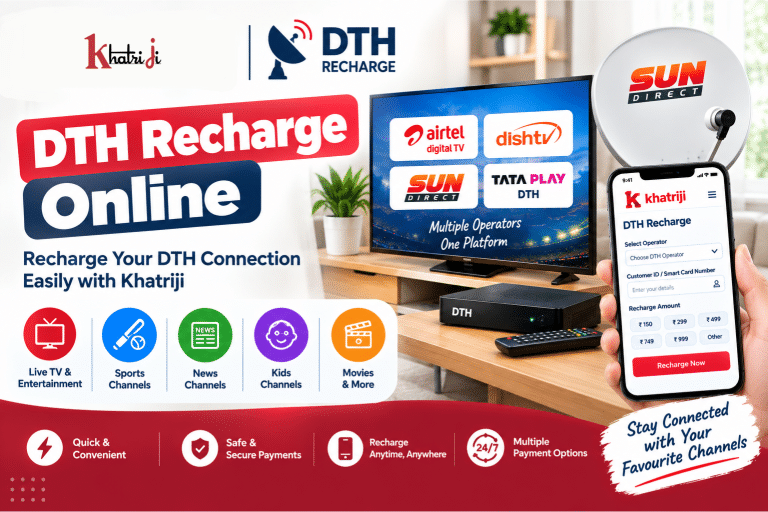
Watching your favorite TV channels becomes inconvenient when your DTH plan expires. Fortunately, you no longer need to visit a local recharge shop to keep your DTH connection active. With DTH Recharge Online, you can recharge your television connection from your smartphone or computer whenever you need it.
Khatriji provides digital recharge and payment services, including DTH recharge, allowing users to manage supported DTH services online from one platform. Khatriji’s published content also lists DTH recharge alongside mobile recharge, utility payments, FASTag and other digital services.
Whether you use Airtel Digital TV, Dish TV, Sun Direct or another supported DTH operator, online recharge can make the process faster and more convenient.
What Is DTH Recharge Online?
DTH Recharge Online is the process of adding a recharge amount or renewing a DTH subscription through an online payment platform instead of visiting a physical retailer.
Depending on your DTH operator, you may need information such as:
- Customer ID
- Subscriber ID
- Smart Card number
- Viewing Card number
- Registered mobile number
- Recharge amount or selected plan
The exact information required can vary between DTH operators.
How to Do DTH Recharge Online with Khatriji
You can follow these general steps to recharge your supported DTH connection through Khatriji.
Step 1: Open Khatriji
Visit Khatriji or use the Khatriji App.
The Khatriji platform provides multiple digital services from a single platform, including recharge and bill-payment services.
Step 2: Select DTH Recharge
Open the DTH Recharge section from the available services.
You can also visit the dedicated DTH Recharge page:
DTH Recharge Online with Khatriji
Step 3: Select Your DTH Operator
Choose your DTH operator from the available list.
Depending on the current Khatriji service options, supported operators may include services such as:
- Airtel Digital TV
- Dish TV
- Sun Direct
- Other supported DTH operators
Always select the operator that matches your television connection.
Step 4: Enter Your Customer Details
Enter the information requested on the recharge page.
This may include:
- Customer ID
- Subscriber ID
- Smart Card number
- Registered mobile number
Check the number carefully before continuing.
Step 5: Enter or Select the Recharge Amount
Enter the amount you want to recharge or select an available recharge option.
Before making payment, verify:
- DTH operator
- Customer ID
- Recharge amount
- Other displayed account information
Step 6: Complete the Payment
Choose an available payment method and complete the payment according to the instructions shown on the checkout page.
Step 7: Check the Recharge Status
After completing the payment, check the transaction result.
Keep your transaction ID or payment confirmation for future reference, especially if the recharge takes some time to reflect on your DTH account.
DTH Recharge Online for Different Operators
Khatriji provides dedicated DTH recharge options for supported operators. Operator-specific requirements can differ, so always verify the customer information requested on the relevant recharge page.
Airtel Digital TV Recharge
Airtel Digital TV customers can use the dedicated Khatriji service for their DTH recharge:
You may need your Airtel Digital TV customer information before starting the recharge.
Dish TV Recharge
Dish TV customers can recharge their connection online through the dedicated Khatriji service:
Keep your Dish TV customer or VC number available before starting the transaction.
Sun Direct Recharge
Sun Direct customers can use the dedicated Khatriji recharge service:
Depending on the service flow, you may need your Smart Card number, Customer ID or other account information.
What Information Is Required for DTH Recharge?
The information required depends on the DTH operator.
Commonly requested details include:
Customer ID
Your DTH Customer ID identifies your subscription account.
Subscriber ID
Some operators use a Subscriber ID for identifying the DTH connection.
Smart Card Number
Certain DTH services may require the number associated with your set-top box or Smart Card.
Registered Mobile Number
Some recharge services may use your registered mobile number to identify the account.
Recharge Amount
You need to select or enter the amount you want to recharge.
Tip: Keep your latest DTH bill, account details or set-top-box information nearby if you are unsure about your Customer ID.
Benefits of DTH Recharge Online
1. Convenient Recharge
You don’t have to visit a DTH retailer every time your subscription needs a recharge.
You can complete the process from your smartphone or computer.
2. Saves Time
Online recharge can reduce the time spent travelling to a physical recharge shop.
3. Recharge From Anywhere
As long as the required service is available and you have internet access, you can make your DTH payment from home, work or while travelling.
4. Digital Transaction Record
Online transactions provide digital transaction information that can be useful for checking previous payments.
Khatriji also provides transaction-history functionality for reviewing previous eligible transactions.
5. Multiple Digital Services
Instead of using separate platforms for every payment, Khatriji provides several digital services through one platform. Its current published information includes services such as DTH recharge, mobile recharge, utility payments, FASTag and other digital services.
How to Choose the Right DTH Recharge Amount?
Before selecting a recharge amount, consider your current subscription and viewing requirements.
Check Your Existing Plan
If your DTH operator provides account or plan information, check the current subscription before recharging.
Consider Your Viewing Requirements
Think about the channels and services you actually use.
Check the Validity
Where applicable, check the validity associated with the recharge before completing the payment.
Verify the Amount
Always confirm the recharge amount before clicking the final payment button.
What to Do If DTH Recharge Fails?
Sometimes an online recharge may not immediately complete because of payment, network or operator-related issues.
If your DTH recharge fails, follow these steps.
1. Check Your Payment Status
First determine whether the transaction is:
- Successful
- Failed
- Pending
2. Check Your Bank or Payment Account
If money has been deducted, don’t immediately make another payment.
First check the transaction status.
3. Check Your Khatriji Transaction History
Review your transaction history to find the transaction and its current status. Keeping the transaction ID can also help when following up on an issue.
4. Wait If the Transaction Is Pending
A pending transaction may require additional processing time.
Avoid repeatedly making the same payment until you understand the status of the original transaction.
5. Contact Support If Required
If the amount has been deducted but the recharge has not been credited, keep your transaction details ready when contacting the relevant support team.
DTH Recharge Successful but Channels Are Not Working?
Sometimes the recharge may be successful while your television channels do not immediately become available.
You can try:
- Confirming that the recharge was successful.
- Checking that the correct Customer ID was used.
- Keeping the DTH set-top box switched on.
- Checking the DTH operator’s instructions for refreshing or reactivating channels.
- Waiting for the operator’s system to update.
- Contacting the DTH operator if the service remains inactive.
The exact activation or refresh process depends on your DTH operator.
Safety Tips for Online DTH Recharge
Online payments are convenient, but you should still follow basic digital-payment security practices.
Verify Your Customer ID
A wrong Customer ID can result in the recharge being applied to the wrong account.
Verify the DTH Operator
Before payment, confirm that you selected the correct operator.
Check the Recharge Amount
Always verify the amount before confirming payment.
Never Share Your UPI PIN
Your UPI PIN should never be shared with another person.
Never Share OTPs
Never disclose an OTP received for authentication or payment.
Avoid Suspicious Payment Links
Use the official Khatriji website or app instead of unknown payment links.
For additional digital-payment safety information, you can also read:
How to Identify Fake Payment Links
DTH Recharge Online with the Khatriji App
If you regularly recharge your DTH connection, using the Khatriji App can make it convenient to access supported recharge and payment services from your smartphone.
The Khatriji App brings multiple digital services together, including mobile recharge, DTH recharge, utility payments, FASTag and other services.
Download the Khatriji App on Google Play
Check Your Khatriji Transaction History
After making a DTH recharge, keeping track of the transaction can be useful.
Your Khatriji transaction history can help you review previous eligible transactions and check information such as transaction records and payment status.
Read the detailed guide:
How to Check Your Khatriji Transaction History
Frequently Asked Questions About DTH Recharge Online
Can I recharge my DTH online?
Yes. Supported DTH connections can be recharged online using digital recharge platforms such as Khatriji.
How do I recharge DTH with Khatriji?
Visit Khatriji, select DTH Recharge, choose your supported DTH operator, enter the requested customer details, verify the recharge information and complete the available payment process.
What is required for DTH recharge?
Depending on your operator, you may need a Customer ID, Subscriber ID, Smart Card number, VC number or registered mobile number.
Can I recharge someone else’s DTH connection?
Where the recharge service allows it, you can enter the recipient’s correct DTH account information and make the payment. Always verify the Customer ID and operator before confirming.
How do I know whether my DTH recharge was successful?
Check the transaction confirmation and your transaction history. If the payment status is unclear, keep the transaction ID and check the status before making another payment.
What should I do if money is deducted but DTH recharge is not successful?
First check whether the transaction is pending or failed. Check your transaction history and keep the transaction ID. Avoid making a duplicate payment until the original transaction status is clear.
Can I recharge DTH from my mobile?
Yes. You can access supported DTH recharge services through a smartphone using the Khatriji website or app.
Is DTH recharge available 24/7?
Online platforms can be accessed at any time, but actual recharge processing and service availability can depend on the DTH operator and the current service status.
Which DTH operators can I recharge?
Supported operators depend on the current Khatriji DTH service. Dedicated Khatriji pages are available for operators including Airtel Digital TV, Dish TV and Sun Direct.
Conclusion
DTH Recharge Online is a convenient way to maintain your television subscription without visiting a physical recharge shop. With Khatriji, you can access supported DTH recharge services, enter your customer information, select the required recharge amount and complete the payment digitally.
Before completing any DTH recharge, always verify your operator, Customer ID and recharge amount. If a transaction does not immediately update, check the payment status and transaction history before attempting another payment.
For supported DTH services, visit the dedicated Khatriji DTH Recharge page.
Tags: Airtel Digital TV Recharge, Dish TV Recharge, DTH Customer ID, DTH Payment Online, DTH Recharge, DTH Recharge India, DTH Recharge Online, Khatriji Recharge, Online DTH Recharge, Sun Direct Recharge