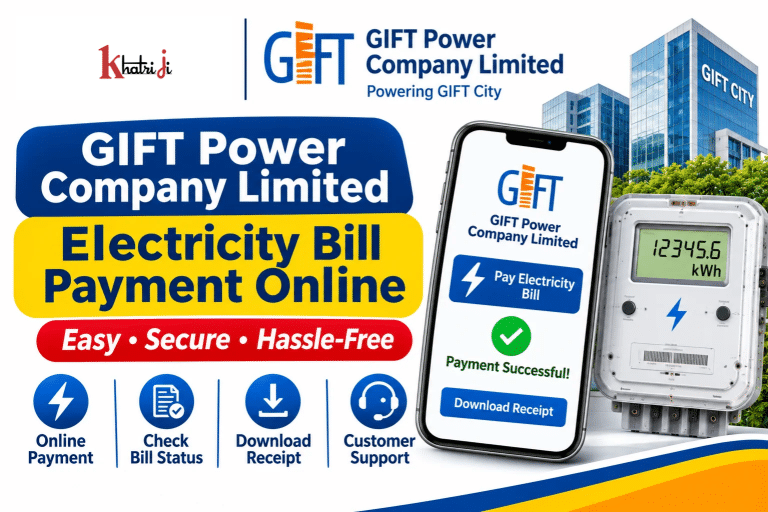
Paying your electricity bill online is a convenient way to manage your monthly utility expenses without visiting a payment office. If your electricity connection is provided by GIFT Power Company Limited (GIFTPCL) in GIFT City, Gandhinagar, Gujarat, you can use the official GIFT City Utilities Portal to check your bill details and make online payments.
With GIFT Power Company Limited Electricity Bill Payment Online, eligible consumers can access digital payment services, manage electricity account information, and keep track of their transactions.
You can also check the availability of GIFT Power Company Limited on Khatriji and use the official payment portal if the biller is not available.
In this guide, we will explain how to pay your GIFT Power electricity bill online, check payment status, download receipts, understand the required consumer details, and contact customer support.
What Is GIFT Power Company Limited?
GIFT Power Company Limited (GIFTPCL) is the electricity distribution company associated with GIFT City (Gujarat International Finance Tec-City), located in Gandhinagar, Gujarat.
The company provides electricity-related services to eligible consumers and users within its service area.
GIFT City has developed a unified utilities platform that provides services for five major utilities:
- Power
- Water
- Sewage
- District Cooling
- Solid Waste Collection
The GIFT City Utilities Portal allows consumers and developers to access relevant utility services, including electricity billing and payments.
How to Pay GIFT Power Company Limited Electricity Bill Online with Khatriji
If GIFT Power Company Limited is available in the Khatriji electricity biller list, you can follow these general steps:
- Visit the Khatriji website.
- Open the Electricity Bill Payment section.
- Search for GIFT Power Company Limited.
- Select the electricity biller if it appears in the available list.
- Enter the required Consumer Number or Account details.
- Fetch your bill details if the service supports bill fetching.
- Verify the consumer name and payable amount.
- Select an available payment method.
- Complete the transaction by following the payment gateway instructions.
- Save the payment confirmation and Transaction ID.
Important: Biller availability may change. Check whether GIFT Power Company Limited is currently supported by Khatriji before starting your payment. If it is not listed, use the official GIFT City Utilities Portal.
How to Pay GIFT Power Electricity Bill on the Official Website
GIFT Power Company Limited provides an online bill payment facility through the GIFT City Utilities Portal.
Official Quick Payment Portal:
https://utilities.giftgujarat.in/quick-payment
Follow these steps to pay your electricity bill:
- Open the official GIFT City Utilities Quick Payment page.
- Select the relevant utility, such as Power, if required.
- Enter your Consumer Number.
- Click the Search button.
- Check the consumer details displayed on the screen.
- Review the Bill Cycle and Bill Number.
- Verify the Payable Amount.
- Enter the required payment details, such as Amount, TDS Amount, and Financial Year, wherever applicable.
- Follow the available payment gateway instructions.
- Complete the payment and save the confirmation.
The official Quick Payment page includes fields for Utility, Consumer Number, Consumer Name, Bill Cycle, Bill Number, Payable Amount, Amount, TDS Amount, and Financial Year.
Always enter the details exactly as shown on your electricity bill and the official payment page.
How to Register on the GIFT City Utilities Portal
Consumers who want to access additional utility services can explore the official GIFT City Utilities Portal.
The portal provides access to utility-related applications, billing, payments, and other services.
To get started:
- Visit https://utilities.giftgujarat.in/.
- Explore the available consumer services.
- Select the relevant Power or Electricity service.
- Follow the registration or login instructions displayed on the portal.
- Enter the required consumer and contact details.
- Complete any verification steps requested by the portal.
The registration process and available account services may depend on your consumer category and the service you want to access.
What Details Are Required for GIFT Power Bill Payment?
Before starting your electricity bill payment, keep the relevant account information ready.
The official Quick Payment page requests the following information:
- Consumer Number
- Utility selection
- Consumer Name
- Bill Cycle
- Bill Number
- Payable Amount
- Payment Amount
- TDS Amount, where applicable
- Financial Year
The information required may depend on the consumer category and the transaction.
Check your electricity bill carefully before entering these details. If any information does not match, contact GIFT Power customer support before making the payment.
How to Check GIFT Power Electricity Bill Payment Status
After completing an online electricity bill payment, it is important to confirm whether the transaction was successful.
You can follow these general steps:
- Check the payment confirmation displayed after completing the transaction.
- Save the Transaction ID or payment reference number.
- Check your bank account or payment application for the transaction status.
- Visit the official GIFT City Utilities Portal.
- Explore the available billing or payment services to check your transaction details.
- Contact customer support if the payment status remains unclear.
If money has been deducted from your bank account but the electricity bill still appears unpaid, do not immediately make another payment. First, verify the original transaction.
How to Download GIFT Power Electricity Bill Payment Receipt
A payment receipt is useful for maintaining records and resolving future payment-related issues.
After completing a successful transaction:
- Check the payment confirmation page.
- Look for the available Receipt, Download, or Print option.
- Save the receipt in PDF format if available.
- Keep the Transaction ID and bank reference number.
- Store the receipt safely for future reference.
If you cannot find your receipt, check the available payment history or contact GIFT Power customer support with your transaction details.
GIFT Power Electricity Bill Payment Methods
The payment options available to consumers depend on the official payment gateway and the transaction type.
When you open the official Quick Payment portal, follow the payment options displayed during checkout.
Depending on the available gateway, digital payment options may include UPI, debit cards, credit cards, net banking, or other supported methods.
Note: Do not assume that every payment method is available for every transaction. Always verify the options and any applicable charges on the payment screen before proceeding.
GIFT Power Electricity Bill Payment Through Mobile App
GIFT City also provides an official Android application called GIFT Utilities.
The application is developed by Gujarat International Finance Tec-City Company Limited and is intended to bring GIFT City services together on a common digital platform.
The app currently provides electricity bill payment and other utility-related services.
To use it:
- Open Google Play Store.
- Search for GIFT Utilities.
- Check that the developer is Gujarat International Finance Tec-City Company Limited.
- Install the application.
- Open the app and follow its registration or login instructions.
- Select the electricity service.
- Enter the required consumer details.
- Follow the available payment instructions.
- Save your payment confirmation.
Official Android App:
https://play.google.com/store/apps/details?id=com.giftutilities
Always download the application from the official Google Play Store and verify the developer before installing it.
What to Do if Money Is Deducted but the GIFT Power Bill Is Not Updated?
Sometimes a payment gateway or banking network may take time to update a transaction.
If money has been deducted but your electricity bill still shows an outstanding amount, follow these steps:
- Do not immediately pay the same bill again.
- Check the transaction status in your bank or UPI application.
- Save the Transaction ID and bank reference number.
- Keep a screenshot or copy of the payment confirmation.
- Check the official portal again after some time.
- Contact GIFT Power customer support if the transaction remains unresolved.
When contacting customer support, provide the Consumer Number, payment date, amount, and transaction reference.
Common GIFT Power Electricity Bill Payment Problems and Solutions
1. Consumer Number Is Not Recognised
If the portal does not recognise your Consumer Number, check the number printed on your electricity bill.
Make sure that you have selected the correct utility and entered the details in the required format.
2. Bill Details Are Not Displayed
Verify the Consumer Number and try again. If the problem continues, contact the official support team.
3. Payment Failed
Check your bank account or payment application to confirm whether money was deducted.
If no amount was deducted, you can retry after verifying your details and checking the payment gateway.
4. Money Deducted but Bill Still Unpaid
Save your Transaction ID and bank reference number. Verify the transaction before making another payment.
5. Receipt Is Not Available
Check the payment confirmation page and available payment history. If the receipt is still unavailable, contact customer support.
6. Official Website Is Not Working
The portal may occasionally be unavailable due to maintenance or technical issues.
Try again later and avoid making repeated payments until the status of your earlier transaction is clear.
7. Incorrect Bill Amount Is Displayed
Do not proceed with the payment if the amount or consumer information appears incorrect. Contact GIFT Power support and request clarification.
GIFT Power Company Limited Customer Care
For electricity billing, payment, and utility-related assistance, consumers can use the contact details provided by GIFT Power and GIFT City.
GIFT Power Company Limited Contact Details
- Email: giftpower.billdesk@giftgujarat.in
- Phone: 079-61708300
- 24×7 Helpline: 8141033366 / 8141433366
- Official Utilities Portal: https://utilities.giftgujarat.in/
- Location: EPS, Building No. 49A, Block 49, Zone 04, Gyan Marg, GIFT City, Gandhinagar, Gujarat.
For assistance related specifically to the GIFT Utilities mobile application, the Google Play listing provides:
- Support Email: utilitycare@giftgujarat.in
- Developer Contact: +91 90997 00247
- Additional Email: citizen.help@giftgujarat.in
For billing-related complaints, contact the relevant official support channel and provide your Consumer Number and transaction details.
Tips for Safe GIFT Power Electricity Bill Payment Online
Keep these points in mind when paying your electricity bill online:
- Use the official GIFT City Utilities Portal or a trusted payment platform.
- Verify the website address before entering your consumer information.
- Check the Consumer Number and Bill Number carefully.
- Confirm the payable amount before completing payment.
- Review any applicable payment charges.
- Never share your OTP, UPI PIN, card PIN, or banking password.
- Save your Transaction ID after payment.
- Download your payment receipt for future reference.
- Do not make duplicate payments if money has already been deducted.
- Contact official customer support if your payment remains unresolved.
Frequently Asked Questions About GIFT Power Company Limited Electricity Bill Payment
1. How can I pay my GIFT Power electricity bill online?
You can use the official GIFT City Utilities Quick Payment portal at https://utilities.giftgujarat.in/quick-payment. Enter your Consumer Number, verify the bill details, and follow the available payment instructions.
2. What is GIFT Power Company Limited?
GIFT Power Company Limited (GIFTPCL) is the electricity distribution company associated with GIFT City in Gandhinagar, Gujarat.
3. What is the official GIFT Power bill payment website?
The official GIFT City Utilities Portal is https://utilities.giftgujarat.in/. The Quick Payment page is https://utilities.giftgujarat.in/quick-payment.
4. What details are required for GIFT Power bill payment?
The official Quick Payment page requests details such as Consumer Number, Utility, Bill Cycle, Bill Number, Payable Amount, Amount, TDS Amount, and Financial Year, as applicable.
5. Can I pay my GIFT Power electricity bill through Khatriji?
You can check whether GIFT Power Company Limited is available in Khatriji’s electricity biller list. If the biller is not available, use the official GIFT City Utilities Portal.
6. How can I check my GIFT Power bill payment status?
Check your payment confirmation and bank transaction status. You can also explore the official utilities portal for available billing and payment services.
7. How can I download my GIFT Power electricity bill receipt?
After successful payment, use the available receipt or acknowledgement option on the payment page. Save the receipt and Transaction ID for future reference.
8. What should I do if money is deducted but my bill is not updated?
Do not immediately make another payment. Save your Transaction ID, check your bank transaction, and contact GIFT Power customer support if the payment remains unresolved.
9. Does GIFT City have an official electricity bill payment app?
Yes. GIFT City provides the GIFT Utilities Android application through Google Play Store. It offers electricity bill payment and other utility-related services.
10. What is the GIFT Power customer care number?
The GIFT Power bill document lists 079-61708300 and the 24×7 helpline numbers 8141033366 and 8141433366. You can also email giftpower.billdesk@giftgujarat.in.
11. Can I pay my GIFT Power bill without registration?
The official portal provides a Quick Payment page where consumers can enter their Consumer Number and bill details. Follow the current instructions displayed on the page to complete payment.
12. Who can use GIFT Power Company Limited electricity services?
GIFT Power services are intended for eligible consumers within its service area in GIFT City, Gandhinagar, Gujarat. Check your electricity bill to confirm the distribution company associated with your connection.
Conclusion
GIFT Power Company Limited Electricity Bill Payment Online provides consumers in GIFT City with a convenient way to manage their electricity payments digitally.
You can check the availability of GIFT Power Company Limited on Khatriji or use the official GIFT City Utilities Portal to access Quick Payment services.
Before completing your transaction, verify your Consumer Number, Bill Number, and payable amount. After payment, save your receipt and Transaction ID.
If you experience a payment issue, check the original transaction status before attempting another payment. Using the official portal and following basic online payment safety practices can help you manage your GIFT Power electricity bill conveniently.
Tags: Electricity Payment Status, GIFT City Electricity Bill, GIFT City Utilities, GIFT Power Bill Payment, GIFT Power Company Limited, Gujarat Electricity Bill, khatriji, Online Electricity Bill Payment