
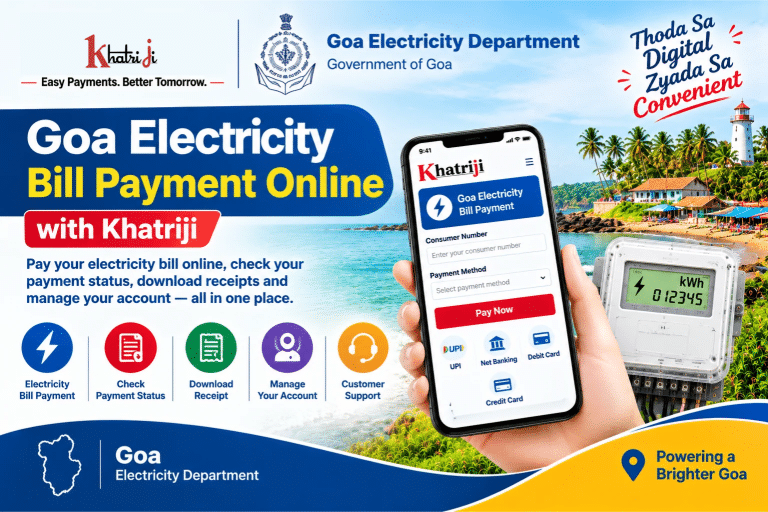
Goa electricity bill payment online makes it easier for consumers to pay their electricity bills from home without visiting a payment counter. By using online payment services, you can check your bill details, complete payments digitally, and keep your transaction receipts for future reference.
With Goa Electricity Bill Payment Online, consumers can explore payment options through Khatriji and the official Electricity Department, Government of Goa website. Depending on the service available, online payments may support UPI, debit cards, credit cards, and net banking.
Before making a payment, keep your electricity Consumer Number or Contract Account Number ready. Always verify the consumer details and bill amount before confirming the transaction.
In this guide, you will learn how to pay your Goa electricity bill online, check payment status, download receipts, register for e-bills, and resolve common payment problems.
What Is Goa Electricity Bill Payment Online?
Goa Electricity Bill Payment Online is a digital facility that allows consumers to pay their electricity bills through an online payment portal. The Electricity Department, Government of Goa, provides online services for electricity bill payments and consumer account management.
Consumers can visit the official website to access services such as:
- Online electricity bill payment.
- Consumer account login and registration.
- Bill and payment history for registered consumers.
- E-bill registration.
- Online grievance and feedback submission.
- Other electricity-related services available through the department.
The exact services available may depend on your consumer account and the official portal you use.
How to Pay Goa Electricity Bill Online with Khatriji
If Goa Electricity Department bill payment is available on Khatriji, follow these general steps to complete your payment.
- Visit Khatriji: Open the Khatriji website and navigate to the electricity bill payment service.
- Select Goa Electricity Department: Find Goa or the relevant electricity provider in the available biller list.
- Enter your consumer details: Provide the Consumer Number, Contract Account Number, or other details requested by the payment form.
- Fetch and verify your bill: If the service supports bill fetching, check the consumer details and outstanding amount displayed on the screen.
- Choose a payment method: Select one of the available payment options.
- Complete the transaction: Follow the instructions on the payment gateway to authorize your payment.
- Save the confirmation: Keep your transaction reference and download the receipt if available.
Important: Biller availability on Khatriji may vary. If Goa Electricity Department is not listed, use the official Goa Electricity Department payment portal instead.
How to Pay Goa Electricity Bill on the Official Website
The Electricity Department, Government of Goa, provides an official online payment facility.
Official website: https://www.goaelectricity.gov.in/
Direct payment page: https://www.goaelectricity.gov.in/pay-online/
Follow these steps:
- Open the official Goa Electricity Department website.
- Select the Pay Online option.
- Choose one of the payment gateways available on the website.
- Enter your Consumer Number or the account identifier requested by the selected service.
- View your bill details, if prompted.
- Verify the consumer information and payment amount.
- Proceed to the payment gateway and complete the transaction.
- Save or print the payment receipt for your records.
The department’s payment page lists instant payment options that include credit cards, debit cards, UPI, and net banking through supported gateways. Convenience charges may apply according to the selected gateway’s policy. Check the amount displayed before confirming payment.
How to Pay Through the Goa Electricity Consumer Portal
Goa Electricity Department also provides a consumer portal for registered users.
Consumer portal: https://consumer.goaelectricity.gov.in/Account/
Registered consumers can sign in using their User ID or Consumer Number and password. The portal provides access to consumer account services.
To use the portal:
- Open the official consumer login page.
- Sign in using your registered credentials.
- Open the relevant bills or payment section.
- Select the bill you want to pay.
- Review the bill details.
- Follow the available online payment instructions.
- Save the payment confirmation and receipt.
If you are a new user, look for the registration option on the portal. The department’s current consumer portal also displays a notice asking registered users to reset their passwords through the Forgot Password option following a website technology upgrade.
Which Payment Methods Are Available for Goa Electricity Bills?
The payment methods available depend on the gateway selected on the official website.
The Goa Electricity Department’s Pay Online page lists the following types of payment options:
- UPI: Authorize the payment through a supported UPI application.
- Debit card: Use a supported debit card to complete the transaction.
- Credit card: Pay using a supported credit card.
- Net banking: Make the payment through an eligible bank’s online banking facility.
- NEFT/RTGS: Use the department’s designated transfer facility where applicable.
Not every method is necessarily available through every payment gateway. Check the options shown on the official payment page before proceeding.
How to Check Goa Electricity Bill Payment Status
After paying your electricity bill, check whether the transaction was successful and whether the payment has been recorded against your account.
Follow these steps:
- Visit the official Goa Electricity Department website or consumer portal.
- Sign in if the service requires a registered account.
- Open the bill or payment history section, where available.
- Look for the relevant transaction.
- Verify the payment status and save the available confirmation.
If you paid through a third-party gateway, you can also check the transaction status through the payment service or your bank.
Some payments may take time to appear in the electricity department’s records. If your bank shows a successful transaction but the bill remains unpaid, avoid paying again immediately. Keep your transaction reference and contact the department if the issue persists.
How to Download Goa Electricity Bill Payment Receipt
A payment receipt is useful for maintaining records and resolving billing disputes.
To obtain your receipt:
- Open the official payment portal or consumer account used for the transaction.
- Look for Payment History, Receipt, or a similar option.
- Enter the requested account details or transaction reference.
- Select the relevant successful payment.
- Download or print the receipt if the option is available.
- Save a digital copy for future reference.
The Goa Electricity Department’s official FAQs explain that successful online payment can provide a receipt that can be printed or saved digitally. The exact receipt retrieval process depends on the payment method used.
If the receipt is unavailable, keep the payment confirmation and transaction ID until the issue is resolved.
How to Register for Goa Electricity E-Bill
The Electricity Department, Government of Goa, offers an e-bill registration facility for consumers who want to receive their bills electronically.
Official e-bill page: https://ebill.goaelectricity.gov.in/
The e-bill service asks consumers to register using their Contract Account Number.
To register:
- Open the official e-bill website.
- Enter the Contract Account Number requested by the portal.
- Complete the registration steps displayed on the page.
- Follow any verification instructions provided.
- Check the confirmation of your registration.
Electronic bills can make it easier to access billing information without relying only on printed bills. Keep your registered contact information up to date and check the portal for the current registration requirements.
How to Submit a Goa Electricity Department Complaint Online
If you have a billing, payment, or electricity service issue, you can use the official grievance facility.
Online services: https://eservices.goaelectricity.gov.in/
The department’s online services include grievance and feedback options. The official grievance portal also provides facilities for submitting a new grievance and tracking its status.
When submitting a complaint:
- Open the official online services portal.
- Select Grievance or Feedback.
- Choose the relevant complaint category.
- Enter the requested consumer and contact details.
- Explain the issue clearly.
- Attach supporting documents if the portal requests them.
- Submit the complaint and save the reference number.
For a payment-related complaint, include the transaction date, transaction reference, amount paid, and relevant payment confirmation. Never include your UPI PIN, banking password, or OTP.
Common Goa Electricity Bill Payment Problems and Solutions
Online bill payment is generally straightforward, but technical or banking issues may occasionally occur.
1. Goa Electricity Bill Payment Failed
If the payment fails, check your bank account or payment application to determine whether the amount was deducted.
If the transaction is confirmed as failed and no amount was deducted, verify your consumer details and try again when the payment service is available.
2. Money Deducted but Bill Still Shows Unpaid
If money has been deducted but your bill has not been updated:
- Save the transaction reference number.
- Check the transaction status with your bank or payment gateway.
- Review your electricity account or payment history.
- Avoid making a duplicate payment until the original transaction status is clear.
- Contact the electricity department if the issue remains unresolved.
The time required for a payment to reflect can depend on the payment gateway and the department’s processing system.
3. Incorrect Consumer Number
If the portal cannot find your bill, check the Consumer Number or Contract Account Number printed on your electricity bill.
Different services may ask for different account identifiers. Enter the number exactly as requested by the portal and avoid adding spaces or unrelated characters.
4. Payment Receipt Not Available
Check the payment history or receipt section on the portal you used. If the payment was successful but the receipt is not available, keep your transaction reference and contact the relevant support service.
5. Online Payment Website Is Not Working
If the official website is temporarily unavailable, try again later. You can also check the department’s main website for updates or use another officially supported payment gateway.
Before trying an alternative method, confirm the status of your earlier payment to avoid duplicate transactions.
6. Payment Gateway Shows Additional Charges
The Goa Electricity Department’s Pay Online page states that convenience charges may apply according to the gateway’s policy.
Review the final amount and any displayed charges before authorizing payment. If the amount is unclear, check the gateway’s terms or contact its support service.
Goa Electricity Department Customer Care
For electricity bill payment, account, and power supply complaints, contact the Electricity Department through its official support channels.
Electricity Department, Government of Goa
- Official website: https://www.goaelectricity.gov.in/
- 24×7 toll-free complaint helpline: 1912
- Calls from outside Goa: +91-832-2485500
- Email: customersupport@goaelectricity.gov.in
The department states that consumers across Goa can register power supply-related complaints through its 24×7 call centre. https://www.goaelectricity.gov.in/contact-us/
When contacting customer care, keep your Consumer Number, bill details, payment date, and transaction reference ready. These details can help the support team understand your issue.
Never share your OTP, UPI PIN, or banking password with anyone claiming to be a customer support representative.
Tips for Safe Goa Electricity Bill Payment Online
Follow these tips when paying your electricity bill online:
- Keep your Consumer Number or Contract Account Number ready.
- Check the consumer details and bill amount before paying.
- Use the official electricity department website or a trusted payment service.
- Verify the website address before entering account details.
- Review any convenience charges shown on the payment screen.
- Never share your OTP, UPI PIN, or banking password.
- Save your transaction ID and payment receipt.
- Check the status of a failed or pending payment before trying again.
- Contact official customer support if your payment remains unresolved.
Frequently Asked Questions About Goa Electricity Bill Payment
1. How can I pay my Goa electricity bill online?
You can use Khatriji if Goa Electricity Department is available in its biller list. Alternatively, visit the official payment page at https://www.goaelectricity.gov.in/pay-online/ and follow the instructions.
2. What is the official website for Goa electricity bill payment?
The official Electricity Department website is https://www.goaelectricity.gov.in/. Its dedicated Pay Online page is https://www.goaelectricity.gov.in/pay-online/.
3. Which number is required to pay the Goa electricity bill?
The portal may request a Consumer Number or Contract Account Number. Check your electricity bill and enter the identifier requested by the payment service.
4. Can I pay my Goa electricity bill through UPI?
The Goa Electricity Department’s Pay Online page lists UPI among the supported instant payment options. Availability depends on the gateway and the options displayed during payment.
5. Can I pay my Goa electricity bill using a debit or credit card?
Yes, the department’s official payment page lists debit cards and credit cards among the available payment options through supported gateways.
6. How can I check my Goa electricity bill payment status?
Check the payment history or relevant consumer account section on the official portal. You can also review the transaction status through your bank or payment gateway.
7. How can I download my Goa electricity bill receipt?
After a successful payment, use the receipt or payment history facility available through the relevant portal. If the receipt is not available, save your transaction reference and contact support.
8. Can I register for Goa electricity e-bills?
Yes. The department provides an e-bill registration page at https://ebill.goaelectricity.gov.in/. Follow the instructions and provide the required Contract Account Number.
9. What should I do if money is deducted but my electricity bill is unpaid?
Check the transaction status with your bank and save the payment reference. Avoid paying again until you have checked the original transaction. Contact the department if the bill remains unpaid after the payment is processed.
10. What is the Goa Electricity Department customer care number?
The department lists 1912 as its 24×7 toll-free complaint helpline. For calls from outside Goa, it lists +91-832-2485500. The official email is customersupport@goaelectricity.gov.in.
11. Can I pay my Goa electricity bill through net banking?
Yes, net banking is listed among the payment options on the department’s official Pay Online page. Select a supported gateway and follow its payment instructions.
12. Can I pay my Goa electricity bill through NEFT or RTGS?
The department lists a NEFT/RTGS facility for applicable transfers. Visit the official website and follow the designated process rather than using unverified bank details.
Conclusion
Goa Electricity Bill Payment Online helps consumers pay their electricity bills digitally and maintain records of their transactions. You can use Khatriji if the Goa Electricity Department payment option is available, or use the official Goa Electricity Department website and its supported payment gateways.
Before confirming a transaction, verify your Consumer Number, bill amount, and any applicable convenience charges. After payment, save the receipt and transaction reference.
If your payment fails or the bill is not updated, check the transaction status before trying again. For unresolved billing or power supply complaints, contact the Electricity Department through its official customer care channels.
Tags: Electricity Bill Receipt, Electricity Payment Status, Goa Bill Payment, Goa Electricity Bill, Goa Electricity Bill Payment, Goa Electricity Department, khatriji, Online Electricity Bill Payment