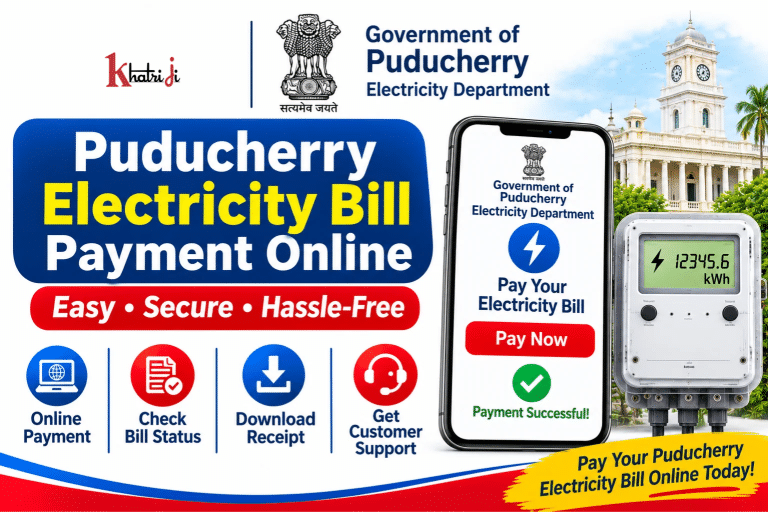
Paying your electricity bill online is a convenient way to avoid visiting a bill collection counter and standing in queues. If your electricity connection comes under the Electricity Department, Government of Puducherry, you can use the department’s official online services to view your bill details and make payments through the available digital payment options.
With Government of Puducherry Electricity Bill Payment Online, eligible LT (Low Tension) and HT (High Tension) consumers can pay their current electricity consumption charges using supported online banking and card facilities.
The Electricity Department provides an online payment service through its official consumer portal. Depending on the available service and consumer category, payment options may include SBI Internet Banking, SBI ATM-cum-Debit Cards, other bank debit cards and other bank Internet Banking.
In this guide, you will learn how to pay your Puducherry electricity bill online, find your consumer details, check payment status, save your receipt and contact the Electricity Department if you face any payment-related problems.
About the Electricity Department, Government of Puducherry
The Electricity Department of the Government of Puducherry is responsible for electricity-related services in the Union Territory of Puducherry.
The department provides services related to electricity connections, billing, payment collection, consumer complaints and power supply.
Consumers can access online electricity billing and payment services through the department’s official website and dedicated consumer portal.
The department’s online services are intended to make electricity bill payment and other consumer-related processes more convenient.
How to Pay Puducherry Electricity Bill Online Through Khatriji?
If the Government of Puducherry Electricity Department is available in Khatriji’s electricity biller list, you can follow these general steps to make an online payment.
- Visit the Khatriji website: https://khatriji.in/
- Open the Electricity Bill Payment section.
- Search for Government of Puducherry Electricity Department.
- Select the biller if it is available.
- Enter your Consumer Number or the details requested on the payment page.
- Submit the details to fetch your electricity bill, if bill-fetching is supported.
- Verify the consumer name and payable amount.
- Select one of the available payment methods.
- Follow the payment gateway instructions to complete the transaction.
- Save the payment confirmation and transaction reference for future use.
Important: Check whether the Puducherry Electricity Department biller is currently available on Khatriji. If it does not appear in the biller list, use the department’s official online payment portal instead.
How to Pay Government of Puducherry Electricity Bill Through the Official Website?
The Government of Puducherry provides an online electricity bill payment service through its dedicated Electricity Department consumer portal.
Official Electricity Bill Payment Portal:
https://pedservices.py.gov.in/
You can also visit the Electricity Department’s official website:
https://electricity.py.gov.in/
Steps for Online Electricity Bill Payment
- Open the official Electricity Department website.
- Visit the online payment section or open the consumer portal directly.
- Select the applicable electricity bill payment service.
- Choose the relevant consumer category, such as LT or HT, if requested.
- Enter your Consumer Code or Consumer Number as required.
- Check the consumer name and address displayed on the screen.
- Verify the billing month, bill date, due date and outstanding amount.
- Provide the remitter details requested by the portal.
- Complete the CAPTCHA or other payment authentication steps, if displayed.
- Continue to the available bank payment page.
- Select a supported payment method and complete the transaction.
- Wait for the payment confirmation.
- Download or save the receipt generated by the portal.
The department advises consumers to preserve the payment receipt generated after a successful transaction.
Note: The exact screen layout and available payment options may change. Follow the instructions displayed on the official portal during payment.
How to Pay Puducherry Electricity Bill Using Internet Banking?
The Electricity Department documents online payment of current consumption charges for HT and LT consumers through internet banking and supported cards.
The listed payment options include:
- State Bank of India Internet Banking
- State Bank of India ATM-cum-Debit Cards
- Debit Cards issued by other banks
- Internet Banking of other banks
Steps to Make Payment
- Open the official online payment service.
- Select the appropriate payment category.
- For the banking flow described by the department, select the state as Puducherry.
- Select the institution type as Government Department.
- Choose Electricity Department, Pondicherry.
- Select the relevant category, such as HT Electricity Bill Collection or LT Electricity Bill Collection.
- Enter the Consumer Code assigned by the department.
- Check the consumer name, address, billing month, bill date, due date and outstanding amount.
- Enter the remitter information requested by the payment page.
- Continue to the bank’s payment page.
- Complete the transaction using a supported payment method.
- Save the receipt generated after successful payment.
The department’s instructions state that the payment receipt should be preserved for future clarification or verification.
What Information Is Required for Puducherry Electricity Bill Payment?
Before starting the online payment process, keep your latest electricity bill or consumer details ready.
You may need the following information:
- Consumer Code or Consumer Number
- Consumer Name
- Consumer Address
- Billing Month
- Bill Date
- Due Date
- Outstanding Bill Amount
- Remitter Name
- Remitter Date of Birth, if requested
- Mobile Number
- CAPTCHA or payment authentication details
The exact information required depends on the payment portal and consumer category.
Always verify your consumer details and payable amount before proceeding to the bank payment page.
How to Check Puducherry Electricity Bill Payment Status?
After making an online payment, you should verify whether the transaction was completed successfully.
Follow these steps:
- Check the payment confirmation message displayed after the transaction.
- Note down the Transaction ID or Payment Reference Number.
- Check your bank account or card transaction history.
- If you used UPI through a supported payment service, check the transaction status in your UPI app.
- Visit the official Electricity Department consumer portal.
- Check the available billing or payment information.
- If the payment is not reflected, contact the Electricity Department or the relevant bank with your transaction details.
The department states that online payments are adjusted in the billing data after confirmation is received from the bank.
Therefore, a successful bank transaction and an updated electricity bill record may not appear at exactly the same time.
How to Download Puducherry Electricity Bill Payment Receipt?
A payment receipt is important proof that you have completed your electricity bill payment.
After making a successful payment:
- Wait for the payment confirmation page.
- Look for the receipt, challan, print or download option.
- Open the generated payment receipt.
- Download or print the receipt, if the option is available.
- Save the Transaction ID and payment reference details.
- Keep a copy for future reference.
The Electricity Department specifically advises consumers to preserve the receipt generated by the online payment portal.
If you need to reprint a challan, use the available portal facility and the information requested during the payment process.
What Are the Available Payment Methods for Puducherry Electricity Bills?
The Electricity Department lists several payment modes for electricity bills.
1. Online Payment
Eligible HT and LT consumers can use the department’s documented online payment facility through supported banking and card options.
2. Cash Payment
Consumers can pay at the designated bill collection counters under the applicable jurisdiction.
3. Demand Draft
The department also documents payment through Demand Draft, subject to its prescribed conditions.
4. Cheque Payment
Cheque payments are subject to the department’s rules. Prior written permission from the officer who issued the bill may be required.
For online payments, always check the payment options currently displayed on the official portal. Not every method is necessarily available for every consumer or transaction.
Important Information for LT and HT Consumers
The Puducherry Electricity Department provides separate instructions for Low Tension (LT) and High Tension (HT) consumers.
LT Consumers
- The online payment facility is available for LT consumers.
- The payable amount may include current charges, arrears and applicable surcharges.
- The department’s instructions state that payment may be accepted even when the total amount due is zero.
- Consumers should pay the amount in full by the due date shown on the payment page.
HT Consumers
- The online payment facility is also available for HT consumers.
- The amount may include current charges, arrears, applicable belated payment surcharge and sales tax.
- The department’s instructions state that part payment is not allowed through the described online facility.
- Consumers should pay the full amount by the due date.
Always follow the latest amount and instructions shown on the official payment portal.
What Happens If You Pay Your Electricity Bill After the Due Date?
Consumers are advised to pay their electricity bills in full on or before the due date mentioned on the bill.
The Electricity Department’s online payment instructions state that delayed payments may attract a Belated Payment Surcharge (BPSC), which may be reflected in a subsequent bill.
The applicable charges depend on the consumer category and department rules.
To avoid additional charges:
- Check your bill’s due date.
- Pay the outstanding amount within the permitted period.
- Save your payment receipt.
- Check the next bill if a previous payment was made after the due date.
What to Do If Money Is Deducted but the Electricity Bill Is Not Updated?
Sometimes money may be deducted from your bank account, but the electricity bill may continue to show an outstanding amount.
This can happen when the bank confirmation or payment update is pending.
If this happens:
- Do not immediately make another payment.
- Check the transaction status in your bank account.
- Save the bank reference number and transaction ID.
- Keep a screenshot of the payment confirmation.
- Check the electricity payment status again after some time.
- Contact the bank or Electricity Department if the payment remains unaccounted for.
When contacting support, provide your Consumer Number, payment date, amount and transaction reference.
The department’s online payment instructions state that payments are adjusted to billing data after bank confirmation. If a payment is not accounted for, the department advises verification through the bank.
Common Puducherry Electricity Bill Payment Problems and Solutions
1. Consumer Number Is Not Accepted
Check the Consumer Code printed on your latest electricity bill.
Make sure you have selected the correct payment category and entered the number in the required format.
2. Bill Details Are Not Displayed
Recheck your Consumer Number and try again.
If the problem continues, contact the Electricity Department’s billing section.
3. Online Payment Failed
Check whether the amount was deducted from your bank account.
If no amount was deducted, you can retry after verifying the consumer and payment details.
If the amount was deducted, verify the transaction status before making another payment.
4. Payment Is Successful but the Bill Shows Outstanding
Keep your Transaction ID and bank reference number.
Allow time for the bank confirmation and billing update. If the payment is still not reflected, contact the department or bank.
5. Payment Receipt Is Not Available
Check the payment confirmation page and the portal’s available receipt or challan reprint facility.
Keep your remitter details and transaction reference ready if you need assistance.
6. Wrong Bill Amount Is Displayed
Do not proceed with payment if the consumer details or payable amount appear incorrect.
Contact the officer or billing section responsible for issuing your electricity bill.
7. Electricity Bill Has an Incorrect Reading
Submit a written complaint to the officer who issued the bill.
The department may refer the matter for verification, including field inspection where necessary.
Puducherry Electricity Department Customer Care
If you face problems related to electricity supply, billing or online payment, you can contact the Electricity Department through its official support channels.
Important Contact Details
- Department: Electricity Department, Government of Puducherry
- Address: 137, NSC Bose Salai, Puducherry – 605 001
- Toll-Free Complaint Number: 1800 425 1912
- Short Complaint Code: 1912
- Official Website: https://electricity.py.gov.in/
- Online Payment Portal: https://pedservices.py.gov.in/
The toll-free number and short code are listed by the department for registering fuse-off calls and other complaints.
Online Payment Assistance
For assistance specifically related to the online payment facility, the department lists the following contacts:
State Bank of India – Main Branch, Puducherry
- Assistant Manager contact: +91 94425 22664
HT Billing Section
- Phone: +91 413 2336361
- Phone: +91 413 2222270
- Extension: 207
LT Billing Section
- Phone: +91 413 2336361
- Phone: +91 413 2222270
- Extensions: 515 / 520 / 522, according to the relevant Revenue section
When contacting the department, keep your Consumer Code, bill details and payment reference ready.
Tips for Safe Online Electricity Bill Payment
Follow these precautions whenever you pay your electricity bill online:
- Use the official Electricity Department payment portal or a trusted payment platform.
- Check the website address before entering consumer or banking details.
- Verify the Consumer Number and consumer name.
- Confirm the payable amount and due date.
- Use a secure internet connection.
- Never share your OTP, ATM PIN, UPI PIN or banking password.
- Do not make repeated payments when an earlier transaction is pending.
- Save the payment receipt and transaction reference.
- Contact official support if your payment is not reflected.
Frequently Asked Questions About Puducherry Electricity Bill Payment
1. How can I pay my Puducherry electricity bill online?
Visit the official Electricity Department consumer portal at https://pedservices.py.gov.in/. Select the relevant payment service, enter your Consumer Code, verify the bill details and follow the available payment instructions.
2. What is the official Puducherry electricity bill payment website?
The official online payment portal is https://pedservices.py.gov.in/. The Electricity Department’s main website is https://electricity.py.gov.in/.
3. What is the Consumer Code in a Puducherry electricity bill?
The Consumer Code is the identification number assigned by the Electricity Department to an electricity connection. You need to enter the assigned code when using the relevant online payment facility.
4. Can LT consumers pay their electricity bills online?
Yes. The Electricity Department documents an online payment facility for LT consumers through supported banking and card options.
5. Can HT consumers pay their electricity bills online?
Yes. The department also documents online payment of current consumption charges for HT consumers. The payment facility has specific conditions, including full payment rather than part payment through the described facility.
6. Which payment methods are available for Puducherry electricity bills?
The department lists SBI Internet Banking, SBI ATM-cum-Debit Cards, other bank debit cards and other bank Internet Banking for its documented online payment facility. Check the portal for currently available options.
7. How can I download my Puducherry electricity bill payment receipt?
After a successful transaction, use the receipt or challan option displayed by the payment portal. Save the generated receipt for future reference.
8. What should I do if money is deducted but the bill is not updated?
Check your bank transaction status and save the Transaction ID. Do not immediately pay again. Contact the Electricity Department or the bank if the payment remains unaccounted for.
9. What is the Puducherry Electricity Department complaint number?
The department lists 1800 425 1912 as its toll-free complaint number and 1912 as its short code for registering fuse-off and other complaints.
10. Can I pay my Puducherry electricity bill through Khatriji?
You can check the Khatriji Electricity Bill Payment section for the availability of the Government of Puducherry Electricity Department biller. If it is not listed, use the official department portal.
11. What happens if I pay my electricity bill after the due date?
A Belated Payment Surcharge may apply according to the department’s rules and consumer category. Check your bill for the due date and applicable charges.
12. How can I report an incorrect electricity bill?
Submit a written complaint to the officer who issued the bill. The department may verify the complaint and issue a correction or revised bill where appropriate.
Conclusion
The Government of Puducherry Electricity Bill Payment Online facility helps eligible LT and HT consumers pay their electricity bills through supported digital payment methods.
Consumers can use the official Electricity Department portal to enter their Consumer Code, check bill details, complete the payment and preserve the generated receipt.
Before making a payment, always verify your consumer details, billing amount and due date. If a transaction is unsuccessful or the bill is not updated, check the bank transaction status before attempting another payment.
You can also check Khatriji for the availability of the Puducherry Electricity Department biller and use the official portal whenever required.
For a safe and convenient payment experience, use trusted payment channels and keep your transaction details and receipts for future reference.
Tags: Electricity Bill Payment Online, Government of Puducherry Electricity Department, khatriji, Pondicherry Electricity Bill, Puducherry Bill Status, Puducherry Electricity Bill, Puducherry Electricity Bill Payment, Puducherry Online Bill Payment