
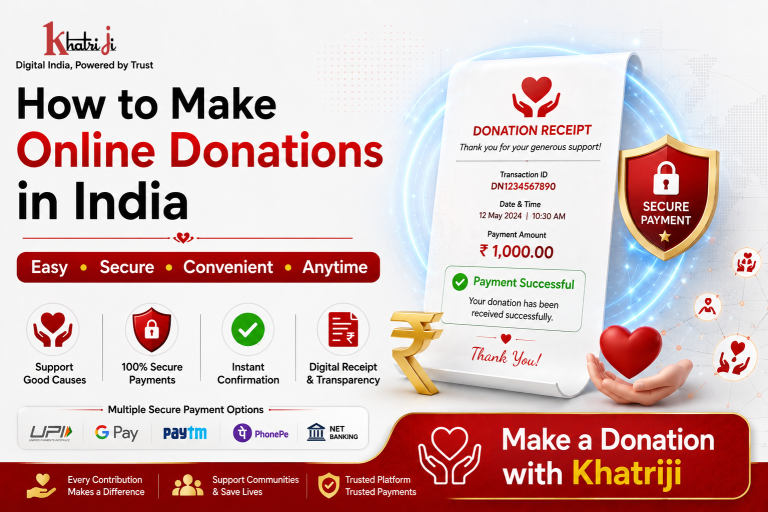
Online donation in India has become a simple and convenient way to support charitable organizations and social causes. With Khatriji, you can make an online donation by selecting a supported organization, entering your donation details, choosing a secure payment option, and completing the transaction digitally.
In this guide, you will learn how to make an online donation in India, including the steps to select an organization, enter the required details, make a secure payment, and save your donation confirmation or receipt for your records.
Making a donation has become easier with digital payment services. Today, people can contribute to eligible charitable, religious, social and other supported organizations without needing to visit a physical payment counter.
With Khatriji, users can access digital payment and service options from one platform. Khatriji also provides donation payment services for supported organizations. For example, its platform currently has a dedicated donation payment page for the Shri Mata Vaishno Devi Shrine Board.
In this guide, we will explain how online donations work, how to make a donation through Khatriji, what information may be required, and important things to check before completing your payment.
What Is an Online Donation?
An online donation is a contribution made digitally to a supported organization, charitable institution, religious institution, social initiative or other eligible beneficiary.
Instead of visiting an office or donation counter, you can complete the payment online when the relevant organization and payment service are supported.
Depending on the organization, you may need to provide information such as:
- Full Name
- Mobile Number
- Email Address
- Address
- PAN, where required
- Donation amount
- Other organization-specific information
The exact information required can vary between organizations.
Why Make a Donation Online?
Online donations offer several practical benefits.
1. Convenient
You can make a contribution from home, office or while travelling.
2. Saves Time
There is generally no need to visit a physical donation counter.
3. Digital Payment
You can use the payment methods available on the payment page.
4. Digital Confirmation
After a successful transaction, you can keep the payment confirmation or transaction reference.
5. Easy Access
Digital donation services make it easier to contribute whenever the supported service is available.
How to Make an Online Donation with Khatriji
The exact process depends on the organization or donation service you select. A typical process is as follows.
Step 1: Visit Khatriji
Download the Khatriji app or open the website according to your device:
- Android App: Click here to download the Khatriji app.
- Ios App (Apple): Click here to download the Khatriji app.
- Website: Click here to open the Khatriji website.
Step 2: Select the Donation Service
Choose the relevant Donation service and select the supported organization.
For example, Khatriji currently provides an online donation payment page for the Shri Mata Vaishno Devi Shrine Board.
Step 3: Enter Your Details
Depending on the selected organization, you may be asked to provide:
- Full Name
- Mobile Number
- Address
- PAN
- Other required information
The Shri Mata Vaishno Devi Shrine Board donation page on Khatriji currently displays fields for Email, Full Name, PAN, Complete Address and Mobile Number.
Step 4: Select or Enter the Donation Amount
Enter the amount you want to donate or select an available donation option, depending on the service.
Before continuing, carefully verify the amount.
Step 5: Review Your Details
Check all the information you entered.
Pay particular attention to:
- Name
- Mobile number
- PAN, if entered
- Address
- Donation amount
- Selected organization
Step 6: Complete the Payment
Choose an available payment method and complete the transaction.
Khatriji’s donation payment page currently displays payment options including UPI, credit card, debit card and net banking.
Step 7: Save the Confirmation
After a successful payment, save your:
- Transaction ID
- Payment Reference
- Donation Receipt
- Payment Confirmation
These details may be useful for future reference.
What Information Is Required for Online Donation?
The information required depends on the organization.
You may be asked for:
- Full Name
- Mobile Number
- Email Address
- Complete Address
- PAN
- Donation Amount
- Organization-specific details
For example, the Khatriji donation page for Shri Mata Vaishno Devi Shrine Board currently requests Full Name, Email, PAN, Complete Address and Mobile Number.
Only provide information that is requested by the legitimate donation service.
Benefits of Using Khatriji for Donation Payments
Khatriji provides digital payment services through its platform, and its donation service page highlights several features.
Secure Transactions
Khatriji’s donation page describes its payment process as secure and encrypted.
Multiple Payment Methods
Supported donation payments can provide payment options such as:
- UPI
- Credit Card
- Debit Card
- Net Banking
The exact options may depend on the selected service.
Digital Payment Confirmation
After completing a payment, retain the transaction details and receipt.
Convenient Online Access
You can access supported donation services online rather than depending on a physical payment location.
Is Online Donation Safe?
Online donation can be convenient, but you should always verify that you are using the correct organization and legitimate payment service.
Follow these safety practices:
Verify the Organization
Before donating, make sure the selected organization is the one you intended to support.
Check the Website
Verify the website address before entering personal or payment information.
Check the Amount
Make sure the donation amount is correct before confirming the payment.
Never Share Your OTP
Never share your OTP with another person.
Never Share Your UPI PIN
Your UPI PIN should never be shared with anyone.
Keep Your Receipt
Save the transaction reference and donation receipt after successful payment.
What If the Donation Payment Fails?
If a donation transaction fails, first check whether the amount was actually debited from your payment account.
If Money Was Not Debited
You can review the payment details and try again if appropriate.
If Money Was Debited
Do not immediately make another payment.
Instead:
- Check your bank or payment-app transaction status.
- Note the transaction/reference number.
- Check the donation service status.
- Wait for the applicable processing period.
- Contact the relevant support channel if the transaction remains unresolved.
Keeping the original transaction reference is important when reporting a payment issue.
What If the Donation Receipt Is Not Received?
If your payment was successful but you have not received the expected confirmation or receipt:
- Check your email inbox.
- Check your SMS notifications.
- Verify your payment status.
- Keep your Transaction ID ready.
- Contact the relevant support channel if necessary.
Make sure the email address and mobile number entered during the donation process were correct.
Online Donation vs Offline Donation
| Feature | Online Donation | Offline Donation |
|---|---|---|
| Payment location | Anywhere with supported access | Physical location |
| Travel required | Usually no | May be required |
| Payment method | Digital payment | Cash/card/other available methods |
| Transaction record | Digital reference/receipt | Physical receipt may be provided |
| Convenience | High | Depends on location |
| Availability | Depends on online service | Depends on organization/location |
Things to Check Before Making an Online Donation
Before confirming your donation, check the following:
1. Organization Name
Make sure you have selected the correct organization.
2. Donation Amount
Verify the amount before payment.
3. Personal Details
Check your name, mobile number, email and other details.
4. PAN Details
If PAN is requested, enter it carefully and only on a legitimate payment page.
5. Payment Method
Choose an available and trusted payment method.
6. Receipt
Save the payment confirmation after the transaction.
Frequently Asked Questions
Can I make a donation online with Khatriji?
Yes, Khatriji provides online donation payment services for supported organizations. The available organizations and services may vary.
What details are required for donation?
Depending on the organization, you may need your name, mobile number, email address, address, PAN and donation amount.
Can I pay a donation using UPI?
If UPI is available on the selected donation payment page, you can use it to complete the payment.
Can I use a credit or debit card?
Supported donation services may provide credit and debit card payment options.
Will I receive a donation receipt?
The availability and delivery method of a receipt depend on the selected organization and payment service. Keep your transaction reference after successful payment.
Is PAN required for every donation?
Not necessarily. PAN requirements can depend on the organization, donation type and applicable requirements.
What should I do if my payment is deducted but the donation is not confirmed?
Keep your Transaction ID and payment information. Check the transaction status before making another payment and contact the relevant support channel if necessary.
Why Choose Online Donation?
Digital donation services make contributing to supported organizations more convenient.
With an online donation service, you can:
- Donate from anywhere
- Avoid physical payment counters
- Use available digital payment methods
- Keep a digital transaction record
- Check your payment confirmation
- Manage donations conveniently
With Khatriji, users can access supported digital payment services from one platform.
Conclusion
Online donation is a convenient way to contribute to supported organizations digitally. Before making a payment, always verify the organization, donation amount and personal information.
Khatriji provides online donation payment services for supported organizations, including a currently listed donation service for the Shri Mata Vaishno Devi Shrine Board.
For a smooth experience, use the correct details, choose a secure payment method, never share sensitive payment credentials, and save your transaction confirmation after completing the donation.
Tags: Digital Donation, Digital Payment, Donate Online, Donation Payment, Donation Payment Online, Donation Service, khatriji, Khatriji Donation, Online Charity Donation, Online Donation, Online Donation India, online payment, Religious Donation Online, Secure Online Donation