
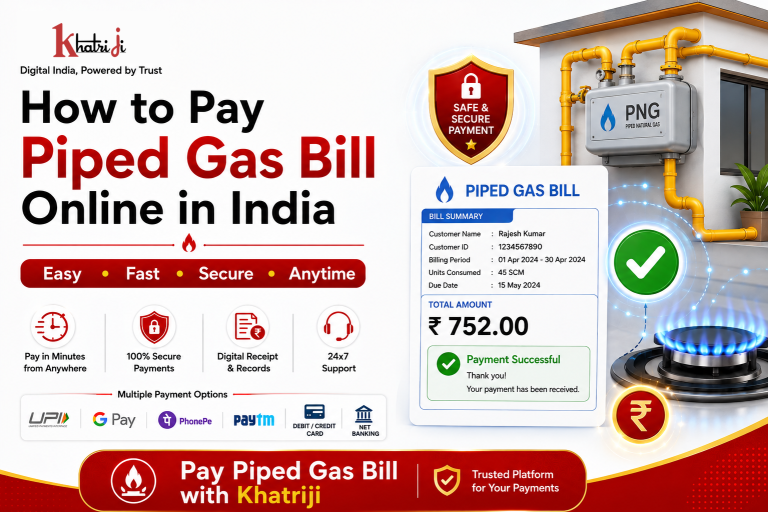
Paying your Piped Gas Bill no longer requires visiting a payment counter or gas service office. With online bill payment services, you can pay your Piped Natural Gas (PNG) bill from home, office, or while travelling.
Khatriji provides digital payment and utility services that can make everyday bill payments more convenient.
In this guide, you will learn how to pay a Piped Gas Bill online in India, what information you need, how the payment process works, important safety tips, and what to do if your payment is successful but the bill is not updated immediately.
What Is a Piped Gas Bill?
A Piped Gas Bill is a bill generated for the consumption of Piped Natural Gas (PNG) supplied to a home or business.
Depending on the gas provider, your bill may contain:
- Customer ID
- Consumer Number
- Connection Number
- Billing Period
- Previous Meter Reading
- Current Meter Reading
- Gas Consumption
- Total Bill Amount
- Due Date
- Payment Status
The exact information and terminology may vary depending on your Piped Gas provider.
Why Pay Your Piped Gas Bill Online?
Online bill payment offers several benefits.
1. Convenient Payment
You can pay your bill without visiting a physical payment counter.
2. Saves Time
Online payment eliminates the need to travel to a gas office or collection center.
3. Digital Payment
Depending on the available payment options, you may be able to use UPI, debit card, credit card, or other supported methods.
4. Digital Transaction Record
After a successful payment, you can keep your transaction ID or payment receipt for future reference.
5. Easy Bill Management
Online payment makes it easier to manage your utility bills and pay them before the due date.
How to Pay Piped Gas Bill Online with Khatriji
If Piped Gas Bill Payment is available for your gas provider and location through Khatriji, you can generally follow these steps.
Step 1: Visit Khatriji
Download the Khatriji app or open the website according to your device:
- Android App: Click here to download the Khatriji app.
- Ios App (Apple): Click here to download the Khatriji app.
- Website: Click here to open the Khatriji website.
Step 2: Select Piped Gas Bill Payment
Choose Piped Gas Bill Payment from the available utility or bill-payment services.
The available service providers may vary depending on the current service availability.
Step 3: Select Your Gas Provider
Choose the Piped Gas provider associated with your connection.
Always check your latest gas bill to confirm the correct provider.
Step 4: Enter Your Customer Details
Enter the required details, such as:
- Customer ID
- Consumer Number
- Connection Number
- Other provider-specific information
Make sure the information matches your gas bill.
Step 5: Check Your Bill Details
If bill details are available, carefully verify the information shown on the payment page.
Check:
- Customer name
- Customer number
- Bill amount
- Due date
- Billing information
Step 6: Verify the Amount
Before making the payment, check the amount carefully.
Make sure you are paying the correct bill and that the customer details are correct.
Step 7: Complete the Payment
Select an available payment method and complete the payment process.
Follow the instructions displayed on the payment page.
Step 8: Save the Payment Confirmation
After successful payment, save your:
- Transaction ID
- Payment reference
- Digital receipt
- Payment confirmation
These details can be useful if you need to check the transaction later.
What Information Is Required for Piped Gas Bill Payment?
Before starting your online payment, keep your latest gas bill available.
You may need:
- Customer ID
- Consumer Number
- Connection Number
- Registered mobile number, if required
- Gas provider details
- Bill amount
The exact information required depends on the gas provider and payment service.
Benefits of Paying Piped Gas Bills Online
Easy and Convenient
You can manage your bill payment digitally without visiting a physical payment location.
Saves Time
Online payments can reduce the time required for travelling and waiting at payment counters.
Digital Records
You can keep your transaction reference and payment receipt electronically.
Convenient Access
You can access the payment service whenever it is available.
Better Due-Date Management
Online payments make it easier to pay your bill before the due date.
Things to Check Before Paying Your Piped Gas Bill
Before confirming your payment, take a few simple precautions.
Check Your Customer Number
Make sure your Customer ID or Consumer Number is correct.
Verify the Gas Provider
Select the correct gas provider before proceeding.
Check the Bill Amount
Always verify the amount before completing the transaction.
Check the Due Date
Review the due date shown on your bill.
Save Your Receipt
Keep your transaction ID or digital receipt after payment.
What If Your Piped Gas Payment Fails?
If your payment shows as Failed, first check whether money was actually deducted from your bank account or payment method.
If Money Was Not Deducted
You can check the payment details and try again if appropriate.
If Money Was Deducted
Do not immediately make another payment.
Instead:
- Check your bank or payment-app transaction status.
- Note the transaction ID.
- Check the payment status on the payment platform.
- Allow the applicable processing time.
- Contact the relevant support channel if the issue remains unresolved.
Payment Successful but Gas Bill Not Updated
Sometimes a successful payment may take some time to reflect in the gas provider’s system.
If your bill has not been updated:
- Check your payment confirmation.
- Keep the transaction ID ready.
- Verify your Customer ID.
- Wait for the applicable processing period.
- Contact the relevant support team if the payment remains unreflected.
Avoid making another payment until you have checked the status of the previous transaction.
Can You Pay a Piped Gas Bill Using UPI?
If UPI is available on the payment page, you can use it to pay your Piped Gas Bill.
Before confirming a UPI transaction:
- Verify the amount.
- Check the recipient or merchant details.
- Never share your UPI PIN.
- Save the transaction reference after payment.
Can You Pay a Piped Gas Bill Using a Credit or Debit Card?
If card payment is supported, you may be able to pay your bill using a credit or debit card.
Before completing the transaction:
- Verify the payment amount.
- Check the payment page carefully.
- Never share your card PIN or OTP.
- Save the payment confirmation.
Is Online Piped Gas Bill Payment Safe?
Online bill payment can be convenient when using a legitimate payment platform and following basic security practices.
Never Share Your OTP
Your OTP is private and should not be shared with anyone.
Never Share Your UPI PIN
A legitimate support representative should not ask you for your UPI PIN.
Protect Your Card Details
Do not share your card PIN, CVV, password, or OTP with anyone.
Verify the Website
Always check that you are using the correct website before entering payment information.
Save Transaction Details
Keep your transaction ID and receipt for future reference.
Online vs Offline Piped Gas Bill Payment
| Feature | Online Payment | Offline Payment |
|---|---|---|
| Payment location | Anywhere with available service | Physical payment location |
| Travel required | Usually not required | May be required |
| Payment methods | Supported digital methods | Available offline methods |
| Transaction record | Digital record | Physical receipt may be provided |
| Convenience | High | Depends on location |
| Payment timing | Based on service availability | Based on counter/office hours |
Frequently Asked Questions
Can I pay my Piped Gas Bill online?
Yes. If online payment is supported for your gas provider and connection, you can pay your Piped Gas Bill digitally.
How can I pay my Piped Gas Bill with Khatriji?
Visit Khatriji, select the available Piped Gas Bill Payment service, choose your gas provider, enter the required customer details, verify the bill amount, and complete the available payment process.
What details are required for Piped Gas Bill Payment?
You may need your Customer ID, Consumer Number, Connection Number, or other provider-specific information.
Can I pay my Piped Gas Bill using UPI?
Yes, if UPI is available as a payment option on the relevant payment page.
Can I use a debit or credit card?
If card payments are supported on the payment page, you can use an eligible debit or credit card.
What should I do after successful payment?
Save your payment confirmation, transaction ID, and digital receipt for future reference.
What if my payment is deducted but my bill is not updated?
Check your transaction status and keep the transaction reference. Avoid making a second payment until the first transaction’s status is confirmed.
Should I keep my Piped Gas payment receipt?
Yes. Keeping the receipt or transaction ID can help with future verification or support requests.
Why Pay Piped Gas Bills on Time?
Paying your gas bill before the due date helps you manage your utility account properly.
Before the due date:
- Check your bill.
- Verify the amount.
- Confirm your Customer ID.
- Complete the payment.
- Save the transaction reference.
Regular online bill management can make utility payments easier and more organized.
Piped Gas Bill Payment with Khatriji
Khatriji is a digital services platform that provides access to various payment and utility services.
Where Piped Gas Bill Payment is available for your gas provider and location, you can use the available online payment process to manage your bill digitally.
Service availability, supported providers, required customer information, and payment methods may vary. Always check the current options displayed on Khatriji before making a payment.
Conclusion
Paying your Piped Gas Bill online is a convenient way to manage your PNG utility payment digitally.
With the correct Customer ID or Connection Number and an available digital payment method, you can complete your bill payment without visiting a physical payment counter.
For a smooth payment experience:
- Select the correct gas provider.
- Enter the correct Customer ID.
- Verify the bill amount.
- Check all payment details before confirming.
- Never share OTP or UPI PIN.
- Save your transaction ID and receipt.
You can visit Khatriji to check the currently available digital bill-payment services.
Tags: Gas Bill Payment India, Gas Bill Payment Online, khatriji, Khatriji Gas Bill Payment, online bill payment, Online Gas Bill Payment, Piped Gas Bill India, Piped Gas Bill Online, Piped Gas Bill Payment, Piped Gas Bill Payment Online, Piped Gas Payment, PNG Bill Payment, PNG Bill Payment Online, PNG Gas Bill India, PNG Gas Bill Payment, utility bill payment