
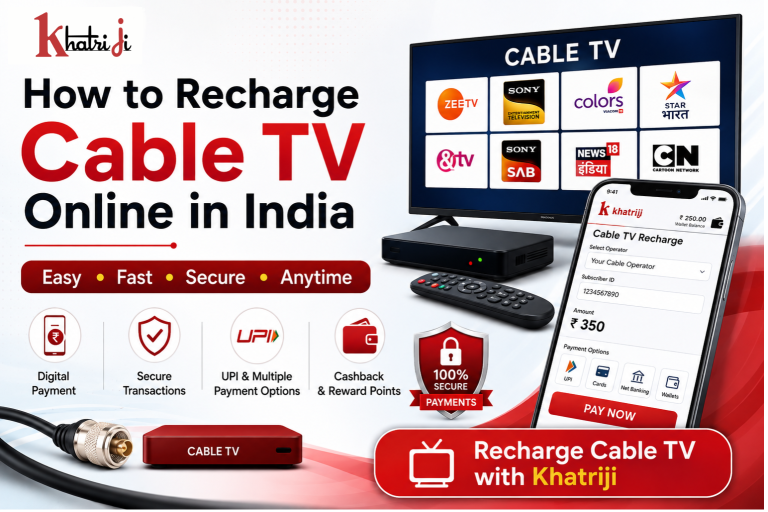
Paying for your cable TV connection no longer requires visiting a local operator or payment counter. With online services, you can recharge your cable TV connection from anywhere, check your payment details, and complete the transaction digitally.
With Khatriji, users can access digital recharge and bill-payment services from one platform. You can also use the dedicated Cable TV Recharge service for online cable TV payments.
In this guide, we will explain how to recharge Cable TV online, what information you need, how online payment works, and what to check after completing the recharge.
What Is Cable TV Recharge?
Cable TV recharge is the process of paying for your cable television service to keep your connection active according to your operator’s plan.
Depending on your cable operator and plan, the amount you pay may determine the duration and services available on your connection.
Online recharge makes this process more convenient because you can complete the payment digitally without visiting a physical payment location.
Why Recharge Cable TV Online?
There are several advantages to making your cable TV payment online.
1. Convenient Payment
You can recharge your connection from home, office, or while travelling.
2. Saves Time
There is no need to visit a local cable TV operator or payment counter.
3. Digital Payment
Online platforms can provide convenient digital payment methods depending on the available payment options.
4. Payment Confirmation
After a successful transaction, you can keep the transaction details or receipt for future reference.
5. Easy Access
A digital platform makes it easier to manage your Cable TV recharge whenever you need it.
How to Recharge Cable TV Online with Khatriji
Follow these simple steps to complete your Cable TV recharge.
Step 1: Visit Khatriji
Download the Khatriji app or open the website according to your device:
- Android App: Click here to download the Khatriji app.
- Ios App (Apple): Click here to download the Khatriji app.
- Website: Click here to open the Khatriji website.
Step 2: Select Cable TV Recharge
Choose Cable TV Recharge from the available services.
You can also directly open the Khatriji Cable TV Recharge page.
Step 3: Select Your Cable TV Operator
Choose the applicable Cable TV operator from the available options.
Step 4: Enter Your Customer Details
Enter the required information, such as:
- Customer ID
- Subscriber ID
- Connection number
- Registered details, if required
The exact information required can depend on the operator and payment service.
Step 5: Enter or Verify the Recharge Amount
Enter the amount you want to pay or verify the bill amount if it is displayed.
Before continuing, carefully check the customer details and amount.
Step 6: Complete the Payment
Select an available payment method and complete the transaction securely.
Step 7: Check the Confirmation
After payment, check the transaction status and save the receipt or transaction reference for future use.
What Information Do You Need for Cable TV Recharge?
Before starting your online recharge, keep the following information available:
- Cable TV Customer ID
- Subscriber Number
- Registered Mobile Number, if required
- Cable TV Operator Details
- Recharge or Bill Amount
Keeping the correct customer information ready can make the process quicker and help avoid payment errors.
Benefits of Using Khatriji for Cable TV Recharge
Using a dedicated digital payment platform can make Cable TV recharge more convenient.
Convenient Digital Payments
You can complete your payment online instead of visiting a physical payment location.
Secure Payment
Use a trusted payment platform and follow standard online payment security practices when completing your transaction.
Multiple Services in One Place
Khatriji provides access to multiple recharge and bill-payment services, allowing users to manage different everyday payments from one platform.
Easy Digital Records
After completing a transaction, keep your payment reference or receipt for future reference.
Online Cable TV Recharge vs Offline Recharge
| Feature | Online Recharge | Offline Recharge |
|---|---|---|
| Payment location | Anywhere | Usually at a payment location |
| Availability | Digital access | Depends on operator/store |
| Travel required | No | May be required |
| Payment record | Digital transaction details | May require a physical receipt |
| Convenience | High | Depends on location |
| Payment timing | Based on service availability | Depends on operator/store |
Things to Check Before Cable TV Recharge
Before making the payment, follow these simple precautions.
Check Your Customer ID
Make sure the subscriber or customer number is correct.
Verify the Operator
Select the correct Cable TV operator before making the payment.
Check the Amount
Verify the recharge amount or bill amount before proceeding.
Keep the Transaction Reference
Save the transaction ID or payment receipt after successful payment.
Use a Secure Connection
Avoid making payments through unknown or suspicious websites.
What If the Cable TV Recharge Is Not Updated?
Sometimes a successful payment may take some time to reflect in your Cable TV account.
If the recharge does not appear:
- Check whether the payment was successful.
- Keep your transaction/reference number ready.
- Check the customer ID you entered.
- Wait for the applicable processing time.
- Contact the relevant support channel if the issue continues.
Avoid making another payment immediately without first checking the status of the previous transaction.
Is Online Cable TV Recharge Safe?
Online Cable TV recharge can be convenient when you use a legitimate payment platform and follow basic security practices.
For safer online payments:
- Never share your OTP.
- Never share your UPI PIN.
- Don’t share card PINs or passwords.
- Verify the website address before making payment.
- Check the recipient and amount before confirming a UPI transaction.
- Keep your transaction receipt.
Frequently Asked Questions
Can I recharge my Cable TV online?
Yes. Cable TV recharge can be completed online through supported digital recharge and bill-payment services.
How can I recharge Cable TV with Khatriji?
Visit Khatriji, select the Cable TV Recharge service, enter the required customer details, verify the amount, and complete the available online payment process.
What details are required for Cable TV recharge?
Usually, you may need a Customer ID, Subscriber ID, connection number, or other operator-specific information.
Can I make Cable TV payments digitally?
Yes, where supported, you can use the payment methods provided during checkout.
What should I do after successful payment?
Save your payment confirmation, transaction ID, or digital receipt for future reference.
What if my Cable TV recharge is not reflected?
First verify the payment status and transaction reference. If the payment was successful but the recharge has not been reflected after the applicable processing period, contact the relevant support channel.
Why Choose Online Cable TV Recharge?
Online Cable TV recharge is useful for people who want a quick and convenient way to maintain their television connection.
Instead of visiting a local payment point, you can:
- Pay digitally
- Check your payment details
- Keep a digital transaction record
- Recharge from almost anywhere
- Access the service whenever it is available
You can visit the dedicated Khatriji Cable TV Recharge service to explore the available Cable TV payment option.
Conclusion
Recharging Cable TV online is a simple and convenient way to manage your television service. You only need the correct customer information, your preferred payment method, and a reliable digital payment platform.
With Khatriji, you can access the dedicated Cable TV Recharge service and complete your payment digitally.
For a smooth experience, always verify your customer details and payment amount before confirming the transaction, and keep your payment reference after completion.
Tags: Cable TV Bill Payment, Cable TV Online Payment, Cable TV Recharge, Cable TV Recharge India, Cable TV Recharge Online, Digital Cable TV Recharge, Digital Payment, How to Recharge Cable TV Online, khatriji, Khatriji Cable TV Recharge, online bill payment, Online Cable TV Payment, Pay Cable TV Bill Online, UPI Payment