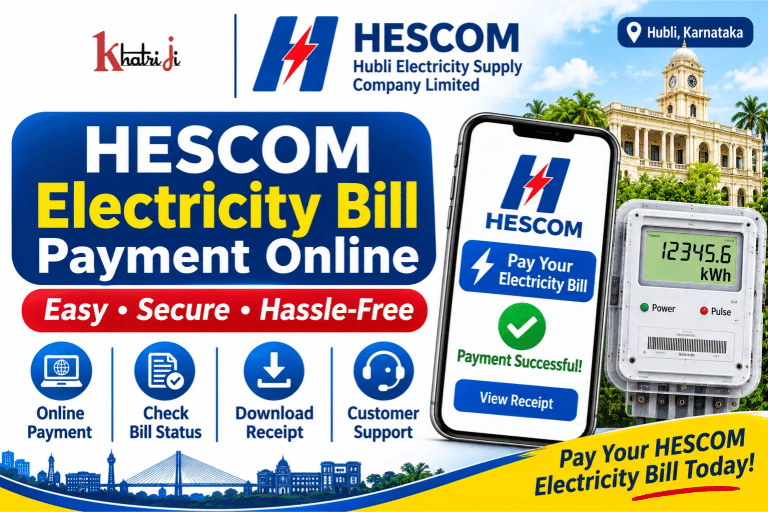
Paying your electricity bill online is a convenient way to avoid visiting electricity offices and waiting in long queues. If your electricity connection comes under Hubli Electricity Supply Company Limited (HESCOM), you can use the official HESCOM Consumer Portal to view your bill, make online payments and check your billing and payment history.
With HESCOM Electricity Bill Payment Online, consumers can pay their electricity bills using the official Quick Payment facility without creating an account. Registered consumers can also log in to their accounts and use the Pay Bill option.
HESCOM provides online consumer services for electricity connections across its service areas in Karnataka, including Hubballi, Dharwad, Gadag, Haveri, Uttara Kannada, Belagavi, Bagalkote and Vijayapura.
In this guide, you will learn how to pay your HESCOM electricity bill online, use Quick Payment, check your payment status, download your bill, get a payment receipt and contact HESCOM Customer Care.
What is Hubli Electricity Supply Company Limited (HESCOM)?
Hubli Electricity Supply Company Limited (HESCOM) is one of the electricity distribution companies operating in Karnataka.
The company is responsible for electricity distribution and consumer-related services in its designated service areas.
HESCOM provides various online services to help consumers manage their electricity accounts, including:
- Online electricity bill payment
- Quick Payment without registration
- Consumer account registration
- View and download electricity bills
- Billing and payment history
- Consumption history
- Consumption calculator
- New electricity connection applications
- Name change requests
- Tariff change requests
- Load enhancement and load reduction requests
- Meter change services
- Online service request tracking
- Consumer complaints and support
Consumers can access these services through the official HESCOM website and its online consumer portal.
How to Pay HESCOM Electricity Bill Online Through Khatriji?
If Hubli Electricity Supply Company Limited is available in Khatriji’s electricity biller list, you can follow these steps to make an online payment.
- Visit the Khatriji website: https://khatriji.in/
- Open the Electricity Bill Payment section.
- Search for Hubli Electricity Supply Company Ltd (HESCOM).
- Select the biller if it is available.
- Enter your Consumer Number or the details requested on the payment page.
- Submit the information to fetch your bill, if bill-fetching is supported.
- Verify the consumer name and payable amount.
- Select an available payment method.
- Follow the payment gateway instructions to complete the transaction.
- Save the payment confirmation and transaction reference.
Important: Check whether HESCOM is currently available in Khatriji’s biller list. If the biller is not listed, you can use the official HESCOM Consumer Portal to pay your electricity bill.
How to Pay HESCOM Electricity Bill Through the Official Website?
HESCOM provides an online consumer portal where consumers can make electricity bill payments, view their accounts and access other services.
Official HESCOM Website:
HESCOM Online Consumer Portal:
https://hescomonlineservices.nsoft.in/Index.aspx
Steps for HESCOM Quick Payment Without Registration
One of the useful features of HESCOM is its Quick Payment facility. Consumers can use this option without registering on the portal.
Follow these steps:
- Open the official HESCOM website.
- Select the Quick Payment or Online Payment option.
- Open the Quick Payment page.
- Enter the required consumer details, such as RR Number or Account ID, as requested.
- Verify the consumer information and bill details.
- Check the outstanding amount and due date.
- Enter the payment amount if the portal requests it.
- Provide your email address and other required information.
- Select an available payment method.
- Complete the transaction through the payment gateway.
- Wait for the successful payment confirmation.
- Print or save the payment acknowledgement.
No registration is required for Quick Payment. Registered consumers can also use this facility.
Important: If the portal does not display updated bill information, follow the instruction displayed on the Quick Payment page and verify the exact payable amount against your physical electricity bill before entering an amount.
How to Pay HESCOM Electricity Bill Through a Registered Account?
If you have already registered on the HESCOM Consumer Portal, you can pay your electricity bill through your account.
Steps for Registered Consumers
- Visit the HESCOM Online Consumer Portal.
- Log in using your registered User ID and Password.
- Open the Account Summary section.
- Select the relevant Account ID.
- Check the consumer name, amount due and due date.
- Click on View Bill to review the bill details.
- Select Pay Bill.
- Follow the payment instructions.
- Complete the transaction using an available payment method.
- Save the acknowledgement and payment confirmation.
The registered consumer portal also provides billing and payment history for the accounts linked to the user.
Note: HESCOM’s online portal states that partial payment of the due amount is not allowed through the registered Pay Bill facility.
What Is the Difference Between RR Number and Account ID?
HESCOM uses consumer identification details to locate electricity connections and billing information.
RR Number
RR Number is the power supply connection number assigned to the consumer. According to HESCOM’s FAQ, it is painted on the meter board.
Account ID
Account ID is used in the consumer account system to identify an electricity billing account. Registered users can select their Account ID from the Account Summary section to view and pay their bills.
Keep your latest electricity bill ready when using the online payment portal so you can enter the correct consumer details.
What Information Is Required for HESCOM Electricity Bill Payment?
Before making an online payment, keep the following information ready:
- RR Number
- Account ID, if required
- Consumer Name
- Consumer Address
- Billing Details
- Outstanding Amount
- Due Date
- Mobile Number, if requested
- Email Address
- Payment Method
The exact information required may vary depending on whether you use Quick Payment or the registered consumer portal.
Always verify the consumer details and payable amount before completing the payment.
What Are the Available Payment Methods for HESCOM Electricity Bills?
HESCOM’s online payment portal provides multiple digital payment options through its payment gateway.
The payment methods shown on the portal may include:
- UPI
- Debit Card
- RuPay Debit Card
- Credit Card
- Net Banking
The applicable payment options and convenience charges may vary. Check the payment gateway’s current charge information before confirming the transaction.
HESCOM also documents other electricity bill collection options, including:
- Cash at designated collection centres
- Cheque, subject to applicable rules
- Demand Draft, subject to applicable rules
- Electronic Clearing System (ECS)
- Digital payment facilities
- Karnataka One services
- Any Time Payment (ATP) kiosks at supported locations
Availability may depend on the consumer’s area and the collection facility.
How to Check HESCOM Electricity Bill Payment Status?
After making an online payment, it is important to confirm whether the transaction was successful.
You can check the payment status by following these steps:
- Open the HESCOM official website.
- Visit the Quick Payment or consumer portal section.
- Check the available Last Online Payment Status or payment-related option.
- Enter the required transaction or consumer details, if requested.
- Review the payment information displayed on the screen.
- Check your bank account or UPI app for the transaction status.
- Keep your Transaction ID and payment reference number for future use.
Registered consumers can also log in and visit Billing and Payment History to review previous billing and payment details.
HESCOM’s official FAQ states that a successful payment displays a confirmation message on the screen.
How to Download HESCOM Electricity Bill?
If you want to view or save your HESCOM electricity bill, you can use the View Bill option on the registered consumer portal.
Follow these steps:
- Open the HESCOM Consumer Portal.
- Log in using your registered credentials.
- Go to My Account.
- Select View Bill.
- Choose the relevant Account ID.
- Open the bill details.
- Select the PDF bill link.
- Download and save the electricity bill on your device.
The portal provides access to a bill snapshot as well as a detailed bill in PDF format.
Keep the downloaded bill for future reference and use it to verify your consumer details before making a payment.
How to Download HESCOM Electricity Bill Payment Receipt?
A payment receipt is important proof of your completed electricity bill transaction.
HESCOM’s official FAQ explains that after a successful online payment:
- A confirmation message is displayed on the screen.
- An acknowledgement can be printed.
- An e-receipt is sent to the email address entered during payment.
Steps to Save Your Payment Receipt
- Complete your electricity bill payment.
- Wait for the payment confirmation message.
- Open the acknowledgement or receipt option.
- Select Print or Download, if available.
- Save the receipt as a PDF.
- Check your email for the e-receipt.
- Keep the Transaction ID and payment reference number safe.
If you are a registered consumer, you can also review your Billing and Payment History.
How to Check HESCOM Billing and Payment History?
HESCOM provides a Billing and Payment History facility through its registered consumer portal.
This feature helps consumers review previous electricity bills and payment details for their linked accounts.
Steps to View Payment History
- Open the HESCOM Online Consumer Portal.
- Log in using your registered User ID and Password.
- Go to My Account.
- Select Billing and Payment History.
- Choose the relevant account.
- Review the available billing and payment records.
This facility can help you verify earlier payments and check your electricity billing information.
Can You Make Advance Payment for HESCOM Electricity Bills?
Yes. HESCOM’s official FAQ confirms that an Advance Bill Payment option is available through the consumer portal.
Consumers can use the Pay in Advance option and enter the desired amount in the free-text field, as instructed by the portal.
Before making an advance payment, check the account details and the instructions displayed on the payment page.
What to Do If Money Is Deducted but HESCOM Bill Is Not Updated?
Sometimes the amount may be deducted from your bank account, but the payment acknowledgement may not be generated immediately.
HESCOM provides specific instructions for transactions made through the BillDesk payment gateway.
If money is deducted but the payment acknowledgement is not generated:
- Do not immediately make another payment for the same bill.
- Save your bank transaction reference number.
- Note the payment date and amount.
- Wait for up to 24 hours for BillDesk to confirm the transaction with the bank and update the payment.
- Check the email address entered during payment for the acknowledgement.
- If the issue continues, contact BillDesk or HESCOM Customer Care.
HESCOM’s FAQ lists the following BillDesk support details for this situation:
- Website: https://www.billdesk.com/
- Phone: 080-25586664
For online payment doubts, HESCOM also advises consumers to contact Customer Care at 1912.
Common HESCOM Electricity Bill Payment Problems and Solutions
1. RR Number Is Not Accepted
Check the RR Number printed on your electricity bill or meter board.
Make sure you enter the correct number and do not confuse it with another account reference.
2. Bill Details Are Not Displayed
Check your RR Number or Account ID and try again.
If the updated bill is not visible, compare the amount with your physical electricity bill and follow the instructions shown on the portal.
3. Online Payment Failed
Check your bank account or UPI app to confirm whether money was deducted.
If the amount was not deducted, you may retry after checking the consumer details.
If money was deducted, do not make another payment until the previous transaction has been verified.
4. Payment Acknowledgement Is Not Generated
If the amount was deducted but no acknowledgement was generated through BillDesk, wait for up to 24 hours as instructed by HESCOM.
Check your email and contact BillDesk if the acknowledgement is still missing.
5. Payment Receipt Is Not Received by Email
Check the email address entered during payment and look in your Spam or Promotions folder.
You can also check the acknowledgement displayed after payment.
6. Incorrect Bill Amount Is Displayed
Compare the amount displayed online with your physical electricity bill.
If the amount is still incorrect, contact the relevant HESCOM office before completing the transaction.
7. Registered Account Login Is Not Working
Check your User ID and Password.
Use the Forgot Password option if available, or follow the account recovery instructions on the portal.
HESCOM Customer Care and Contact Details
If you face issues related to electricity bills, payment, power supply or consumer services, you can contact HESCOM through its official support channels.
Important HESCOM Contact Details
- Company Name: Hubli Electricity Supply Company Limited
- Customer Care / Helpline: 1912
- Corporate Office: HESCOM Corporate Office, Beside Hubballi-Dharwad Police Commissioner Office, Navanagar, P.B. Road, Hubballi – 580025, Karnataka
- Phone: 0836-2223907
- Mobile: 9448278618
- Email: md.hescom.kn@gmail.com
- Official Website: https://www.hescom.co.in/
- Online Consumer Portal: https://hescomonlineservices.nsoft.in/Index.aspx
For payment-related issues, keep your RR Number, Account ID, payment date, amount and Transaction Reference ready before contacting customer support.
BillDesk Payment Support
For a payment amount deducted from your bank account without a generated acknowledgement through BillDesk, HESCOM’s FAQ lists:
- Website: https://www.billdesk.com/
- Phone: 080-25586664
Use the support details relevant to your transaction and follow the official payment portal’s instructions.
Other Online Services Available on the HESCOM Portal
Apart from electricity bill payment, HESCOM provides several consumer services through its online portal.
These include:
1. New Electricity Connection
Consumers can access the available online application services for a new electricity connection.
2. Name Change
Consumers can submit a request for a name change in the electricity connection, subject to applicable documents and requirements.
3. Tariff Change
The portal provides an online facility to submit a tariff change request.
4. Load Enhancement
Consumers can apply for an increase in the sanctioned electrical load, subject to the applicable process.
5. Load Reduction
Consumers can submit an online request for load reduction.
6. Meter Change
The portal provides a meter change service, including the facility to transition from a static meter to a smart meter where applicable.
7. Track Service Requests
Consumers can check the status of available online service requests through the tracking section.
These services help consumers access several electricity-related facilities without visiting the office for every request.
Tips for Safe HESCOM Online Electricity Bill Payment
Follow these precautions to make your online payment safely:
- Use the official HESCOM website or trusted payment platforms.
- Check the website address before entering consumer details.
- Verify your RR Number and Account ID.
- Check the consumer name and outstanding amount.
- Review convenience charges before payment.
- Never share your OTP, UPI PIN, ATM PIN or banking password.
- Avoid making repeated payments when an earlier transaction is pending.
- Save the payment acknowledgement and transaction reference.
- Keep your payment receipt for future use.
- Contact official customer support if your payment is not updated.
Frequently Asked Questions About HESCOM Electricity Bill Payment
1. How can I pay my HESCOM electricity bill online?
Visit the official HESCOM website at https://www.hescom.co.in/ and open the Quick Payment option. Enter the required consumer details, verify the bill amount and complete the payment using an available payment method.
2. What is the official HESCOM electricity bill payment website?
The official website is https://www.hescom.co.in/. Consumers can also use the HESCOM Online Consumer Portal at https://hescomonlineservices.nsoft.in/Index.aspx.
3. Can I pay my HESCOM bill without registration?
Yes. HESCOM provides a Quick Payment option that does not require registration. Registered users can also use this facility.
4. What is the RR Number in a HESCOM electricity bill?
RR Number is the power supply connection number assigned to a consumer. According to HESCOM’s FAQ, it is painted on the meter board.
5. What is an Account ID in HESCOM?
Account ID is an identifier used in the HESCOM consumer account system. Registered consumers can select their Account ID from Account Summary to view and pay their electricity bills.
6. Which payment methods are available for HESCOM electricity bills?
The official payment gateway may provide UPI, Debit Card, RuPay Debit Card, Credit Card and Net Banking. Check the current payment page for available options and charges.
7. How can I download my HESCOM electricity bill?
Log in to the HESCOM Consumer Portal, open My Account, select View Bill and download the detailed bill in PDF format.
8. How can I get my HESCOM payment receipt?
After a successful payment, an acknowledgement is displayed on the screen. You can print it, and an e-receipt is also sent to the email address entered during payment.
9. How can I check HESCOM payment history?
Log in to the registered consumer portal and open My Account → Billing and Payment History to view available previous billing and payment records.
10. What should I do if money is deducted but the HESCOM bill is not updated?
Do not immediately make another payment. HESCOM advises consumers using BillDesk to wait up to 24 hours for bank confirmation and payment updating. Keep your transaction details and contact the relevant support team if needed.
11. What is the HESCOM Customer Care Number?
HESCOM’s customer care helpline is 1912.
12. Can I make an advance payment for my HESCOM electricity bill?
Yes. HESCOM’s official FAQ confirms that the Pay in Advance option is available through the consumer portal.
13. Can I make partial payment of my HESCOM electricity bill?
HESCOM’s registered consumer portal states that partial payment of the due amount is not allowed through its Pay Bill facility.
14. Can I pay my HESCOM electricity bill through Khatriji?
You can check the Khatriji Electricity Bill Payment section for the availability of Hubli Electricity Supply Company Ltd (HESCOM). If it is not listed, use the official HESCOM payment portal.
Conclusion
HESCOM Electricity Bill Payment Online makes it easier for consumers to manage their electricity bills through digital payment facilities.
Consumers can use HESCOM Quick Payment without registration or log in to the registered consumer portal to view bills, make payments and check billing and payment history.
After completing a successful payment, save the acknowledgement and e-receipt for future reference. If money is deducted but the payment is not updated, follow HESCOM’s instructions and verify the transaction before making another payment.
You can also check Khatriji for the availability of the HESCOM biller and use the official HESCOM portal whenever required.
For a safe and convenient payment experience, always verify your consumer details, payment amount and transaction status.
Tags: Electricity Bill Payment Online, HESCOM Bill Payment, HESCOM Electricity Bill, HESCOM Online Payment, HESCOM Quick Payment, Hubli Electricity Bill, Hubli Electricity Supply Company Limited, Karnataka Electricity Bill, khatriji