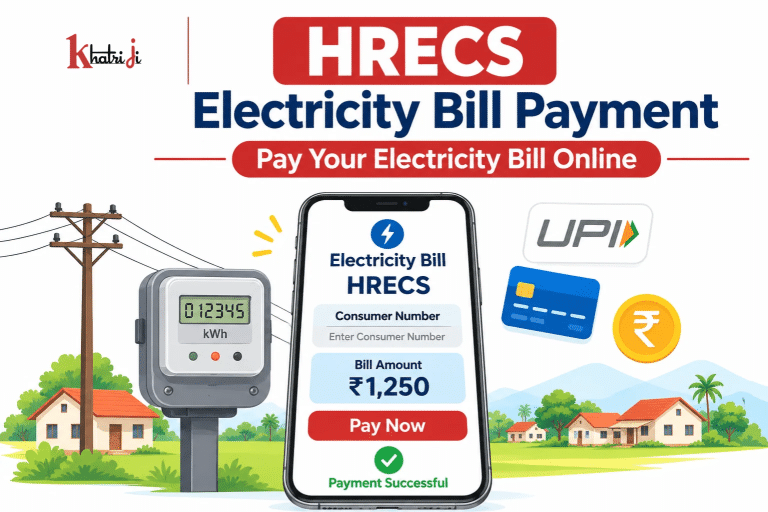
Paying your Hukkeri Rural Electric Co-operative Society (HRECS) electricity bill online can save time and help you avoid visiting a payment counter. Consumers in the HRECS service area of Karnataka can check available digital payment options through supported bill-payment platforms and complete their transactions using the consumer details printed on their electricity bill.
Hukkeri Rural Electric Co-operative Society Limited is an electricity distribution cooperative serving consumers in Hukkeri Taluk of Belagavi district, Karnataka. If you are looking for information about HRECS online bill payment, this guide explains how to choose a payment platform, enter your consumer details, check the payable amount, complete the transaction and keep the payment receipt safely.
You can also check whether HRECS bill payment is currently available on Khatriji before starting your transaction.
About Hukkeri Rural Electric Co-operative Society (HRECS)
Hukkeri Rural Electric Co-operative Society, commonly known as HRECS, is a rural electricity distribution cooperative based in Hukkeri, Karnataka. It was established on 21 July 1969 and operates as a distribution licensee under the Electricity Act, 2003.
The Society supplies electricity to consumers in Hukkeri Taluk of Belagavi district and nearby service areas. Its distribution sections include Hukkeri East, Hukkeri West, Sankeshwar, Yamakanamaradi, Hidkal Dam, Kanagala, Hebbal, Sulthanpur and Bellada Bagewadi.
HRECS is a distinct electricity distribution licensee. Therefore, consumers should select the exact Hukkeri Rural Electric Co-operative Society Ltd biller when making an online payment rather than choosing another Karnataka electricity provider.
How to Pay HRECS Electricity Bill Online
You may be able to pay your HRECS electricity bill through Khatriji if the biller is available in the payment section. Biller availability can change, so check the provider list before proceeding.
Steps to Pay HRECS Bill Through Khatriji
- Visit the Khatriji electricity bill payment page: https://khatriji.in/electricity-bill-payment/
- Open the electricity bill payment section.
- Search for Hukkeri Rural Electric Co-operative Society Ltd.
- Select the biller if it is listed.
- Enter the required consumer or connection number exactly as printed on your electricity bill.
- Submit the details to fetch or verify your bill, if the facility is available.
- Check the consumer information and payable amount carefully.
- Choose an available payment method.
- Complete the payment and wait for the transaction confirmation.
- Save the receipt or transaction reference for future use.
Important: If HRECS is not listed on Khatriji, do not select a different electricity provider as a substitute. Use another supported payment platform or contact HRECS to confirm the accepted payment channels.
Other Online Payment Options for HRECS
HRECS is listed as an electricity biller on certain third-party payment platforms. For example, HDFC Bank’s PayZapp provides a bill-payment flow for Hukkeri Rural Electric Cooperative Society Ltd. Bajaj Finserv also lists HRECS bill payment through its BBPS platform.
The availability of a biller and payment methods can vary by platform and may change. Check the details displayed on the payment screen before confirming your transaction.
1. Pay Through HDFC Bank PayZapp
HDFC Bank’s PayZapp lists HRECS as an electricity biller. The general steps are:
- Open the PayZapp application.
- Go to Bills & Recharges.
- Select Electricity under Utilities.
- Choose Hukkeri Rural Electric Cooperative Society Ltd.
- Enter your Consumer Number and any other requested details.
- Verify the fetched bill amount and consumer information.
- Select an available payment method, such as UPI, debit card or credit card.
- Confirm the payment.
- Check the transaction confirmation in the app’s Passbook section.
The available payment options and any applicable charges should be checked in PayZapp before payment.
2. Pay Through Bajaj Finserv BBPS
Bajaj Finserv also lists Hukkeri Rural Electric Cooperative Society bill payment through its BBPS platform.
The usual steps are:
- Open the Bajaj Finserv website or application.
- Navigate to Bills and Recharges.
- Select Electricity.
- Choose Hukkeri Rural Electric Cooperative Society from the biller list.
- Enter your customer or consumer ID.
- Fetch the bill and verify the amount.
- Select an available payment option.
- Complete the transaction.
- Save the payment confirmation and receipt.
Bajaj Finserv states that its platform may support UPI, debit cards, credit cards and net banking. A convenience fee may apply depending on the payment amount and method, so review the fee breakdown before paying.
Details Required for HRECS Electricity Bill Payment
Keep your latest electricity bill ready before starting an online transaction. You may need the following details:
- Consumer Number / Connection Number: The unique number printed on your electricity bill.
- Consumer Name: The name registered against the electricity connection.
- Mobile Number: May be requested by the payment platform for transaction updates.
- Email Address: May be required for digital receipts or payment communication.
- Bill Amount: Verify the amount fetched by the platform before making payment.
The exact information required depends on the payment platform. Always enter the consumer number as printed on the latest bill. Avoid adding spaces or changing digits.
How to Find Your HRECS Consumer Number
Your HRECS consumer or connection number is printed on your electricity bill. Look near the consumer details, account information or bill identification section.
If you cannot identify the correct number:
- Open your latest HRECS electricity bill.
- Check the top section containing your name and service address.
- Look for a field labelled Consumer Number, Connection Number, Account Number or a similar description.
- Use the number requested by the payment platform.
- Verify the displayed consumer name before paying.
If the payment platform cannot identify your connection, contact HRECS through its available official contact channels rather than trying random numbers.
How to Check HRECS Electricity Bill Payment Status
After making a payment, confirm that the transaction has been completed and that the payment is reflected against your electricity account.
You can follow these steps:
- Open the payment application or website used for the transaction.
- Go to Transaction History, Passbook, Orders or Payment History.
- Find the HRECS electricity bill transaction.
- Check whether the status is Successful, Pending or Failed.
- Note the transaction ID or reference number.
- Check your bank, UPI or card statement for the debit.
- If the biller provides a separate payment-status facility, use your consumer details to verify the bill account.
A successful payment notification from a payment platform is useful evidence, but you should also check whether the amount has been credited to your HRECS account.
How to Download the HRECS Electricity Bill Payment Receipt
Always save your payment receipt after completing an online transaction. It can help you resolve payment disputes and confirm the transaction later.
To download your receipt:
- Open the platform used to pay the bill.
- Visit Transaction History, Passbook or Payment History.
- Select the relevant HRECS payment.
- Open the transaction details.
- Choose Download Receipt, View Receipt or Share, if available.
- Save the receipt as a PDF or take a secure copy of the transaction details.
Keep the following information:
- Consumer or connection number
- Payment date and time
- Amount paid
- Transaction ID
- Payment status
- Bank or UPI reference number, if provided
What to Do If Your HRECS Bill Payment Fails
Sometimes a payment may fail because of a network issue, bank downtime, incorrect consumer information or a delay in communication between the payment platform and the biller.
Follow these steps if you face a problem:
Amount Debited but Payment Shows Failed
- Do not immediately make another payment.
- Check your bank or UPI transaction history.
- Save the transaction reference number.
- Check the payment platform’s refund or reversal status.
- Contact the platform’s support team if the amount is not reversed within its stated timeline.
- Confirm the bill status before trying again.
Payment Is Pending
A pending transaction may take time to receive a final status.
- Wait for the platform or bank to update the transaction.
- Do not repeat the payment while the first transaction is unresolved.
- Keep the transaction ID and payment screenshot.
- Contact the payment platform if the status remains pending beyond its stated resolution period.
Consumer Number Is Not Accepted
If the platform cannot fetch your HRECS bill:
- Recheck the number printed on your latest bill.
- Make sure you selected the correct HRECS biller.
- Check whether the connection is active.
- Try again after some time if the service is temporarily unavailable.
- Contact HRECS if the details are correct but the bill still cannot be fetched.
Payment Successful but Bill Not Updated
A successful payment may take some time to appear in the electricity account.
- Save the payment receipt.
- Check the transaction status again.
- Keep the bank or UPI reference number.
- Contact the payment platform and HRECS if the payment is not reflected after the expected processing time.
HRECS Electricity Bill Payment Methods
The Karnataka Electricity Regulatory Commission’s HRECS tariff order describes digital payment modes that may be used where the licensee provides the facility. These include:
- Debit Card
- Credit Card
- Net Banking
- Electronic Clearing System (ECS)
- RTGS / NEFT, where applicable
- Online e-payment and other permitted digital payment channels
The tariff order also refers to payment through bank, Bangalore One and Karnataka One websites where the relevant facility is provided by the licensee.
For large-value payments, special instructions may apply. Confirm the accepted payment mode and account details with HRECS before transferring money through RTGS or NEFT. Do not use bank details obtained from unofficial sources.
The actual options available to an individual consumer may differ according to the payment channel and the Society’s current arrangements.
Why Should You Pay Your HRECS Electricity Bill Before the Due Date?
Paying your electricity bill on time helps you avoid late-payment charges and possible service-related consequences.
Some important reasons to pay before the due date include:
- Avoid additional interest or late-payment charges.
- Reduce the risk of delayed payment disputes.
- Keep your electricity account up to date.
- Avoid possible disconnection action for prolonged non-payment.
- Maintain a record of regular bill payments.
Check the due date and any applicable charges printed on your latest bill. Do not rely on an old bill or a previous month’s due date.
About the Official HRECS Website
The HRECS website provides information about the Society, its service areas and organisational details. You can visit:
HRECS Official Website: https://cqserver.in/hrecs/index.php
For regulatory information, tariff orders and electricity-related decisions, you can also refer to the Karnataka Electricity Regulatory Commission:
KERC Website: https://karunadu.karnataka.gov.in/kerc
The HRECS website’s contact section can be used to look for current Society contact information. Verify contact details on the official website before sharing personal or payment information.
Safety Tips for Online HRECS Bill Payment
Follow these precautions whenever you pay your electricity bill online:
- Select the exact Hukkeri Rural Electric Co-operative Society biller.
- Verify the consumer name and bill amount before payment.
- Use a trusted payment application or website.
- Check convenience fees and other charges before confirming.
- Never share your UPI PIN, card PIN, OTP or banking password with anyone.
- Do not make payments through unknown links received by SMS or messaging applications.
- Save your payment receipt and transaction reference.
- Avoid making a second payment until a pending or failed transaction is resolved.
Frequently Asked Questions (FAQs)
1. How can I pay my HRECS electricity bill online?
You can check HRECS biller availability on Khatriji. HRECS is also listed on supported third-party platforms such as HDFC Bank PayZapp and Bajaj Finserv BBPS. Select the correct biller, enter your consumer details, verify the amount and complete the payment.
2. What is the full form of HRECS?
HRECS stands for Hukkeri Rural Electric Co-operative Society.
3. Where does HRECS provide electricity?
HRECS serves consumers in Hukkeri Taluk of Belagavi district, Karnataka, and nearby areas within its distribution jurisdiction.
4. What details are required to pay an HRECS electricity bill?
You generally need your Consumer Number or Connection Number. A payment platform may also ask for your mobile number or email address.
5. Can I pay my HRECS bill using UPI?
UPI is listed as a payment option on certain third-party platforms that support HRECS bill payments. Check the payment options displayed by your selected platform before proceeding.
6. Can I pay my HRECS bill using a debit or credit card?
Some supported payment platforms offer debit and credit card payments. The available options may vary by platform.
7. How can I check my HRECS payment status?
Open the payment platform’s transaction history, Passbook or payment history section. Check the transaction status and save the reference number. You can also verify whether the payment has been credited to your electricity account.
8. What should I do if money is deducted but my HRECS bill is not updated?
Save your bank or UPI reference number and payment receipt. Check the transaction status and contact the payment platform. If the transaction is successful but the bill remains unpaid, contact HRECS with the payment proof.
9. Can I download my HRECS electricity bill payment receipt?
Yes, if your payment platform provides a receipt facility. Open the completed transaction in the payment history section and download or save the receipt.
10. Is Khatriji an official HRECS website?
No. Khatriji is a bill-payment information and payment platform, not the official website of Hukkeri Rural Electric Co-operative Society. Check the official HRECS website for Society-related information.
Conclusion
Paying your Hukkeri Rural Electric Co-operative Society electricity bill online can be convenient when you use a supported and trusted payment channel. Keep your consumer number ready, select the correct HRECS biller, verify the amount and save the transaction receipt after payment.
Visit Khatriji Electricity Bill Payment to check whether HRECS is currently available and explore the supported payment options. If the biller is not listed, use another verified payment channel or contact HRECS for guidance.
Tags: Electricity Bill Payment Online, HRECS Bill Payment, HRECS Electricity Bill, HRECS Online Payment, Hukkeri Bill Payment Online, Hukkeri Electricity Bill, Hukkeri Rural Electric Co-operative Society, Hukkeri Rural Electricity, Karnataka Electricity Bill, khatriji